Astro developer for content-led websites
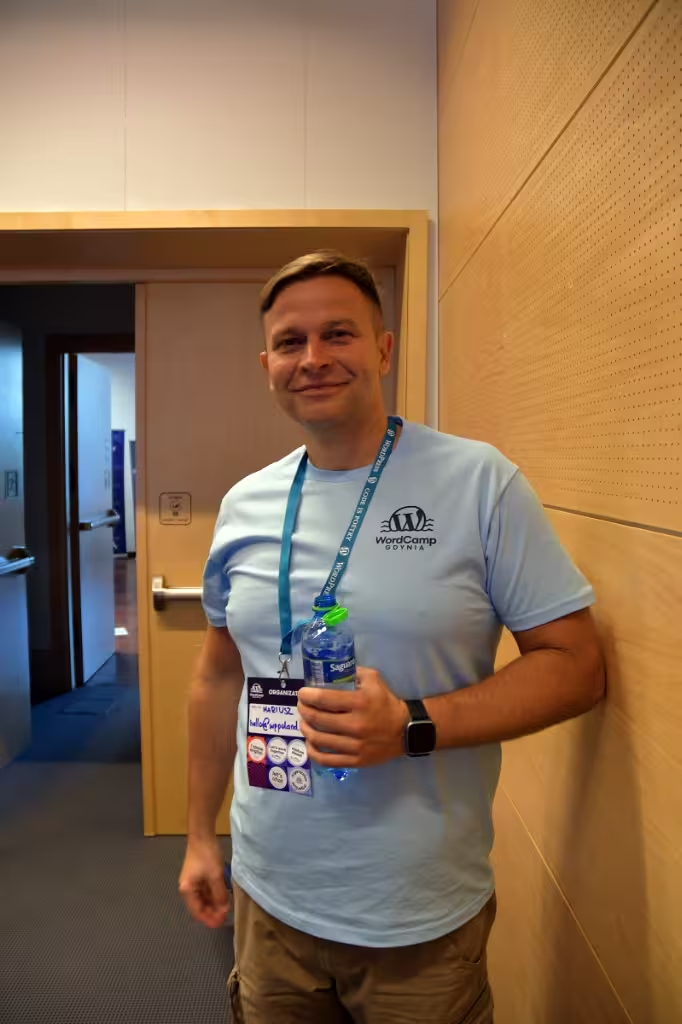
I am Mariusz Szatkowski and I have been building websites since 2006. I use Astro when a site is mostly content: a company site, a blog, documentation, a service catalogue. Astro renders components to HTML and CSS by default and ships JavaScript only for the parts that react to the visitor. A search box, a form or a pricing toggle becomes an island. Navigation, headings and body text stay plain HTML.
This site is built the same way: Astro 7, MDX, Tailwind CSS 4, a static build on Cloudflare Pages, six languages. The wppoland.com rebuild case study shows the stack and the rules behind it, and the WordPress to Astro migration report walks through the move itself.
Who: Mariusz Szatkowski (Wikidata), developer since 2006. WPPoland is the name I work under. I work alone: no team, no subcontractors.
What: Astro sites with island architecture, typed content collections, MDX, headless CMS integration, migrations from WordPress and Next.js, static deployment on Cloudflare.
Where: remotely from Gdynia, Poland. Decisions are made by email, in written documents and in the repository.
How much: every project gets an individual written quote with scope, assumptions and timeline, after you send a brief.
You bring the graphic design and wireframes, for example as a Figma file or a filled-in template that says which element goes where on each view. I turn that into Astro components that work on phones and desktops. For React front ends on the App Router, see Next.js development; for integrations and internal tools outside the front end, see software developer.
What I build in Astro
New sites
Work starts with a written specification: content types, page templates, URL structure, languages and deployment. Then I build Astro components to your design, content collections with schemas and the deployment pipeline. The code lives in a repository you own.
Content collections and MDX
I define build-time collections in src/content.config.ts with defineCollection(), a glob() or file() loader from astro/loaders, and a schema built with z from astro/zod. An entry with a missing title or a malformed date stops the build and names the file. MDX comes in through the @astrojs/mdx integration and lets an author drop a component, such as a comparison table, into the middle of an article.
Islands and client directives
Each island carries a directive that decides when its script loads: client:load, client:idle, client:visible, client:media or client:only. Islands from React, Svelte and Vue can sit on the same page. When I audit an existing Astro site, the first thing I look for is client:load used where client:visible would do.
Server islands
A component marked server:defer becomes a server island: it renders on demand, separately, while the rest of the page shows straight away. That needs on-demand rendering and an adapter, so I only use it where a page genuinely has per-visitor content.
Analytics on a static site for UK visitors
A static build does not set cookies by itself. The analytics, chat widgets and embeds you add do, and for UK visitors regulation 6 of the Privacy and Electronic Communications Regulations 2003 applies to any storage of or access to information on their device. Since 5 February 2026 the regulation, as substituted by the Data (Use and Access) Act 2025, points to Schedule A1, which lists the exceptions to the consent requirement.
Paragraph 5 of that schedule covers storage whose sole purpose is collecting statistics about how your own service is used, provided the visitor gets clear information and a free, simple way to object. Anything outside that, such as advertising pixels, still needs consent. In an Astro project I load third-party scripts only after the consent or objection state is known, and I list every script that touches visitor data so you can check it against your privacy notice.
Migrating from WordPress or Next.js to Astro
A migration should carry over what the current site has earned in search: URLs, backlinks, structured data and indexed content.
- Inventory. Every URL, redirect, content type, media file and third-party integration goes on a list that later serves as the acceptance checklist.
- Content export. Posts and pages become Markdown or MDX files with frontmatter that matches the collection schema. Images are converted and stored with the content.
- Redirect map. Every changed URL gets a 301 redirect at the hosting level.
- Structured data. I carry over schema.org markup and fix it, because SEO plugins in WordPress often emit generic markup.
- Before and after. I measure the old site and the staging build with the same tool under the same conditions and share both results.
- Launch. After your sign-off on staging the domain switches over, and I watch Google Search Console for crawl errors.
Timelines depend on the number of pages, content types and integrations. You get one in the quote after I have looked at the site.
Which headless CMS fits Astro?
WordPress as the content source. If your team has years of content in WordPress and knows the editor, WordPress can stay. Astro reads it through the built-in REST API under /wp-json/wp/v2/; WPGraphQL is an optional alternative. Editors keep their screen, visitors get static HTML.
Sanity suits new projects with structured content types defined in code. Storyblok fits marketing teams that want to see changes in the page layout while they edit. Contentful fits organisations that need roles and approval steps. Local MDX in the repository is the simplest option when the people writing content also work in Git; this site works that way.
When I keep WordPress
Astro is not the answer to every brief. WordPress stays when editors publish daily without access to a repository, when a shop runs on WooCommerce, or when a plugin already covers the feature you need. Then I work on it as a WordPress developer. A middle path is WordPress as the content source with an Astro front end, keeping the cart and checkout in WooCommerce.
Deployment on Cloudflare
A static Astro build is a dist folder of HTML, CSS and assets. It needs no adapter and no PHP server or database. wppoland.com is served this way from Cloudflare Pages.
If some pages must render on demand, the @astrojs/cloudflare adapter is required. According to the Astro docs it no longer supports Cloudflare Pages and deploys to Cloudflare Workers, which Cloudflare recommends for new projects. Every deployment comes from a commit, so you can see what changed in production and roll back to the previous version.
AI search and plain HTML
Crawlers that do not run JavaScript see an Astro page in full, because the HTML arrives complete in the first response. I add schema.org structured data (Organization, WebSite, Service, Article), consistent entity names and an llms.txt file that indexes the main pages. Whether a given AI assistant cites a page is decided by its provider, so I do not promise citations.
Maintenance after launch
Astro ships new releases regularly. I update the framework and npm dependencies on staging first and release to production only after the build checks out. A static site has no login screen or database to patch, but DNS, security headers and third-party scripts still need review. I do not offer 24/7 on-call or guaranteed response times.
Contact and related services
Send me a description of the site, what should change and your deadline through the contact form. You get a written quote with the assumptions it rests on.
The shorter Astro developer service page summarises the same offer. For a PHP back end behind an Astro front end, see PHP developer.