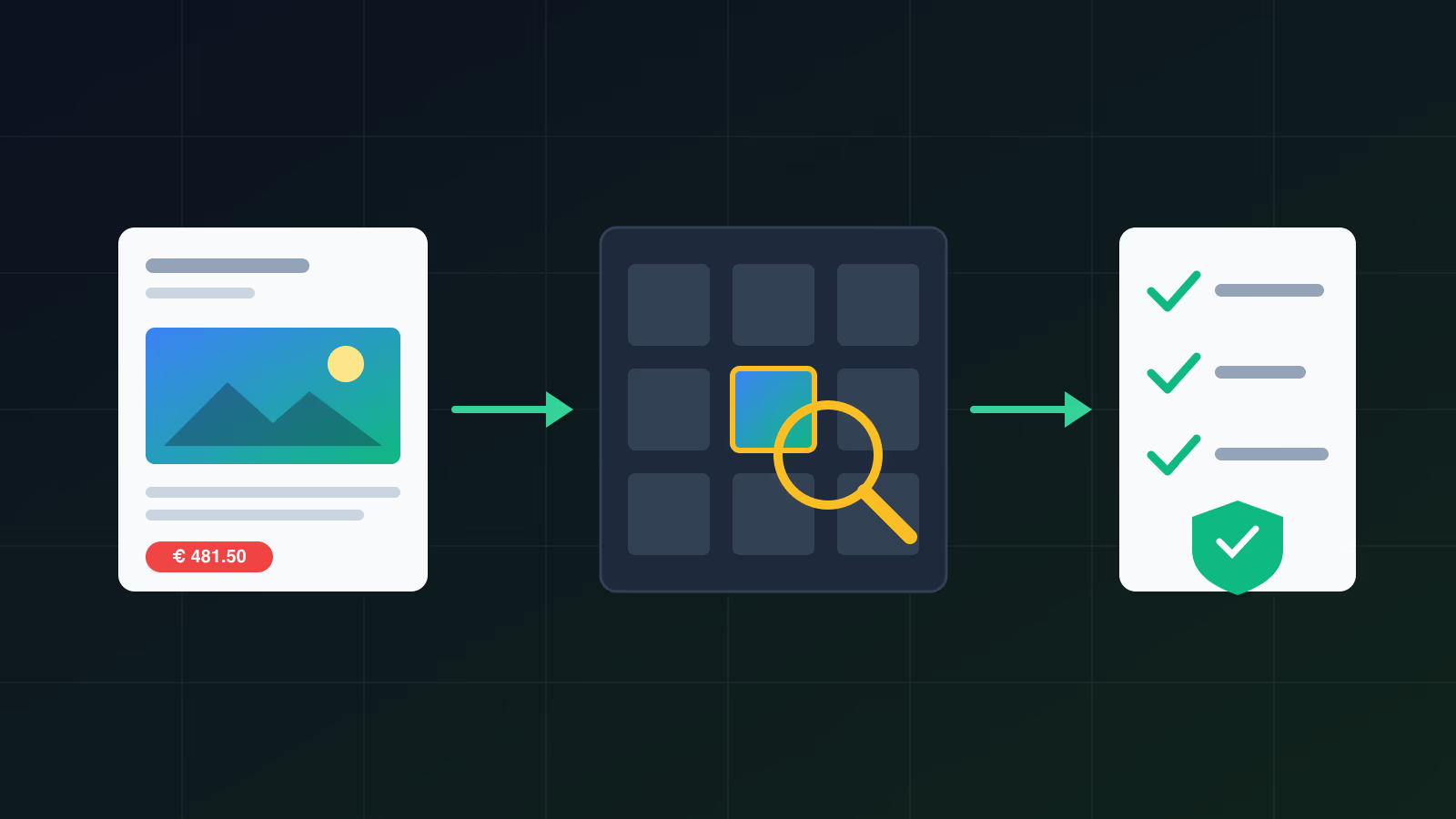
A demand letter from COPYTRACK or Pixsy is usually a genuine licence claim on behalf of a photographer or agency, and the first move is to verify it before you pay or reply. Check that the case is real, find the image on your WordPress site, look for your licence, and reply in writing asking for proof. This week a site owner on r/Wordpress posted exactly this situation: a COPYTRACK email asking for between 350 and 481.50 EUR for one photo, and the question “is this legit or a scam?”. The answer depends on facts you can check yourself in an afternoon.
I build and maintain WordPress sites, and old images are one of the things I check when I take over a site. This is what I would do in your position, with the UK and Irish statutes that decide how much a claim like this can be worth.
Is the COPYTRACK or Pixsy letter real or a scam?
Both companies exist and act for rights holders. An email carrying their logo can still be fake, and a genuine one can still carry a wrong claim. Verify the email first and the claim second.
Who is COPYTRACK?
COPYTRACK says on its own homepage that it works “on behalf of rights holders”: brands, creatives and agencies who “have commissioned us to monitor and enforce their copyrights”. It offers image users “retroactive licensing” through a settlement portal, where you either upload proof of a licence or buy one after the fact.
The imprint on copytrack.com names the company behind the claims as RD Legal GmbH, Saarbrücker Str. 18, 10405 Berlin, registered at Charlottenburg District Court under HRB 173269 B, with Michael Schmitt as managing director. The same imprint says RD Legal GmbH is entered in the German Legal Services Register under section 10(1) no. 1 of the Rechtsdienstleistungsgesetz (RDG), registration number 2024 0001 1391, kept by the Federal Office of Justice. The official contact for cases is [email protected].
Who is Pixsy?
Pixsy calls itself “a software and image licensing company”. Its privacy policy says the website is owned and operated by Pixsy, Inc., 440 N Barranca Ave, Covina CA 91723, USA, and mentions a German subsidiary without naming it. Photographers upload their work, Pixsy “actively monitors the public internet” for copies, and the photographer chooses between a takedown notice and a case. When a photographer opens a case, they authorise Pixsy “as your licensing agent”, and Pixsy works with local law firms where needed. Its homepage describes a no-win, no-fee model in which Pixsy keeps 50% of what it recovers.
How did they find my image?
Both services run image-matching software over the public web. COPYTRACK’s FAQ says it collects “dated screenshots showing the image under your domain address”. A crawler found the file on a page of your site, matched it against the photographer’s uploaded catalogue and stored a screenshot with a date. A real case therefore always contains a specific image, a specific URL on your domain and a capture date.
How do I check that the email itself is genuine?
To check the email, ignore every link and phone number in it and go to the company’s site by typing the address yourself. Then check five things:
- The sender domain. A COPYTRACK message should come from copytrack.com, a Pixsy message from pixsy.com. Look at the full address, not the display name.
- The case ID. Enter it in the settlement portal you reached on your own. A case that does not exist there is a warning sign.
- The image. The case should show the exact photo. One blogger who analysed a COPYTRACK claim found that the online claim pointed to a different photo of the same model than the one in the email, so compare pixel by pixel.
- The URL and date. The page must be on your domain, and the capture date must fall inside the time you ran the site.
- The payment route. A genuine claim is paid through the portal with the case ID. A request for gift cards, crypto or a transfer to a private account is phishing.
Then ask for the evidence the claim rests on: who the rights holder is, and on what basis the agency acts for them. A real agent can answer that. If the email fails these checks, do not reply to it. Forward it to the company’s official address and ask whether the case exists.
What does UK and Irish law say about using a photo without a licence?
Using someone else’s photograph on your site without a licence infringes copyright in both the UK and Ireland, and the rights holder can claim damages. The amount depends on the court’s view of what is just, so the figure in a demand letter is the agency’s starting figure, and a court can set a different one.
Is an ordinary photo protected in the UK?
Yes. Section 4(1)(a) of the Copyright, Designs and Patents Act 1988 (CDPA) lists a photograph as an artistic work “irrespective of artistic quality”. A plain product shot or a stock image of a laptop on a desk qualifies. The Act defines a photograph in section 4(2) as “a recording of light or other radiation on any medium on which an image is produced”.
What can the rights holder claim under the CDPA?
Section 96 makes infringement “actionable by the copyright owner” and gives the claimant “all such relief by way of damages, injunctions, accounts or otherwise” as for any other property right. Section 97 then adds two rules that matter here:
- Section 97(1), innocent infringement. If the defendant “did not know, and had no reason to believe, that copyright subsisted in the work”, the claimant is not entitled to damages, though other remedies such as an injunction remain. This defence is about not knowing that copyright existed at all. A site owner who took a photo from a search result rarely meets it, because almost every published photo is protected.
- Section 97(2), additional damages. The court may award “such additional damages as the justice of the case may require”, having regard to “the flagrancy of the infringement” and “any benefit accruing to the defendant”. Removing a watermark or a credit line, or using the photo in an advert, weighs against you here.
What does Irish law say?
The Copyright and Related Rights Act 2000 follows the same structure. Section 127(1) makes infringement “actionable by the copyright owner”, and section 127(2) makes “damages, injunction, account of profits or otherwise” available. Section 128 covers damages:
- section 128(1): the court awards “such damages as, having regard to all the circumstances of the case, it considers just”;
- section 128(2): no damages where the defendant “did not know and had no reason to believe that copyright subsisted in the work”;
- section 128(3): the court “may award aggravated or exemplary damages or both”, in addition to or instead of compensating financial loss.
Does quoting or crediting the photographer make it legal?
Usually not. CDPA section 30(1ZA) allows “the use of a quotation from the work” only if the use is fair dealing, no longer than the specific purpose needs, and comes with “a sufficient acknowledgement”. A blog header photo used for decoration is not a quotation in that sense. Section 30(2), fair dealing for reporting current events, expressly excludes photographs (“a work (other than a photograph)”). A credit line is one condition of these exceptions, and on its own it is not a licence.
Which court would hear a claim in England and Wales?
According to GOV.UK, a claimant can use the Intellectual Property Enterprise Court (IPEC) small claims track “if your claim is for less than £10,000” and it concerns copyright, passing off, trade marks, breach of confidence or unregistered design rights. Larger claims go to the IPEC proper, which caps damages at 500,000 GBP and recoverable legal costs at 60,000 GBP. For a single photo, the small claims track is the realistic venue, and the general rule that the loser pays the winner’s costs does not apply there.
Before any claim, the Practice Direction on Pre-Action Conduct expects the claimant to write with “the basis on which the claim is made, a summary of the facts” and, for money, “how the amount is calculated”. The defendant is expected to respond “within a reasonable time, 14 days in a straightforward case”. Paragraph 14 lists failing to act “within a reasonable period” as non-compliance, and paragraph 16 allows costs orders against the party at fault. Silence can therefore cost you money even where the claim itself is weak.
What about US claims?
US law is outside the scope of this guide. Pixsy is a US company and some letters cite US figures: 17 U.S.C. section 504(c) sets statutory damages of 750 to 30,000 USD per work, up to 150,000 USD for wilful infringement. Those figures apply in US courts and do not set the amount a UK or Irish court would award.
What should I do in the first 48 hours?
Secure the evidence, find the image, look for your licence, then reply in writing asking for proof. Do not pay and do not admit anything in the first reply.
Step 1: save everything
Save the email as a file (EML or PDF), with headers. Take dated screenshots of the case page in the portal and of the page on your site where the image appears. If the claim later goes to court, you will want to show exactly what was on the page and when.
Step 2: find the image in WordPress
In wp-admin, go to Media, Library, switch to list view and search for the filename or part of it. The “Uploaded to” column shows the post the file was first attached to, and the upload date tells you when it arrived. WordPress stores uploads in date folders by default (wp-content/uploads/2021/03/ and so on), so the path in the image URL also tells you the month it was uploaded.
On a site with SSH access, WP-CLI gives a full list in one command:
wp post list --post_type=attachment --post_status=inherit --fields=ID,post_title,post_date,guid --format=csv > attachments.csvTo find every place the file is used, including page builder data and widget settings that the Media Library does not show, search the database for the filename:
wp db search 'office-team-meeting.jpg' --all-tablesPage builders such as Elementor store layouts in post meta, so an image can sit in a template, a popup or a global section even if no visible post uses it. The database search finds those too.
Step 3: check where the image came from
These sources account for most images that trigger claims:
- Theme and demo content. Theme demos and starter templates often ship sample photos licensed only for the demo. Check the theme’s documentation and readme for an image licence note, and keep the vendor’s answer in writing.
- Page builder template kits. The same applies to imported kits and blocks with placeholder photos.
- A previous designer or agency. Ask them for the licence they bought. A licence bought in their name may not cover you.
- Search results. A photo copied from an image search has no licence at all.
Step 4: find your licence
If you bought the photo, log in to the stock agency and open your download history or licence page. COPYTRACK’s FAQ accepts “a subscription screenshot, download history, or invoice”, and says the proof “must clearly include the purchase or download date”. The date must be earlier than the first contact. Save the licence terms as they were when you bought, because they can change later.
Step 5: take the image down or replace it
Replace the photo with one you own or have licensed, and delete the file, not just the reference in the post. Removing it does not settle the claim: COPYTRACK’s FAQ states that “removing the image does not erase past copyright infringement”. It stops the period of use from growing, and that period is part of how the amount is calculated.
Step 6: reply in writing, asking for proof
Keep the reply short and factual. Do not apologise in terms that admit infringement, and do not argue law. A reply I would send:
Subject: Case [case ID], request for information
Dear Sir or Madam,
I have received your message of [date] about an image on [domain]. Before I can respond to the claim, please send me:
- the name of the rights holder and evidence that they own the copyright in this image;
- evidence of your authority to act for them;
- the screenshot with the date and URL where the image was found;
- how the amount you request was calculated.
Pending your answer I have removed the image. This message is not an admission of liability.
Yours faithfully, [name]
If you have a licence, send the dated proof instead and ask for written confirmation that the case is closed.
Step 7: decide whether you need a solicitor
A solicitor is worth the cost when the claim is large, covers many images, comes from a law firm with a draft claim form, or when you are sure the claim is wrong and want it withdrawn. For a single image with a clear licence, the portal and a short email are normally enough.
How is the amount calculated, and can I negotiate it?
The amount in the letter is the agency’s figure, and a court would decide on what is “just” under CDPA section 96 and Irish section 128(1). COPYTRACK’s FAQ says its figure reflects “the financial loss suffered by the rights holder” and the “profits they were unable to earn”, plus investigation costs and possibly legal expenses or additional damages. It publishes no formula.
These facts move the figure in practice:
- Commercial use. A photo in an advert or on a product page has a higher licence value than one in a personal blog post.
- Duration and size. Several years at full resolution is worth more than a few weeks as a thumbnail.
- Flagrancy. A removed watermark or credit, or ignoring earlier notices, supports additional damages under section 97(2).
- Your evidence. A licence that turns out to cover a different use, a demo image from a theme you paid for, or a short period of use all give you something concrete to put on the table.
For a negotiation, write down how long the image was online, on which page, at what size, and whether the page earned anything. Ask what the photographer’s own licence price is for that use. Then make a written offer, keep every message, and file the final settlement confirmation with your licence records.
How do I stop this from happening again on WordPress?
Keep a licence record for every image, and use only photos you own or have a licence for that covers web use.
Keep a licence log
A spreadsheet is enough: filename, source, licence type, date bought, invoice number and where it is used. Add a column to the Media Library entry as well, for example in the description field, so the next editor sees it. When I take over a WordPress site, an image audit against this log is one of the first jobs, because missing records are what turn a two-minute check into a two-day search.
Use sources with clear web licences
The Unsplash licence lets you “download, copy, modify, distribute, perform, and use images” for free, commercially or not, without attribution, with two limits: no selling images without significant modification, and no compiling them into a competing service. Paid stock agencies have their own licence tiers. Read the terms for your use case, save them as PDF, and keep the download history.
Remove old demo content
After launching a site built from a theme demo, delete every demo post, page and attachment you do not use. Then run the wp db search command above for the demo image names, to catch leftovers in templates and widgets.
Know what metadata and alt text do not prove
Alt text describes an image for screen readers and search engines. EXIF data records the camera and sometimes the author. Neither is a licence, and neither proves you have permission.
What about AI-generated images?
The legal position is unsettled in most countries. In the UK, CDPA section 9(3) says that for a computer-generated work the author is “the person by whom the arrangements necessary for the creation of the work are undertaken”. That rule tells you who the author is if copyright exists. It does not protect you if a generated image reproduces a protected photo, and it says nothing about the terms of the AI tool you used. Keep the prompt, the date and the tool’s licence terms in your log, as you would for a stock photo.
This article is general information about the law and practice in the UK and Ireland, not legal advice for your case. For a specific claim, especially a large one, speak to a solicitor.
Where can I get help with the WordPress side?
The technical half of this (finding every copy of a file, cleaning out demo content, keeping a licence log the whole team can use) is ordinary site maintenance. My EU compliance audit for WordPress covers content and legal-risk checks of this kind, and the guide to professional WordPress maintenance explains what regular care of a site includes.