Your WooCommerce dashboard says one number, GA4 says a smaller one, and every November someone asks which is right. WooCommerce is right about orders. GA4 is right about what reached GA4. The useful question is which orders went missing and why, and that you can answer with two exports and a join on the transaction ID.
This post gives you that procedure, the code to run it, and a server-side purchase you can add before the peak weeks. Every claim about GA4 and WooCommerce comes from Google’s or WooCommerce’s own documentation or source code, read on 30 October 2026.
What did the Search Engine Journal audit actually find?
On 28 October 2026 Search Engine Journal published an audit by Christian Goodrich, Head of Organic Search at the agency SOZO. He compared GA4 with store order records at eight UK ecommerce brands; six let him match the data. He discloses that his agency has worked with all eight. The retailers are anonymous and the article does not say which shop platform they run, so nothing in it is a WooCommerce finding as such.
The “66%” in the headline does not appear in the body. The figures for the retailer in question are these:
“GA4 recorded 81% of the store’s web orders in Q4 2024, 41% in Q4 2025 and just 32% over the Christmas period.”
32% captured means 68% missed over Christmas, which the title rounds to two thirds. Over the same quarter that store’s web orders went up, from 5,874 to 7,686, while GA4 showed a fall of about a third.
The causes he names, in his words or close paraphrase:
- A steady consent gap. Some shoppers decline tracking every week, so GA4 never sees all orders.
- A consent banner that switched itself off. Consent platforms sold on monthly page-view allowances ran out in December, and the banner stopped showing until the next billing date.
- A blackout followed by a late backfill. One store recorded 2,215 orders in five weeks while GA4 recorded none; about 1,000 were loaded later, nearly all as Unassigned.
- Duplicate purchases. At one store 657 of 3,365 order numbers had more than one purchase event, adding 735 purchases. In a quarterly total the duplicates hid part of the loss.
- Bots. Bots running browser-like code were counted as visitors.
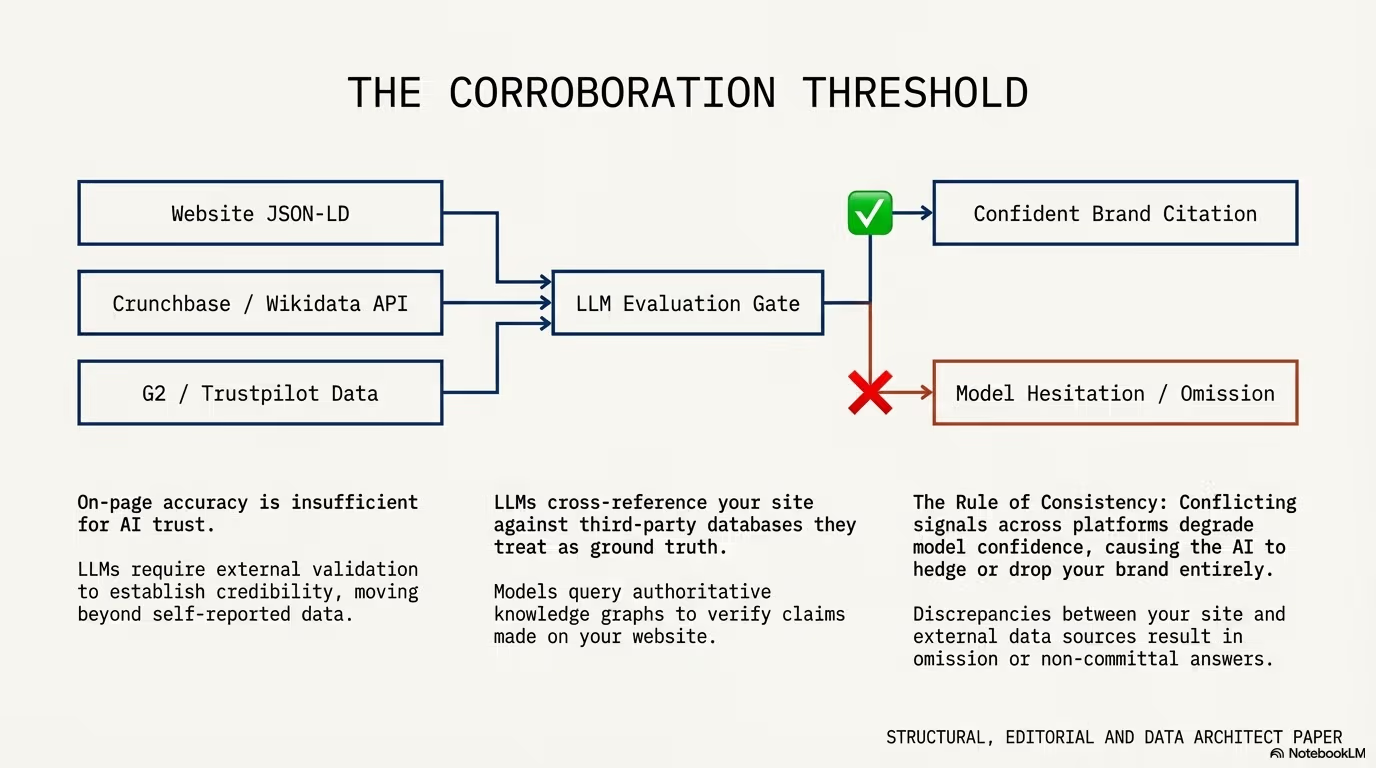
He also says something that matters for the rest of this post: “Server-side tracking doesn’t change your consent obligations, so the steady gap stays.” I agree, and the code below is built around it.
What the article does not cover is payment gateways and the order received page. On a WooCommerce shop that is where I would look first, for the reason in the next section.
Why does WooCommerce lose purchases in GA4?
The free Google Analytics for WooCommerce extension is the default setup on many shops. Its documentation states the dependency plainly:
“Purchase Transactions: Track purchases on your site. This requires a payment gateway that redirects to the thank you/order received page after payment.”
The purchase event is sent by the buyer’s browser on the order received page. Anything that stops that page from loading, or stops the tag on it from running, removes the purchase from GA4 while WooCommerce still records the order. Typical reasons:
- Consent declined. The same documentation says that in the EEA, the UK and Switzerland visitors must grant consent before tracking, and “Without consent, Google Analytics (GA4) and Google Ads won’t capture user data in these locations.” The extension has no banner of its own; it reads consent through the WP Consent API from a separate consent plugin.
- Ad blockers and script errors. WooCommerce’s own troubleshooting list includes browser extensions, ad blockers, JavaScript errors and multiple tracking instances.
- The buyer never comes back from the payment page. Hosted payment pages send the buyer back with a redirect. If the buyer closes the tab after paying, or the bank app never hands control back to the browser, the order still gets paid through the gateway’s server notification, and the browser purchase never fires.
- A cache layer in front of the order received page. WooCommerce itself sends no-cache headers and sets
DONOTCACHEPAGEon the cart, checkout and account pages, and the order received page is an endpoint of checkout (WC_Cache_Helper::prevent_cachingin WooCommerce core). The risk is a CDN or proxy rule that caches HTML regardless of those headers. - Wrong or repeated transaction IDs. Google’s help page on transaction ID deduplication warns that an empty transaction ID gets all such purchases deduplicated together and that reusing IDs undercounts.
There is also one way the extension can count too much. In its source on GitHub (trunk, version header 2.4.4, read on 30 October 2026) the purchase is prepared on the woocommerce_thankyou hook for any order that is not failed or cancelled and whose order key in the URL is valid. A bank transfer order sitting in on-hold, or a pending order whose buyer saw the thank-you page, is sent as a purchase whether or not it is ever paid. WooCommerce’s order status documentation defines on hold as “awaiting payment confirmation” and pending payment as “no payment has been made”. So reconcile against paid statuses only.
The same source code gives you a free diagnostic. When the order received page renders with a valid key, the extension writes the order meta _ga_tracked = 1 on the server, before the browser sends anything. That splits missing orders into two groups:
- No
_ga_trackedon a paid order: the order received page never rendered. Look at the gateway return. _ga_trackedpresent, purchase missing in GA4: the page rendered and the browser lost the event. Look at consent, blockers and script errors.
The extension sends transaction_id as $order->get_order_number() by default (filter woocommerce_ga_order_id). Use the same value everywhere below, otherwise sequential order number plugins make the join fail.
How do I export WooCommerce orders for the comparison?
Take web orders only, in paid statuses, for a closed date range. Search Engine Journal’s procedure excludes marketplace, subscription and manual orders, and WooCommerce lets you do that through created_via: classic checkout sets checkout and the block checkout (Store API) sets store-api, according to WooCommerce core source.
This script works with both HPOS and the legacy posts storage because it goes through wc_get_orders(). Run it with WP-CLI on staging or production (it only reads):
<?php
// wp eval-file export-orders.php 2025-11-01 2025-12-31 > orders.csv
list( $from, $to ) = array_slice( $args, 0, 2 );

$out = fopen( 'php://stdout', 'w' );
fputcsv( $out, array( 'transaction_id', 'created', 'status', 'created_via', 'payment_method', 'device', 'thankyou_seen', 'has_ga_cookie', 'total' ) );

$page = 1;
do {
	$orders = wc_get_orders( array(
		'type'         => 'shop_order',
		'status'       => array( 'processing', 'completed', 'refunded' ),
		'date_created' => $from . '...' . $to,
		'limit'        => 500,
		'paged'        => $page++,
		'orderby'      => 'ID',
		'order'        => 'ASC',
	) );
	foreach ( $orders as $order ) {
		fputcsv( $out, array(
			$order->get_order_number(),
			$order->get_date_created() ? $order->get_date_created()->date( 'Y-m-d' ) : '',
			$order->get_status(),
			$order->get_created_via(),
			$order->get_payment_method(),
			$order->get_meta( '_wc_order_attribution_device_type' ) ?: 'unknown',
			'1' === (string) $order->get_meta( '_ga_tracked' ) ? 'yes' : 'no',
			$order->get_meta( '_wpp_ga_client_id' ) ? 'yes' : 'no',
			$order->get_total(),
		) );
	}
} while ( count( $orders ) === 500 );
Three columns need a word. device comes from WooCommerce’s order attribution, which since version 8.5 stores _wc_order_attribution_device_type as Mobile, Tablet or Desktop, derived from the user agent. thankyou_seen is the extension’s _ga_tracked flag described above. has_ga_cookie stays “no” until you install the server-side code later in this post; after that it tells you which orders carried an analytics cookie at checkout.
Refunded orders stay in because they were paid, and GA4 should have a purchase for them. If you prefer SQL on an HPOS shop, the same filter looks like this (adjust the wp_ prefix):
SELECT o.id, o.status, o.payment_method, o.total_amount, o.currency,
       o.date_created_gmt, od.created_via
FROM wp_wc_orders o
JOIN wp_wc_order_operational_data od ON od.order_id = o.id
WHERE o.type = 'shop_order'
  AND o.status IN ('wc-processing', 'wc-completed', 'wc-refunded')
  AND o.date_created_gmt >= '2025-11-01' AND o.date_created_gmt < '2026-01-01'
  AND od.created_via IN ('checkout', 'store-api');
The SQL returns the internal id. If a plugin changes order numbers, map it to the number before joining, or use the PHP export.
How do I export GA4 purchases by transaction ID?
Use the Transaction ID dimension with the Ecommerce purchases metric. In the GA4 Data API schema, ecommercePurchases “counts purchase events”, while transactions counts several event types including refund. Search Engine Journal gives the same warning: “Avoid the transactions metric, which counts refunds as well as purchases.”
In the interface, build a free-form exploration with Transaction ID as rows and Ecommerce purchases as the value, set the same date range as the order export, and export to CSV. Through the Data API the dimension is transactionId and the metric ecommercePurchases. Add deviceCategory or browser in a second export if you want GA4’s own split. Two more things to check before you trust the file:
- Data thresholds. Google’s help page on data thresholds says they are system defined, cannot be adjusted, and may withhold rows when a report includes demographic data or Google signals. Keep the exploration to transaction ID and the purchase count.
- Modeled data. Behavioral modeling for consent mode shows up only under the Blended reporting identity and needs at least 1,000 events per day with
analytics_storage='denied'for 7 days plus 1,000 consenting daily users on 7 of the last 28 days. Modeled users carry no transaction IDs of real orders, so this comparison is about observed data.
How do I compute the gap per gateway and device?
This script joins the two files and prints the capture rate overall and per payment method, per device and per thank-you flag. It also counts transaction IDs with more than one purchase event, which is the duplicate check from the SEJ audit, and GA4 IDs that match no web order. Python 3, standard library only:
#!/usr/bin/env python3
# python3 reconcile.py orders.csv ga4.csv
# ga4.csv: GA4 export with the columns "Transaction ID" and "Ecommerce purchases".
import csv
import sys
from collections import Counter, defaultdict


def read_ga4(path):
    with open(path, encoding="utf-8-sig") as f:
        rows = [line for line in f if line.strip() and not line.startswith("#")]
    counts = {}
    for r in csv.DictReader(rows):
        tid = (r.get("Transaction ID") or "").strip()
        if tid and tid != "(not set)":
            counts[tid] = counts.get(tid, 0) + int(float(r.get("Ecommerce purchases") or 0))
    return counts


def main(orders_path, ga4_path):
    ga4 = read_ga4(ga4_path)
    with open(orders_path, encoding="utf-8") as f:
        orders = [o for o in csv.DictReader(f) if o["created_via"] in ("checkout", "store-api")]

    groups = defaultdict(Counter)
    for o in orders:
        seen = ga4.get(o["transaction_id"], 0) > 0
        for key in ("payment_method", "device", "thankyou_seen"):
            groups[(key, o[key])]["orders"] += 1
            groups[(key, o[key])]["in_ga4"] += seen

    total = len(orders)
    found = sum(1 for o in orders if ga4.get(o["transaction_id"], 0) > 0)
    print(f"web orders: {total}, found in GA4: {found}, capture: {found / total:.0%}" if total else "no orders")
    for (key, val), c in sorted(groups.items()):
        print(f"{key:15} {val:20} orders {c['orders']:6}  in GA4 {c['in_ga4']:6}  capture {c['in_ga4'] / c['orders']:.0%}")

    dupes = {t: n for t, n in ga4.items() if n > 1}
    print(f"transaction IDs with more than one purchase event: {len(dupes)} (extra events: {sum(dupes.values()) - len(dupes)})")
    unknown = set(ga4) - {o["transaction_id"] for o in orders}
    print(f"GA4 transaction IDs with no matching web order: {len(unknown)}")


if __name__ == "__main__":
    main(*sys.argv[1:3])
Run it once for last year’s November and December and once for the last four weeks. A single percentage tells you little; the split does the work.
How do I read the result?
| What you see | Most likely cause | Where to look |
|---|---|---|
| One gateway far below the others | Buyers do not return from that gateway’s page | Gateway return URL, order received page on mobile, thankyou_seen for that gateway |
thankyou_seen = no on many paid orders | Order received page not rendered | Gateway redirects, buyers closing the tab, plugin errors on that page |
thankyou_seen = yes but low capture | Browser lost the event | Consent rate, ad blockers, console errors, the consent default the extension sets |
| Mobile far below desktop | Payment app switching or in-app browsers | Test checkout on a phone with each gateway |
| Capture fine in October, falls in December | Something broke under load or a quota ran out | Consent platform plan limits, deploys in that week, CDN rules |
| Many IDs with more than one purchase | Order received page reloaded or two tags | Duplicate tags in GTM and plugins, reload behaviour |
| GA4 IDs with no matching web order | Pending or on-hold orders counted, or test orders | Order statuses of those IDs in WooCommerce |
A steady gap that does not move by gateway or device is most likely consent. That part should stay. It is the visitors who said no, and GA4 is telling you the truth about them by not counting them.
What do redirect gateways do after payment?
Gateway documentation shows why the browser cannot be the only witness. Two examples from gateways I read for this post: Przelewy24’s API specification describes two separate addresses: urlReturn, the “Return URL after the transaction is completed”, and urlStatus, the “URL to which the transaction status is sent”. It then states that the notification “is sent regardless of whether the customer was redirected to the “urlReturn” address.” PayU’s API reference describes its continueUrl as the “Address for redirecting the customer after payment is commenced”, and its notifications are sent “immediately after a payment status changes”.
The pattern is the same across hosted gateways: the server notification is the reliable signal of payment, and the redirect is a courtesy to the buyer. WooCommerce gateway plugins turn that notification into a paid status. That is the event to hang the GA4 purchase on.
How do I send the purchase from the server with the Measurement Protocol?
The GA4 Measurement Protocol takes events over HTTP from your server. Google is explicit about its role:
“The intent of the Measurement Protocol is to augment automatic collection through gtag, Tag Manager, and Google Analytics for Firebase, not to replace it.”
So keep the browser tag for behaviour and use the server only for the purchase. The design below follows the documentation point by point:
- client_id. The reference accepts “A client ID cookie. Send the full value of the cookie.” The code stores the
_gacookie value on the order at checkout, without parsing it. - session_id. The only documented way to read it is
gtag('get', '<target>', 'session_id', callback)from the gtag.js reference. The overview says a session’s geo and device data apply if you “include session_id in the event and send it to Measurement Protocol within 24 hours of the start of the session.” The code reads it on the checkout page and keeps it for an hour. - Consent. The request’s
consentobject only coversad_user_dataandad_personalization, and “If you don’t specify consent, Google Analytics uses the consent settings from corresponding online interactions for the client”. The code does not invent anything: no_gacookie at checkout means no client ID, and that order is not sent. - Errors. The Measurement Protocol returns 2xx even for a malformed payload, and Google says that on a non-2xx you should correct the request and not retry the same one. Validate first against
/debug/mp/collect, which returnsvalidationMessagesand logs nothing. - Timing. Events can be backdated up to 72 hours. A purchase sent when payment is confirmed needs no timestamp; a late bank notification is still well inside that window in normal operation.
- EU collection. Google’s sending guide says to use
region1.google-analytics.comas the host if you want collection in the EU.
Save this as a must-use plugin (wp-content/mu-plugins/ga4-mp-purchase.php) and define the measurement ID and API secret in wp-config.php. Create the API secret in the GA4 web data stream settings.
<?php
/**
 * Plugin Name: GA4 purchase via Measurement Protocol
 * Description: Sends the GA4 purchase from the server when WooCommerce records the payment.
 */

defined( 'ABSPATH' ) || exit;

// In wp-config.php, never in the theme:
// define( 'WPP_GA4_MEASUREMENT_ID', 'G-XXXXXXXXXX' );
// define( 'WPP_GA4_API_SECRET', 'secret-from-the-data-stream-settings' );

// 1. Checkout page: ask gtag for the GA4 session_id and keep it for an hour.
add_action( 'wp_footer', function () {
	if ( ! defined( 'WPP_GA4_MEASUREMENT_ID' ) || ! is_checkout() || is_order_received_page() ) {
		return;
	}
	?>
	<script>
	(function () {
		if (typeof gtag !== 'function' || document.cookie.indexOf('_ga=') === -1) return;
		gtag('get', '<?php echo esc_js( WPP_GA4_MEASUREMENT_ID ); ?>', 'session_id', function (sid) {
			if (sid) document.cookie = 'wpp_ga_sid=' + encodeURIComponent(sid) + '; path=/; max-age=3600; SameSite=Lax; Secure';
		});
	})();
	</script>
	<?php
} );

// 2. Order creation (classic and block checkout): copy the identifiers into order meta.
function wpp_ga4_store_ids( $order ) {
	if ( empty( $_COOKIE['_ga'] ) ) {
		return; // No analytics cookie: consent was denied or the tag never ran.
	}
	$order->update_meta_data( '_wpp_ga_client_id', sanitize_text_field( wp_unslash( $_COOKIE['_ga'] ) ) );
	$sid = isset( $_COOKIE['wpp_ga_sid'] ) ? sanitize_text_field( wp_unslash( $_COOKIE['wpp_ga_sid'] ) ) : '';
	if ( ctype_digit( $sid ) ) {
		$order->update_meta_data( '_wpp_ga_session_id', $sid );
	}
	$order->save_meta_data();
}
add_action( 'woocommerce_checkout_order_created', 'wpp_ga4_store_ids' );
add_action( 'woocommerce_store_api_checkout_order_processed', 'wpp_ga4_store_ids' );

// 3. One POST to /mp/collect. Returns true on 2xx.
function wpp_ga4_mp_send( $order, array $event ) {
	if ( ! defined( 'WPP_GA4_MEASUREMENT_ID' ) || ! defined( 'WPP_GA4_API_SECRET' ) ) {
		return false;
	}
	$client_id = $order->get_meta( '_wpp_ga_client_id' );
	if ( ! $client_id ) {
		return false; // No consent signal stored at checkout: send nothing.
	}
	$session_id = $order->get_meta( '_wpp_ga_session_id' );
	if ( $session_id ) {
		$event['params']['session_id'] = $session_id;
	}
	$event['params']['engagement_time_msec'] = 1;

	$url = add_query_arg(
		array(
			'measurement_id' => WPP_GA4_MEASUREMENT_ID,
			'api_secret'     => WPP_GA4_API_SECRET,
		),
		'https://region1.google-analytics.com/mp/collect' // EU collection; www.google-analytics.com otherwise.
	);
	$response = wp_remote_post( $url, array(
		'timeout' => 5,
		'headers' => array( 'Content-Type' => 'application/json' ),
		'body'    => wp_json_encode( array(
			'client_id' => $client_id,
			'events'    => array( $event ),
		) ),
	) );
	$code = wp_remote_retrieve_response_code( $response );
	if ( $code < 200 || $code > 299 ) {
		// Google's docs: fix the request, do not retry the same one.
		wc_get_logger()->warning( 'GA4 MP ' . $event['name'] . ' failed for order ' . $order->get_order_number() . ': ' . ( is_wp_error( $response ) ? $response->get_error_message() : $code ), array( 'source' => 'ga4-mp' ) );
		return false;
	}
	return true;
}

// 4. Purchase: fired when the gateway confirms payment, or when the order reaches a paid status.
function wpp_ga4_send_purchase( $order_id ) {
	$order = wc_get_order( $order_id );
	if ( ! $order || $order->get_meta( '_wpp_ga_mp_sent' ) ) {
		return;
	}
	$items = array();
	$value = 0.0;
	foreach ( $order->get_items() as $item ) {
		$qty     = (float) $item->get_quantity();
		$price   = $qty > 0 ? round( (float) $item->get_total() / $qty, 2 ) : 0.0;
		$product = $item->get_product();
		$items[] = array(
			'item_id'   => ( $product && $product->get_sku() ) ? $product->get_sku() : (string) $item->get_product_id(),
			'item_name' => $item->get_name(),
			'price'     => $price,
			'quantity'  => $qty,
		);
		$value += $price * $qty;
	}
	$sent = wpp_ga4_mp_send( $order, array(
		'name'   => 'purchase',
		'params' => array(
			'transaction_id' => (string) $order->get_order_number(), // Same ID the browser tag and the export use.
			'currency'       => $order->get_currency(),
			'value'          => round( $value, 2 ), // Sum of price * quantity, as in Google's example.
			'tax'            => (float) $order->get_total_tax(),
			'shipping'       => (float) $order->get_shipping_total(),
			'items'          => $items,
		),
	) );
	if ( $sent ) {
		// ponytail: meta flag, no lock; two webhooks in the same second could both send.
		$order->update_meta_data( '_wpp_ga_mp_sent', time() );
		$order->save_meta_data();
	}
}
add_action( 'woocommerce_payment_complete', 'wpp_ga4_send_purchase' );
add_action( 'woocommerce_order_status_processing', 'wpp_ga4_send_purchase' );
add_action( 'woocommerce_order_status_completed', 'wpp_ga4_send_purchase' );

// 5. Refunds: the same transaction_id, so GA4 nets them against the purchase.
add_action( 'woocommerce_order_refunded', function ( $order_id, $refund_id ) {
	$order  = wc_get_order( $order_id );
	$refund = wc_get_order( $refund_id );
	if ( ! $order || ! $refund || ! $order->get_meta( '_wpp_ga_mp_sent' ) ) {
		return;
	}
	$params = array(
		'transaction_id' => (string) $order->get_order_number(),
		'currency'       => $order->get_currency(),
		'value'          => (float) $refund->get_amount(),
	);
	// Refunded line items come back with negative quantities; an amount-only refund has none.
	foreach ( $refund->get_items() as $item ) {
		$product           = $item->get_product();
		$params['items'][] = array(
			'item_id'  => ( $product && $product->get_sku() ) ? $product->get_sku() : (string) $item->get_product_id(),
			'quantity' => abs( (float) $item->get_quantity() ),
		);
	}
	wpp_ga4_mp_send( $order, array( 'name' => 'refund', 'params' => $params ) );
}, 10, 2 );
Why these hooks: woocommerce_payment_complete fires when a gateway calls WC_Order::payment_complete(), typically from its server notification handler, with the order ID and the gateway’s transaction ID. Bank transfer and cash on delivery orders never call it; they reach a paid status when you or the gateway change it, which woocommerce_order_status_processing and woocommerce_order_status_completed catch. The _wpp_ga_mp_sent flag stops the second and third call from sending again. Refunds go out on woocommerce_order_refunded, which also fires for partial refunds; Google’s ecommerce guide asks for the transaction_id and the refunded items with item_id and quantity, so the code adds the refunded lines when there are any. The Google Analytics for WooCommerce extension does not send a refund event at all (its source has no refund handling), which is one more reason the Transactions metric and your order list drift apart. The capture hooks cover both checkouts: woocommerce_checkout_order_created in the classic shortcode checkout and woocommerce_store_api_checkout_order_processed in the block checkout, both called during the buyer’s own request, so the cookies are there.
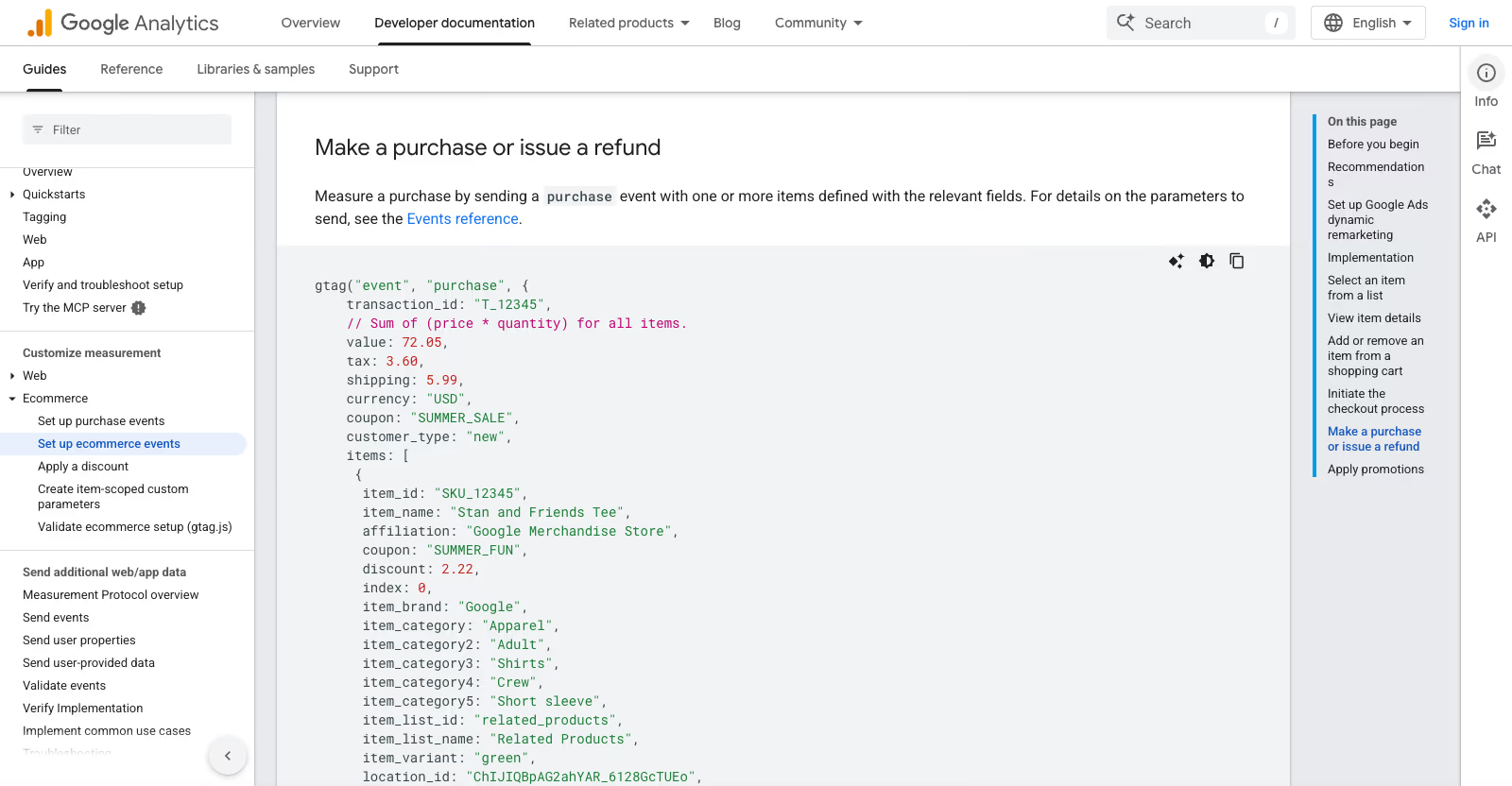
The value is computed the way Google’s ecommerce example comments it, “Sum of (price * quantity) for all items”, with tax and shipping in their own fields. If your browser tag computes value differently, align the two before comparing revenue.
One more line from Google: the Measurement Protocol “has reached a mature, finalized product state and will remain operational with no plans for deprecation”, and for new server-to-server integrations Google now recommends its Data Manager API. For a single shop’s purchase event the Measurement Protocol is the smaller job, and I would stay with it.
How do I stop counting the same order twice?
Google’s deduplication help page describes transaction IDs deduplicating purchases from the same user on web streams. It says nothing about the Measurement Protocol, so I do not rely on GA4 merging a browser purchase and a server purchase for the same order. Pick one of the two documented paths:
- Switch off the browser purchase. In Google Analytics for WooCommerce, untick “Purchase Transactions”. The rest of the funnel (product views, add to cart, begin checkout) keeps coming from the browser. You lose the
_ga_trackeddiagnostic for new orders, so run the reconciliation once before you switch. - Run the server purchase into a second property. This is Search Engine Journal’s advice for anyone starting now: “If you’re starting now, I’d send it to a separate GA4 property through Q4, so nothing is counted twice”. Compare both properties against the order export in January and decide then.
Two weeks before Black Friday is a bad time to change the purchase event your bidding and reports depend on. The second path keeps the current numbers intact while you collect evidence.
Which consent mode settings change the numbers?
Google describes two implementations of consent mode. In basic mode the tags do not load until the visitor interacts with the banner, and nothing is sent before consent. In advanced mode the tags load with denied defaults and send cookieless pings while consent is denied; this is the setup behavioral modeling requires. Neither mode turns a refusal into a purchase with a transaction ID.
Things worth checking on a WooCommerce shop before peak:
- The default the extension sets. Google Analytics for WooCommerce sets consent defaults at initialisation and lets you change them with the
woocommerce_ga_gtag_consent_modesfilter. If your consent plugin sets its own defaults, WooCommerce documents that filter as the way to stop the extension overwriting them. - The consent update. WooCommerce’s documentation says “your consent mode integration must update consent states after visitors grant consent”. Test that the state flips to granted on the same page view, not on the next one, or the first page after consent is lost.
- The plan limits of your consent platform. The banner that switched off in December in the SEJ audit was a billing quota. Check yours against last year’s December page views.
- What happens after “reject”. My earlier post on a cookie banner that is declined while tracking still loads covers the opposite failure, and that one is a legal problem.
The general GA4 setup, the tag in WordPress and the consent defaults are in my GA4 in WordPress guide. Server-side Tag Manager, which solves a different problem (first-party collection and data for ad platforms), is in the post on Google Ads data strength and sGTM. Orders placed by AI agents without a browser are a separate case with their own client ID question, covered in WooCommerce agent checkout analytics. If you also run a Shopify store, Shopify shows checkouts but no orders walks the same kind of gap on that platform.
What does UK and Irish law require for the analytics cookie?
For a shop selling to the UK, regulation 6 of PECR was substituted on 5 February 2026 by the Data (Use and Access) Act 2025 and now works through Schedule A1. Paragraph 2 is consent with clear and comprehensive information. Paragraph 5 adds an exception for collecting information “for statistical purposes” to improve a service or website, with conditions: that is the sole purpose, the information is not shared except to help make those improvements, the user gets clear information and a simple, free way to object. The ICO’s guidance on the exceptions, updated 29 April 2026, says a third-party provider may only assist you, “must be a processor, not a joint controller”, and that the exception “does not apply to purposes related to online advertising”. Whether your GA4 configuration fits those conditions is a question for your own data protection review; I do not assume it does.
For Ireland, regulation 5(3) of S.I. No. 336/2011 requires the user’s consent and clear and comprehensive information before information is stored on or read from their device, with an exemption for what is strictly necessary for a service the user asked for. An analytics cookie is not that.
For this post the practical consequence is the same in both countries: the server-side purchase above is only sent for orders that carried an analytics cookie at checkout. Search Engine Journal’s sentence applies: “Server-side tracking doesn’t change your consent obligations, so the steady gap stays.”
What should I check before Black Friday?
- Export last year’s November and December orders and GA4 transaction IDs, run the reconciliation, note the capture rate per gateway and device.
- Repeat for the last four weeks. A drop between the two is a setup problem you can still fix.
- Place a real order on a phone with every gateway you offer, close the tab on the payment page once, and check that the order becomes paid and what GA4 records.
- Check for duplicate transaction IDs and find the second tag if there is one.
- Confirm that pending and on-hold orders are not reaching GA4 as purchases, or accept and document it.
- Check the consent platform’s plan limit against last December’s traffic, and send its warnings to whoever can pay for an upgrade.
- Confirm the CDN does not cache the order received page.
- If you add the server-side purchase, validate it on
/debug/mp/collect, then send it to a separate property through the peak. - Put a weekly check in the calendar: GA4 purchases divided by WooCommerce web orders. SEJ’s audit shows the blackouts were noticed weeks late.
When is it worth bringing in a developer?
The export and the reconciliation are an afternoon for anyone comfortable with WP-CLI. The server-side purchase touches checkout, payment notifications and consent, three places where a mistake costs money or creates a legal problem, and it needs testing with each gateway you use. If you would rather have that done and tested on staging before the peak, I do this kind of work as a WooCommerce developer.