What Google is testing in the desktop search sidebar
On 14 October 2026 Barry Schwartz reported on Search Engine Roundtable that Google appears to be testing the left vertical sidebar from AI Mode on the main web search results page. In his words: “This places the small super G Google logo on the left, with the chat history lines, a way to start a chat with AI Mode and the settings icon all on the left side.”
The sighting came from Damien Andell, who posted a screenshot on X and asked: “Is the sidebar now the default Google sidebar for search engine results pages (SERPs)? I know it was already there when you clicked the AI Mode button on the homepage, but now it’s the default for every search.”
Schwartz could not reproduce it: “I was unable to replicate this on any of my browsers yet, so I suspect it is a test.” He added that a rollout would make AI Mode “even more accessible via the main Google search interface.”
That is the full extent of the public evidence: one user’s screenshot and one news report. Google has published no announcement, help page or blog post about this layout. The report shows no topic filters, format selectors or section jump links inside the sidebar, so any description that includes them goes beyond the evidence.
+-----------------------------------------------------------------------------+
| Desktop results page as described in the report (unconfirmed test)          |
| +---------------------+  +------------------------------------------------+ |
| | LEFT SIDEBAR        |  | MAIN RESULTS AREA                              | |
| | - Google "G" logo   |  | Unchanged as far as the report says            | |
| | - Chat history      |  |                                                | |
| | - Start AI Mode chat|  |                                                | |
| | - Settings          |  |                                                | |
| +---------------------+  +------------------------------------------------+ |
+-----------------------------------------------------------------------------+Is the AI Mode sidebar test confirmed by Google
No. As of 16 October 2026 the only sources are the screenshot on X and Search Engine Roundtable’s coverage. The report received two updates the same day. Marie Haynes first wrote that going directly to AI Mode showed her Gemini app conversations in the sidebar. She then corrected herself: the conversations came from the Gemini overlay on her Android phone, not the Gemini app, and she called it “perhaps not as interesting as the Gemini app merging with AI Mode.”
For a site owner this means three things:
- No layout data exists yet. There are no published measurements of how the sidebar affects clicks on organic results.
- The sidebar is navigation for Google’s own product. It points users towards AI Mode chats and their history. Nothing in the report shows it linking to third-party pages.
- The practical question is AI Mode itself. If the test ships, more searchers are one click from AI Mode. What matters is how AI Mode treats and reports your pages, and Google documents that.
What Google says about optimizing for AI Mode
Google’s page on AI features and your website is direct: “There are no additional requirements to appear in AI Overviews or AI Mode, nor other special optimizations necessary.” A page needs to be indexed and eligible to show a snippet in Search.
The same page lists the practices Google says still apply:
- crawling allowed in robots.txt and by any CDN or hosting layer,
- content findable through internal links,
- a good page experience,
- important content available as text,
- images and video supporting the text where relevant,
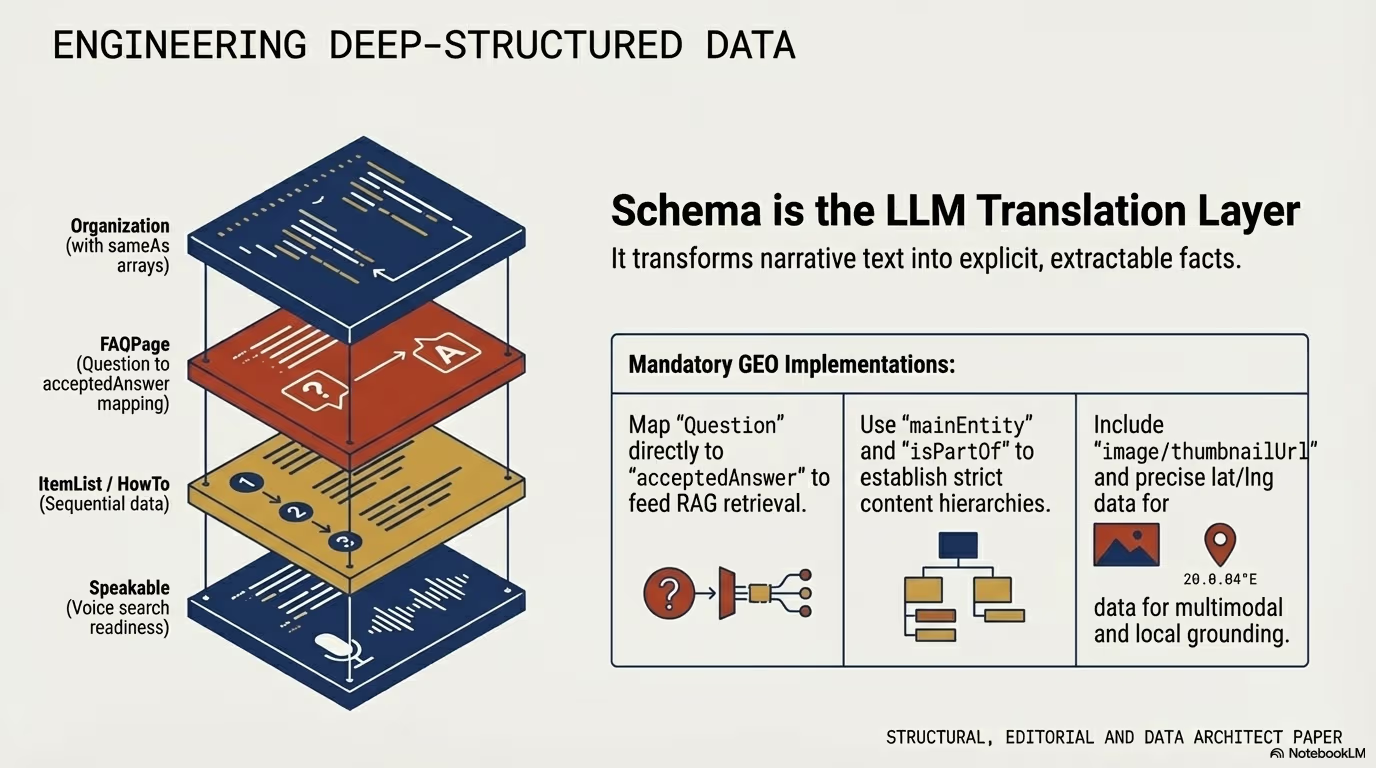
- structured data that matches the visible text,
- up-to-date Merchant Center and Business Profile data.
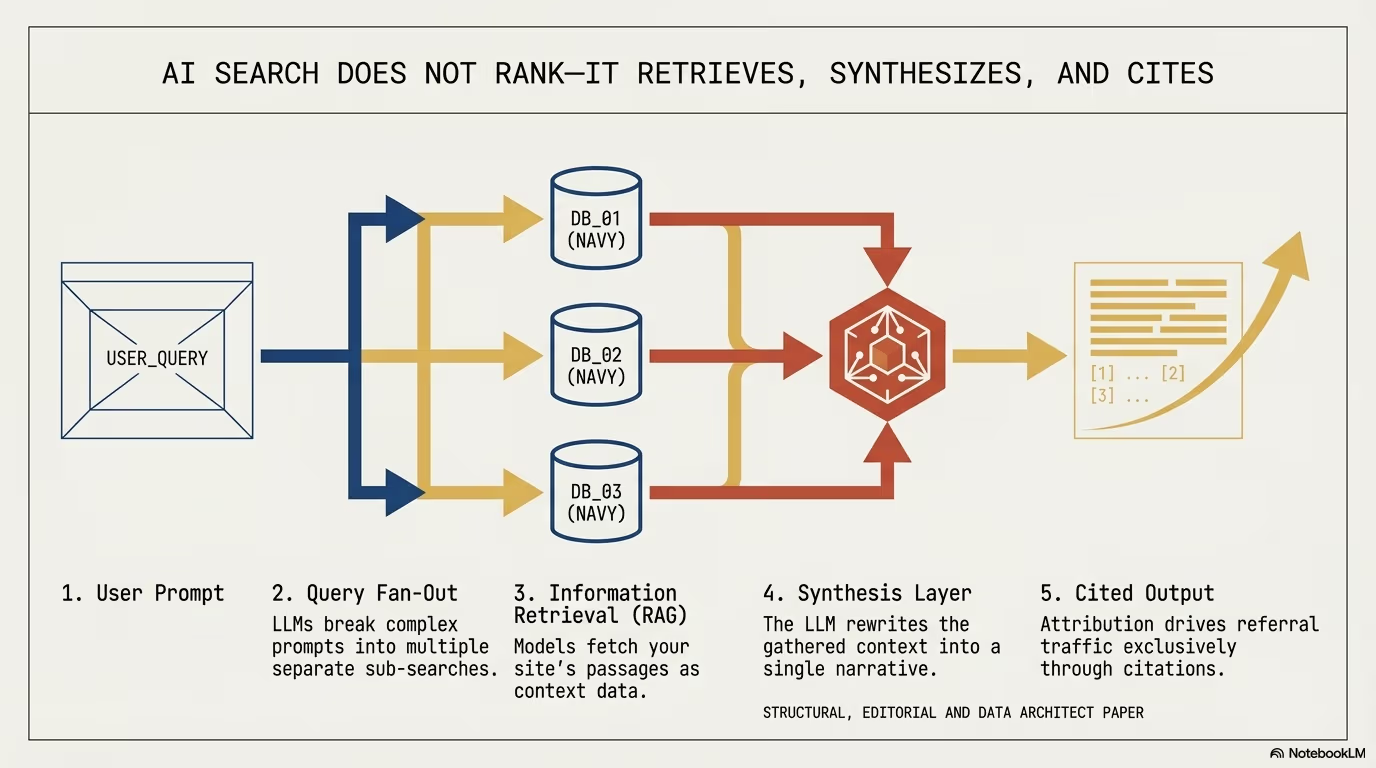
Google describes query fan-out, the technique behind both features, as “issuing multiple related searches across subtopics and data sources” to build a response. We cover what that means for section structure in query fan-out and section citability in AI search.
On the difference between the two features, Google says AI Mode “is particularly helpful for queries where further exploration, reasoning, or complex comparisons are needed”, and that the two “may use different models and techniques, so the set of responses and links they show will vary.” It also states that clicks from results pages with AI Overviews “are higher quality (meaning, users are more likely to spend more time on the site).” That is Google’s claim; it publishes no figures behind it.
For a WordPress site the first item on that list is the one that fails most often in practice. Security plugins and CDN bot rules that challenge unknown user agents can block Googlebot as well. Checking the robots.txt file and the firewall logs for Googlebot requests is part of our WordPress security audit.
How AI Mode clicks and impressions show up in Search Console
AI Mode traffic is not a separate report. Google’s page on AI features says it is reported in the Performance report within the “Web” search type. The help article on impressions, position and clicks defines the counting:
| Element | Click | Impression | Position |
|---|---|---|---|
| AI Mode | A click on a link to an external page counts | Standard impression rules | Same method as a regular results page |
| AI Overview | A click on a link to an external page counts | Standard impression rules | The whole overview takes one position, shared by all its links |
Two further rules matter when reading the data. A follow-up question in AI Mode is treated as a new query, so its impressions and clicks are attributed to that query, not to the first one. And data from Search Labs experiments is not included at all. If the sidebar is still a test, impressions inside it may not be in your report.
Search Console also assigns data to the canonical URL Google selects, not to the exact address the visitor clicked. A link that lands on /guide/#step-3 is reported under /guide/. The fragment never reaches the server either, because browsers do not send it in the request. To see which section a visitor arrived at, the only place is client-side JavaScript that reads location.hash on page load and sends it to your analytics.
How Google links to a specific section of a page
The mechanism Google documents is the “Read more” deep link. The snippet documentation defines it as “a link within a snippet that leads users to a specific section on that page.” Google lists three practices that make these links more likely:
- Content must be immediately visible to a human, “and not hidden behind an expandable section or tabbed interface.”
- Avoid JavaScript that controls the scroll position on page load, for example forcing the user back to the top.
- If the page makes History API calls or changes
window.location.hashon load, it must not remove the hash fragment from the URL, “as this breaks deep linking behavior.”
Each rule maps to something common on WordPress sites:
- Accordions and tabs. FAQ blocks, tab widgets from page builders and “show more” wrappers hide text on load. Content Google may want to deep-link should sit in the normal flow of the page.
- Scroll scripts. Some themes and smooth-scroll plugins call
window.scrollTo(0, 0)on load or animate the page to its top. That overrides the browser’s jump to the target. - Hash cleanup. One-page themes and some cookie banners rewrite the URL with
history.replaceState()to remove#section. That is exactly what Google says breaks deep linking.
A quick test: open a long post with #some-heading appended, reload, and check that the browser stays on that heading and the hash is still in the address bar.
How to add heading IDs in WordPress automatically
The block editor has native support. A block that declares anchor: true in its supports gets a field for an ID, and the block supports reference describes it plainly: “Anchors let you link directly to a specific block on a page.” The core Heading block has it, under Advanced > HTML anchor. Editors rarely fill it in, so long archives end up with headings that cannot be linked to.
The following filter adds a sanitized id to every H2 and H3 that does not have one, at output time, without touching stored content:
add_filter('the_content', function ($content) {
    if (!is_singular('post')) {
        return $content;
    }

    return preg_replace_callback('/<h([2-3])(.*?)>(.*?)<\/h\1>/i', function ($matches) {
        $tag_level = $matches[1];
        $attributes = $matches[2];
        $heading_text = $matches[3];

        // Preserve manually configured ID attributes
        if (preg_match('/id=[\'"][^\'"]+[\'"]/i', $attributes)) {
            return $matches[0];
        }

        // Strip HTML tags to produce a clean anchor slug
        $plain_text = wp_strip_all_tags($heading_text);
        $slug = sanitize_title($plain_text);

        if (empty($slug)) {
            return $matches[0];
        }

        return sprintf('<h%d%s id="%s">%s</h%d>', $tag_level, $attributes, esc_attr($slug), $heading_text, $tag_level);
    }, $content);
}, 20);
Every heading now has a stable fragment URL such as #database-buffer-configuration. Two limits apply. Two headings with the same text get the same ID, so a post with repeated headings needs a counter appended. And changing a heading’s wording changes its ID, which breaks any link that pointed to the old one; set a manual HTML anchor on headings that other pages link to.
The anchors help readers, tables of contents and links from other sites. Google does not say it requires IDs for “Read more” deep links, so treat them as good structure, not as a ranking switch.
How text fragment links behave on a WordPress page
Links from search results to a passage often use a text fragment rather than an ID. MDN documents the syntax as #:~:text=[prefix-,]textStart[,textEnd][,-suffix]. The browser searches the page for that text, scrolls to it and highlights it. No ID is needed on your side.
Some details from MDN that affect WordPress sites:
- The
:~:part is the fragment directive. Browsers strip it from the URL during loading, “so that author scripts cannot directly interact with them.” Your analytics will not see it inlocation.hash. - Text fragments “are invoked only on user-initiated navigations” and only in the main frame, never inside an
<iframe>. - If the text does not match anything on the page, the fragment is ignored and the page opens at the top. Text that differs between the indexed version and the live version, for example after an edit or because of personalised content, breaks the link silently.
- The highlight can be styled with the
::target-textpseudo-element, anddocument.fragmentDirectiveexists only in browsers that support the feature. - Chromium browsers honour the
Document-Policy: force-load-at-topheader, which opts a page out of scrolling to fragments. Do not set it on content pages unless that is what you want.
Text fragments are another reason to keep paragraphs as real text in the HTML. A passage rendered by JavaScript after load, or split across inline elements by a page builder, may not match.
Optimizing Core Web Vitals for deep anchor landing pages
When a visitor follows a fragment link, the browser scrolls straight to the target element. That jump exposes the page to Cumulative Layout Shift (CLS).
If elements above the target load without reserved dimensions:
- banner slots without a
min-height, - images without
widthandheightattributes, - embedded third-party scripts and media players,
they render late and push the document down. A visitor who has started reading the targeted paragraph loses their place.
CSS configuration for stable anchor scrolling
html {
  /* Smooth transitions to fragment anchors */
  scroll-behavior: smooth;
}

/* Offset top margin to avoid overlap with sticky header navigation */
[id] {
  scroll-margin-top: 5rem;
}

/* Reserve minimum bounding heights for above-the-fold media and banners */
.ad-slot-header {
  min-height: 250px;
  contain: layout;
}

img {
  max-width: 100%;
  height: auto;
  display: block;
}
scroll-margin-top sets the top margin of the scroll snap area, so the browser stops above the heading instead of hiding it under a sticky header. Match the value to the real height of your header, including the admin bar for logged-in users.
On the server (Nginx or Cloudflare), long cache lifetimes for fonts and stylesheets keep the layout from changing while the jump happens:
# Long cache lifetime for static assets so the jump renders with final styles
location ~* \.(woff2|ttf|svg|css|js)$ {
    expires 1y;
    add_header Cache-Control "public, no-transform, immutable";
    access_log off;
}
immutable is only safe when the asset URL changes with every release. WordPress appends a ?ver= query string to enqueued files, so this holds as long as the theme or plugin bumps its version number.
Implementing the schema org hasPart structure
Schema.org defines hasPart to list the parts of a creative work. In JSON-LD it can declare the sections of an article as WebPageElement items, each with its own fragment URL:
add_action('wp_head', function () {
    if (!is_singular('post')) {
        return;
    }

    global $post;
    $permalink = get_permalink($post->ID);

    // Define key semantic sections for the article
    $sections = [
        [
            'name' => 'Technical Requirements for ERP Integration',
            'anchor' => 'technical-requirements-for-erp-integration',
            'description' => 'Bandwidth benchmarks, JSON payload specs, and OAuth2 security authentication.'
        ],
        [
            'name' => 'Eliminating Database Deadlocks',
            'anchor' => 'eliminating-database-deadlocks',
            'description' => 'HPOS custom table schemas and Action Scheduler asynchronous queue tuning.'
        ]
    ];

    $parts = [];
    foreach ($sections as $sec) {
        $parts[] = [
            '@type' => 'WebPageElement',
            'name' => $sec['name'],
            'url' => $permalink . '#' . $sec['anchor'],
            'description' => $sec['description']
        ];
    }

    $schema = [
        '@context' => 'https://schema.org',
        '@type' => 'TechArticle',
        '@id' => $permalink . '#article',
        'headline' => get_the_title($post->ID),
        'inLanguage' => 'en-US',
        'mainEntityOfPage' => $permalink,
        'hasPart' => $parts
    ];

    echo "\n" . '<script type="application/ld+json">' . "\n";
    echo wp_json_encode($schema, JSON_UNESCAPED_SLASHES | JSON_UNESCAPED_UNICODE | JSON_PRETTY_PRINT);
    echo "\n" . '</script>' . "\n";
}, 25);
The sections in the example are placeholders from an ERP integration article; in production they should come from the post’s real headings. This markup is valid Schema.org, but Google documents no search feature that uses hasPart with WebPageElement for section links. Its documented use of hasPart is marking paywalled sections. The rule from the AI features page applies: structured data must match the visible text, so every name and anchor in the array has to exist on the page.
How to limit what AI Mode can quote from a WordPress page
The robots meta tag documentation lists the controls, and the AI features page names the same ones for AI Overviews and AI Mode:
nosnippetapplies “to all forms of search results (at Google: web search, Google Images, Discover, AI Overviews, AI Mode).”max-snippet:[number]caps the snippet length in characters and “will also limit how much of the content may be used as a direct input for AI Overviews and AI Mode.”0equalsnosnippet,-1lets Google choose.data-nosnippetexcludes part of a page and works onspan,divandsectionelements.noindexremoves the page from Search entirely.
WordPress has generated the robots meta tag through the wp_robots filter since version 5.7. A snippet limit for one post type looks like this:
add_filter('wp_robots', function ($robots) {
    if (is_singular('product')) {
        $robots['max-snippet'] = '160';
    }
    return $robots;
});
data-nosnippet goes straight into the markup, for example in a Custom HTML block: <div data-nosnippet>internal pricing note</div>. These controls cut visibility as well as reuse. A page that blocks snippets loses its text snippet in regular results too, so use them on specific passages, not site-wide.
The opening paragraph rule for snippets and deep links
Clean HTML does not help if the prose resists extraction. Snippets, “Read more” links and AI answers all lift short passages, and a passage that answers its heading in the first sentence survives being quoted out of context.
- First sentence beneath the H2: answer the heading’s question directly. Skip openers such as In this section we will examine….
- Second sentence: the verifiable number, parameter or constraint.
- Following paragraphs: trade-offs, code and tables.
Sections built this way also work for visitors who land in the middle of a page, which is what every fragment link produces.
Which Google mechanisms link into a section of your page
| Mechanism | Who creates the link | URL form | What the site controls |
|---|---|---|---|
| ”Read more” deep link in a snippet | Page URL pointing to a section | Visible content, no forced scroll, hash kept | |
| Text fragment | Google or any linking site | #:~:text=... | Text present in the HTML, matching the indexed version |
| Heading anchor | The site, other sites, tables of contents | #heading-id | Stable IDs, manual anchors on linked headings |
| AI Mode or AI Overview citation | Page URL, sometimes with a fragment | Indexing, snippet eligibility, snippet controls |
Action plan to adapt your WordPress site for the new SERP layout
- Check crawl access:
- Confirm robots.txt, the CDN and security plugins let Googlebot through.
- Test deep links on top pages:
- Open each with
#heading-idand with a text fragment, reload, and confirm the browser stays on the target and keeps the hash. - Remove scroll-to-top scripts and hash cleanup on load.
- Open each with
- Backfill heading anchors:
- Add the ID filter, then set manual HTML anchors on headings other pages link to.
- Stabilize the layout above sections:
- Reserve dimensions for images, ads and embeds, and set
scroll-margin-topto the header height.
- Reserve dimensions for images, ads and embeds, and set
- Keep structured data honest:
- If you use
hasPart, generate it from the real headings.
- If you use
- Measure in the right place:
- Read AI Mode clicks in the Search Console Performance report under “Web”, remembering that fragments are not reported there.
- Capture
location.hashon landing in your analytics to see which ID anchors bring visitors.
- Watch for confirmation:
- Until Google documents the sidebar, plan for AI Mode as it exists today, not for an unconfirmed layout.