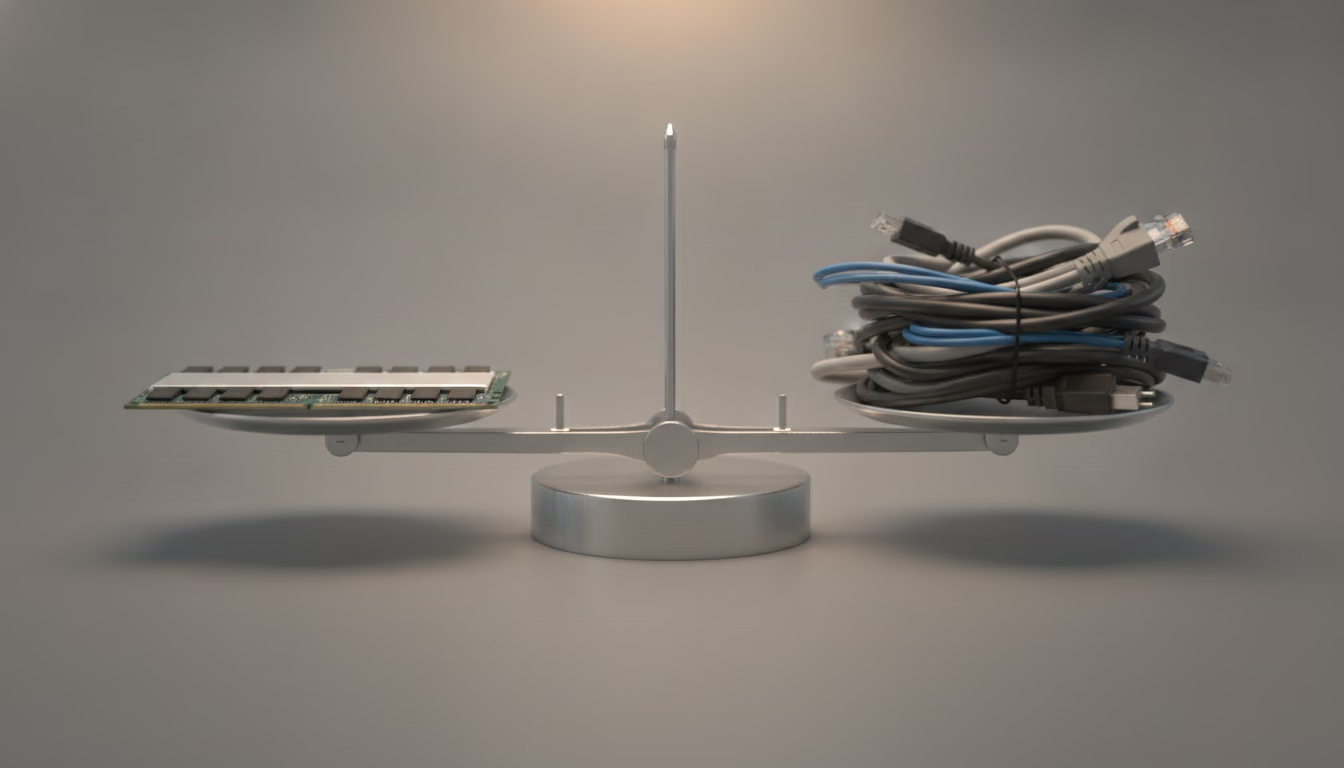
Headless WordPress in 2026 is a settled engineering choice with an unsettled business case. The question is not whether Next.js or Astro can render WordPress content well, because both can. The question is what you are buying with the second codebase, and the honest answer is written in WordPress core: a decoupled front end pays cash for every convenience the monolith gets for nothing.
Most comparisons price this as a multiplier. Headless costs two or three times a theme build, which is a number nobody can check and everyone quotes. The useful version is a list of the specific things core stops doing for you the moment the front end is no longer a PHP theme, because those are the line items your agency will actually invoice. That list is short, it is knowable in advance, and it is the whole of year zero.
This article is the decision itself. If you want the long-form financial model with the four-year cashflow, the headless vs monolithic WordPress enterprise TCO guide runs the arithmetic, and the individual cost columns (hosting, full rebuild versus incremental regeneration, migration) are priced in the economics of headless WordPress.
How much does a headless WordPress site cost to build
Start with what the API actually gives you, because the gap between that and a working site is the build.
Core ships REST, not GraphQL. REST_API_VERSION is defined as 2.0 in wp-includes/rest-api.php, routes have been registrable since 4.4, and the wp/v2 namespace is what a stock WordPress 7.1.3 install answers on. GraphQL is WPGraphQL, which became a canonical plugin in October 2024 with Automattic backing after Jason Bahl moved there. Canonical is a strong signal about maintenance. It is not core. You install it, you version it, and you patch it, and any agency quote that says “WordPress talks GraphQL” has skipped a dependency.
Then the specific things you will be paying a JavaScript developer to write:
The navigation. wp/v2/menus exists, WP_REST_Menus_Controller has been in core since 5.9, and it will not answer an anonymous request. Its check_has_read_only_access() returns true only for edit_theme_options, edit_posts, or an editing capability on some public post type, unless someone flips the rest_menu_read_access filter. So the front end either authenticates on every build, or you write a small public endpoint of your own and own its cache. This is the thing every headless post means by “you have to build the menu” without ever saying why.
Preview. Drafts are not public data and core is right about that. Reading unpublished content means an authenticated request, which means application passwords (core since 5.6) or a JWT plugin, plus a preview route on the front end, plus a way for an editor to click Preview in wp-admin and land on it. Three moving parts, none of them optional, none of them in any framework starter.
Block CSS. The bare should_load_separate_core_block_assets filter still defaults to false, but core no longer leaves it there: _add_default_theme_supports() flips it to true for block themes, and wp_load_classic_theme_block_styles_on_demand() (since 6.9) does the same for classic themes through the template output buffer. So a stock 7.x site prints the styles of the blocks actually used on the page, from wp_head() and wp_footer(). Your front end calls neither. You either import that stylesheet and accept it, or you restyle every core block your editors can insert. Columns, gallery, quote, table, buttons, separator, cover. That is not a hard job. It is a job somebody has to scope, and it never appears in the estimate.
Forms, and everything else with behaviour. Covered in section four, because it is the cost that keeps arriving after launch rather than before it.
None of this makes headless a bad decision. It makes year zero an easy call: if you are not already funding a front end team, the monolith wins on build cost every time, and the reason is that WordPress core is doing unpaid work for you that you would otherwise commission.
Headless WordPress maintenance and security costs
This is where the usual argument goes wrong, so it is worth correcting the security claim directly rather than repeating it.
Security
The common version says a decoupled architecture separates the attack surface, so a vulnerable form plugin can no longer reach the database. That is false as stated. The plugin still runs inside the same WordPress install, against the same database, with the same capabilities. Decoupling moved the rendering. It did not move the vulnerability.
What decoupling genuinely buys is an option the monolith does not have: because the public site is no longer WordPress, you can put the WordPress origin behind an IP allowlist, a VPN, or a private network, and expose only the front end and whatever endpoints it needs. A monolith cannot do that, because the thing you would be hiding is the thing visitors are looking at. That is a real reduction in exposure, and it costs network engineering rather than architecture. If your headless WordPress is sitting on a public hostname with wp-admin reachable from anywhere, and most are, you paid for the architecture and skipped the benefit.
The second half is less flattering. You now patch two runtimes on two cadences. WordPress ships minor releases with automatic background updates, and the 7.1 branch took three of them in three weeks, 7.1.1 on 17 September, 7.1.2 on 22 September and 7.1.3 on 6 October 2026, without anyone on your team doing anything. Nothing in your JavaScript dependency tree behaves like that. Next.js 16.3.5 published on 11 September 2026 and Astro 7.3.3 on 16 September 2026, and Node’s LTS lines expire on their own schedule (Node 18 Hydrogen took its final release on 27 March 2025). A monolith has one upgrade treadmill. Headless has two, and the faster one is the one nobody budgeted for.
Redesigns
The agility argument is the strongest real point in favour of headless, and it is usually overstated by one word. “The front end is pure React or Vue” is not accurate for Astro, which ships no client JavaScript by default and is a common choice precisely because of that. The accurate claim is narrower and better: when the content model holds still, a decoupled front end can be rebuilt without touching WordPress at all, and that is genuinely cheaper than fighting a page builder’s markup or a theme that grew ten years of conditional templates.
The caveat is the same sentence in reverse. When the redesign changes what content exists, not just how it looks, you are now editing two repositories, coordinating two deploys, and writing a migration that has to land in both. Half of the redesigns that get sold as “front end only” turn out to need one new field, and that is the day the second repository stops being free.
For public-sector readers in the United States there is a date attached to this. The DOJ final rule under ADA Title II, published in the Federal Register on 24 April 2024, sets WCAG 2.1 Level AA as the standard for state and local government web content, with compliance dates in 2027 and 2028 depending on population. If a rebuild is happening anyway, that deadline is the cheapest moment to absorb the accessibility work, in either architecture.
Is headless WordPress faster and does it convert better
The performance case for headless was strong in 2020. It has been narrowed from both ends since, and both changes are datable.
The metric changed first. INP replaced FID as a Core Web Vital on 12 March 2024. FID measured how long the browser took to acknowledge the first interaction, which was close to free for any server-rendered page. INP measures the latency of interactions across the whole visit, which is a direct measurement of main-thread work. A hydration-heavy React front end is, by construction, the architecture that ships the most main-thread work. Server-side rendering gets a headless build level with a PHP theme on the paint metrics. It does not put it ahead, and on INP it can put it behind. A build that treats JavaScript as opt-in, which is what Astro islands or React Server Components are for, is the version of headless that actually wins this argument.
Core moved at the other end. Speculative loading landed in WordPress 6.8, documented in the dev note of 6 March 2025 and living in wp-includes/speculative-loading.php. On a site with pretty permalinks, for logged out visitors, core now emits Speculation Rules by default, and 7.1 added WP_SPECULATIVE_LOADING_DEFAULT_MODE and WP_SPECULATIVE_LOADING_DEFAULT_EAGERNESS so a host or a site can set the policy. The defaults are mode prefetch with conservative eagerness, so core fetches the next document when the pointer goes down on a link. That is a prefetch, not a prerender, so it removes document latency rather than rendering the page ahead of time. It still takes away part of what a JavaScript router used to be the visible reason for, on a stock theme with no router at all.
That leaves the business case, which is arithmetic you can do on your own numbers rather than on anyone’s benchmark. Take your current conversion rate, add one percentage point, multiply by a year of orders and average order value, and compare the result against a headless build plus a standing front end engineer. On a high-volume store the lift clears the cost inside the first year and the decision is obvious. On a catalogue site doing a modest order volume, it never clears it, and the honest recommendation is the one most agencies skip: spend the same money on caching, images and the checkout, and stay on the theme.
Why WordPress plugins break on a headless front end
This is the cost that arrives after launch, it is the one that ends the marketing team’s goodwill, and it has a precise mechanism worth knowing before you sign anything.
Look at what the REST API actually returns. In WP_REST_Posts_Controller::prepare_item_for_response(), the content field is built like this:
$data['content']['rendered'] = post_password_required( $post )
    ? ''
    : apply_filters( 'the_content', $post->post_content );
So the_content runs. Shortcodes expand, block render callbacks execute, and the markup a plugin generates does come back over the API. What does not come back is everything that plugin registered on wp_enqueue_scripts, printed in wp_head(), or hooked to wp_footer(), because your front end never calls any of them.
The result is specific and it looks like a bug rather than a design decision. A slider shortcode returns a div with the right classes, no stylesheet, and no initialiser, so it renders as a stack of unstyled images. A pricing table returns a table with no CSS. A form returns its fields and no submit handler. The editor sees it working in wp-admin, because wp-admin is still a monolith, and sees it broken in production, and files a ticket against the front end team.
So the tax is not “find a React library for a wheel of fortune”. It is that every plugin your marketing team installs arrives half-delivered, the half that arrives is the half that looks fine in the CMS, and the missing half is a developer ticket every single time. Two plugins a year is noise. Two a month is a retainer.
There are exceptions, and they are instructive. WooCommerce maintains its own Store API under the wc/store namespace, so cart and checkout are genuinely buildable against a documented contract rather than reverse-engineered. That exists because WooCommerce built and maintains it. The overwhelming majority of the plugin directory has no equivalent and never will.
There is a flip side worth naming, because some teams buy it deliberately. The install button is also the monolith’s largest liability: it is how a site acquires eleven plugins that all register the same script, and how a marketing hire ships a tracking tag nobody reviewed. Headless makes every install a conversation with an engineer. If your governance problem is that anyone can install anything, that friction is a feature you are paying for on purpose. Be honest with yourself about whether that is the reason, because it is a better reason than most.
How much does headless WordPress hosting cost
Two runtimes means two bills, and that is the least interesting part of the number.
The shape is a PHP origin for WordPress plus a separate host for the front end, either a Node runtime or a static build, typically on Vercel, Netlify or Cloudflare. A unified option exists: WP Engine’s headless platform pairs a Node environment with WordPress hosting under one vendor, which trades some flexibility for one support contract and one invoice. Either way you are running two things where you ran one.
The line item that gets missed is not the second bill. It is publication reaching the front end. On a monolith, publishing a post invalidates an object cache and a page cache and the work is done. On a statically generated front end, publishing has to trigger something: an on-demand revalidation webhook from WordPress to the front end host, a targeted purge, or a scheduled rebuild. That path is code, it is fragile in exactly the way webhooks are fragile, and when it fails the symptom is an editor insisting a post is live while the site disagrees. Somebody has to own it, monitor it, and be reachable when it breaks at five o’clock on a Friday.
The second missed item is observability. A monolith has one log. A decoupled stack has PHP errors in one place, front end build failures in another, and the requests between them in a third, and the first serious production incident is where you find out nobody correlated them.
What is the three-year ROI of headless WordPress
Put the pieces above into one table for a corporate site with medium traffic, and the shape of the answer appears before any number does.
| Item | Traditional WordPress | Headless WordPress |
|---|---|---|
| Initial build | Baseline | Higher: front end, navigation, preview and block styles are written |
| Hosting (3 years) | One contract sized for the peak | Somewhat lower, split across two services |
| Maintenance (3 years) | Baseline | Clearly higher, two stacks to keep alive |
| Total cost over 3 years | The lowest | Higher, and the gap is known on day 0 |
| Extra revenue from performance | None attributable | The only term that can flip the result |
The asymmetry is the interesting part. The headless premium is known before you start, and the extra revenue is a forecast. Headless pays off when traffic and value per conversion are high enough for a modest conversion lift to beat a premium that is already fixed. On a low-traffic site the revenue difference never covers it.
For the forecast there is one measured figure that works as an order of magnitude, not as a promise. The Deloitte study for Google, Milliseconds Make Millions (2020), observed an 8.4% increase in retail conversions with a 0.1 second improvement across four mobile site speed metrics. That number comes from a panel of specific brands, and nobody inherits it by changing architecture.
The variables that decide it are your own:
| Variable | Where it comes from | Why it matters |
|---|---|---|
| Monthly visits | Your analytics | Multiplies any conversion improvement |
| Current conversion rate | Your analytics | The base the improvement applies to |
| Expected conversion lift | The LCP difference between the two architectures | This is where all the uncertainty sits |
| Value of a lead | Your CRM, not an industry average | The only figure that turns traffic into money |
You have the first two measured. The third is a hypothesis and should be treated as one. The fourth decides: with a high lead value, a small conversion increase already pays for the architecture difference, and with a low one it does not, even if the site gets twice as fast. That is why headless works in insurance, banking or industrial B2B, and rarely for a corporate blog.
When to choose headless vs traditional WordPress
Use traditional WordPress if
- The budget covers one build and not a standing front end engineer afterwards. This is the single most reliable predictor of a headless project going wrong.
- Your marketing team needs autonomy to install and configure visual plugins without a developer in the loop.
- The site is primarily informational, where speculative loading in core and a decent cache already deliver most of the speed a rebuild would buy.
- You have no in-house JavaScript capability and no plan to hire one. An agency can build it. Somebody has to keep it alive.
Use headless WordPress if
- You are publishing to more than one destination, a website plus a native app or an in-product content surface, from one editorial workflow. This is the argument that does not have a monolithic answer.
- You can genuinely take the WordPress origin off the public internet, and compliance or threat model makes that worth the network engineering.
- Performance is measurably revenue, your order volume is high enough that a point of conversion covers a standing team, and your front end plan treats JavaScript as opt-in rather than shipping a framework to every visitor.
- WordPress is already one system among several, integrated with an ERP or a CRM over APIs, and the content model is stable enough that the front end will not be chasing it.
The pattern underneath all eight: headless is not a technology upgrade, it is a staffing decision with an architecture attached. Ask who writes the front end code in month eighteen, and whether that person is on the payroll. If the answer is unclear, the answer is the monolith.
Astro as the middle option
Astro offers a middle route. Components are written in HTML and CSS without React, the learning curve is shorter than Next.js, no client JavaScript ships by default (the comfortable position on INP), and WordPress is read over REST at build time with the same authentication as any other client. Astro’s own WordPress guide uses exactly that built-in REST API and lists WPGraphQL as optional. There are still two deployments and a webhook that invalidates the front end on publish, which is the hosting problem from above again: somebody has to own it.
Next.js, Astro or Nuxt for headless WordPress
Next.js (React)
- Best for: interactive applications, dashboards, commerce with authentication
- Performance: depends on how much is hydrated, and it is the easiest of the three to hurt INP with when everything ships to the client
- Talent cost: high, senior React developers
- Ecosystem: the largest, the whole React world
Astro
- Best for: content sites, blogs, corporate sites, documentation
- Performance: zero client JavaScript by default, which is exactly what INP rewards
- Talent cost: medium, HTML and CSS plus basic JavaScript
- Ecosystem: smaller than React’s and growing; WordPress is consumed through its REST API, not through an official integration package
Nuxt (Vue)
- Best for: teams that already work in Vue
- Performance: the same hydration trade-off as Next.js
- Talent cost: medium to high
- Ecosystem: mature within Vue
How to measure the ROI of a headless migration
If you are going to justify the investment, measure four things on the current site before touching anything, and measure them again ninety days after launch. Without the baseline there is no ROI to prove, only a feeling that the site got faster.
Before migrating, record:
- Mobile PageSpeed and field LCP, not lab LCP: use CrUX data, which is what Google uses
- The average position of your twenty commercial keywords
- Organic leads per month, separated from paid campaign leads
- The real time it takes marketing to publish a landing page
After migrating, the signs that the arithmetic works:
- LCP drops clearly and stays down, not only on the homepage
- Average position improves on pages that were in the lower half of page one, which is where speed has room to move anything
- Organic leads rise without any change in acquisition spend
- Publishing time has not got worse, which is the typical headless risk
The order matters. If average position improves and leads do not, the problem was never the architecture but the offer on the page, and no migration fixes that.
I build both, and I recommend headless only when the numbers above come out in its favour. If Astro is on your shortlist for the front end, see my Astro development services.