Expanded and up-to-date version of this topic: How to create an SEO-optimized WordPress site in 2026.
Search engine optimization for WordPress has evolved far beyond the era of installing an all-in-one plugin, configuring a green traffic light indicator, and stuffing meta keywords into page headers. In 2026, search engines and answer engines (such as Google AI Overviews, Perplexity, and ChatGPT Search) analyze structural document architecture, Core Web Vitals responsiveness, and unambiguous entity graphs.
WordPress powers over forty percent of the web, making its architectural nuances a primary target for technical SEO auditing. While the platform offers an exceptional publishing foundation, default configurations frequently introduce duplicate URL bloat, render-blocking assets, and fragmented schema markup. This guide establishes the technical blueprint required to transform a standard WordPress site into an authoritative, high-ranking digital asset.
How to clean up WordPress URLs and archives
The foundation of every high-performing website is a deterministic, predictable URL hierarchy. Search engine crawlers allocate a finite crawl budget to each domain; wasting that budget on duplicate or low-value routes directly impedes the indexation of commercial pages.
Which WordPress archives to noindex or disable
By default, WordPress automatically creates secondary taxonomy archives:
- Date Archives (
/2026/03/): Entirely redundant for ninety-nine percent of business websites and creates seasonal duplicate content. - Author Archives (
/author/admin/): On single-author websites, the author archive is identical to the main blog feed and exposes backend usernames to scrapers. - Tag Archives (
/tag/wordpress/): Uncontrolled tag creation by content editors generates hundreds of thin pages containing one or two posts. - Attachment Pages: Historically, WordPress generated a distinct URL for every uploaded media file, creating thousands of near-empty pages.
Modern technical hygiene requires disabling date archives completely, redirecting author archives to the about page (or canonical author bio), and setting thin tag archives to noindex, follow or removing tags in favor of structured categories.
/**
 * Redirect author archives on single-author sites to the main team page.
 */
function wppoland_redirect_author_archive(): void {
    if ( is_author() ) {
        wp_safe_redirect( home_url( '/en/about/' ), 301 );
        exit;
    }
}
add_action( 'template_redirect', 'wppoland_redirect_author_archive' );Best permalink structure for WordPress
Avoid complex permalinks with date components (/%year%/%monthnum%/%postname%/). For enterprise sites, standardizing on /%postname%/ for articles and nesting hierarchical pages under logical parents (e.g. /services/cloud-engineering/) ensures permanent URL stability during updates.
How to unify JSON-LD schema in WordPress
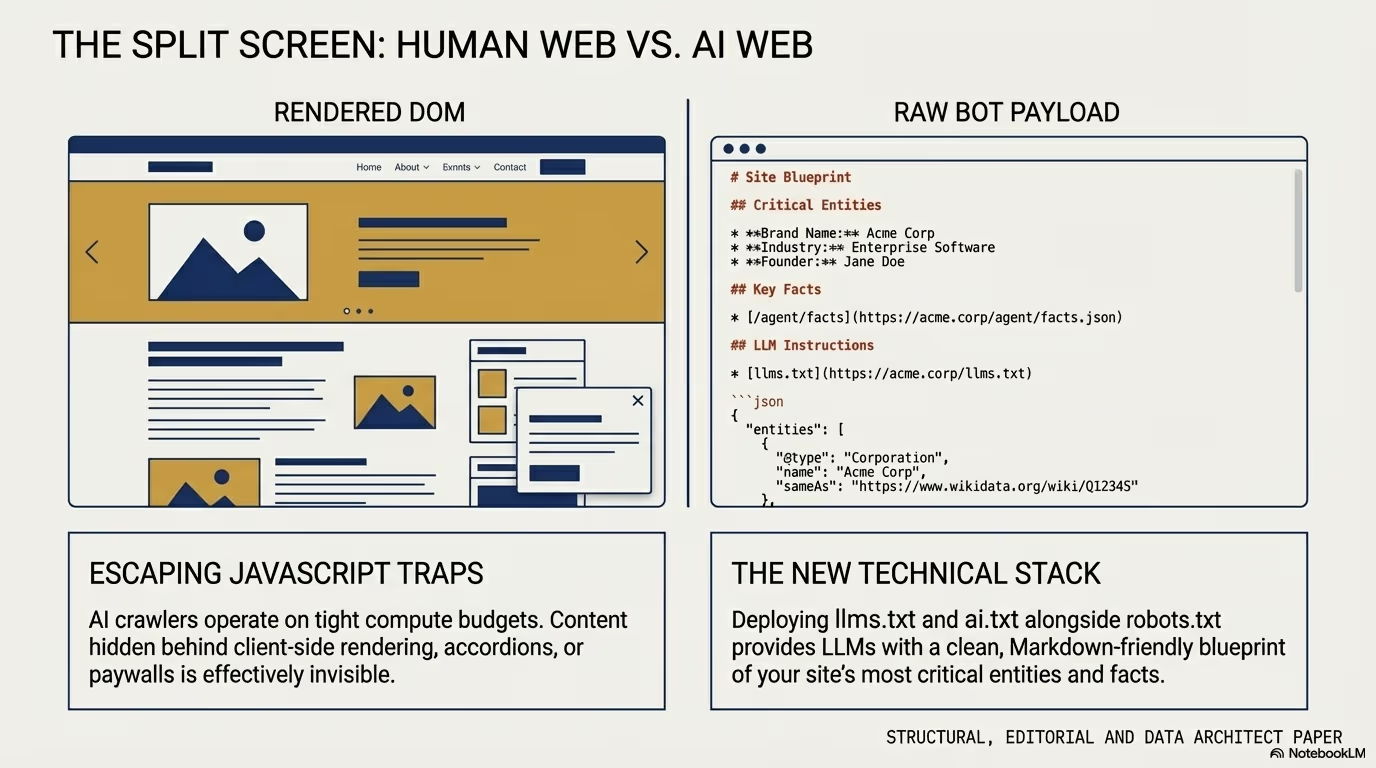
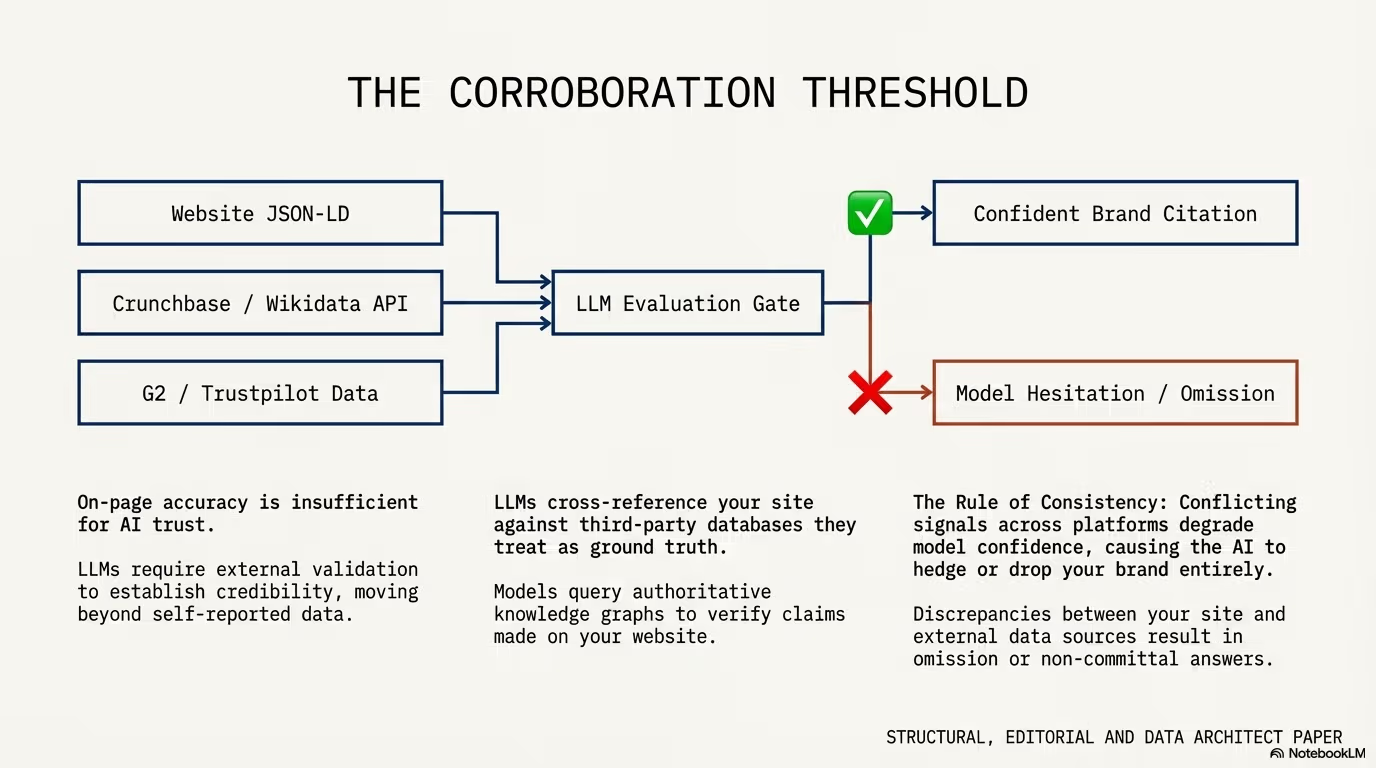
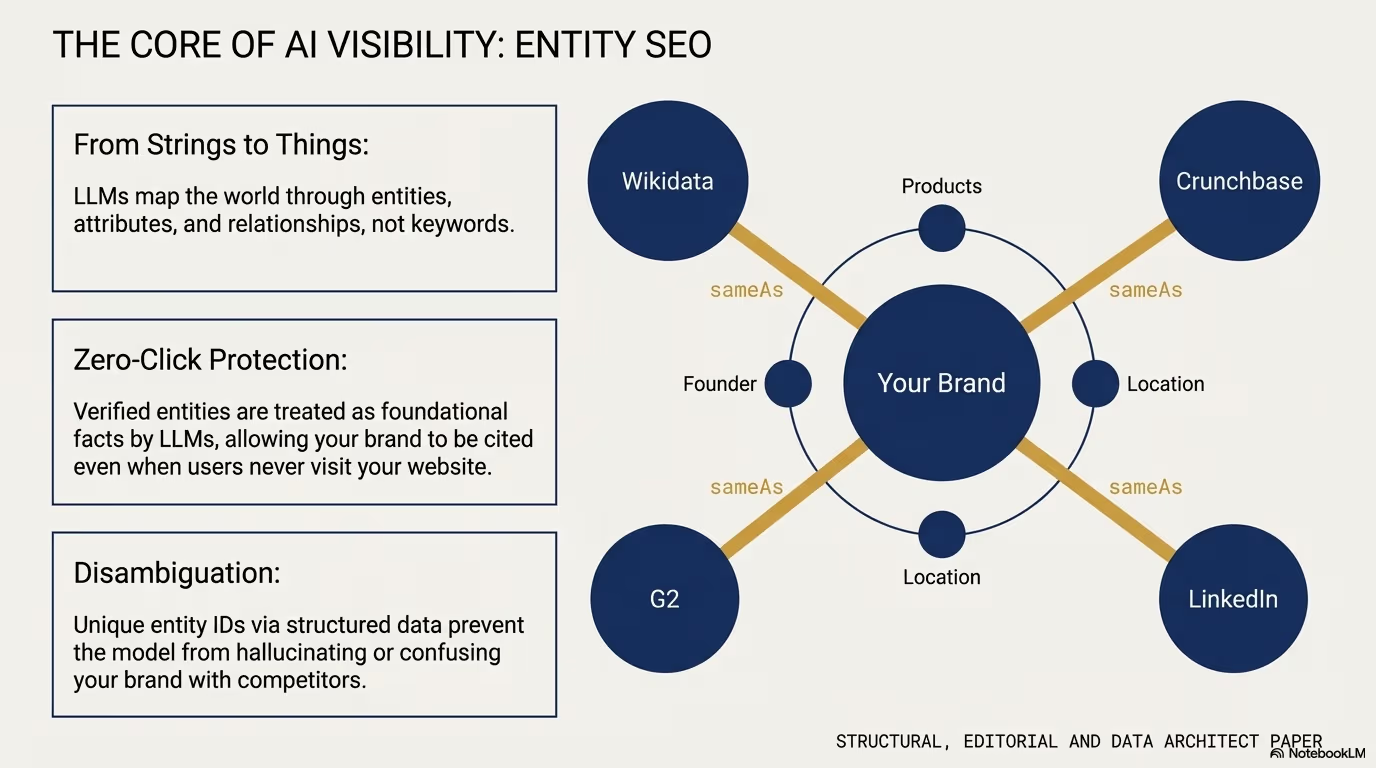
Modern search engines do not read HTML like human visitors; they parse structured data according to the Schema.org specification to extract facts and build knowledge graphs.
A common failure in WordPress setups is injecting multiple disconnected <script type="application/ld+json"> tags from different plugins: one script defines the organization, another defines the article, and a third defines a product. Search engines are left guessing whether the author of the article actually works for the organization.
JSON-LD @graph example for WordPress
The enterprise standard unifies all entities into a single @graph array connected by @id URIs:
{
  "@context": "https://schema.org",
  "@graph": [
    {
      "@type": "Organization",
      "@id": "https://wppoland.com/#organization",
      "name": "WPPoland",
      "url": "https://wppoland.com",
      "logo": {
        "@type": "ImageObject",
        "@id": "https://wppoland.com/#logo",
        "url": "https://wppoland.com/images/logo.png"
      }
    },
    {
      "@type": "WebSite",
      "@id": "https://wppoland.com/#website",
      "url": "https://wppoland.com",
      "name": "WPPoland",
      "publisher": {
        "@id": "https://wppoland.com/#organization"
      }
    },
    {
      "@type": "TechArticle",
      "@id": "https://wppoland.com/en/introduction-wordpress-seo-optimization/#article",
      "isPartOf": {
        "@id": "https://wppoland.com/#website"
      },
      "headline": "Introduction to WordPress SEO optimization and positioning",
      "inLanguage": "en-US",
      "publisher": {
        "@id": "https://wppoland.com/#organization"
      },
      "author": {
        "@type": "Person",
        "name": "Mariusz Szatkowski",
        "jobTitle": "Principal WordPress Engineer"
      }
    }
  ]
}
This explicit linkage proves ownership and domain authority, directly satisfying Google E-E-A-T (Experience, Expertise, Authoritativeness, and Trustworthiness) criteria.
How to improve INP on a WordPress site
Technical search performance is inseparable from user experience metrics. Google evaluates mobile websites using Core Web Vitals:
- Largest Contentful Paint (LCP): The rendering speed of the primary visual element (target: < 2.5s).
- Cumulative Layout Shift (CLS): Visual stability during page load (target: < 0.1).
- Interaction to Next Paint (INP): The responsiveness of page interactions upon user input (target: < 200ms).
What causes poor INP in WordPress
While LCP is often resolved with server-side page caching and AVIF/WebP image optimization, INP is where unoptimized WordPress sites fail. Common culprits include:
- Heavy slider and mega-menu scripts binding global
touchstartorclickevent listeners without passive flags. - Tag manager containers firing dozens of analytics beacons simultaneously upon user scroll.
- Client-side rendering frameworks hydrating heavy DOM trees after initial HTML paint.
To protect INP:
- Defer non-critical JavaScript using the
wp_enqueue_scriptattribute'strategy' => 'defer'. - Avoid attaching heavy calculations directly to resize or scroll events; use
requestAnimationFrameorIntersectionObserver. - Replace JavaScript-heavy animations with hardware-accelerated CSS transforms.
/**
 * Modern script registration with native deferral in WordPress core.
 */
function wppoland_enqueue_deferred_assets(): void {
    wp_enqueue_script(
        'wppoland-interactions',
        get_theme_file_uri( '/dist/interactions.js' ),
        array(),
        '1.0.0',
        array(
            'strategy'  => 'defer',
            'in_footer' => true,
        )
    );
}
add_action( 'wp_enqueue_scripts', 'wppoland_enqueue_deferred_assets' );Pillar and cluster internal linking in WordPress
Internal page rank distribution dictates how search algorithms evaluate the relative importance of your commercial pages. Random, uncoordinated internal links dilute topic relevancy.
The recommended structure is the Pillar-and-Cluster (Hub-and-Spoke) framework:
       [ Commercial Pillar Page: Enterprise WordPress Development ]
             ▲                                       ▲
             │                                       │
    [ Cluster Post A ]                      [ Cluster Post B ]
  (Headless Architecture)                 (Custom REST APIs)
             ▲                                       ▲
             │                                       │
    [ Cluster Post C ] ◄───────────────────► [ Cluster Post D ]
(Decoupled Security) (GraphQL vs REST)How to link cluster posts to the pillar page
- Pillar Primacy: Every cluster spoke must link directly back to the main pillar page within the first two paragraphs using descriptive anchor text (e.g.
[enterprise WordPress engineering services](/services/enterprise/)). - Horizontal Association: Related spokes link horizontally to each other when contextually relevant, establishing a semantic web of supporting topical depth.
- Avoid Cannibalization: Ensure each post in the cluster targets a distinct keyword intent. If two articles answer the same query, consolidate them into a comprehensive guide rather than competing against yourself in search indexes.
WordPress robots.txt and XML sitemap setup
Your robots.txt file and sitemap indexes act as air traffic control for web crawlers.
Recommended robots.txt for WordPress
Ensure administrative paths and internal query searches are disallowed, while asset files (CSS/JS) remain accessible so Googlebot can accurately render the page layout:
User-agent: *
Disallow: /wp-admin/
Allow: /wp-admin/admin-ajax.php
Disallow: /search/
Disallow: /*?*s=
Disallow: /trackback/

Sitemap: https://wppoland.com/sitemap-index.xmlWhat belongs in a WordPress XML sitemap
WordPress 5.5 introduced native XML sitemaps under /wp-sitemap.xml. While functional for basic blogs, enterprise deployments require granular control to exclude custom post types used purely for layout parts (such as footer blocks or testimonials) and remove noindexed pages.
Ensure your sitemap index contains only canonical, indexable URLs with HTTP 200 status codes. Including 301 redirects or 404 dead ends in sitemaps wastes crawler resources and signals poor technical management.
WordPress technical SEO checklist
Before deploying architectural updates, audit your WordPress instance against this verification checklist:
- Information Architecture: Disable date and attachment archives; enforce consistent trailing slash standards.
- Entity Modeling: Implement clean JSON-LD
@graphstructures uniting Organization, Author, and Content nodes. - Core Web Vitals: Audit real-user INP metrics using Chrome UX Report (CrUX) and defer non-essential scripts.
- Internal Link Graph: Organize content into structured pillar-cluster networks with contextual anchor text.
- Crawl Efficiency: Restrict crawler access to search queries in
robots.txtand keep XML sitemaps strictly canonical.
When technical search fundamentals are integrated into the core architecture of your theme and hosting infrastructure, your content naturally commands topical authority and sustainable search rankings. If you need assistance auditing or engineering a high-scale WordPress platform, discover our specialized WordPress optimization and development services.
For the delivery side of this topic we keep the work under GEO and LLMO.