Website & application migration in Madrid
I migrate sites from WordPress, Joomla, Drupal, Angular, Vue and other technologies to Astro and Next.js. I plan each migration to keep SEO, content and features intact and switch over in an agreed window. I work alone and have years of experience with both legacy and modern stacks.
- I have had a wordpress.org account since 2006.
- I contributed to WordPress core for versions 7.0 and 7.1.
- I maintain 30 plugins on wordpress.org.
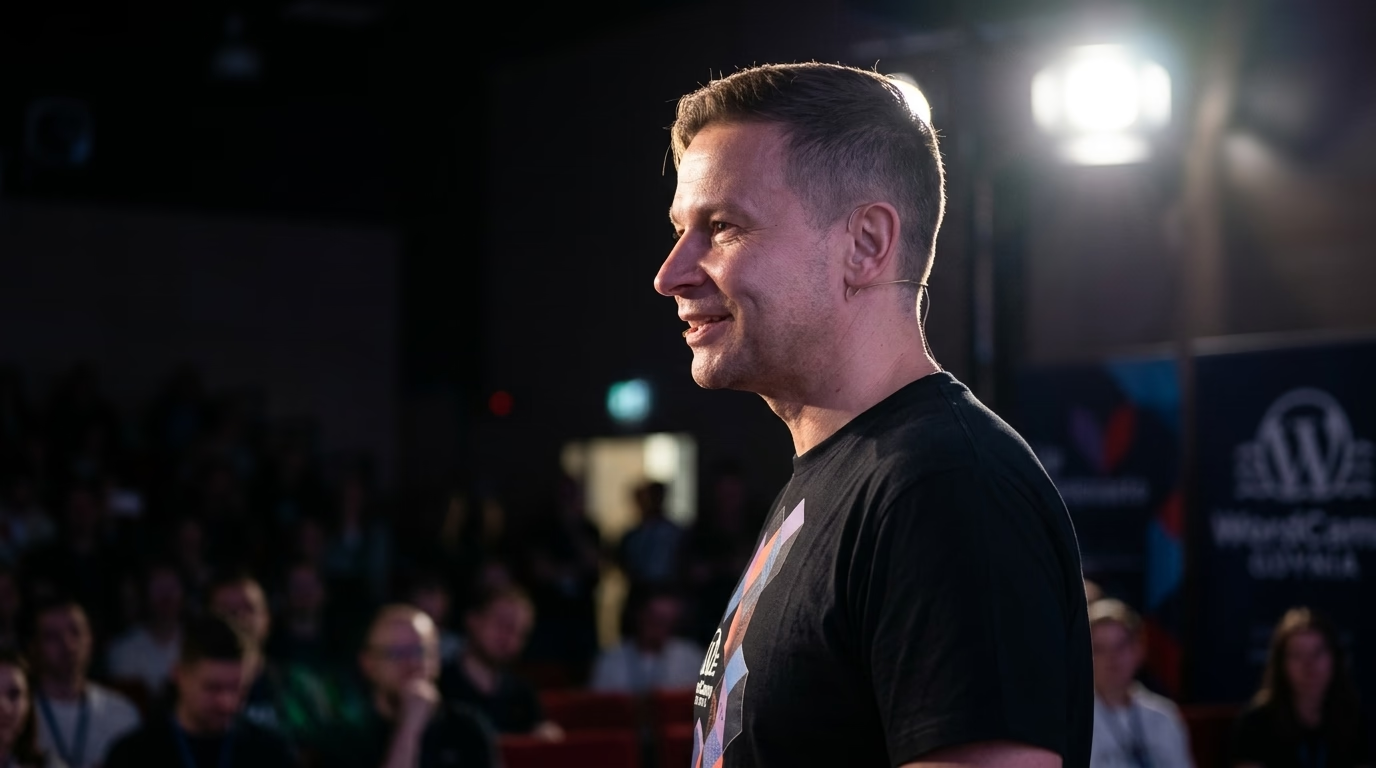
- I organise and speak at WordCamps.
- I have attended every WordCamp Europe from 2017 to 2026.
A Madrid company usually asks about moving to Astro or Next.js when its website has become harder to maintain than the business behind it: a WordPress installation carrying dozens of conflicting plugins, a Joomla 3 site nobody dares to update, a Drupal 7 build past its security end of life, or a custom PHP framework that only one former contractor understood. Working solo, remotely and in writing from Gdynia in the same Central European Time zone, I take that site, inventory everything search engines, customers, and partners already rely on, and rebuild the frontend on a modern architecture without throwing away the rankings, external backlinks, and language versions it has earned.
What does moving a Madrid site to Astro or Next.js involve?
Most of the critical engineering work is inventory, data modelling, and parity verification. In order:
- Crawl and URL export. I crawl the live site and pull URLs from the XML sitemaps, Google Search Console, and raw server access logs where available. Every URL gets a row in the migration ledger: HTTP status code, title, canonical tag, language, internal links pointing to it, and whether it brings organic impressions or clicks, including linked PDF reports and corporate dossiers.
- Typed content model. Pages, posts, products, categories, author profiles, and custom fields become strictly typed collections. In Astro that means content collections validated by a Zod schema, so a missing title or a malformed date fails the build immediately instead of reaching production. Content can stay in WordPress as a headless CMS or move into Markdown/MDX in a Git repository, depending on who edits and how often.
- Written URL map and 301s. Each legacy URL either keeps its exact address or points to one successor address via a single-hop HTTP 301 redirect. Multi-hop chains and generic homepage redirects are strictly avoided. The redirect map is a spreadsheet you read and approve in writing before anything goes live.
- Metadata and structured data generation. Page titles, meta descriptions, canonicals, Open Graph tags, and Schema.org JSON-LD (
Organization,Article,Product,BreadcrumbList, andFAQPagewhere visible questions exist) are generated directly from the typed content model. - Staging and automated parity audit. The rebuilt Madrid site is deployed to a non-indexed preview domain. I compare old and new page by page: same title, same canonical, same primary heading, same language pairing, and no page that silently lost half its body because a custom field was unmapped.
- Staged cutover. Compact corporate sites switch in one coordinated window with the legacy server kept ready for instant rollback. Larger portals move section by section behind edge routing rules under the same domain.
- Post-launch Search Console monitoring. I submit the updated sitemaps and monitor Search Console indexing coverage, the 404 log, and Core Web Vitals field data, fixing any edge case that real traffic reveals.
Astro fits corporate service sites, newsrooms, technical documentation, and B2B catalogues: pages compile to static HTML at build time and ship little or no client-side JavaScript, making it straightforward to stay well within Google’s official Core Web Vitals thresholds (Largest Contentful Paint up to 2.5 s, Interaction to Next Paint up to 200 ms, Cumulative Layout Shift up to 0.1). Next.js fits platforms with authenticated client portals, live inventory, multi-step booking flows, or personalised content where server rendering and API routes justify their runtime footprint. If neither framework is needed and cleaning up your existing CMS would solve the problem, I state that plainly in my written review.
Madrid’s commercial, financial and tech sectors: where decoupled frontends fit best
Across Madrid’s business corridors from the AZCA financial district along Paseo de la Castellana and Cuatro Torres Business Area to Méndez Álvaro, Julián Camarillo (MadBit), and corporate campuses in Alcobendas and Las Rozas, companies run web platforms with distinct technical demands:
- Fintech, Banking, Insurance and Legal Advisory (AZCA, Paseo de la Castellana, Barrio de Salamanca): Financial institutions, B2B fintech scaleups, and corporate law firms publish regulatory briefings, investor disclosures, and multilingual client resources (
es,en). Moving the public site from a vulnerable monolithic CMS to a static Astro build eliminates public database attack surfaces and guarantees consistent metadata across thousands of legal and financial articles. - Enterprise SaaS, Telecommunications and Engineering Consultancies (MadBit / Julián Camarillo, Las Tablas, Alcobendas): Technology vendors and infrastructure engineering groups headquartered in Madrid serve buyers across Spain, Latin America, and EMEA. Decoupling the frontend allows developer documentation and API references to live in Git-backed MDX while marketing teams publish Spanish and English campaign pages through a headless CMS.
- Professional Associations, Event Organizers and B2B Catalogues (IFEMA corridor, Méndez Álvaro): Organizations running trade congresses, training academies, and industrial directories need fast mobile landing pages during peak registration windows without database timeouts.
How do Spanish (es-ES), Latin American (es-419 / es-MX) and English (en) versions survive the move?
Madrid is the capital of Spain, and the municipality had 3,506,730 registered residents in 2025 according to the Instituto Nacional de Estadística (INE). Article 3 of the Spanish Constitution makes Castilian the official Spanish language of the State, so a Madrid corporate website almost always runs in Spanish first, adds English (en) for European and global operations, and frequently maintains regional Spanish editions for Mexico (es-MX), Colombia (es-CO), or Latin America (es-419).
That multi-regional structure is where CMS migrations quietly lose organic traffic. Legacy multilingual plugins such as WPML or Polylang store translation links in custom database tables that a standard content export drops. I export the translation groups explicitly, model each page group around a shared translation key, and generate hreflang links programmatically from that schema. Where your business serves Spain and Latin American countries with distinct currencies, legal notices, or commercial terms, the annotations use regional codes (es-ES, es-MX, es-419, en) plus an x-default fallback; where a single Spanish edition serves every Spanish speaker worldwide, a language-only es paired with en is the clean choice. Before cutover I verify on the compiled HTML that every page links to itself and all sibling locales reciprocally, and that zero hreflang tags point at 301-redirected URLs.
Pre-cutover verification table for Madrid migrations
| Verification area | What I check before switching production traffic |
|---|---|
| URL & PDF redirect ledger | Every indexed URL and linked PDF in Search Console and server logs returns HTTP 200 or a single 301 hop |
Multilingual hreflang (es, en) | Bidirectional return links and self-referencing canonicals verified on built HTML across all regional editions |
| Core Web Vitals thresholds | Templates verified against official web.dev thresholds (LCP up to 2.5 s, INP up to 200 ms, CLS up to 0.1) |
| LSSI Art. 10 & 22.2 compliance | Aviso Legal (NIF, Registro Mercantil de Madrid, address) in all footers; zero non-essential cookies before consent |
| AEPD cookie banner criteria | First-layer “Rechazar” as visible as “Aceptar”; zero analytics or ad scripts firing prior to affirmative opt-in |
| Ley 11/2023 accessibility | Semantic HTML landmarks, heading hierarchy, form labels, focus indicators and WCAG 2.1 AA contrast verified |
Which Spanish legal and regulatory rules does the rebuilt site have to meet?
Replacing a monolithic CMS with Astro or Next.js does not alter your legal obligations in Spain, and a template rewrite is the exact moment when statutory disclosures or consent gates get dropped by accident if nobody checks them:
- Information society disclosures under Article 10 of Ley 34/2002 (LSSI-CE). Every service provider established in Spain must make its company name (denominación social), registered address (domicilio social), email address, tax identification number (NIF), and Registro Mercantil registration details (such as tomo, libro, folio, sección, and hoja in the Registro Mercantil de Madrid) permanently, easily, directly, and free of charge accessible to visitors. I verify that the
Aviso Legalremains linked and complete across every template and language footer. - Price and tax transparency (Article 10.2 LSSI-CE & TRLGDCU). Whenever a website displays prices for products or services, Spanish law requires clear indication of whether applicable taxes (IVA) and shipping costs are included, alongside consumer withdrawal disclosures under Royal Legislative Decree 1/2007 (TRLGDCU).
- Cookies and terminal storage under Article 22.2 LSSI-CE and AEPD guidelines. Storing or reading non-essential data on a user’s device requires prior informed consent, and the Agencia Española de Protección de Datos (AEPD, headquartered on Calle Jorge Juan in Madrid) requires that refusing cookies be on equal footing with accepting them on the first layer of the banner, without pre-ticked boxes or deceptive colour contrast. On the new Astro or Next.js frontend, I wire analytics and marketing scripts so nothing non-essential loads before the user gives affirmative consent.
- Personal data protection under RGPD and LOPDGDD (Ley Orgánica 3/2018). When a migration replaces WordPress form plugins with serverless endpoints, CRM webhooks, or a new hosting provider, the list of data processors (encargados del tratamiento) changes. I document every endpoint, processor, and storage region so your
Política de Privacidade/Política de Privacidadand record of processing activities match the live stack. - Digital accessibility under Ley 11/2023. Spain transposed the European Accessibility Act (Directive (EU) 2019/882) through Law 11/2023 of 8 May, whose requirements for covered e-commerce and consumer digital services took effect on 28 June 2025 (with microenterprises providing services exempt), alongside Royal Decree 1112/2018 for public-sector contractors. Note that pre-recorded media and office files published before 28 June 2025 carry specific transitional exemptions unless republished as new pages during a migration. I build the new Astro or Next.js templates with proper heading order, explicit form labels, keyboard focus indicators, and WCAG 2.1 AA contrast, testing with both keyboard navigation and automated validators.
What can go wrong during a migration, and how do I check for it?
- Orphaned pages with external backlinks. Legacy press releases, whitepapers, or campaign pages that were missing from the XML sitemap. Cross-checking the crawl against Search Console and raw server logs before launch, and watching the 404 report after cutover, prevents link equity loss.
- Multi-hop redirect chains. A new 301 pointing to an older 301 left over from a previous site redesign. I flatten every chain in the redirect file so every legacy URL resolves to its final destination in a single hop.
- Incomplete field mapping. A custom template that renders the page title and intro but drops a repeater field or ACF block holding half the body text. My parity script compares word counts and heading structures per URL between the legacy site and the staging build.
- Broken forms and CRM webhooks. Contact forms, newsletter sign-ups, booking widgets, and payment links are catalogued upfront and tested one by one on staging with real test payloads.
What do you keep at the end of the project?
Your company keeps full ownership of the Git repository, the automated build and deployment pipeline, documented environment variables, and a complete written record of the URL redirect map and architectural decisions. After launch I review Search Console indexing and real-user performance metrics and fix any issues that surface.
The migration engineering process is covered in detail on my Next.js and Astro migration page. If your editorial team wants to keep WordPress as the back-office authoring environment behind the new frontend, see headless CMS development.
How to request a written scope for your Madrid website
Send me your current website URL, the CMS and version it runs on, the language editions you publish (es, en or regional Latin American variants), and where your traffic comes from (organic search, paid campaigns, newsletters, referrals) via the contact page. I reply in writing on working days with a free initial estimate and written scope covering what moves, what changes address, which framework fits best, and what I need from your team before work begins.
Selected projects
Examples of my work.
E-commerce Development: dkf.za.pl
DKF.za.pl is a website created in 2010 for the Film Discussion Club “ZA”, operating as part of the Polish Federation of Film Discussion Clubs. The project wa...
E-commerce Development: eclipsesource.com
EclipseSource, founded in 1997, is a global leader in Eclipse technologies, with a strong presence in Europe and North America, specializing in enterprise so...
E-commerce Development: estel-poland.com
estel-poland.com is a professional online store for cosmetics, created for customers seeking high-quality skincare and makeup products. The platform is desig...
WordPress support & development in Madrid
Need this service: Next.js / Astro migration in Madrid?
Describe your project by e-mail. I reply within 48 hours.
Describe your projectExplore other WordPress services and knowledge base
Migration to Astro, Next.js, and headless WordPress.
WooCommerce sync with ERP and wholesale systems.
Business process automation around WordPress and company systems.
Library of concrete automation use cases.
Headless WordPress, Sanity, Strapi, and Contentful with Astro or Next.js.
Astro, MDX, edge delivery, and Core Web Vitals measured on real traffic.
Custom WordPress engineering and architecture.
Scalable headless, ERP, and AI architecture for enterprise.
Related categories
Supporting articles
Six to sixteen weeks for typical engagements, with a four-phase shape: discovery, scoping, build and cutover, tuning. The variables are catalogue size, integration count, URL preservation, and editorial team readiness, not framework choice.
A definitive 4-year Total Cost of Ownership (TCO) analysis, real-world Core Web Vitals benchmarks, Astro 7 GraphQL APQ architecture, and a 10-point executive decision matrix for choosing between decoupled and traditional WordPress.

The Shopify Plus vs WooCommerce headless decision in 2026 is no longer a binary "platform vs custom" trade-off. Both can run headless, both integrate AI, both ship at the edge. The real axes are control, total cost over five years, and exit strategy. This article walks the matrix with confirmed platform facts.