Website & application migration in Stuttgart
I migrate sites from WordPress, Joomla, Drupal, Angular, Vue and other technologies to Astro and Next.js. I plan each migration to keep SEO, content and features intact and switch over in an agreed window. I work alone and have years of experience with both legacy and modern stacks.
Specific context: Scalable architecture for growing products, strong security baselines, and multilingual user journeys optimized for regional and international audiences.
- I have had a wordpress.org account since 2006.
- I contributed to WordPress core for versions 7.0 and 7.1.
- I maintain 30 plugins on wordpress.org.
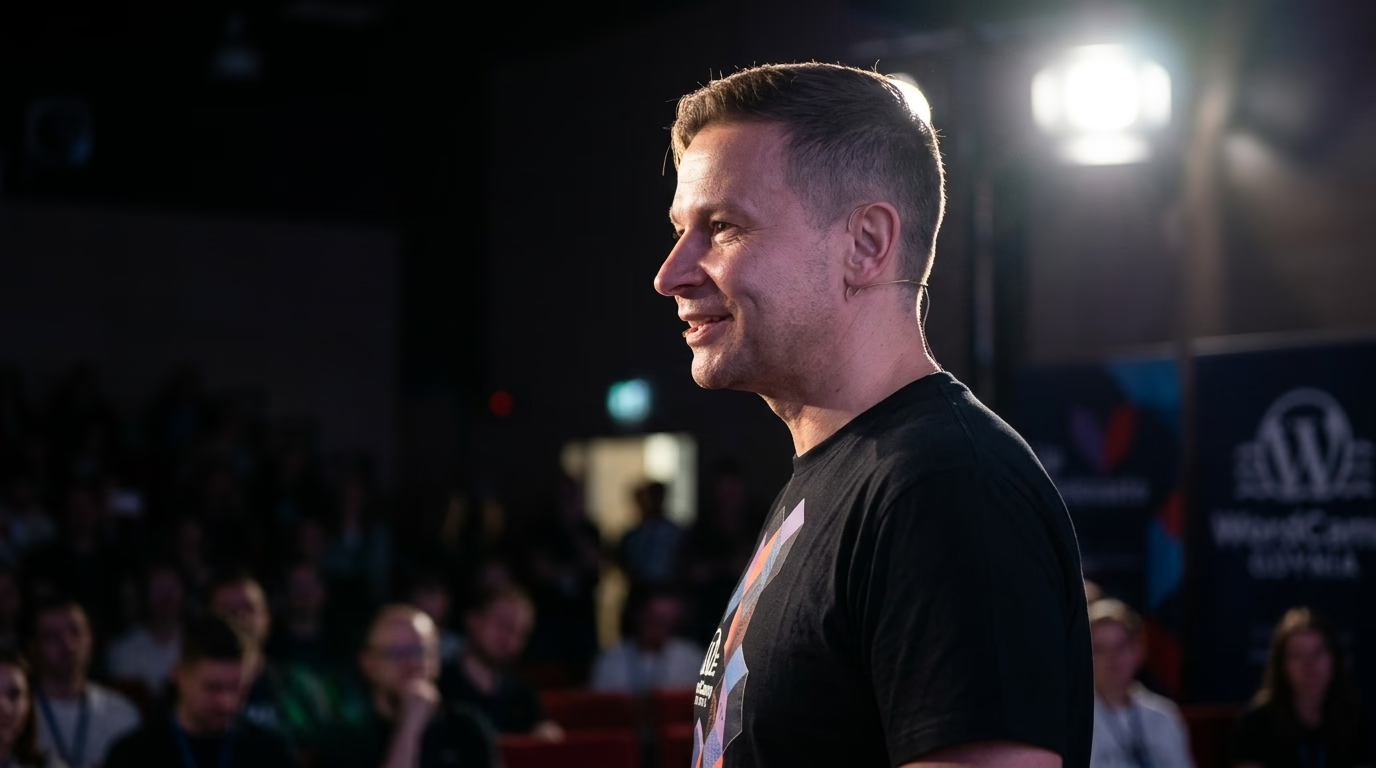
- I organise and speak at WordCamps.
- I have attended every WordCamp Europe from 2017 to 2026.
- Local WordPress meetup: WordPress Stuttgart Meetup
Migration to Next.js & Astro in Stuttgart
I migrate sites from monolithic WordPress, Joomla, Drupal and other CMSs to modern Headless architecture powered by Astro or Next.js. In Stuttgart I execute zero-downtime migrations, your site stays live throughout the entire process.
I migrate applications from Angular, Vue, legacy React, jQuery, PHP and static generators (Hugo, Jekyll, Gatsby) to Astro or Next.js. You gain better performance, SEO and easier long-term development.
A migration to Astro or Next.js in Stuttgart reaches PageSpeed 95-100 and a sharply lower TTFB, because pages are served from the edge rather than assembled per request. A static front-end eliminates common attack vectors and drastically lowers hosting costs.
Every migration includes full URL mapping, 301 redirects, meta tag and structured data transfer. Your Google rankings don't just hold, they typically improve thanks to better Core Web Vitals.
Stuttgart is the capital of Baden-Württemberg. The city’s own economic development pages list mobility, aerospace, engineering, finance, information technology, media and the creative industries as its top sectors. That mix produces websites that are German first, often English second, heavy on technical content and built up over years in WordPress, TYPO3, Drupal or Joomla. When that site gets slow, fragile or hard to extend, a move to Astro or Next.js can make sense. This page explains how I run that migration, what I check, and where it tends to go wrong.
Should a Stuttgart company migrate or just fix the current CMS?
Migration is not the default answer. If the problem is ten page-builder plugins and no caching, a cleanup on the current platform is cheaper and faster. I recommend a move to Astro or Next.js when at least one of these holds:
- The frontend cannot pass Core Web Vitals on mobile even after caching, because the theme itself ships too much JavaScript and CSS.
- The CMS admin is exposed to the internet and patched irregularly, and the site does not need a public login at all.
- The same product or technical content has to feed the website, a dealer or partner portal and maybe an app, so an API-first content source pays off.
- Nobody in-house wants to touch the legacy theme any more, and every small change goes through one external person.
If none of these apply, I say so in the written scope.
Astro or Next.js for a company site in Stuttgart?
I decide per route group, not per company. Marketing pages, product descriptions, technical articles, career pages and press releases are content: Astro renders them to static HTML with no JavaScript unless a component explicitly needs it. A configurator, a logged-in partner area or a page that shows live stock or prices needs server rendering and session handling, which is where Next.js fits.
Some sites end up with Astro for the public pages and a separate Next.js application for the interactive part. The CMS can stay: WordPress through its REST API or WPGraphQL is a valid headless backend, so editors keep the interface they know. More on that approach in my Next.js and Astro migration guide and on the Astro development page.
How do I keep Google rankings during the move?
Rankings survive a migration when every URL that has traffic or links still answers, either at the same address or through a single 301. The work, in order:
- URL inventory. I combine a full crawl, the Search Console performance export and, if available, server access logs. Logs catch old PDF links and campaign URLs that no crawler finds.
- Redirect map. Every old URL gets a target in a spreadsheet you can review. No chains, no blanket redirects to the homepage, and 404 only for pages that are deliberately gone.
- Content model. Post types, custom fields, taxonomies and media are mapped to the new content schema. Shortcodes and page-builder markup are converted, not copied as raw HTML.
- Metadata and structured data. Titles, meta descriptions, canonicals, Open Graph tags and JSON-LD (Organization, Product, Article, BreadcrumbList, FAQPage where it is real) are rebuilt and validated against the built pages, not the templates.
- Hreflang. For German and English versions, each page needs reciprocal hreflang links and a self-referencing canonical. I check reciprocity across the whole site with a script, because one missing return link breaks the pair.
- Staging check. The new site runs on a protected staging domain. I replay the redirect map against it and compare status codes, titles and canonicals URL by URL before anything goes live.
What does the cutover look like?
I prefer a short content freeze and a DNS or proxy switch over a big-bang relaunch weekend. The old site stays available on a separate origin for rollback. On launch day I submit the new sitemap in Search Console, run the redirect map against production, and check that robots.txt does not still block crawling, which is the most common self-inflicted outage after a migration.
In the following weeks I watch the Search Console indexing and performance reports for the migrated URLs: crawl errors, pages dropped from the index, queries that lost position. A drop in the first days is normal while Google recrawls. A drop that grows after two weeks usually points to a missing redirect, a wrong canonical or content that did not migrate, and the URL-level comparison from staging tells me which.
What German rules does the new site have to respect?
A new frontend does not change the legal requirements, but it is the right moment to implement them cleanly instead of through plugins:
- Consent. Section 25 of the TDDDG allows storing or reading information on a visitor’s device only with consent, unless it is strictly necessary for the service the user asked for. On a static Astro site it is easy to verify that no analytics or marketing script loads before consent.
- Imprint. Section 5 of the DDG requires business websites to keep provider information easy to find, directly reachable and permanently available. The imprint page and its link move with the migration like any other URL.
- Accessibility. The Barrierefreiheitsstärkungsgesetz (BFSG) applies to e-commerce services provided to consumers after 28 June 2025. If your site sells to consumers, the migration is a good point to fix headings, contrast, form labels and keyboard navigation in the new components rather than patching them later.
- Data protection. The Landesbeauftragte für Datenschutz und Informationsfreiheit Baden-Württemberg advises companies in the state that process personal data. Moving to static hosting, self-hosted fonts and fewer third-party scripts reduces what has to be listed in the privacy notice.
I am not a lawyer and I do not give legal advice. I implement what your privacy and legal advisers specify and make it checkable in the code.
Hosting and data residency
Astro output is static files, so it can run on almost any host, including providers with data centres in Germany or the EU. Next.js with server rendering needs a Node runtime or a platform that supports it. If your data protection officer requires EU-only processing, I factor that into the hosting choice before writing code, not after.
What you get at handover
The repository, the redirect map, the content model documentation, a deploy pipeline you control and a short runbook for publishing and rolling back. No credentials sit in documents, and another developer can take over without asking me.
Where to meet people who work with WordPress in Stuttgart
The WordPress Meetup Stuttgart is a casual, German-language meetup for users, designers, developers and bloggers working with WordPress, with talks, lightning talks and networking. If you want a reference check on anyone you are about to hire, including me, a room of people who have already done this locally is a good place to ask.
Next step
Send me the current URL, the CMS and version, the main traffic sources (organic, ads, direct, partner links) and which parts of the site need logins or live data. I reply with a written scope: what to migrate, what to keep, Astro or Next.js per section, and the risks I see. No call needed.
Map of Stuttgart and surrounding area
Selected projects
Examples of my work.
Real Estate Platform: osiedlegalaktyka.pl
Osiedlegalaktyka.pl is a professional project in my WordPress developer portfolio, realised as a website promoting a modern residential estate in Szczecin, l...
Real Estate Platform: predko.pl
predko.pl is a modern website dedicated to the life and career of rally driver Krzysztof Predko. The site was designed with fans of motorsports and anyone in...
Real Estate Platform: rezydencjapark.pl
Rezydencja Park Mielno is a complex of boutique apartments by the sea, created with the idea of harmony with the surrounding nature and providing a family at...
WordPress support & development in Stuttgart
Methodology guides (SEO, GEO, compliance)
How I approach AI citations, WooCommerce B2B modernization, and NIS2-aligned operational resilience on WordPress. These guides apply to every client location.
See also in Germany
What makes Stuttgart unique
Local expertise:
- Migration to Astro & Next.js in Stuttgart, Germany
- From WordPress, Joomla, Drupal and legacy frameworks
- Staged migrations with redirect mapping and SEO checks
I work remotely for businesses in Stuttgart.
Need this service: Next.js / Astro migration in Stuttgart?
Describe your project by e-mail. I reply within 48 hours.
Describe your projectFAQ - Next.js / Astro migration Stuttgart
Where does the web development community meet in Stuttgart?
WordPress Meetup Stuttgart is the local group, at https://www.meetup.com/wpmeetup-stuttgart/. Ask there before you sign with anyone, including me. A room of people who have already hired locally is a faster reference check than any portfolio page.
How do you preserve SEO and redirects during a migration?
I map every old URL before I start and match it one to one on the new site, with a 301 wherever an address changes. Titles, meta, structured data and canonicals move across, and after launch I watch Search Console to catch indexing drops early. Any URL change is a decision written down on purpose, not a side effect.
Does a German and English site need two domains after the migration?
No. One domain with language folders is the usual setup. I keep whatever structure already ranks, and every language version gets self-referencing canonicals and reciprocal hreflang tags, checked in the built HTML before launch.
Do you recommend Next.js or Astro?
It's a trade-off, not a religion. I reach for Astro on content-heavy sites (blogs, marketing, docs) because it ships zero JS by default; Next.js when there's real interactivity, an authenticated area, or server rendering for dynamic data. I put the recommendation in writing so you can revisit the reasoning a year later.
Explore other WordPress services and knowledge base
Migration to Astro, Next.js, and headless WordPress.
WooCommerce sync with ERP and wholesale systems.
Business process automation around WordPress and company systems.
Library of concrete automation use cases.
Headless WordPress, Sanity, Strapi, and Contentful with Astro or Next.js.
Astro, MDX, edge delivery, and Core Web Vitals measured on real traffic.
Custom WordPress engineering and architecture.
Scalable headless, ERP, and AI architecture for enterprise.
Related categories
Supporting articles
Six to sixteen weeks for typical engagements, with a four-phase shape: discovery, scoping, build and cutover, tuning. The variables are catalogue size, integration count, URL preservation, and editorial team readiness, not framework choice.
A definitive 4-year Total Cost of Ownership (TCO) analysis, real-world Core Web Vitals benchmarks, Astro 7 GraphQL APQ architecture, and a 10-point executive decision matrix for choosing between decoupled and traditional WordPress.

The Shopify Plus vs WooCommerce headless decision in 2026 is no longer a binary "platform vs custom" trade-off. Both can run headless, both integrate AI, both ship at the edge. The real axes are control, total cost over five years, and exit strategy. This article walks the matrix with confirmed platform facts.