Website & application migration in Valencia
I migrate sites from WordPress, Joomla, Drupal, Angular, Vue and other technologies to Astro and Next.js. I plan each migration to keep SEO, content and features intact and switch over in an agreed window. I work alone and have years of experience with both legacy and modern stacks.
- I have had a wordpress.org account since 2006.
- I contributed to WordPress core for versions 7.0 and 7.1.
- I maintain 30 plugins on wordpress.org.
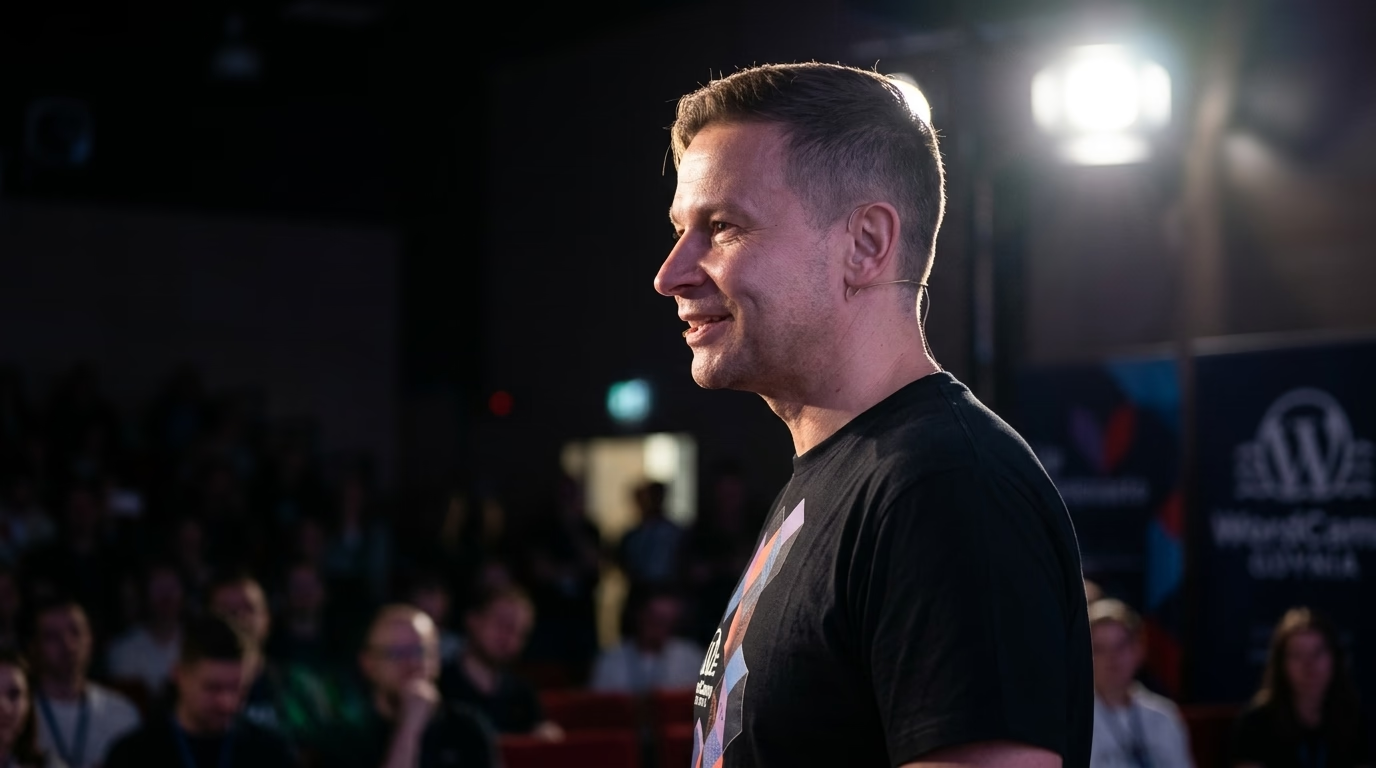
- I organise and speak at WordCamps.
- I have attended every WordCamp Europe from 2017 to 2026.
Valencia is the capital of the Valencian Community (Comunitat Valenciana), and websites operating here routinely serve two co-official languages, Spanish (castellano) and Valencian (valencià), alongside English and French for Mediterranean and European trade. Across the metropolitan area, companies rely on web platforms for very different workloads: SaaS startups, fintechs and corporate innovation labs in La Marina de València and Paterna (Parc Tecnològic and Parc Científic de la Universitat de València), maritime logistics, freight forwarding and customs operators around the Port of Valencia (Valenciaport), industrial exporters of ceramics, furniture, lighting and agri-food products across the Horta, Paterna, Manises, Quart de Poblet and neighbouring Castellón/Vila-real corridors, and hospitality and MICE venues around Ciutat Vella, Ruzafa (Russafa) and the Ciutat de les Arts i les Ciències. Moving a site from WordPress, Joomla, Drupal or an old PHP framework to Astro or Next.js has to carry both co-official languages, every indexed URL and a consent banner that matches Spanish AEPD guidance, without a dip in enquiries while the switch happens. I execute that migration myself from Gdynia, and this page sets out how I do it and how you can verify each step yourself.
When is moving off WordPress, Joomla or Drupal worth it for a Valencia business?
It is worth it when the CMS itself is the architectural bottleneck: a slow server response that caching cannot fix, an admin panel that breaks or locks up after plugin updates, or an editorial team that waits days for a developer just to publish a bilingual landing page. If the real problem is simply three heavy plugins and missing page cache headers, a targeted cleanup on your existing platform costs less, and I will tell you so plainly in the written scope.
When a migration is the right move, the choice between Astro and Next.js follows the behaviour of each route:
- Astro suits content-heavy and catalogue sites: corporate service pages, industrial product catalogues (ceramics, furniture, machinery, chemical and agri-food exports), technical documentation, blogs, and tourism or hospitality portals where most pages render the same content for every visitor. Astro compiles templates to static HTML at build time and ships zero client-side JavaScript by default, making it straightforward to meet Google’s official Core Web Vitals thresholds (Largest Contentful Paint up to 2.5 seconds, Interaction to Next Paint up to 200 milliseconds, Cumulative Layout Shift up to 0.1).
- Next.js suits routes with authenticated B2B distributor logins, freight and container tracking dashboards, personalised dealer price lists or heavy server-rendered state connected to an ERP.
- Hybrid routing: Many Valencia platforms are a mix, so the decision is made per section rather than forcing one runtime across the entire company.
Why Valencia exporters, logistics hubs and tech companies outgrow legacy CMS plugins
Businesses in Valencia and its industrial belt hit three recurring technical ceilings on monolithic WordPress, Joomla or Drupal installations:
- Trilingual and quad-lingual URL trees (
es,ca/ca-valencia,en,fr). Maintaining Spanish and Valencian versions alongside English and French export catalogues inside WPML or Polylang creates massive post-meta join tables. Worse, when a plugin update corrupts language relationships, canonicals andhreflanglinks break silently. Moving to Astro Content Collections or a typed headless CMS links translations by a deterministic content ID checked at build time. - Heavy B2B product lookbooks, BIM/CAD assets and technical datasheets. Furniture, lighting, tile and machinery manufacturers around Valencia publish thousands of high-resolution product images, PDF catalogues and 3D/BIM files. Legacy
/wp-content/uploads/or/sites/default/files/paths are embedded in printed catalogues, QR codes at Feria Valencia exhibitions (Cevisama, Hábitat) and international distributor portals. A migration must map or preserve every single asset path so B2B buyers never hit a 404. - ERP and PIM synchronisation bottlenecks. When daytime stock or specification updates from SAP, Microsoft Dynamics, Odoo or a custom PIM run inside the same PHP process that renders public pages, visitor requests queue up behind database locks. Decoupling the public frontend into static or edge-cached Astro/Next.js routes isolates visitor performance from backend data imports.
What does the migration involve, step by step?
1. Crawl and multi-source inventory. I crawl the live site and merge the crawl with exports from the CMS database, XML sitemaps, Google Search Console and analytics landing-page reports. Those lists never match on the first pass: the gaps reveal orphaned pages, old Feria Valencia campaign landings, PDF datasheets and duplicate language versions. Each URL receives a documented decision: keep at the same path, redirect (301) to a specific successor, or retire (410).
2. Deterministic URL map and single-hop 301s. Every URL that keeps a reason to exist gets a 1:1 permanent redirect to its new address (or retains its exact current slug). Google’s site-move documentation recommends server-side 301 or 308 redirects mapping each old URL to its matching new counterpart rather than to the homepage, and keeping those rules active for at least a year. The map lives in a versioned file that you review and approve, and that exact file generates the edge redirect rules so nothing is typed twice.
3. Typed content model. Pages, posts, custom post types, product taxonomies and custom fields become typed collections in Astro (validated via TypeScript and Zod) or a structured schema in a headless CMS for Next.js. Legacy shortcodes and visual page-builder blocks are converted by script into clean components or plain Markdown, and I list any ambiguous templates that need an editorial decision from you before build.
4. Structured data parity. Organization, LocalBusiness, Article, Product, BreadcrumbList and FAQPage JSON-LD markup is generated directly from the typed content model rather than copied from old plugin output. I validate the rendered JSON-LD on the staging build across every template type.
5. Staging and automated parity checks. Before cutover, I deploy the site to a closed staging URL (X-Robots-Tag: noindex, nofollow) and run automated comparisons between the old and new pages: HTTP status code, <title>, meta description, canonical tag, <h1>, hreflang links, indexability and body text completeness.
6. Staged or atomic cutover. On large portals, the new frontend takes over one section at a time while edge rules route remaining paths to the legacy system. On smaller corporate sites, cutover happens in one clean switch with the old server kept on standby for instant rollback.
7. Search Console verification after launch. I submit the new XML sitemaps, monitor the Page Indexing report for redirect errors or soft 404s, and inspect old and new URLs to confirm Googlebot processes the 301s cleanly. If the domain name itself changes (for example from .com to .es), Search Console’s Change of Address tool is used; for path changes on the same domain, the 301 map and sitemaps handle the transition directly.
Pre-cutover verification gates for Valencia migrations
Before any production traffic moves to the new frontend, the staging build must pass six objective engineering gates:
| Verification gate | What I test on staging | Passing criterion before cutover |
|---|---|---|
| URL & asset map | Crawl + XML sitemaps + GSC export + PDF/catalogue links tested via HTTP script | 100% return 200 OK or a single-hop 301 to the exact target; zero redirect chains |
| Spanish / Valencian / EN hreflang | Reciprocal <link rel="alternate" hreflang="..." /> tags in compiled HTML and sitemaps | Every locale links to itself, all siblings and x-default with zero non-200 targets |
| Structured data parity | Schema.org JSON-LD validated route-by-route against the production site | Zero schema validation errors; corporate NIF/Registro Mercantil and product data intact |
| Core Web Vitals readiness | Zero-JS static HTML payload, responsive AVIF/WebP images and font metrics | Built to meet official web.dev thresholds (LCP <= 2.5 s, INP <= 200 ms, CLS <= 0.1) |
| AEPD cookie & consent check | Clean browser session inspection prior to interacting with the consent banner | Zero non-essential analytics or advertising cookies/scripts executed before opt-in |
| Forms & CRM/ERP endpoints | End-to-end test submissions on contact, distributor RFQ and career forms | Payloads delivered with HTTP 200/201, proper UTF-8 Valencian/Spanish diacritics and GDPR notices |
How do Spanish and Valencian versions survive the move?
Under Article 6 of the Statute of Autonomy of the Valencian Community (Llei Orgànica 1/2006 / Ley Orgánica 1/2006) and Llei 4/1983 d’Ús i Ensenyament del Valencià, Valencian (valencià) and Spanish (castellano) are both official languages in the Valencian Community. Public institutions, universities, cultural venues and many private Valencia businesses publish their websites in both languages, often alongside English (en) and French (fr).
Bilingual and multilingual sites in Valencia break in a predictable place during CMS migrations: the hreflang annotations and locale attributes. WPML or Polylang generate them dynamically inside WordPress, and when the legacy theme is retired, those links vanish if not modelled explicitly. On the new site I generate them directly from the content model, so each page knows its exact sibling in every language.
Google’s hreflang specification is strict: the attribute uses an ISO 639-1 language code (optionally paired with an ISO 3166-1 Alpha 2 region code), and every language version must link to all siblings including itself. Because ISO 639-1 assigns the code ca to Catalan/Valencian (while BCP 47 / IANA subtag registries also define the variant subtag ca-valencia or ca-ES-valencia for HTML lang attributes, as used in WordPress’s ca_valencia locale), I document the exact lang and hreflang convention in your written scope (hreflang="ca" or hreflang="ca-ES" paired with hreflang="es" / hreflang="es-ES" and hreflang="en"), keep it 100% consistent across HTML headers and XML sitemaps, and verify every return link on the compiled HTML before cutover.
What Spanish and Valencian legal rules apply to the rebuilt site?
A frontend rebuild is the ideal point to verify statutory compliance across four areas:
- LSSI-CE (Ley 34/2002) provider disclosures (Aviso Legal / Avís Legal). Article 10 of Ley 34/2002 requires permanent, easy and direct access to your company name (denominación social), registered address in Valencia, email address, NIF, registration data in the Registro Mercantil de Valencia (tomo, libro, folio, hoja) and regulated professional membership details where applicable. I ensure these pages and footer links survive across Spanish, Valencian and English templates.
- AEPD cookie guidelines (Guía sobre el uso de las cookies) and Article 22.2 LSSI-CE. Because the old cookie banner is almost always a WordPress or Joomla plugin, it does not survive a move to Astro or Next.js. I rebuild consent management as a lightweight native component following the Agencia Española de Protección de Datos (AEPD) guidelines (updated to align with EDPB rules): an explicit reject button (Rechazar / Rebutjar) right next to the accept button (Aceptar / Acceptar) in the first layer, granular purpose toggles in the settings panel, zero deceptive button contrast, and strict script blocking so analytics or ad pixels never fire before consent.
- GDPR (RGPD) and Ley Orgánica 3/2018 (LOPDGDD). Forms, newsletter integrations and hosting infrastructure are rebuilt during a migration, which changes your list of data processors (encargados del tratamiento). Before launch, I give you a complete technical table of where the static files, serverless functions, form handlers and analytics run (prioritising EU data residency where required) so your two-layer privacy policy stays accurate under AEPD supervision.
- Spanish Accessibility Law (Ley 11/2023) and consumer protection (TRLGDCU / Estatuto de las Personas Consumidoras y Usuarias de la Comunitat Valenciana). Ley 11/2023 transposes the European Accessibility Act and applies from 28 June 2025 to consumer e-commerce and digital contracting websites (exempting service microenterprises with fewer than 10 employees and under EUR 2 million in turnover or balance sheet total). In addition, Valencia businesses serving consumers follow Real Decreto Legislativo 1/2007 (TRLGDCU) and regional consumer rules (Decreto Legislativo 1/2019 of the Generalitat Valenciana). I build the new Astro or Next.js components with semantic landmarks, explicit form labels, keyboard focus indicators and UNE-EN 301 549 / WCAG 2.1 Level AA contrast ratios.
How we work together remotely (and what stays with you after launch)
I run WPPoland as a solo engineer based in Gdynia, Poland. When you hire me for a Valencia migration, I do the work myself from the initial URL crawl to post-launch Search Console checks:
- Written, asynchronous workflow. I do not hold phone calls, video meetings or live screen-shares. Every URL map, architectural proposal, staging link and progress check is sent in writing by email or Git pull request, and I reply in writing on working days.
- Client-provided visual design. If you want to redesign the look of your website during the migration, your designer or studio provides the Figma files or mockups and I implement them in code. When you prefer to keep your existing Valencia visual design, I translate that layout straight into Astro or Next.js without carrying over legacy plugin code.
- Full code and infrastructure ownership. After launch, you keep the Git repository, the redirect map, the environment variables, the CI/CD deploy pipeline and a short written runbook on how to publish content in both Spanish and Valencian and how to roll back a release. If you want local community context in Valencia, the regional peer group is WordPress Valencia. For more on my engineering method, see my Next.js and Astro migration service and Astro development.
How to get a written scope for your Valencia site
Send me a message via the contact page with three details: your current website URL, the CMS and version it runs on today, and where your traffic comes from (organic search, paid ads, trade-fair referrals, newsletters or B2B portals). Mention the language versions you publish (es, ca, en, fr) and any ERP or CRM integrations. I will review your setup and reply in writing on working days with a concrete scope covering the URL count, language routing, what migrates as-is, and the order of the cutover.
Selected projects
Examples of my work.
Website Delivery: Sole Practitioner Law Firm
Technical implementation for a sole practitioner law firm in Wroclaw: WordPress migration, SSL certificate, mail server configuration, and pre-launch QA.
WooCommerce wholesale API integration: an automotive parts store
Case study of integrating a WooCommerce store with an automotive wholesaler's REST API: catalog, stock and price synchronisation in real time plus automatic margin logic.
WPPoland - rebuilding a proof-led WordPress, Astro and technical SEO site
A method-led case study of the WPPoland rebuild: Astro, Markdown/MDX content, six locales, technical SEO, structured data, AEO/GEO and content quality gates.
WordPress support & development in Valencia
Need this service: Next.js / Astro migration in Valencia?
Describe your project by e-mail. I reply within 48 hours.
Describe your projectExplore other WordPress services and knowledge base
Migration to Astro, Next.js, and headless WordPress.
WooCommerce sync with ERP and wholesale systems.
Business process automation around WordPress and company systems.
Library of concrete automation use cases.
Headless WordPress, Sanity, Strapi, and Contentful with Astro or Next.js.
Astro, MDX, edge delivery, and Core Web Vitals measured on real traffic.
Custom WordPress engineering and architecture.
Scalable headless, ERP, and AI architecture for enterprise.
Related categories
Supporting articles
Six to sixteen weeks for typical engagements, with a four-phase shape: discovery, scoping, build and cutover, tuning. The variables are catalogue size, integration count, URL preservation, and editorial team readiness, not framework choice.
A definitive 4-year Total Cost of Ownership (TCO) analysis, real-world Core Web Vitals benchmarks, Astro 7 GraphQL APQ architecture, and a 10-point executive decision matrix for choosing between decoupled and traditional WordPress.

The Shopify Plus vs WooCommerce headless decision in 2026 is no longer a binary "platform vs custom" trade-off. Both can run headless, both integrate AI, both ship at the edge. The real axes are control, total cost over five years, and exit strategy. This article walks the matrix with confirmed platform facts.