My place in the WordPress community
- I have had a wordpress.org account since 2006.
- I contributed to WordPress core for versions 7.0 and 7.1.
- I maintain 30 plugins on wordpress.org.
- I organise and speak at WordCamps.
- I have attended every WordCamp Europe from 2017 to 2026.
- Local WordPress meetup: #WPLDN London WordPress
Headless WordPress with Next.js: what a London site owner decides first
WordPress stays as the place where editors write. Next.js becomes the public website that reads from it through the WordPress REST API. The pages are the easy half. The decisions that make or break a project are four: how editors preview a draft, how the front end is allowed to read non-public content, how a published change reaches the live site, and how titles, canonicals and robots rules come across from the CMS.
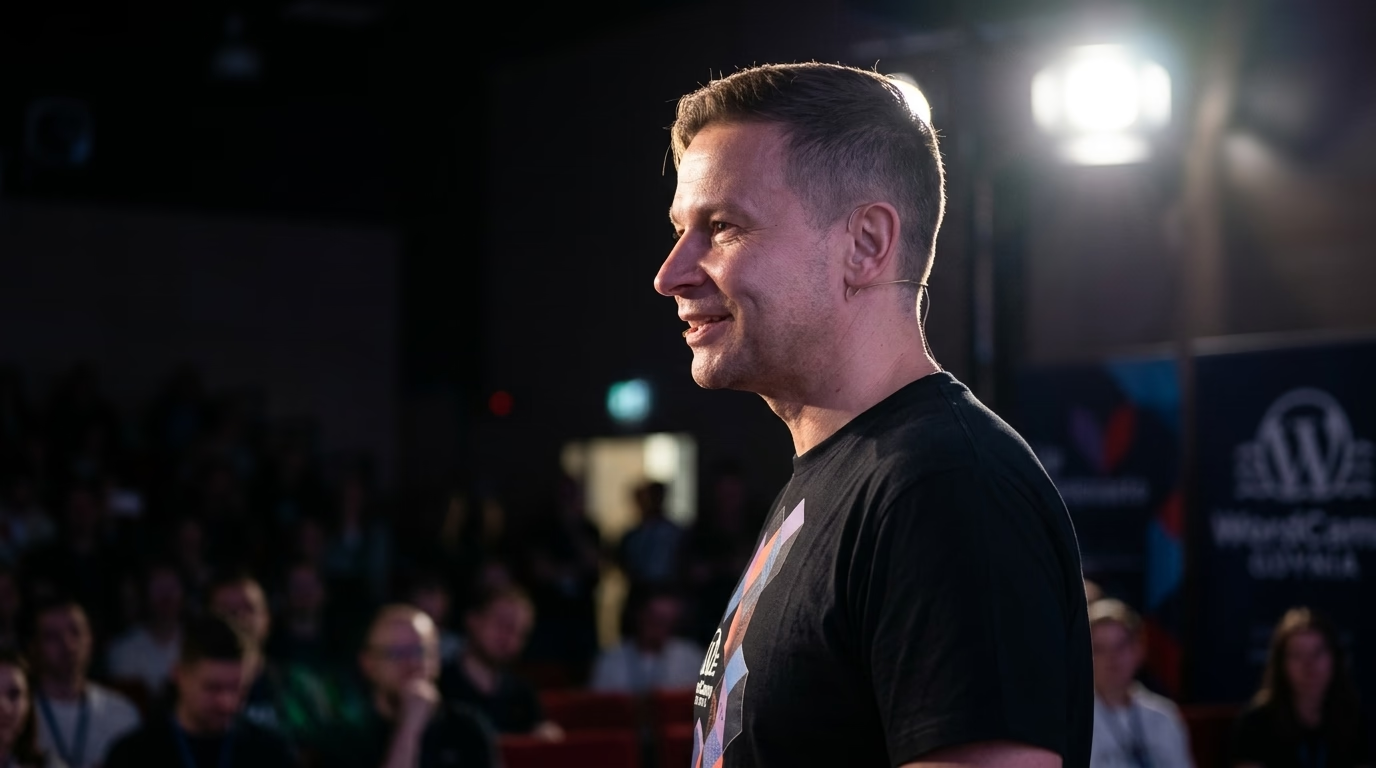
I am Mariusz Szatkowski, one person, working with WordPress since 2006 from Gdynia, Poland. Everything below is written for a business in London, in writing, remotely. The layout of your views is yours to provide, as a wireframe or a filled-in spreadsheet. I implement it.
Why London businesses look at this setup
The Office for National Statistics counted about 538,000 VAT and PAYE businesses in London in March 2025, 19.7 percent of the UK total and the largest regional share (ONS, UK business: activity, size and location 2025, released 24 September 2025). Nationally, 188,000 of the 2.7 million were in information and communication.
For a buyer that means one practical thing: a lot of businesses in the city already run WordPress for marketing, and a smaller number need the front end to behave like a product. Those are the ones that ask for headless. If your editors are happy with WordPress and the site is a brochure, the next sections will tell you honestly when to stop reading.

Photo: King of Hearts, CC BY-SA 4.0, Wikimedia Commons.
Preview: how editors see a draft
On a normal WordPress site, “Preview” is built in. On a headless one, the preview button must open the Next.js site, and the Next.js site must be able to read a draft that WordPress does not expose publicly.
Next.js documents the pattern as Draft Mode. The CMS opens a URL such as /api/draft?secret=XXX&slug=/posts/foo, a route handler validates the secret, enables Draft Mode and redirects. Enabling sets a cookie named __prerender_bypass. While it is present, fetch() calls skip the Next.js cache and the page is served with Cache-Control: private, no-cache, no-store, max-age=0, must-revalidate. Other visitors continue to see the cached version (Next.js docs, Draft Mode).
Three details from that guide matter for WordPress:
- Verify the slug exists in the CMS before enabling, and redirect to the slug returned by the CMS, not the one in the query string. The guide gives this as protection against open redirects.
- If drafts live at a different endpoint or need different credentials, branch the fetch on
isEnabled. - Exit preview with a
POST, not a link. Next.js prefetches<Link>components, which would clear the cookie before the editor clicks.
In WordPress, a draft is simply a post with the status draft. The REST posts reference lists publish, future, draft, pending and private as statuses and shows that the collection returns publish unless you ask for others (WordPress REST API handbook, posts). So the preview handler needs credentials. That leads to the next question.
Authentication between Next.js and WordPress
The REST API handbook describes three routes. Cookie authentication with a nonce (X-WP-Nonce) works for logged-in users inside WordPress, so it does not suit a separate front end. Application Passwords have shipped with WordPress since 5.6, are created on the user profile screen and are sent with Basic Auth over HTTPS. The Basic Auth plugin is described as for development, with Application Passwords preferred (REST API handbook, authentication).
My default is an Application Password on a dedicated low-privilege user, stored as a server-side environment variable in the Next.js deployment and used only in route handlers and Server Components. It never reaches the browser. If I add a custom endpoint to WordPress, I register it with a permission_callback, because the handbook calls permission callbacks “extremely important for security” for private data (REST API handbook, routes and endpoints).
Revalidation when someone hits Publish
Caching is the reason headless sites are fast, and also the reason an editor asks “I published it, where is it?”. The usual answer is a webhook from WordPress to Next.js.
On the WordPress side, the transition_post_status action fires when a post moves between statuses and passes the new status, the old status and the post object (developer.wordpress.org). A small plugin hooks it, compares old and new status, and sends a request with wp_remote_post(). The handbook warns to use wp_safe_remote_post() if the URL is user-controlled (developer.wordpress.org).
On the Next.js side, a route handler verifies a signature and calls revalidateTag. Tags are attached to fetched data with the next.tags option. Two facts from the reference page shape the design (Next.js docs, revalidateTag):
- A webhook is outside a Server Action, so
updateTagis not available there. The page says to pass{ expire: 0 }to expire the data immediately. - A revalidation is triggered by a request, not by the call. Pages using the tag refresh as they are visited, not all at once.
I tag by content type and by ID, for example one tag for the post list and one per post, so that changing a single article does not invalidate the whole site. I also add a manual “clear tag” route for emergencies, protected by the same secret.
SEO metadata that survives the move
Moving the front end is where titles and canonicals quietly vanish. In the App Router, generateMetadata returns the title, description, alternates.canonical, openGraph and robots for each route. Fetches inside it are memoised across generateMetadata, layouts and pages, so asking WordPress once for a post does not cost two requests (Next.js docs, generateMetadata).
The same page explains streaming metadata: for most bots, metadata can arrive after the first UI, and for HTML-limited bots such as facebookexternalhit Next.js waits and puts it in <head>. The htmlLimitedBots option overrides the list. I keep the default and check the rendered HTML of a sample of URLs before launch.
The work in the brief is the mapping. Whichever SEO plugin holds the titles today, its fields have to be exposed through the REST API and mapped one to one. I list every URL pattern, its current canonical and its robots rule, and compare that table with the new build before anything goes live. Redirects for any changed URL go in the same table.
UK rules that touch this build
I am not a lawyer and your adviser decides. These are the primary sources I work from.
Cookies and similar technologies. Regulation 6 of the Privacy and Electronic Communications Regulations 2003 now reads: “Subject to Schedule A1, a person must not store information, or gain access to information stored … in the terminal equipment of a subscriber or user.” The text was substituted on 5 February 2026 by the Data (Use and Access) Act 2025 (legislation.gov.uk, regulation 6). Schedule A1 sets out consent and a list of exceptions, among them strictly necessary storage, statistical purposes and website appearance or functionality, the last two with clear information and a free, simple way to object (Schedule A1). The ICO finalised its guidance on storage and access technologies on 29 April 2026 (ICO guidance).
In a headless build, I give you an inventory: every cookie, script and third-party request the new front end makes, and what sets it. The Draft Mode cookie is set on an editor’s browser by the preview route, not for visitors, and it appears in that list too.
Accessibility. Section 29 of the Equality Act 2010 deals with the provision of services, and legislation.gov.uk shows it as wholly in force since 1 October 2012 (section 29). A rebuilt front end replaces the markup, so I test keyboard use, focus order, form labels and contrast on the new templates.
Personal data. Contact forms, newsletter sign-ups and account areas processed by me or my tooling mean I act for you under your instructions, which is why I work under a written agreement describing what I access and why.
Checklist before a headless project
| Question | Why it matters |
|---|---|
| Who edits, and do they need preview on every post type? | Each type needs a preview route and tags |
| Which content is not public (drafts, members, price lists)? | Sets the credentials and the Application Password scope |
| Which URLs must not change? | Canonicals and redirects are fixed before design is implemented |
| Which SEO plugin holds titles and robots rules? | Its fields must be exposed through REST |
| What do forms, search and comments do today? | They are the parts that cannot be static |
| Who owns Next.js updates? | The Next.js blog lists security releases dated 20 July, 25 August, 30 September and 3 November 2026 |
That last row is a maintenance fact: a Next.js front end needs a person watching releases. I offer it as a separate maintenance arrangement. If you would rather not run two systems, a conventional WordPress build in London may fit better, and for content sites that do not need React I can say so after looking at your site.
How a headless project runs
- You send the site address, the goal and the current stack. I read the site and answer in writing.
- I send questions in writing and then a written scope with assumptions and exclusions. Graphic design and wireframes come from you.
- I build on a staging address. You test preview and publish with real editors.
- Acceptance is written: a list of URLs, templates and behaviours that must pass.
- Launch, then a maintenance option if you want one.
For the wider picture of the approach, see the page on headless CMS development.
Send me the brief
If you run WordPress in London and are weighing a Next.js front end, write to me through the contact page. Send the site address, what the front end should do that the theme cannot, your deadline and the current stack. I answer in writing on working days, and the first estimate costs nothing.
Selected projects
Examples of my work.
olshtyn.com - WordPress Project | WPPoland
The olshtyn.com website is a modern information portal created with the residents and tourists of Olsztyn in mind. This project combines functionality with a...
osemka.pl - WordPress Project | WPPoland
Osemka.pl (also known as 8.pl) is a social network that was designed and implemented in 2006-2007 as a place for user integration in the era of early social ...
Photo Studio Balbriggan - Photography Website & Booking Platform
Photo Studio Balbriggan is a modern photography centre in Ireland offering professional photography services, advanced photo editing, high-quality printing, studio rental, and photography workshops.
WordPress support & development in London
See also in Great Britain
Need this service: Next.js developer in London?
Describe your project by e-mail. I reply within 48 hours.
Describe your projectExplore other WordPress services and knowledge base
Migration to Astro, Next.js, and headless WordPress.
WooCommerce sync with ERP and wholesale systems.
Business process automation around WordPress and company systems.
Library of concrete automation use cases.
Headless WordPress, Sanity, Strapi, and Contentful with Astro or Next.js.
Astro, MDX, edge delivery, and Core Web Vitals measured on real traffic.
Custom WordPress engineering and architecture.
Scalable headless, ERP, and AI architecture for enterprise.
Related categories
Supporting articles
Six to sixteen weeks for typical engagements, with a four-phase shape: discovery, scoping, build and cutover, tuning. The variables are catalogue size, integration count, URL preservation, and editorial team readiness, not framework choice.
A definitive 4-year Total Cost of Ownership (TCO) analysis, real-world Core Web Vitals benchmarks, Astro 7 GraphQL APQ architecture, and a 10-point executive decision matrix for choosing between decoupled and traditional WordPress.
The Shopify Plus vs WooCommerce headless decision in 2026 is no longer a binary "platform vs custom" trade-off. Both can run headless, both integrate AI, both ship at the edge. The real axes are control, total cost over five years, and exit strategy. This article walks the matrix with confirmed platform facts.