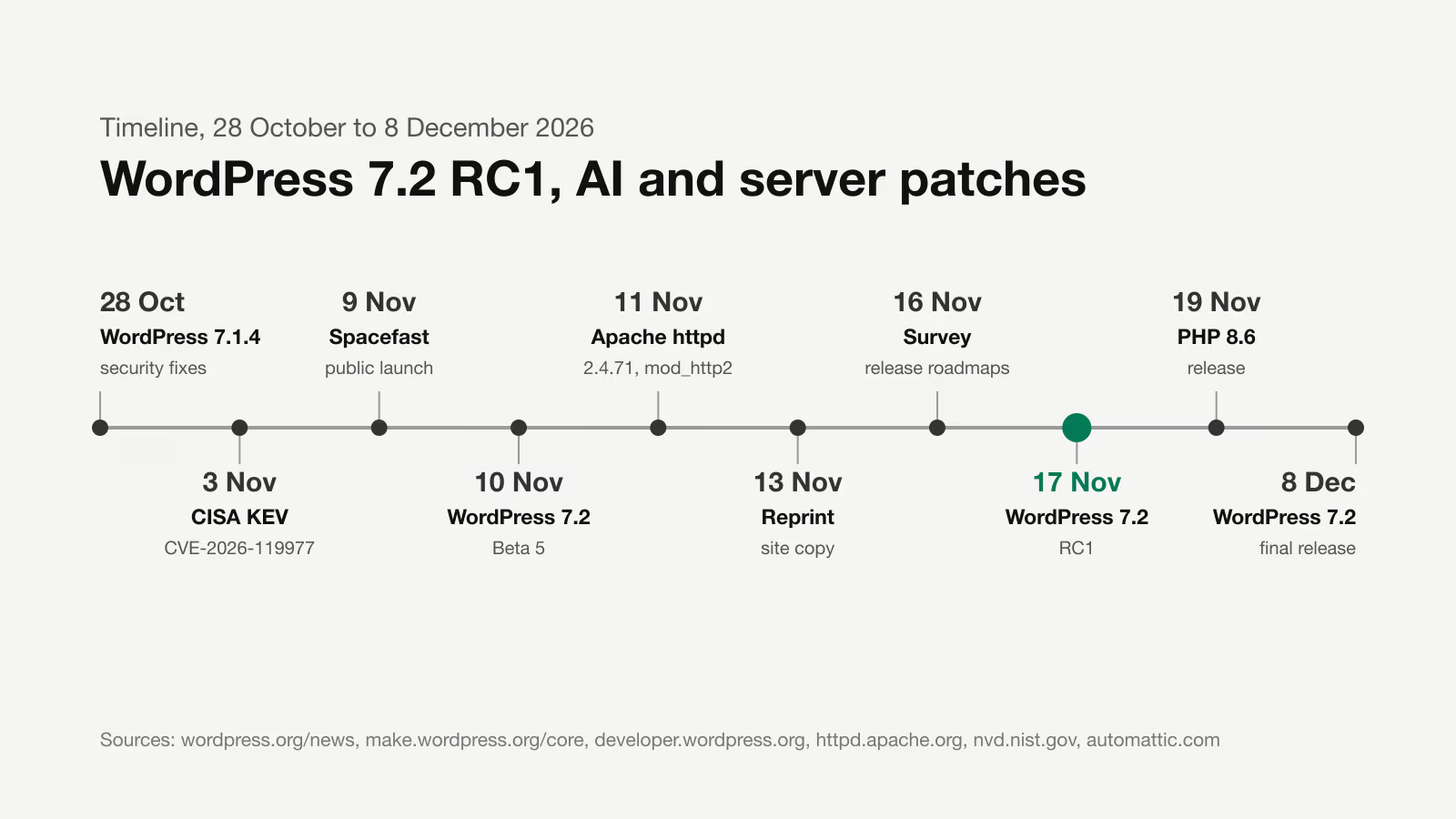
Short answer: PHP 8.6.0 was released on 19 November 2026. WordPress core is tested on it, but themes and plugins need checking separately. Most changes are deprecated functions that only write a warning to the log today. The real risk to a working site comes from backward-incompatible changes, above all the new default session cookie settings. If your site runs on PHP 8.2, the date 31 December 2026 matters more than PHP 8.6: that is when security fixes for 8.2 end.
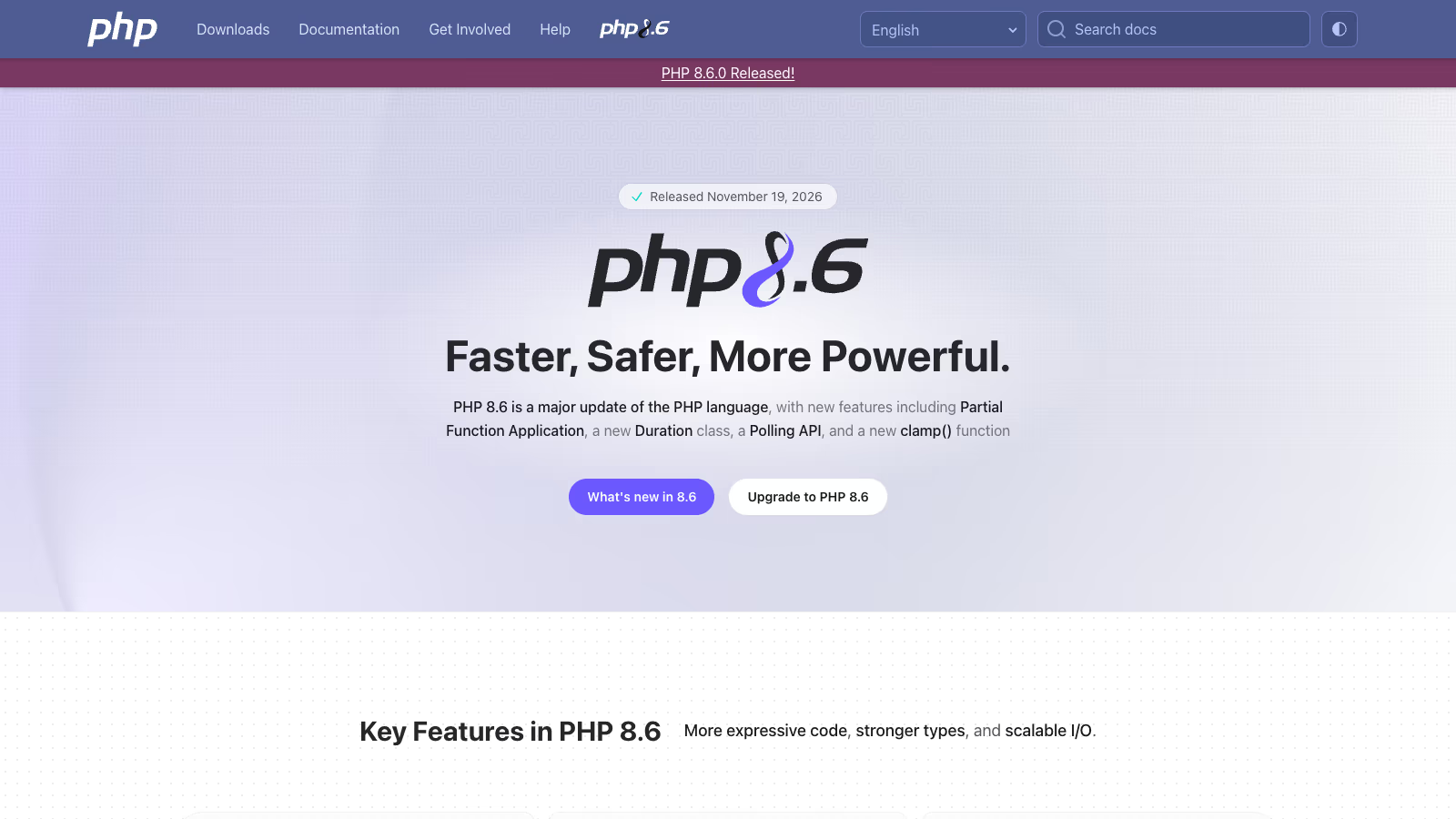 The PHP 8.6 release page on php.net. Source: php.net, 19 November 2026.
This article is for the owner of a site or shop whose host has suggested a PHP version change, and for the person who maintains that site. I describe what PHP 8.6 changes, which changes affect WordPress and WooCommerce, how to check your own code, and what I found when I checked the plugins I develop myself this way.
When was PHP 8.6 released, and does WordPress support it?
PHP 8.6.0 was released on 19 November 2026 (php.net). The release page lists partial function application, the Time\Duration class, the new Io\Poll API for working with multiple streams, and the clamp() function as the main new features.
On the WordPress side, the situation looks like this:
| What | Status on 19 November 2026 | Source |
|---|---|---|
| Minimum PHP version | 7.4 | wordpress.org |
| Recommended PHP version | 8.3 or newer | wordpress.org |
| Core tests on PHP 8.6 | must pass from 10 November 2026 | WordPress Developer Blog |
| Version compatibility table | WordPress 7.0 and 7.1 listed for PHP 7.4 to 8.5, PHP 8.6 not listed yet | core handbook |
The WordPress developer blog says PHP 8.6 was added to the core test matrix in the 7.2 release cycle, and from 10 November the tests on that version may no longer fail. The post mainly announces warnings about deprecated functions, and mostly in the tests. That is good news for core. Whether your site works, however, depends on all the code that runs on it: the theme, the plugins and their libraries.
Which PHP versions are supported today?
Each PHP branch gets two years of full support and two more years of security fixes only (php.net):
| Version | Full support until | Security fixes until |
|---|---|---|
| 8.2 | 31 December 2024 | 31 December 2026 |
| 8.3 | 31 December 2025 | 31 December 2027 |
| 8.4 | 31 December 2026 | 31 December 2028 |
| 8.5 | 31 December 2027 | 31 December 2029 |
| 8.6 | 31 December 2028 | 31 December 2030 |
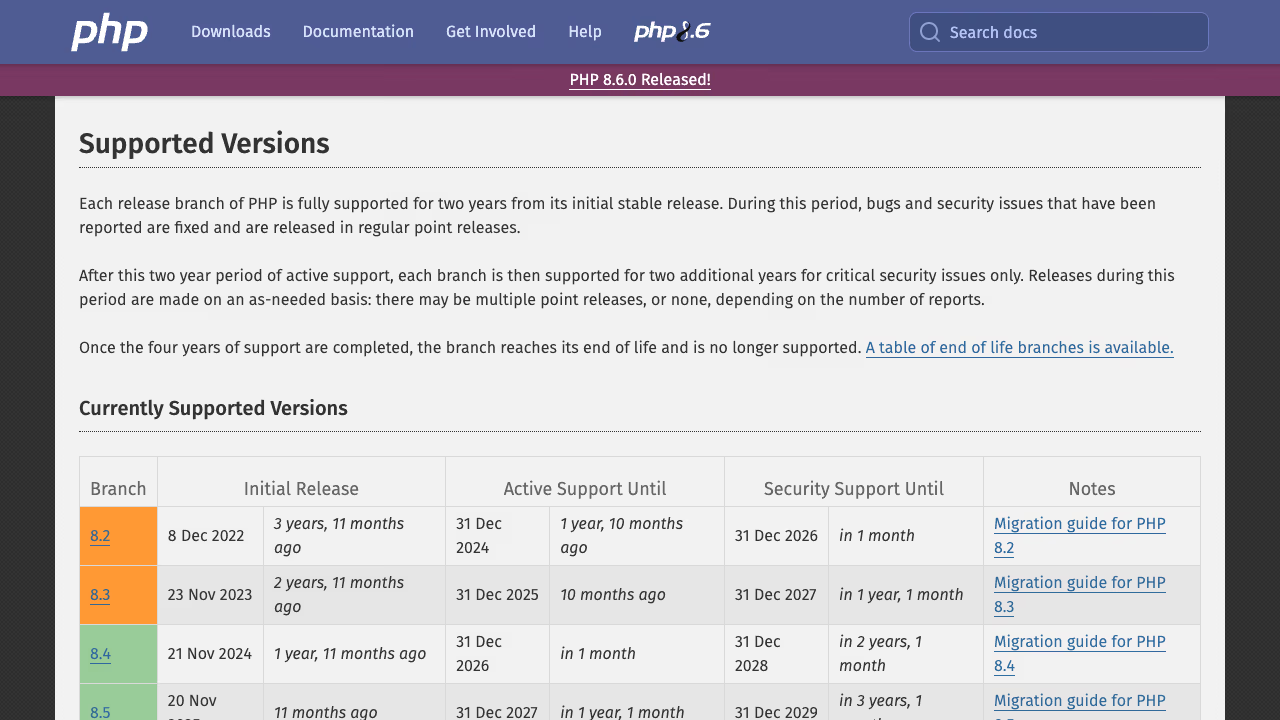 Supported PHP versions. Source: php.net, status as of 19 November 2026.
PHP 7.4 has been out of support for years, yet WordPress still accepts it. The WordPress.org stats API shows that on 19 November 2026, 14.1% of sites ran on it. Most sites run on PHP 8.3 (28.8%), then 8.2 (21.8%) and 8.4 (11.1%). On the day of release, 0.03% of sites ran on PHP 8.6 (api.wordpress.org). The developer blog gives about 17% for 7.4 at the end of October, so the share is falling.
For planning, one date counts. Six weeks from now, on 31 December 2026, PHP 8.2 stops receiving security fixes, and one in five WordPress sites runs on that version. That is more urgent than a move to 8.6.
Which functions does PHP 8.6 mark as deprecated?
A deprecated function still works. PHP writes an E_DEPRECATED warning on every call, and the function is removed in a later major version. The list for PHP 8.6 is long (php.net). For WordPress theme and plugin code, these entries matter most:
| Deprecated | Replacement | Where you will meet it |
|---|---|---|
mb_ereg(), mb_eregi(), mb_ereg_replace(), mb_eregi_replace(), mb_split(), mb_regex_encoding() | preg_*() functions with the u modifier | older plugins for multilingual text, slugs and search |
spl_object_hash() | spl_object_id() | libraries that register objects, dependency containers, testing tools |
is_double(), is_integer(), is_long(), doubleval() | is_float(), is_int(), floatval() | old number validation code |
third argument of define() | remove the argument | very old plugins |
strcoll() and SORT_LOCALE_STRING | the Collator class from the intl extension | sorting lists by language |
return inside a finally block | move the return outside finally | exception handling code |
metaphone() | no direct replacement | phonetic search |
The WordPress developer blog counted occurrences of four of these functions in the WordPress.org plugin directory. is_long() appears more than 10,800 times in 2,258 plugins, and spl_object_hash() more than 8,700 times in 2,359 plugins. Core replaces the mbstring regex functions with newer equivalents, and it also fixes function calls written with a different letter case from the declaration, which PHP 8.6 reports as well.
The mbstring regex functions and spl_object_hash() are due to disappear completely in PHP 9.0. Then the warning turns into a fatal error. Code that calls them is better fixed now, while it is still just a log entry.
Which PHP 8.6 changes can break a working site?
These changes are more dangerous than the deprecated functions, because they change how code behaves without any warning (php.net).
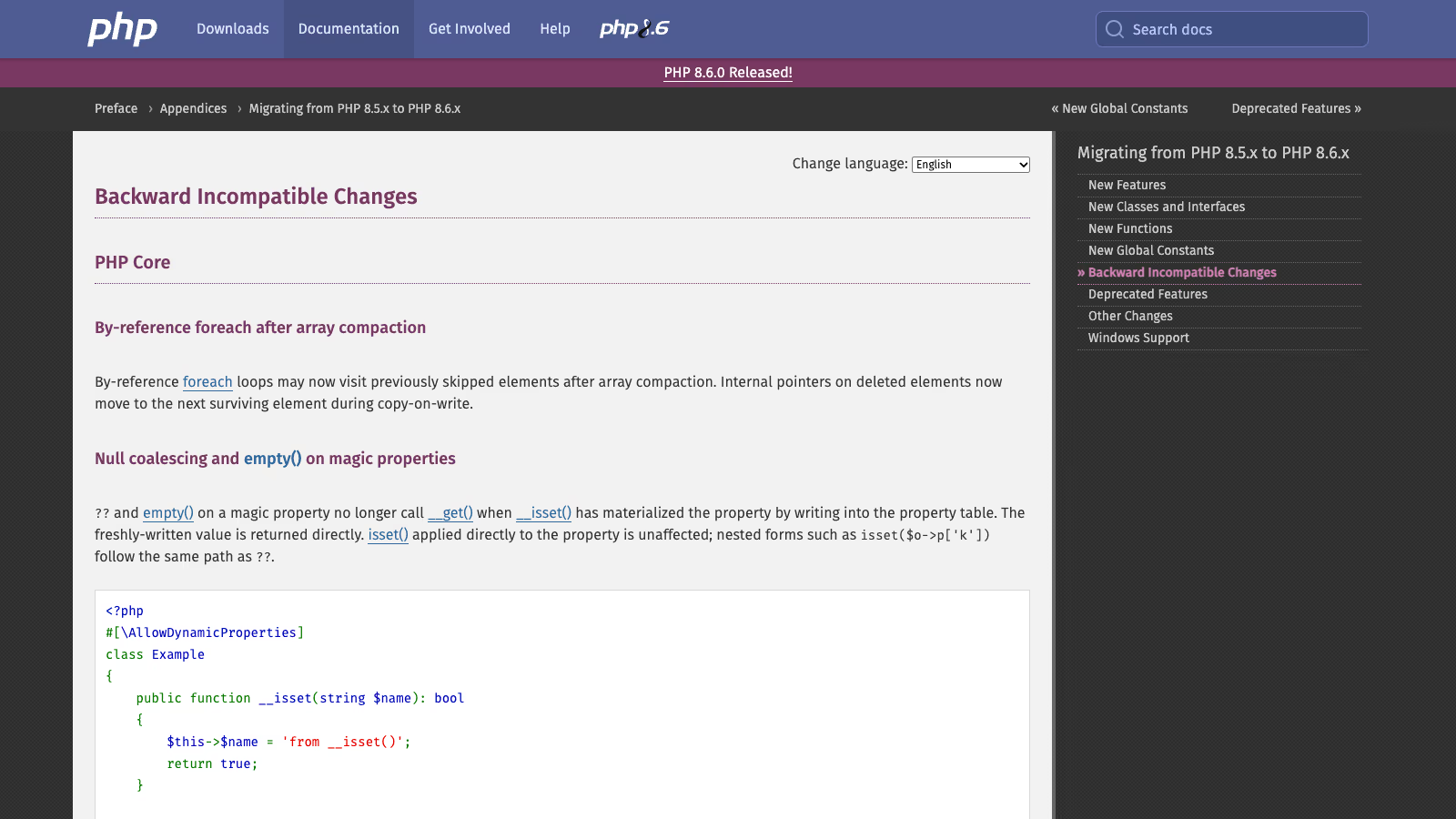 List of backward-incompatible changes in PHP 8.6. Source: php.net manual.
New default session settings
Three PHP session settings get new default values:
session.cookie_samesiteis nowLax(it was unset before). The session cookie is not sent with requests from other domains, apart from an ordinary GET navigation to the site.session.cookie_httponlyis now1. JavaScript can no longer read the session cookie throughdocument.cookie.session.use_strict_modeis now1. PHP rejects session IDs it did not create itself.
WordPress core does not use PHP sessions, and WooCommerce stores the cart session in its own database table. Some plugins do rely on PHP sessions, though: payment gateways, login through an external provider, multi-step forms, dropshipping plugins. The most exposed scenario is a return from a payment gateway that sends the customer back to the shop with a POST request from another domain. If a plugin keeps payment state in $_SESSION, after the switch to PHP 8.6 the browser may not send the session cookie, and the order may not be marked as paid. That is why a test order with a real gateway on a copy of the site is mandatory.
Other backward-incompatible changes
trim(),ltrim()andrtrim()now also strip the\f(form feed) character by default. Code that compares trimmed strings with data from an import or an API may get a different result.- Many functions now throw a
ValueErrorinstead of raising a warning or silently truncating data, for example for a NUL byte in a file name, invalid flags, or a number of decimal places outside the allowed range innumber_format(). An uncaught exception ends the request with a 500 error. preg_grep()returnsfalseon a PCRE error.- The release page adds that
fclose(),file_put_contents()andcopy()returnfalsewhen a buffer cannot be written or a file cannot be closed. Code that does not check the result of these functions will not notice a write error, for example in a CSV export or a file-based cache.
According to the PHP 8.6 documentation, no extension is removed. It is worth checking this, because some summaries mention two removed extensions. The release and migration pages on php.net do not list any.
Where do the deprecated functions actually live? A check across 102 plugins
Before I wrote this article, I checked the code I am responsible for in this way. I develop WordPress and WooCommerce plugins under the plogins brand. Their local repositories contain 102 plugin directories, free and Pro versions. I searched 92,782 PHP files in them for the 18 functions that PHP 8.6 marks as deprecated (all the mbstring regex functions, spl_object_hash(), the aliases is_double(), is_integer(), is_long(), doubleval(), metaphone(), strcoll(), mysqli_get_charset() and spl_classes()). I skipped node_modules directories, tests, and copies of other people’s plugins kept for comparison.
The result:
| Where | Calls |
|---|---|
| Plugins’ own code | 0 |
WordPress stubs for static analysis (php-stubs/wordpress-stubs) | 83 |
Testing tools: sebastian/recursion-context, phpunit/phpunit, mockery/mockery, sebastian/exporter, wp-phpunit/wp-phpunit | 54 |
myclabs/deep-copy | 9 |
other packages in the vendor directory | 7 |
phpseclib/phpseclib | 3 |
All 156 hits are spl_object_hash(), and all of them sit in Composer dependencies, not in code I wrote myself. Most come from development tools that never reach the package installed on a client’s site. The three calls in phpseclib, a library for encrypted connections that is bundled with a plugin and runs in production, are the exception that matters.
The conclusion for any site is the same: checking the theme and your own plugins alone is not enough. Many PHP 8.6 warnings come from libraries bundled inside plugins. You cannot fix those yourself. You have to wait for a new version of the library or the plugin and install it. That is why it is worth looking at the file path in the log, not only at the function name: a path inside vendor/ means reporting the issue to the plugin author, while a path inside the theme directory means a fix on your side.
How do you test a WordPress site before changing the PHP version?
This is the procedure I use when I change the PHP version on client sites:
- A copy of the site running PHP 8.6. The simplest option is a staging site at the same host, if the host lets you pick the PHP version for a copy. Locally, a Docker image with PHP 8.6 will do once it appears in your tooling.
- Writing errors to a file. In the copy’s
wp-config.php, setWP_DEBUGandWP_DEBUG_LOGtotrueandWP_DEBUG_DISPLAYtofalse. Warnings go towp-content/debug.log, not to the screen. - Walking through the key paths. Home page, a post, search, the contact form, login, and in a shop: adding to the cart, an order with each payment method, the return from the payment gateway, the confirmation email, a refund in the admin. Run scheduled tasks by hand, for example with WP-CLI:
wp cron event run --due-now. - Reading the log. Group the entries by file path.
E_DEPRECATEDis a list of things to fix.Fatal errorandUncaught ValueErrorblock the version change. - Searching the code for deprecated functions, including paths the test did not reach:
grep -rnE "(mb_ereg|mb_eregi|mb_split|mb_regex_encoding|spl_object_hash|is_double|is_integer|is_long|doubleval)[[:space:]]*\(" \
wp-content/themes wp-content/plugins wp-content/mu-plugins --include="*.php"- Static analysis if you have your own code. PHPCompatibility supports PHP 8.6 in its test release 10.0.0-alpha3 from 17 November 2026, and the WordPress ruleset PHPCompatibilityWP has version 3.0.0-alpha3 (GitHub). Stable releases of these tools do not know PHP 8.6 yet. PHPStan accepts
phpVersion: 80600from version 2.3.7, and Rector 2.8.5 has aphp86rule set that replaces theis_integer()andis_long()aliases withis_int(), andis_double()withis_float()(GitHub). - Decision and switch. When the log has no critical errors and the deprecated functions are reported to the plugin authors, change the version on the live site during low-traffic hours, then place a test order again.
How do you read the log after a PHP 8.6 test?
After an hour of clicking through a shop copy, debug.log can contain several thousand lines, because the same warning is written on every call. Before you start reading, count the entries by type and by plugin. Every PHP entry ends with a file path after the word in, so it is enough to pull out the directory name:
# number of entries of each type
grep -oE "PHP (Deprecated|Warning|Fatal error|Notice)" wp-content/debug.log | sort | uniq -c

# which plugins and themes report deprecated functions
grep "PHP Deprecated" wp-content/debug.log \
  | grep -oE "wp-content/(plugins|themes|mu-plugins)/[^/]+" | sort | uniq -c | sort -rn
This summary shows straight away whose code is involved. Then decide by the type of entry:
| Log entry | What it means | What to do |
|---|---|---|
PHP Deprecated in your theme or your own plugin directory | your code calls a function deprecated in PHP 8.6 | fix before PHP 9.0, it does not block the version change |
PHP Deprecated in the vendor/ directory of a WordPress.org or commercial plugin | a deprecated function in a library bundled with the plugin | report it to the author with the PHP version and file path, it does not block the version change |
PHP Warning after the switch that was not there on the old version | a change in how a function behaves | check the path in the code before you switch the live site |
PHP Fatal error or Uncaught ValueError | the code has stopped working | blocks the version change until it is fixed or the plugin is replaced |
| no entries, but the order does not change status after payment | probably the session cookie does not come back from the gateway | check whether the payment plugin uses $_SESSION and report it to its author |
The last row is the least obvious, because a session cookie problem leaves no trace in the log. It only shows up in how the shop behaves. That is why a test order with every payment gateway is part of the procedure.
Finally, turn WP_DEBUG off on the copy or delete debug.log. A file in the wp-content directory may be reachable from a browser and reveals server paths.
If you work on a child theme of your own or on a plugin written to order, replacing deprecated functions is usually a small, mechanical fix.
What does PHP 8.6 give WordPress developers?
Not much day to day, for a simple reason: WordPress core has to run on PHP 7.4, so it cannot use syntax from PHP 8.x. The developer blog lists what core therefore does not use: named arguments and union types from PHP 8.0, enums from 8.1, read-only classes from 8.2, property hooks from 8.4 and the pipe operator from 8.5.
A few new features work without changing code, or will be useful in your own projects:
- Closure optimisations. PHP 8.6 adds a cache for stateless closures, and
array_map()called with the new syntax compiles to a plain loop without creating intermediate objects (php.net). A site gets this just by changing the version. clamp()limits a value to a range. WordPress has had its own function of the same name since version 7.1, so plugins can use it regardless of the PHP version.Time\Durationdescribes a duration with nanosecond precision. Durations are everywhere in WordPress: transient expiry, cron intervals, HTTP request timeouts. The developer blog shows howset_transient()could accept such an object, but for now that is only an idea.- Partial function application lets you write
$addOne = add(1, ?);and get a closure that takes the remaining arguments. In your own plugin that requires PHP 8.6, it shortens code that would otherwise usearray_map()and the pipe operator. In code meant to run on PHP 8.2, it cannot be used.
Should you move a site to PHP 8.6 now?
My recommendation for November 2026:
- Site on PHP 7.4, 8.0, 8.1 or 8.2: move it to PHP 8.3 or 8.4 before 31 December 2026. This is urgent, because after that date PHP 8.2 gets no security fixes. WooCommerce has announced that from version 11.6, planned for February 2027, it will require PHP 8.1 and recommends 8.3 or newer (WooCommerce Developer Blog).
- Site on PHP 8.3 or 8.4: there is no reason to hurry. Test PHP 8.6 on a copy over the next few weeks, and report the warnings from the log to the plugin authors.
- New project or a major rebuild: start on PHP 8.4 or 8.5 in production, and test on 8.6 from the beginning.
Also check your hosting settings. Some providers raise the PHP version automatically when the current one loses support. The control panel shows which version your site runs on and whether automatic version changes are enabled.
When should you hire someone for this?
You can do steps 1 to 4 yourself if you have a staging site and access to the logs. It is worth bringing in someone when the shop has payment gateways, integrations with an ERP or an invoicing system, a custom theme or plugins written to order, or when your host has already announced a version change.
I carry out the PHP version change with a test on a copy as part of WordPress updates, and as part of ongoing WordPress website maintenance I track support end dates on the client’s behalf. Tell me which PHP version your site runs on today and which payment plugins it uses. I will send you a list of what to check.