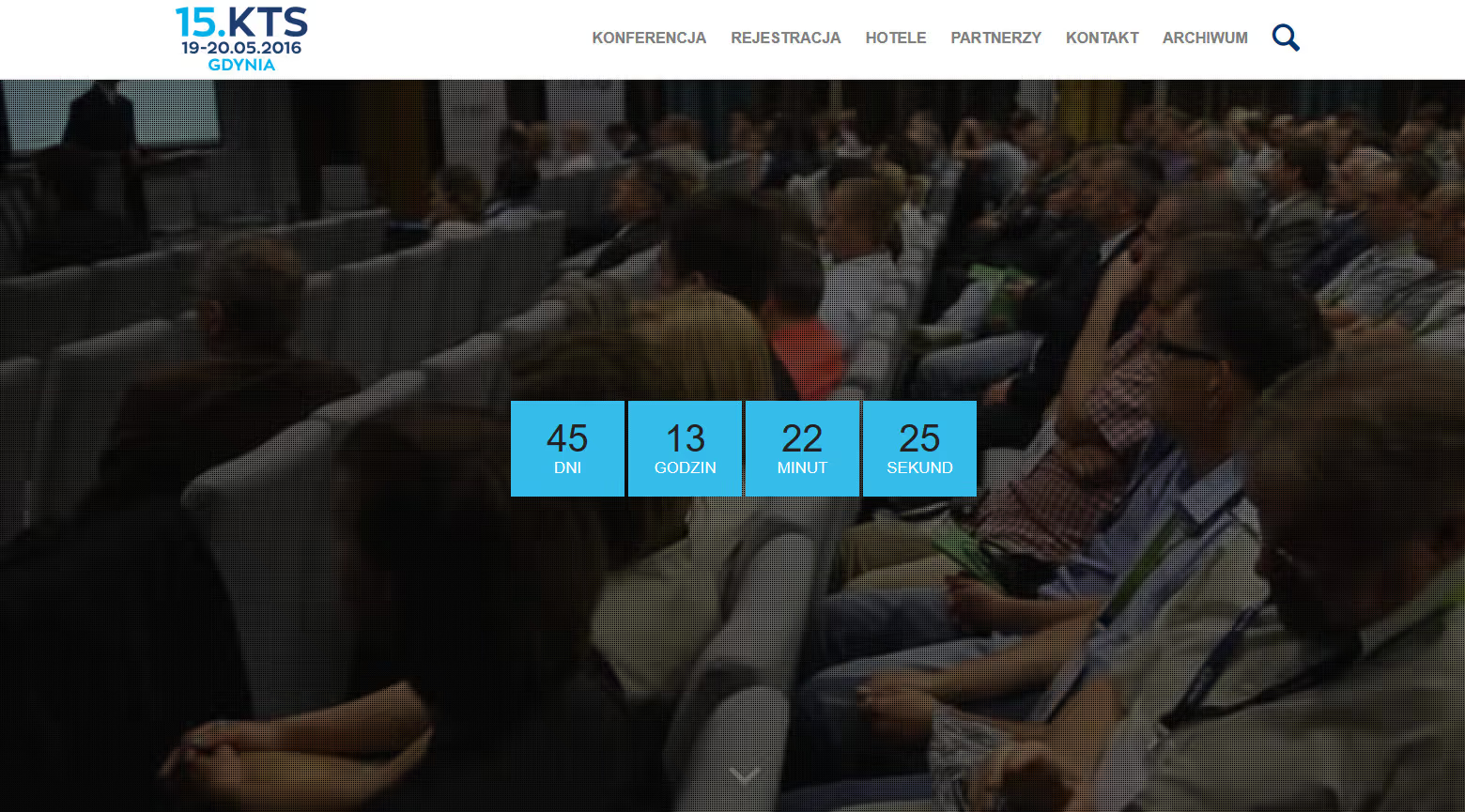
What the Broadband Technology Conference website does
The Broadband Technology Conference (Konferencja Technik Szerokopasmowych - KTS) website represents a comprehensive digital platform serving Poland’s cable and telecommunications industry. This project demonstrates how WordPress can handle high-traffic, content-rich websites with complex requirements while maintaining excellent performance and user experience.
Why Poland’s cable industry needs a year-round conference site
How Poland’s telecommunications market is changing
Poland’s telecommunications sector is one of the most dynamic in Central Europe, characterized by:
- Rapid Infrastructure Development: Ongoing expansion of fiber-optic and cable networks
- Technology Evolution: Transition from traditional cable to IP-based services
- Regulatory Changes: EU-wide digital agenda implementation
- Market Competition: Multiple operators vying for market share
- Innovation Pressure: Constant need for new service offerings
What the KTS conference does for the cable industry
The Broadband Technology Conference serves as:
- Industry Meeting Point: Annual gathering of decision-makers
- Knowledge Exchange Platform: Technical presentations and workshops
- Technology Showcase: Exhibition of latest equipment and solutions
- Networking Hub: Business relationship development
- Trend Indicator: Where industry direction is discussed and set
What a telecom conference website has to achieve
How the site supports registration, community and the archive
- Industry Authority: Establish the conference as the definitive telecom resource
- Information Hub: Central repository for industry news, trends, and technology
- Event Promotion: Drive registration and attendance for annual conference
- Community Building: Foster year-round engagement between events
- Knowledge Preservation: Archive presentations and materials for ongoing access
- Business Facilitation: Connect solution providers with potential customers
What uptime, speed and mobile needs the conference site had
- High Availability: the site has to stay up through registration opening and the two conference days, the only windows where an outage costs the organiser something irrecoverable
- Scalability: Handle traffic spikes (10x normal during registration)
- Performance: Fast loading despite rich multimedia content
- Security: Protect sensitive business information
- Multilingual: Polish primary with English international reach
- Mobile-First: Majority mobile traffic from field technicians
How the conference site is built on WordPress multisite
How to model conference editions, sessions and speakers in WordPress
Core Platform:
- WordPress multisite for conference editions
- Custom theme built from ground up
- Advanced Custom Fields for complex data
- Custom post types for specialized content
Content Structure:
- Conference Editions: Annual event as separate subsites
- Sessions: Detailed presentation information
- Speakers: Expert profiles and expertise areas
- Sponsors: Company profiles and solution showcases
- Exhibitors: Product catalog and booth information
- News: Industry updates and announcements
- Resources: Downloadable technical materials
Which caching layers a WordPress conference site uses
Caching Strategy:
- Page Caching: Varnish at server level
- Object Caching: Redis for database queries
- Fragment Caching: Dynamic content partials
- CDN: Cloudflare for global asset delivery
- Browser Caching: Aggressive static resource caching
Database Optimization:
- Query result caching
- Database indexing strategy
- Archive table partitioning
- Read replicas for high-traffic periods
- Regular database maintenance
Asset Optimization:
- WebP image format with fallbacks
- Lazy loading for below-fold images
- Critical CSS inlining
- JavaScript deferred loading
- Font subsetting and optimization
How to scale WordPress servers for a conference event
Infrastructure Design:
- Load balancer for traffic distribution
- Auto-scaling server clusters
- Separate database server
- Static asset server (CDN)
- Failover systems for redundancy
Traffic Management:
- Rate limiting for API endpoints
- Queue system for registration spikes
- Gradual traffic routing during updates
- Real-time monitoring and alerts
- DDoS protection and mitigation
Which features a conference website needs
How to build an agenda, registration and speaker portal in WordPress
Event Scheduling:
- Multi-track agenda builder
- Session conflict detection
- Speaker availability management
- Room assignment and capacity tracking
- Parallel session handling
Registration System:
- Multi-tier ticketing (early bird, standard, on-site)
- Group registration with discount codes
- Invoice generation and payment tracking
- Attendee management dashboard
- Check-in system integration
Speaker Portal:
- Self-service profile management
- Presentation upload interface
- Schedule and logistics information
- Travel and accommodation coordination
- Communication with organizers
How to run an editorial workflow for an industry news site
Rich Content Types:
- Technical articles with code formatting
- Video presentations with transcripts
- Photo galleries from past events
- Document repository (PDFs, whitepapers)
- Interactive infographics
Editorial Workflow:
- Multi-stage approval process
- Editorial calendar
- Author management and attribution
- Content scheduling and expiration
- Revision history and rollback
SEO Optimization:
- Automatic schema markup
- XML sitemaps for all content types
- Breadcrumb navigation
- Canonical URL management
- Social sharing optimization
How to add forums and attendee networking to a conference site
Discussion Forums:
- Topic-based organization
- Expert verification badges
- File attachment support
- Email notification preferences
- Moderation tools
Networking Tools:
- Attendee directory (opt-in)
- Company profile pages
- Direct messaging system
- Meeting scheduling
- Business card exchange
Knowledge Base:
- FAQ system with search
- Technical glossary
- Best practices library
- Troubleshooting guides
- Industry standards reference
How to manage sponsors, exhibitors and a job board in WordPress
Sponsor Management:
- Sponsor tier and benefit management
- Logo and media asset handling
- Lead generation forms
- Analytics dashboard for sponsors
- ROI reporting tools
Exhibition Management:
- Virtual booth builder
- Product catalog integration
- Appointment booking with exhibitors
- Floor plan interactive map
- Lead capture and export
Job Board:
- Industry-specific job postings
- Company profiles with openings
- Resume/CV upload for candidates
- Application tracking
- Job alert subscriptions
How to design a conference website for telecom professionals
Which colours and type suit a telecom industry website
Design Philosophy:
- Professional and technical aesthetic
- Clean, information-dense layouts
- Trust-building through credibility signals
- Industry-appropriate color palette
- Consistent branding across all touchpoints
Color Strategy:
- Primary: Professional blues (trust, technology)
- Secondary: Energetic oranges (innovation, action)
- Accent: Clean whites and grays (clarity, professionalism)
Typography:
- Highly readable sans-serif for body text
- Distinctive headings for hierarchy
- Technical content with monospace for code
- Polish diacritic support essential
How to make a conference agenda usable on mobile and accessible
Information Architecture:
- Clear categorization by topic and content type
- Multiple entry points to key information
- Related content recommendations
- Search with advanced filtering
- Breadcrumb navigation throughout
Mobile Experience:
- Thumb-friendly navigation
- Simplified mobile agenda view
- Quick-access to essential information
- Offline capability for key content
- Touch-optimized interactions
Accessibility:
- WCAG 2.1 AA compliance
- Screen reader optimization
- Keyboard navigation support
- High contrast mode option
- Text resizing without breaking layout
What to publish on a conference site between events
How to plan conference content before, during and after the event
Regular Content:
- Industry News: Weekly updates on market developments
- Technology Spotlights: Monthly deep-dives into new solutions
- Expert Interviews: Q&As with industry leaders
- Case Studies: Real-world implementation stories
- Opinion Pieces: Thought leadership articles
Event-Driven Content:
- Pre-conference: Speaker announcements, agenda reveals
- During conference: Live updates, photo galleries
- Post-conference: Presentation archives, video recordings
- Year-round: Past event highlights and replays
Which keywords a telecom conference site should target
Target Keywords:
- Industry-specific terminology (DOCSIS, FTTH, IPTV)
- Technology solutions and equipment
- Polish telecommunications market
- Regulatory and standards content
- Professional training and certification
Content Pillars:
- Technology Education: Technical resources and guides
- Industry News: Market updates and analysis
- Event Coverage: Conference and exhibition content
- Professional Development: Career and training resources
- Solution Directory: Vendor and product information
What changed after the conference site was rebuilt
Why this case study quotes no traffic figures
Until this revision the page listed annual unique visitors, page views, the share of registrations made online, newsletter subscribers, resource downloads, average session duration, pages per session, return visitor and mobile shares, a bounce rate, a count of first page keyword rankings, an average position, a three year organic growth figure, four speed readings and an uptime percentage. Not one of them can be traced to an analytics property, an export or a report that still exists. The site launched in 2017 for an annual industry event, reporting moved through accounts and mailboxes we no longer hold, and a figure that cannot say where it came from is a claim dressed as a measurement. Rewriting it as a range, or as a phrase like strong growth, keeps the claim and hides that nothing stands behind it. So the figures are removed rather than softened, and what follows describes the work instead.
How one session record keeps the conference agenda consistent
Before the rebuild the conference lived in three places that did not talk to each other: a programme kept as a document, a registration list kept as a spreadsheet, and an archive of past editions kept as files somebody had to go and find. Every schedule change meant touching all three, and every question about a room or a speaker went to a person rather than to a page.
Moving the editions into a multisite structure, with sessions, speakers, sponsors and exhibitors as first class content types, changed the unit of work. A room change is edited once, on the session, and the agenda, the speaker profile and the sponsor page follow from it because all three read the same record. The gain is not the sort of thing a percentage would capture well anyway. The point is that the programme stops being a document that can disagree with itself, which is the failure mode that costs an organiser their credibility on the morning of day one.
Registration moved the same way. Tiered ticketing, group codes, invoicing and check in sit in one flow, so the organiser answers questions about who is coming from the system rather than from an inbox. The queue in front of it exists for one reason: the opening of registration is the only moment in the year when this site is under real load, and a queue that holds people in order is more honest than a form that quietly times out.
Why a conference archive needs stable URLs
The archive is the part that outlives the event. Presentations, technical materials and recordings from earlier editions stay reachable under stable addresses, which is why the redirection work during migration mattered more than anything cosmetic. A conference site that loses its own back catalogue every few years teaches the industry not to link to it, and once that habit sets in no amount of new content undoes it.
Bilingual handling was deliberately partial. Polish is the working language of this market, and English exists where an international reader has a reason to arrive, mainly the programme and the technology pages. Translating everything would have produced pages nobody reads and a second body of content to keep current, which in practice means a second body of content going stale.
The forum, the glossary and the resource library serve the same purpose between editions. A conference is two days a year, and a site that only wakes up for those two days has to reacquire its audience every spring. Year round material is how the address stays in somebody’s bookmarks in November.
How availability was planned around registration opening
No speed reading is quoted here, for the reason given above. The approach can be stated without one. Catalogue and article views are served from Varnish so a normal visit never reaches PHP, Redis shortens the database work behind whatever does reach it, and Cloudflare carries static assets and anonymous pages at the edge. Images went to modern formats with fallbacks, media below the fold loads lazily, and critical CSS is inlined so the first paint does not wait on a separate stylesheet request.
Availability was designed around one predictable spike rather than around a target on a slide. Registration opening is known months in advance, so the load test happens before it, the read replicas are in place before it, and somebody watches the alerting while it runs. That is a weaker promise than a number with two decimal places after it, and it is one this project can actually stand behind.
Which problems a conference site runs into and how to fix them
How to absorb a 10x registration spike with a queue and cache
Problem: Conference registration opening causes 10x normal traffic spikes.
Solution:
- Auto-scaling infrastructure
- Queue-based registration system
- CDN caching of static pages
- Database read replicas
- Load testing before major events
- Outcome: the spike is absorbed by the queue and the cache instead of landing on the database
How to link sessions, speakers and sponsors both ways in WordPress
Problem: Sessions relate to speakers, sponsors, topics, and years - creating complex content web.
Solution:
- Custom taxonomy system
- Bidirectional relationship fields
- Automated cross-linking
- Dynamic “Related Content” generation
- Content relationship visualization for editors
- Outcome: a session, its speaker and its sponsor stay linked from one edit, in both directions
How to run a Polish and English conference site with WPML
Problem: Serving Polish and English audiences with different content needs.
Solution:
- WPML plugin for translation management
- Language-specific navigation
- Partial translation strategy (not all content needs both languages)
- Hreflang implementation for SEO
- Language switcher with smart defaults
- Outcome: a bilingual presence where the second language is maintained rather than merely generated
How to migrate a decade of conference content without losing links
Problem: 10+ years of conference content in various formats needed migration.
Solution:
- Custom migration scripts
- Content audit and quality review
- Automated media processing
- URL redirection strategy
- SEO preservation during transition
- Outcome: the archive moved with its addresses preserved through redirects, which is what decides whether older links still resolve
How a conference website is maintained year-round
What maintenance a conference site needs before and during events
Technical Maintenance:
- Daily automated backups
- Weekly security scans
- Monthly performance audits
- Quarterly load testing
- Annual security penetration testing
Content Support:
- Content update assistance
- New feature training
- Editorial workflow optimization
- Analytics reporting
- SEO monitoring and adjustments
Event Support:
- Pre-conference website preparation
- Real-time monitoring during events
- Emergency technical support
- Live content updates
- Post-event content archiving
How to improve a conference site between editions
Regular Updates:
- WordPress core and plugin updates
- Security patches and hardening
- Performance optimizations
- Feature enhancements based on feedback
- Design refreshes every 2-3 years
Analytics-Driven Development:
- Monthly traffic analysis
- User behavior heatmaps
- Conversion funnel optimization
- A/B testing for key pages
- Content performance review
Which plugins and tools power the conference website
Which WordPress setup runs the conference site
- WordPress (latest stable version)
- Custom conference theme
- Advanced Custom Fields Pro
- Custom plugin suite
- WordPress Multisite
Which security and speed plugins protect the site
- Varnish Cache (server-level)
- Redis Object Cache
- Cloudflare CDN and security
- Wordfence Security
- WP Rocket (optimization)
Which plugins handle translation, SEO and forms
- WPML (multilingual)
- Yoast SEO Premium
- Gravity Forms
- Custom Gutenberg blocks
- FacetWP (advanced filtering)
Which tools monitor traffic and uptime
- Google Analytics 4
- Google Search Console
- Hotjar (behavior analysis)
- Uptime monitoring
- Performance monitoring (New Relic)
Conclusion
The Broadband Technology Conference website runs on WordPress as an enterprise-grade platform for a demanding, high-traffic application. By combining robust technical architecture with thoughtful user experience design and comprehensive content strategy, we created the main online platform of Poland’s telecommunications industry.
The success of this project demonstrates that with proper planning, optimization, and ongoing care, WordPress can handle complex, high-stakes websites that serve critical business functions while delivering clear user experiences at scale.
Frequently asked questions
Practical answers to apply the topic in real execution.
What scope did the Broadband Technology Conference Website - Telecommunications Industry Portal project cover?
#How did delivery run for Broadband Technology Conference Website - Telecommunications Industry Portal?
#What was the hardest technical part of Broadband Technology Conference Website - Telecommunications Industry Portal?
#What part of Broadband Technology Conference Website could be reused on another build?
#Need an FAQ tailored to your industry and market? I can build one aligned with your business goals.
Let’s discuss