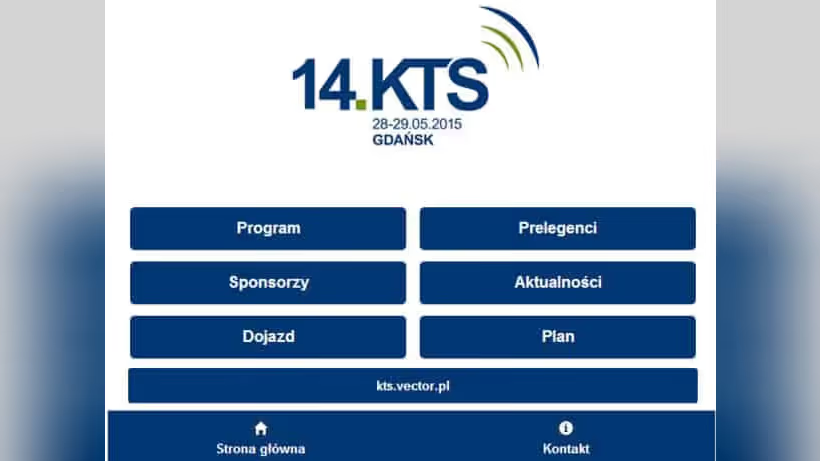
A WordPress-backed conference app for iOS and Android
The KTS (Broadband Technology Conference) mobile application represents an innovative approach to event technology, combining the power of WordPress as a content management backend with a hybrid mobile application for iOS and Android. This solution demonstrates how WordPress can extend beyond traditional websites to power modern mobile experiences.
Who the KTS conference app was built for
What the Broadband Technology Conference (KTS) is
The Konferencja Technik Szerokopasmowych (Broadband Technology Conference) is Poland’s premier event for the cable and telecommunications industry. The conference brings together:
- 200+ Industry Representatives: Cable operators, telecom companies, media providers
- Decision Makers: CTOs, technical directors, infrastructure managers
- Technology Vendors: Equipment manufacturers and solution providers
- Industry Experts: Speakers sharing insights on emerging technologies
How big the two-day KTS conference in Gdynia is
- Duration: 2-day intensive conference
- Location: Courtyard Gdynia Waterfront Hotel
- Sessions: Multiple parallel tracks with technical presentations
- Networking: Structured and informal networking opportunities
- Exhibition: Vendor showcase and technology demonstrations
What the KTS conference app had to deliver
Which goals a conference app brief should set
- Information Delivery: Provide real-time access to conference agenda, session details, and updates
- Networking Facilitation: Enable attendees to connect with peers and speakers
- Engagement: Interactive features to increase attendee participation
- Content Management: Easy backend management for organizers via WordPress
- Accessibility: Cross-platform mobile availability (iOS and Android)
- Offline Functionality: Critical features working without internet connection
How the success of an event app was defined
The brief set targets for downloads among registered attendees, daily use during the event, participation in the interactive features and the store rating. Those targets are not restated as numbers here, because the measurement that would have settled them is not in our hands and a target quoted without its outcome reads as an outcome.
What the targets meant in practice is worth keeping. The app had to be worth installing for an attendee who already holds a printed badge, which put the personal schedule and the venue map ahead of every social feature. It had to stay useful on the second day, which is a harder test than the first and the reason push notifications were reserved for schedule changes rather than announcements. And content had to synchronise from the WordPress backend without a release, because an event application that needs an app store review to correct a room number is useless at the moment it is needed.
How a hybrid event app talks to WordPress
Why Apache Cordova for a cross-platform event app
Technology Stack:
- Framework: Apache Cordova / PhoneGap for cross-platform deployment
- Frontend: HTML5, CSS3, JavaScript with modern frameworks
- Backend: WordPress with REST API
- Database: MySQL with custom event data structures
- Real-time: WebSocket connections for live updates
Platform Coverage:
- iOS (iPhone and iPad)
- Android (phones and tablets)
- Responsive web fallback for unsupported devices
WordPress as mobile backend
Why WordPress?
- Familiar Interface: Event organizers already know WordPress
- Content Flexibility: Easy management of complex event data
- Extensibility: Plugin ecosystem for additional features
- REST API: Native API for mobile app communication
- User Management: Existing user system for attendee accounts
Custom post types for sessions, speakers and sponsors
Custom Post Types:
- Sessions: Conference presentations with full details
- Speakers: Speaker profiles with bios and photos
- Sponsors: Sponsor information and booth locations
- Venues: Room details and navigation info
- Attendees: Networking profiles (opt-in)
- Exhibitors: Company profiles and product showcases
Custom Taxonomies:
- Tracks (technical categories)
- Session types (keynote, workshop, panel)
- Topics and keywords
- Session difficulty levels
What features a conference app needs
1. Personal agenda with session conflict detection
Personalized Schedule:
- Full conference agenda with parallel sessions
- Personal schedule builder with conflict detection
- Calendar integration (iOS/Android native)
- Reminder notifications for selected sessions
- Quick-add to personal schedule
Session Details:
- Full session descriptions
- Speaker information and bios
- Presentation materials and downloads
- Room locations with floor plans
- Live Q&A during sessions
- Session ratings and feedback
Real-time Updates:
- Push notifications for schedule changes
- Room change alerts
- Session cancellation notices
- New session additions
- Speaker substitution updates
2. Attendee networking with QR code contact exchange
Attendee Directory:
- Searchable attendee list with filters
- Company and role information
- Contact exchange via QR code
- In-app messaging system
- LinkedIn profile integration
Networking Features:
- Meetup scheduling
- Interest-based matching
- Group chat for specific topics
- Business card exchange
- Contact notes and follow-up reminders
3. Venue map with floor plans and booth locations
Interactive Map:
- Floor plans with room locations
- Navigation between conference areas
- Exhibitor booth locations
- Amenity markers (restrooms, food, networking areas)
- GPS integration for venue location
Practical Information:
- Hotel and accommodation details
- Transportation options
- Local dining recommendations
- WiFi access information
- Emergency contacts
4. Live polls, Q&A and session feedback
Live Polling & Surveys:
- Real-time session polls
- Post-session surveys
- Event-wide feedback collection
- Gamification elements (leaderboards)
- Instant results display
Social Features:
- Session comments and discussions
- Photo sharing from event
- Social media integration (Twitter wall)
- Event hashtag tracking
- User-generated content moderation
Q&A System:
- Submit questions for speakers
- Vote on popular questions
- Moderated question feed
- Anonymous question option
- Speaker response notifications
5. Offline access to slides and session materials
Digital Materials:
- Presentation slide downloads (PDF, PPT)
- Technical white papers
- Product datasheets
- Video recordings of sessions
- Photo gallery from event
Offline Access:
- Downloaded content available offline
- Cached agenda and session info
- Saved bookmarks and notes
- Offline note-taking capability
- Sync when connection restored
How organisers manage the app from WordPress
WordPress admin for agenda, speakers and push notifications
WordPress Admin Features:
- Visual agenda builder with drag-and-drop
- Speaker profile management
- Real-time push notification composer
- Attendee analytics dashboard
- Survey and poll creation tools
- Content moderation interface
Multi-user Access:
- Role-based permissions
- Organizer team management
- Speaker self-service portals
- Sponsor content submission
- Moderator accounts
How content syncs from WordPress without an app release
Update Mechanisms:
- Automatic content push to apps
- Incremental updates for efficiency
- Conflict resolution for simultaneous edits
- Version control for content changes
- Rollback capabilities
How the hard parts of a hybrid event app were solved
How to keep a hybrid app native on both iOS and Android
Problem: Ship one cohesive product story on iOS and Android without forfeiting genuinely native behaviours on each OS.
Solution:
- Hybrid app framework with native plugin access
- Platform-specific UI adaptations
- One shared codebase across both platforms, with the divergence confined to navigation and notifications
- Native navigation patterns per platform
- Platform-appropriate notification handling
How to make a conference app work on poor venue WiFi
Problem: Conference venues often have poor WiFi, especially with hundreds of concurrent users.
Solution:
- Robust local data storage (SQLite)
- Intelligent caching strategies
- Background sync when connection available
- Offline-first UX design
- Clear connectivity indicators
How to push schedule changes to every attendee at once
Problem: Schedule changes during the event need to reach all users immediately.
Solution:
- WebSocket connections for live updates
- Push notification infrastructure (Firebase)
- Fallback polling mechanism
- Update conflict resolution
- Critical alert prioritization
How organisers import event data from CSV and Excel
Problem: Organizers needed to manage complex event data without technical expertise.
Solution:
- Custom WordPress admin interface
- Visual schedule builder
- Bulk import tools (CSV, Excel)
- Template-based content creation
- Automated content validation
How to design a conference app for one-handed use
Thumb-friendly navigation with 44px touch targets
Interface Principles:
- Single-thumb navigation
- Thumb-friendly touch targets (44px minimum)
- Clear visual hierarchy
- Contextual actions
- Gesture-based interactions
Navigation Structure:
- Bottom tab bar for primary sections
- Drawer menu for secondary features
- Contextual back navigation
- Deep linking support
- Universal search
Session track colours, sponsor spaces and accessibility
Brand Integration:
- Conference branding throughout
- Sponsor recognition spaces
- Color-coded session tracks
- Consistent iconography
- Professional yet approachable aesthetic
Accessibility:
- Screen reader support
- High contrast mode
- Dynamic text sizing
- VoiceOver/TalkBack optimization
- Keyboard navigation support
How to make a hybrid event app start fast
Why the agenda loads from local storage first
Load Times:
No launch or transition timings are quoted, because the devices they were taken on are a decade out of date and the measurements themselves are not recoverable. The work behind them is describable. Launch reads the agenda from local storage rather than waiting on a request, so the first screen is drawn from data already on the device. Transitions animate the view that is already composed instead of assembling it on tap. Content loads progressively behind placeholders sized to the final element, which keeps the layout from jumping as data arrives, and images are served at a size chosen for the screen rather than scaled down after download.
Resource Efficiency:
- Lazy loading for images
- Code splitting by feature
- Memory management for long sessions
- Battery optimization
- Background fetch management
How to cut data use with delta updates and WebP
Bandwidth Optimization:
- Data compression (Gzip, Brotli)
- Image format optimization (WebP with fallbacks)
- Delta updates (only changed data)
- Request batching
- Offline-first data strategy
What event app analytics tell organisers
Tracking session attendance and feature use
Usage Metrics:
- Session attendance tracking
- Feature engagement rates
- Navigation patterns
- Content download statistics
- Social interaction metrics
Business Intelligence:
- Popular sessions and speakers
- Networking effectiveness
- Sponsor engagement
- Real-time event health dashboard
- Post-event analysis reports
Live dashboard and post-event reports for organisers
Live Dashboard:
- Real-time attendee activity
- Session capacity monitoring
- App performance metrics
- Survey response rates
- Technical issue tracking
Post-Event Reports:
- Comprehensive engagement analytics
- Sponsor ROI metrics
- Session feedback summaries
- Networking success indicators
- Improvement recommendations
What the conference app changed at the event
Why this case study quotes no download figures
This section used to open with a download rate, an app store rating, a share of daily active users, counts of personalised schedules, push notifications, networking connections and feedback responses, a share of offline usage, a reduction in printed materials, a reach figure for schedule changes and a growth figure for feedback collection. None of them survives a check. The app shipped for the fifteenth edition of the conference in 2017, the store listing has since been withdrawn, and the analytics property, the store console and the organiser’s post event report all sat in accounts nobody here can open today. A number whose source cannot be named is not a softer version of a measurement, it is the same claim with the checking removed, so restating it as a range or as a phrase about strong adoption would preserve exactly the problem worth fixing. The figures are deleted.
What the application was meant to change is a different question, and that one can be answered from the build itself.
How the app helps attendees choose between parallel sessions
The conference runs two parallel tracks in a hotel over two days, which means the real user task is not reading an agenda, it is deciding between two sessions that start at the same time while walking down a corridor. The programme in a printed booklet cannot answer that once the schedule moves, and the schedule moves.
The personal schedule builder addresses exactly that moment. An attendee marks the sessions they intend to attend, conflicts are flagged when two overlap, the entries land in the phone’s own calendar, and a reminder arrives before the session rather than after it. When a room changes, the change reaches the people who marked that session instead of a notice board next to the registration desk.
The offline layer exists for the same reason and is the part the venue forces on you. Conference WiFi under a few hundred concurrent devices degrades exactly when everybody wants the agenda, so the agenda, the speaker profiles, the venue map and downloaded materials live in local storage and are read from there by default. The network is used to update them in the background, and the interface says plainly when it is working from a stored copy. The design rule is that nothing an attendee needs to reach a room depends on a request succeeding.
How organisers change the schedule during the event
The organisers already worked in WordPress, which is why the backend is WordPress and not a purpose built admin panel. A schedule change during the event is made by the person running the event, in an interface they used the week before, and reaches the apps without anybody redeploying anything. That is the whole argument for the architecture, and it is worth more than any feature on the mobile side.
Printed materials shrank because the programme, the speaker biographies and the presentation files stopped needing a print deadline. That matters less as paper saved and more as a deadline removed: a printed programme freezes the agenda weeks before the event, and every change after the freeze becomes an erratum slip.
Feedback moved from a paper form handed out at the end of a session to a prompt in the app while the room is still emptying. The organiser sees which sessions people stayed for, the speaker gets comments while the talk is still fresh, and the archive of what worked is available when the next edition is being planned rather than a month later.
How sponsors and exhibitors appear in the app
Sponsor visibility in a booklet is a logo. In the app it is a profile, a booth position on the venue map and a way for an attendee to note the company down while standing in front of the stand. Lead capture happens through the same exchange mechanism attendees use with each other, so there is one flow to explain rather than two.
None of this is quantified here, and that is the point. What can be said is that the mechanism exists, that it was built against the way this particular conference runs, and that anyone who wants a number for it should ask the organiser for their own figures rather than take ours.
How a conference app is maintained around the event
Support before, during and after the conference
Pre-Event:
- Content population assistance
- User acceptance testing
- App store submission and updates
- Staff training on CMS
- Backup and recovery procedures
During Event:
- 24/7 technical support hotline
- Real-time monitoring dashboard
- Emergency update capabilities
- On-site technical assistance
- Instant issue resolution
Post-Event:
- Analytics report generation
- Content archival
- User feedback compilation
- App update for next edition
- Continuous improvement planning
Lessons from building a WordPress-backed event app
What worked in the KTS app
- WordPress as Backend: Familiar interface for non-technical staff
- Offline-First Design: Critical for conference venue connectivity
- Real-time Updates: Essential for dynamic event environments
- Networking Features: High engagement driver
- Cross-platform Approach: Cost-effective wide reach
What the KTS app could do better
- Battery Optimization: Could further reduce power consumption
- Loading Indicators: More granular progress feedback needed
- Accessibility: Additional testing with assistive technologies
- Data Sync: Smarter conflict resolution algorithms
- Analytics: More granular user behavior tracking
Where a conference app could go next
Planned features such as AR navigation and live streaming
- AI-Powered Networking: Smart attendee matching based on interests
- Augmented Reality: AR navigation within venue
- Live Streaming: Virtual attendance capabilities
- Advanced Analytics: Predictive insights for organizers
- Integration APIs: Connection with CRM and marketing tools
PWA, wearables and beacons for event apps
- Progressive Web App: Web-based version with app-like features
- Wearable Support: Apple Watch and Android Wear integration
- Voice Interface: Voice-activated navigation and search
- Beacon Technology: Location-based contextual notifications
- Social Integration: Deeper LinkedIn and professional network connections
Which technologies the KTS conference app uses
Mobile app stack built on Cordova and SQLite
- Apache Cordova/PhoneGap
- HTML5, CSS3, JavaScript (ES6+)
- jQuery Mobile + custom frameworks
- SQLite for local storage
- Push notification services (FCM, APNS)
Backend stack with the WordPress REST API and Node.js
- WordPress (custom installation)
- WordPress REST API
- Custom plugin development
- MySQL database
- WebSocket server (Node.js)
Third-party services such as Firebase and Google Maps
- Firebase (push notifications, analytics)
- Google Maps API
- Social media APIs
- Email service providers
- CDN for asset delivery
Conclusion
The KTS Conference app uses WordPress as its mobile backend and a hybrid build for iOS and Android: organisers manage content in a CMS they already know, and attendees receive it in the app.
The technical choices follow from conference conditions: unreliable connectivity, rapid schedule changes and attendees who come to network.
This case study showcases how WordPress can power sophisticated mobile experiences beyond traditional websites, opening new possibilities for businesses looking to extend their digital presence into the mobile space.
Frequently asked questions
Practical answers to apply the topic in real execution.
What scope did the KTS Conference Mobile App - Event Management Application for iOS and Android project cover?
#How did delivery run for KTS Conference Mobile App - Event Management Application for iOS and Android?
#What was the hardest technical part of KTS Conference Mobile App - Event Management Application for iOS and Android?
#What part of KTS Conference Mobile App could be reused on another build?
#Need an FAQ tailored to your industry and market? I can build one aligned with your business goals.
Let’s discuss