What the Topics Portfolio report in Bing Webmaster Tools shows
Microsoft added Topics Portfolio to Bing Webmaster Tools on 13 October 2026 as a beta tab inside the AI Performance report. The announcement on the Bing Webmaster blog is signed by Krishna Madhavan, Saral Nigam and Vivek Jain of Microsoft Bing.
The report takes the grounding queries where your site appears and groups them into broader topics. Microsoft’s examples are football, taxes and AI chatbots. Instead of reading hundreds of long query phrases one by one, you see which subject areas your citations come from and how large each area is in AI search overall.
Three details from the announcement matter before you open the tab:
- It is personalised. Topics and opportunity queries come from your own site’s activity in AI search, not from a generic topic list.
- It needs data. The tab appears only when there is sufficient data for the site. Smaller sites may see few topics or none.
- It covers a window of one, two or three months. You pick the range at the top of the report.
You reach it by signing in to Bing Webmaster Tools, opening AI Performance and selecting the Topics tab, which sits next to Citations & Pages.
What grounding queries are and why Bing groups them into topics
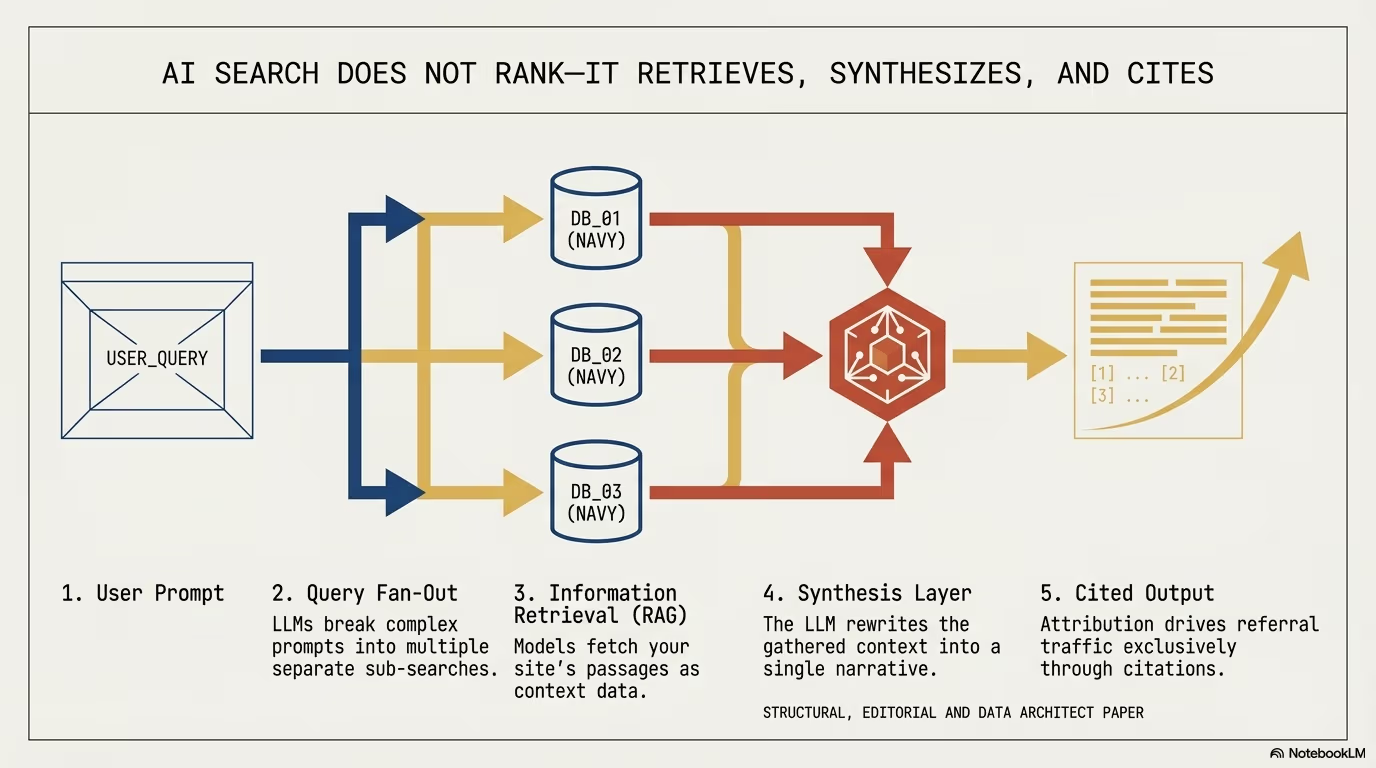
Topics Portfolio is built on one input: grounding queries. Microsoft introduced the term with the AI Performance public preview in February 2026 and defines them as the key phrases the AI used when retrieving content that it then cited. They are not what the user typed into Copilot. A user writes a long, conversational prompt, the system rewrites it into one or more retrieval phrases, and those phrases are what Bing Webmaster Tools shows you. Microsoft also states that the grounding query data is a sample of overall activity.
Because retrieval phrases vary so much, a site that is cited regularly can collect hundreds of distinct grounding queries that each appear rarely. Read as a flat list, they say little. Grouped, they show a pattern. The June 2026 post on new AI visibility insights gives the example of several solar-related queries mapping into one “Solar Energy” cluster. Topics Portfolio takes that clustering and adds ecosystem numbers to each cluster.
How AI Performance reports fit together in 2026
Topics Portfolio is the third release in a series. Each one added a layer to the same report:
| Release | What it added | Source |
|---|---|---|
| February 2026, public preview | Total Citations, Average Cited Pages, Grounding Queries, page-level citation activity, visibility trends over time | Bing Webmaster blog, 10 February 2026 |
| June 2026, preview | Intents, Topics, Citation Share, Compare | Bing Search blog, 16 June 2026 |
| October 2026, beta | Topics Portfolio with Topic Size, Sites Cited, Queries and opportunity queries | Bing Webmaster blog, 13 October 2026 |
The February metrics count how often your content is cited in AI-generated answers across Microsoft Copilot, AI-generated summaries in Bing and select partner integrations. Microsoft is explicit about their limits: Total Citations does not indicate placement within an answer, Average Cited Pages is a daily average of unique cited pages and says nothing about ranking or authority, and page-level counts show how often a URL is referenced, not how important it is.
The June release classified grounding queries into intents (Informational, Commercial, Navigational, Learn and Solve, Research, Creation and Local), grouped them into topics, added Citation Share and added Compare, which overlays a previous period on the current one.
What topic size, sites cited and queries mean in Topics Portfolio
The landing page of Topics Portfolio is a table with one row per topic. The columns, as Microsoft defines them:
| Column | Definition | What it tells you |
|---|---|---|
| Topic | A broad cluster of related grounding queries where your site appears | The subject area, with an AI-generated label |
| Topic Size | Approximate total citations across all sites for the topic in the selected period | How much AI search demand the topic represents |
| Sites Cited | Approximate number of sites that appear for queries in the topic | How crowded the topic is |
| Queries | Approximate number of distinct grounding queries in the topic | How broad the topic is |
All three numbers describe the topic as a whole, across every site. None of them is your own score. Your own figure appears one level down: clicking a topic opens a detail page with three KPI cards (Topic Size, your citations within the topic, and the number of queries), followed by two lists.
- Your Grounding Queries shows the top queries in the topic where your site already appears. Microsoft notes that this aligns with the data in Citations & Pages.
- Opportunity Queries shows the top queries in the topic where other sites appear and yours does not. Citation volumes in this list are shown as ranges, not exact numbers.
If you divide your citations in a topic by its Topic Size, you get a rough share of that topic. That ratio is your own calculation, built from two approximate numbers. Bing Webmaster Tools does not display it, and it should be read as a direction, not a measurement.
How citation share differs from click through rate in AI search
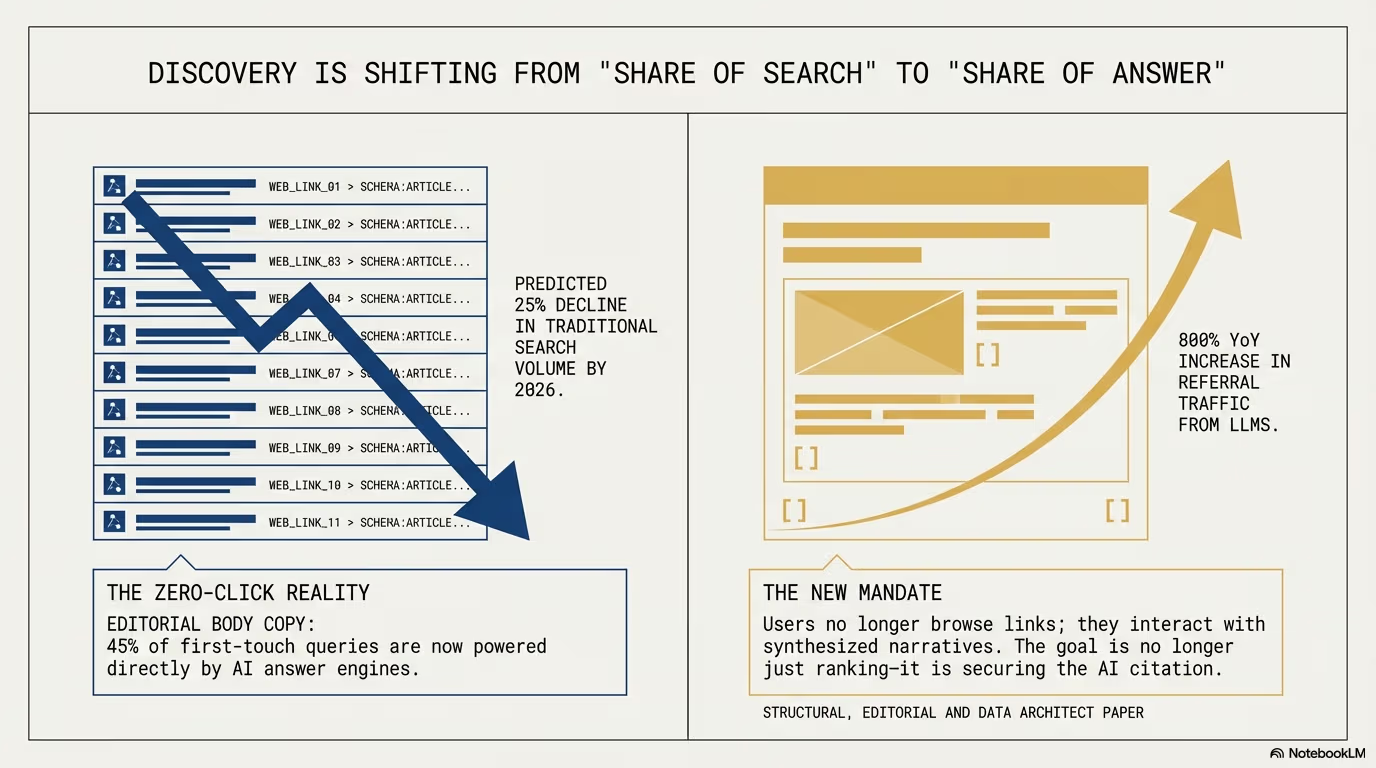
The classic search performance report in Bing Webmaster Tools counts impressions, clicks, click through rate and average position for queries typed into Bing. The AI Performance report counts citations. It does not report clicks from AI answers to your site, so visits from Copilot have to be measured in your own analytics.
The closest thing to a share metric is Citation Share, introduced in June 2026. It is the percentage of all citations shown for a specific grounding query that are attributed to your site. Microsoft describes it as an observational metric and says it is not a ranking system or a competitive scoreboard. It does not expose competitor domains, does not represent traffic share and does not assign quality scores.
| Search performance report | AI Performance report | What changes in practice |
|---|---|---|
| Impressions | Total Citations | Counted when your page is a source in an AI answer, not when it is listed |
| Clicks | Not reported | Visits from AI answers come from your own analytics |
| Click through rate | Citation Share, per grounding query | A share of citations among all sites for that query |
| Average position | Not reported | Microsoft states citations do not indicate placement in the answer |
The practical consequence: a falling click through rate in the classic report and a stable Total Citations figure in AI Performance can both be true at once. They count different events.
How to find topical authority gaps with opportunity queries
Above the topic table sits a section called Top Opportunity Queries. It lists the strongest queries across your whole portfolio where other sites appear and yours does not. Inside each topic the same idea repeats at topic level. Together these lists are the most actionable part of the report, because they name the grounding queries where AI answers already cite someone and not you.
Microsoft’s own guidance is to start with topics where your citations are already concentrated, then work down the opportunity queries. Reading the table against the detail pages gives three useful groups, defined by the numbers Bing actually shows:
- Topics where your citations make up a visible part of Topic Size. Your pages are already a regular source. Keep them current and extend them to the opportunity queries inside the same topic.
- Topics with a large Topic Size, many Sites Cited and few of your own citations. Demand is high and the field is crowded. The opportunity queries show which questions other sites answer and you do not.
- Small topics where most of the citations you have are concentrated. These are narrow areas where your pages are trusted. They are good starting points for adjacent subtopics.
Before acting on an opportunity query, check three things:
- Is it a branded query for a competitor? Microsoft warns that branded queries can appear as opportunities and gives the example of a running-shoes site seeing a competitor’s brand name listed. Those are not gaps you should fill.
- Do you already have a page that answers it? If yes, the page exists but is not cited. Compare its depth, structure and evidence with the advice below. If no, it is a candidate for a new supporting article.
- Does it fit the topic label? Labels are AI-generated. If a query clearly belongs elsewhere, mark it with the thumbs down control so the classification team sees it.
What the beta limits of Topics Portfolio mean for reporting
Microsoft lists the limits of the beta directly in the announcement:
- topic classification is AI-generated and may occasionally be imperfect,
- topics with insufficient site presence or ecosystem activity are not shown,
- branded queries can appear as opportunities,
- Topic Size, Sites Cited and Queries are approximate, and opportunity volumes are deliberately shown as ranges.
The announcement sums it up in one line: “Treat the numbers as directional signals for planning, not as a precise ledger.” (Microsoft Bing, 13 October 2026)
For client reporting this means two things. Report topic movement over comparable windows, not single figures. And keep the opportunity ranges as ranges in the report, because converting them to point estimates invents precision that Bing does not give.
Every topic row and opportunity query has thumbs up and thumbs down controls. Microsoft says these signals go to the team that works on classification and opportunity selection and influence its priorities.
The June post adds a caveat that applies to every AI Performance view: citation patterns shift because of user behaviour, model changes, freshness signals, partner refresh cycles and web-wide changes. Compare shows that something moved; it does not establish why.
Whether Google Search Console offers a Topics Portfolio equivalent
As of October 2026, no. Google’s documentation on AI features and your website states that AI Overviews and AI Mode are included in the overall search traffic in Search Console and reported in the Performance report under the Web search type. There is no separate AI report, no citation count and no topic grouping.
The same page also says there are no additional requirements and no special schema.org structured data needed to appear in AI Overviews or AI Mode. That is useful context for the schema section below: structured data is a consistency tool, not an entry ticket.
For a site that wants to measure AI visibility today, Bing Webmaster Tools is the only first-party console that reports citations by topic.
How to build topic clusters in WordPress that match Bing topics
Topics Portfolio reports at topic level, so the content architecture should be organised by topic too. The usual WordPress pattern is hub and spoke:
               +----------------------------------------+
               |            Pillar page (hub)           |
               |   Definitions, scope, links to spokes  |
               +-------------------+--------------------+
                                   |
         +-------------------------+-------------------------+
         |                                                   |
+--------v----------------+                         +--------v----------------+
|  Supporting article 1   |                         |  Supporting article 2   |
|  Technical specification|                         |  Worked example         |
+--------+----------------+                         +--------+----------------+
         |                                                   |
         +-------------------------+-------------------------+
                                   |
                       +-----------v------------+
                       |    Conversion / CTA    |
                       |   Request a proposal   |
+------------------------+1. The pillar page
One page that defines the topic, sets its scope and links to every supporting article. In WordPress this is usually a page or a post pinned to a category, with the category archive kept thin or noindexed so that it does not compete with the pillar.
2. Supporting articles
Each one answers a specific question that sits inside the topic. The opportunity queries from Topics Portfolio are a direct input here: a query where other sites are cited is a question your cluster does not yet answer well.
3. Internal linking discipline
Every supporting article links to the pillar with a descriptive anchor, and the pillar links to every supporting article. Links between unrelated clusters are kept to a minimum so that each cluster stays clearly about one topic.
The February announcement gives the content advice Microsoft itself attaches to AI Performance. It recommends depth and expertise on topics where pages are already cited, clear structure with headings, tables and FAQ sections, claims supported by examples, data and sources, regular updates so AI systems reference the current version, and consistency between text, images and video about the same entities. For local businesses it also recommends keeping Bing Places for Business up to date.
We apply this structure on client projects together with the practices described in our WordPress security audit and WooCommerce ERP integration work.
How to add schema.org about and mentions to WordPress templates
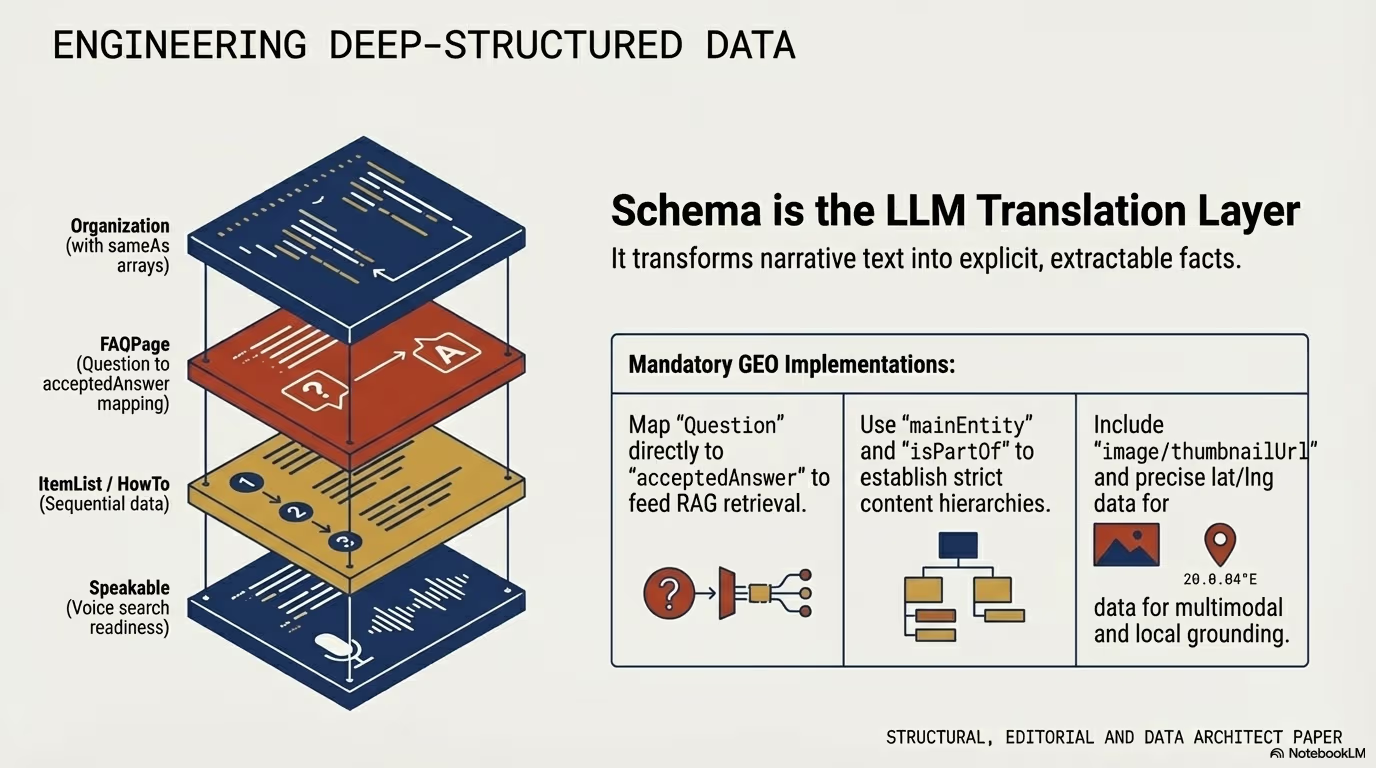
Microsoft’s AI Performance posts do not mention structured data, and Google says no special schema is needed for its AI features. Structured data still has a job: it states in machine-readable form which entities a page is about, which supports the consistency Microsoft asks for. The schema.org properties for this are about for the main subject and mentions for secondary entities.
The PHP below adds a connected entity graph to single posts in WordPress:
add_action('wp_head', function () {
    if (!is_singular('post')) {
        return;
    }

    $post_id = get_queried_object_id();

    $schema_data = [
        '@context' => 'https://schema.org',
        '@graph' => [
            [
                '@type' => 'TechArticle',
                '@id' => get_permalink($post_id) . '#article',
                'isPartOf' => [
                    '@type' => 'WebPage',
                    '@id' => get_permalink($post_id)
                ],
                'headline' => get_the_title($post_id),
                'inLanguage' => 'en',
                'mainEntityOfPage' => get_permalink($post_id),
                'datePublished' => get_the_date('c', $post_id),
                'dateModified' => get_the_modified_date('c', $post_id),
                'about' => [
                    [
                        '@type' => 'SoftwareApplication',
                        'name' => 'Microsoft Copilot',
                        'sameAs' => 'https://www.wikidata.org/wiki/Q116793893'
                    ],
                    [
                        '@type' => 'WebSite',
                        'name' => 'Bing Webmaster Tools',
                        'url' => 'https://www.bing.com/webmasters/'
                    ]
                ],
                'mentions' => [
                    [
                        '@type' => 'Thing',
                        'name' => 'Semantic Web',
                        'sameAs' => 'https://www.wikidata.org/wiki/Q54837'
                    ],
                    [
                        '@type' => 'SoftwareApplication',
                        'name' => 'WordPress',
                        'sameAs' => 'https://www.wikidata.org/wiki/Q13166'
                    ]
                ],
                'author' => [
                    '@type' => 'Organization',
                    'name' => 'WPPoland',
                    'url' => 'https://wppoland.com'
                ]
            ]
        ]
    ];

    echo "\n" . '<script type="application/ld+json">' . "\n";
    echo wp_json_encode($schema_data, JSON_UNESCAPED_SLASHES | JSON_UNESCAPED_UNICODE | JSON_PRETTY_PRINT);
    echo "\n" . '</script>' . "\n";
}, 20);
Check every Wikidata ID before you ship it. The English label of the item has to match the entity you mean: Q116793893 is Microsoft Copilot, Q13166 is WordPress and Q54837 is the Semantic Web. A wrong ID points the graph at a different entity, which is worse than no ID. Where no Wikidata item exists for a product, link its official page instead, as the example does for Bing Webmaster Tools. If an SEO plugin already outputs an Article node, extend that node through the plugin’s filters rather than printing a second one.
How to keep sections out of Copilot answers with data-nosnippet
Topics Portfolio shows where you are cited. Sometimes the question is the reverse: which parts of a page should not be quoted at all. Since October 2025 Bing supports the data-nosnippet HTML attribute for this. Content marked with it is still crawled, indexed and used for ranking, but it is kept out of Bing Search snippets and out of AI-generated answers and summaries in Copilot experiences powered by Bing.
<h2>Overview</h2>
<p>This section may appear in Bing Search and Copilot answers.</p>

<div data-nosnippet>
  <h3>Subscriber content</h3>
  <p>This section does not appear in Bing Search and Copilot answers.</p>
</div>
The attribute works on any HTML element, which makes it the element-level option next to the page-level directives. noindex removes the page from the index, nosnippet blocks all text snippets for the page, and max-snippet, max-image-preview and max-video-preview limit preview size. In WordPress the attribute goes into a Custom HTML block or straight into the theme template, because the standard block settings have no field for it. Microsoft says changes can take from a few seconds to about a week to appear, depending on crawl schedule, and recommends URL inspection in Bing Webmaster Tools to check the last crawl time.
Bing also respects content owner preferences set through robots.txt and the other supported controls, as the February announcement states.
How to notify Bing of WordPress changes with IndexNow
The February announcement recommends IndexNow to notify participating search engines when content is added, updated or removed, so that AI answers reference the current version. The IndexNow documentation sets the rules:
- the key is 8 to 128 characters and lives in a UTF-8 text file named after the key at the site root, or at another path given in
keyLocation, which then limits the URLs it can validate, - one POST to
https://api.indexnow.org/indexnowaccepts up to 10,000 URLs, - participating search engines share submitted URLs with each other, so one submission reaches all of them,
- a 200 response only means the submission was received. It is not a promise to crawl or index.
| Response | Meaning |
|---|---|
| 200 | URL received |
| 202 | Received, key validation pending |
| 400 | Invalid format |
| 403 | Key not valid, not found or file content does not match |
| 422 | URLs do not belong to the host, or the key does not match the scheme |
| 429 | Too many requests, treated as potential spam |
The simplest option on WordPress is the IndexNow plugin published by the Bing Webmaster team. It generates and hosts the key, detects created, updated and deleted content, submits in the background and skips URLs marked noindex in the HTML, in the X-Robots-Tag header or through the site-wide visibility setting. If you prefer code, this is a minimal version:
add_action('transition_post_status', function ($new_status, $old_status, $post) {
    if ($new_status !== 'publish' || wp_is_post_revision($post) || wp_is_post_autosave($post)) {
        return;
    }
    if (!is_post_type_viewable($post->post_type)) {
        return;
    }

    $api_key = 'YOUR_INDEXNOW_KEY'; // the same value as the file https://example.com/YOUR_INDEXNOW_KEY.txt

    wp_remote_post('https://api.indexnow.org/indexnow', [
        'headers'  => ['Content-Type' => 'application/json; charset=utf-8'],
        'body'     => wp_json_encode([
            'host'    => wp_parse_url(home_url(), PHP_URL_HOST),
            'key'     => $api_key,
            'urlList' => [get_permalink($post)],
        ]),
        'timeout'  => 5,
        'blocking' => false,
    ]);
}, 10, 3);
One hook covers both first publication and later updates, because transition_post_status fires on every save. With 'blocking' => false the editor does not wait for the request, but you also never see the response code. When you need to debug a 403 or 422, switch to a blocking request for a moment and log wp_remote_retrieve_response_code().
Step by step workflow for Topics Portfolio
- Confirm the basics. The site is verified in Bing Webmaster Tools and, if you use IndexNow, the key file answers at its URL.
- Open AI Performance and select the Topics tab. If the tab is missing, the site does not yet have sufficient data. Use Citations & Pages in the meantime.
- Pick the three month window to smooth out short spikes, then note Topic Size, Sites Cited, Queries and your own citations for the topics that matter to the business.
- Start with topics where your citations are concentrated, as Microsoft recommends. Check that the cited pages are current.
- Work through the opportunity queries. Remove competitor brand queries, map the rest to existing URLs, and list the queries no page answers.
- Update or publish in WordPress. Extend existing pages where the URL exists, write supporting articles where it does not, and link both to the pillar.
- Submit the changed URLs through IndexNow and use thumbs down on topics or opportunities that do not fit your site.
- Review after a full window with Compare, keeping in mind that model changes and partner refresh cycles move citations too.