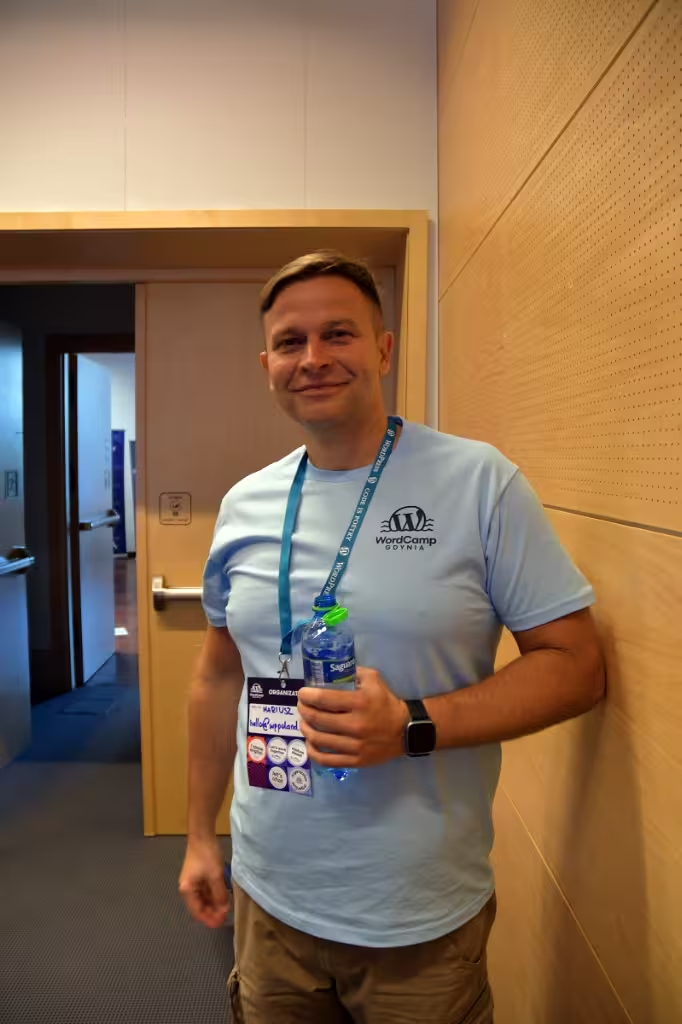
I’m Mariusz Szatkowski, a WordPress developer since 2006. This page covers what a WooCommerce shop needs so that Google AI Mode, Gemini, ChatGPT and Claude read its products correctly. I checked the state of UCP, ACP and the connector directories against each vendor’s own documentation on 29 October 2026. Most of the work is data hygiene that also helps you in ordinary Google search.
What I do for your shop
- fix Product and Offer schema as server-rendered JSON-LD,
- clean up the product feed for Google Merchant Center,
- set robots.txt and the bot rules in your CDN or security plugin,
- prepare the data for a ChatGPT product feed application,
- build an MCP server or a UCP profile when the shop has a reason and qualifies.
I work alone, with no team and no subcontractors, in your repository and on staging.
Which shops this is for
WooCommerce shops selling physical goods with a catalogue too large to fix by hand. B2B sellers with prices on request, usually running the Quotlet plugin in my projects, benefit too, though an agent will then show the product and the quote form with no price. A service business usually needs only correct schema and an open robots.txt.
Where AI agents read your shop data
| Surface | Where the data comes from | Where the buyer pays |
|---|---|---|
| Google AI Mode and Gemini | Merchant Center and structured data | Through UCP, currently US, Canada and Australia only |
| ChatGPT | Feeds submitted through ACP, pages fetched by OAI-SearchBot | Your own checkout |
| Claude | Pages fetched by Claude-SearchBot and Claude-User, MCP connectors | Your own checkout |
What the Universal Commerce Protocol is
UCP is an open standard for agentic commerce. Google announced it on 11 January 2026, co-developed with Shopify, Etsy, Wayfair, Target and Walmart. The specification on ucp.dev covers catalogue search, cart building, identity linking, checkout and order management, over REST or JSON-RPC, and works alongside AP2, A2A and MCP.
A merchant publishes its profile at /.well-known/ucp. The profile must declare the protocol version, services and payment handlers; the capability list is optional. Older guides, including an earlier version of this page, gave the path as /.well-known/ucp.json. The specification does not use that path.
Google’s Merchant Center help limits UCP checkout to products eligible in the United States, Canada and Australia. Access is through an early access programme with an interest form, a Google Pay & Wallet Console account and the native_commerce product attribute, and the shop stays the seller of record. A Google post of 16 September 2026 says the new capabilities are rolling out in the US, with Australia and Canada early the following year. The UK, Ireland and the EU are not mentioned. For a shop in those markets there is nothing to build on the checkout side today, and the useful work is the data UCP reads: Google still calls Merchant Center the central hub for product data. A longer walkthrough is in my UCP guide.
What changes in Google Merchant Center
In the same January 2026 announcement Google added dozens of Merchant Center attributes for conversational shopping: answers to common product questions, compatible accessories and substitutes. It also launched Business Agent, a chat with the brand inside Search that eligible US retailers switch on and customise in Merchant Center.
Direct Offers is a Google Ads pilot in AI Mode. The retailer sets an exclusive offer, such as a discount, in campaign settings and Google decides when to show it. It is a paid ad format.
What happened to buying inside ChatGPT
Stripe and OpenAI developed the Agentic Commerce Protocol as an open standard under Apache 2.0. The plugin guidelines now say Instant Checkout is in beta for select marketplace partners only, and every other plugin sends the buyer to checkout on the merchant’s domain.
ACP is now mostly a way to hand over the catalogue. OpenAI’s documentation starts the integration with a structured product feed; feed onboarding is open to approved partners, and you apply through the form at chatgpt.com/merchants. The order lands in your checkout, so Apple Pay, Klarna, PayPal and your analytics work as they do for any other order.
What an ordinary WooCommerce shop should do
A shop selling contact lenses, tools or garden furniture does not need its own protocol for ChatGPT or Claude to recommend it. This is the order I work in.
Let AI bots in through robots.txt
OpenAI and Anthropic run separate bots for search, for fetches a user asks for and for model training. Group them so each decision is visible:
# Search and user-requested fetches: blocking these hides the shop from answers
User-agent: OAI-SearchBot
User-agent: ChatGPT-User
User-agent: Claude-SearchBot
User-agent: Claude-User
Allow: /

# Model training: a separate decision
User-agent: GPTBot
User-agent: ClaudeBot
Allow: /
According to OpenAI’s bot documentation, sites opted out of OAI-SearchBot are not shown in ChatGPT search answers. Anthropic says that blocking Claude-User or Claude-SearchBot can reduce visibility in Claude’s search results. Check your CDN and security plugin as well, because a firewall rule can block a bot that robots.txt allows.
Product and Offer schema on product pages
Price, currency, availability, GTIN or MPN, shipping and return terms in server-rendered JSON-LD. Two SEO plugins running at once often produce duplicate or conflicting markup. I verify the result in Google’s Rich Results Test.
A clean product feed
Stable IDs, variants as separate items, current stock and prices. The same feed goes to Merchant Center and is the basis for the application to OpenAI.
An MCP server only when there is logic to expose
Live stock across several warehouses, a product configurator, booking a fitting or a service slot: a feed cannot describe these. A plain catalogue gains little from its own server. WooCommerce has an MCP integration in developer preview. It exposes products and orders as abilities through the separately installed WordPress MCP Adapter plugin and follows the WordPress user’s permissions.
What the ChatGPT and Claude directories require
OpenAI now calls ChatGPT apps plugins. They run on MCP servers and go into one directory for ChatGPT and Codex. The guidelines and submission docs require:
- a verified individual or organisation,
- a clear, published privacy policy,
- commerce in physical goods only, with no subscriptions, digital content, tokens or credits,
- payment outside ChatGPT, on your own domain,
- a country allowlist per plugin.
After publication OpenAI scans the hosted MCP server daily.
Anthropic’s Connectors Directory accepts submissions from anyone on a paid Claude plan. The server must be remote and reachable over HTTPS, use OAuth 2.0 when tools act on a user’s account, and give every tool a title and a readOnlyHint or destructiveHint annotation. You also need documentation, a privacy policy, a support contact, an icon and a test account for reviewers. By default the connector is listed as Community.
I build these servers as MCP server development, and the shop side (feeds, schema, stock and booking logic) as WooCommerce development.
What to watch out for
When a purchase completes in AI Mode, your analytics never sees a product page view. With ChatGPT that problem does not arise, since payment happens in your checkout anyway. An agent answers from your feed, so a stale price reaches the customer without the product page that might have corrected it. If the price in the feed, the schema and the page disagree, you cannot know which one an assistant shows. That is why I generate all three from one source in WooCommerce.
On wppoland.com I publish a profile at /.well-known/ucp and a /agent.json file describing my services. /agent.json is my own JSON summary. No AI vendor documents this format, so I do not promise that an agent reads it. For clients I build a UCP profile only once Google covers their market.
What it costs
I quote individually after reviewing the shop. Catalogue size and data quality, the number of markets and languages, and whether an MCP server is needed set the price. Rates are on the pricing page, and the scope comes in a written quote.
To start, send me the shop URL, markets and languages through the contact form. I ask follow-up questions by email and send a quote with its assumptions. Changes are made in the repository and go live after you approve them on staging. If I get access to customers’ personal data, I sign a processing agreement under Art. 28 GDPR first.
Related: GEO and LLMO optimisation, WordPress developer, speeding up WordPress.