Short answer: ChatGPT recommends shops it has data about. In the US it gets that data directly from merchants through product feeds, and shops on Shopify and Etsy are connected automatically. A WooCommerce shop based in the UK, Ireland or elsewhere in Europe does not have that route yet: in November 2026, shopping in ChatGPT works only for users in the US. That leaves two things you control: whether OpenAI’s search crawler can read your product pages, and how much credible information about your shop exists outside your own site.
This post is for shop owners who typed a question about their own product into ChatGPT and saw a competitor in the answer. I am not offering a trick for “ranking in ChatGPT”, because OpenAI does not publish how it orders results. What follows is what OpenAI has written in its documentation, what it has left out, and what that means for a shop in the UK, Ireland or the EU, plus one note for shops based in the US. I also include a measurement I ran on my own brand, and the review law that applies in the UK and the EU whether or not AI is involved.
Where does ChatGPT find the shops it recommends?
OpenAI’s commerce documentation names three sources: the public web, private API integrations and, for retail, merchant product feeds (OpenAI, Commerce overview). The feed is described as a way to enhance the search index with current products, images, prices and availability.
That sentence explains most of what you see. A shop that sends a feed hands ChatGPT its data directly. A shop without a feed exists for ChatGPT only through what can be read on its pages and elsewhere on the web. The two start from different places.
The third layer is the model’s answer without search. When ChatGPT does not search the web, it answers from what it learned during training. Your shop’s pages have no live influence on that layer, because the model does not read them at the moment of the question.
| Source | Who can use it in November 2026 | What you can do |
|---|---|---|
| Product feed for ChatGPT | US merchants, Shopify and Etsy automatically | join the waitlist, or apply now if you are a US-based shop |
| Public web (ChatGPT search) | any shop OAI-SearchBot can read | open robots.txt and the firewall, tidy up product data |
| Model knowledge from training | brands often described online before the training cut-off | build presence beyond your own site, effect after the next training run |
Is ChatGPT shopping open to shops in the UK and Ireland?
OpenAI’s merchants page states that shopping is currently live for ChatGPT users in the US and will expand to additional regions over time (chatgpt.com/merchants). The same page says that if you sell through Shopify or Etsy, your catalog is already integrated and you do not need to apply.
WooCommerce is not in that sentence. As of 18 November 2026 the WooCommerce developer documentation describes no official ChatGPT feed integration, so today a WooCommerce shop starts from a different position than a Shopify shop selling the same product.
The feed specification is more precise still. The standard upload in OpenAI’s format targets the US, and the target_countries field currently covers the US, Canada and Mexico. The documentation adds that other markets may be listed only after OpenAI confirms the integration and the permitted countries and currencies (OpenAI, Product feed schema).
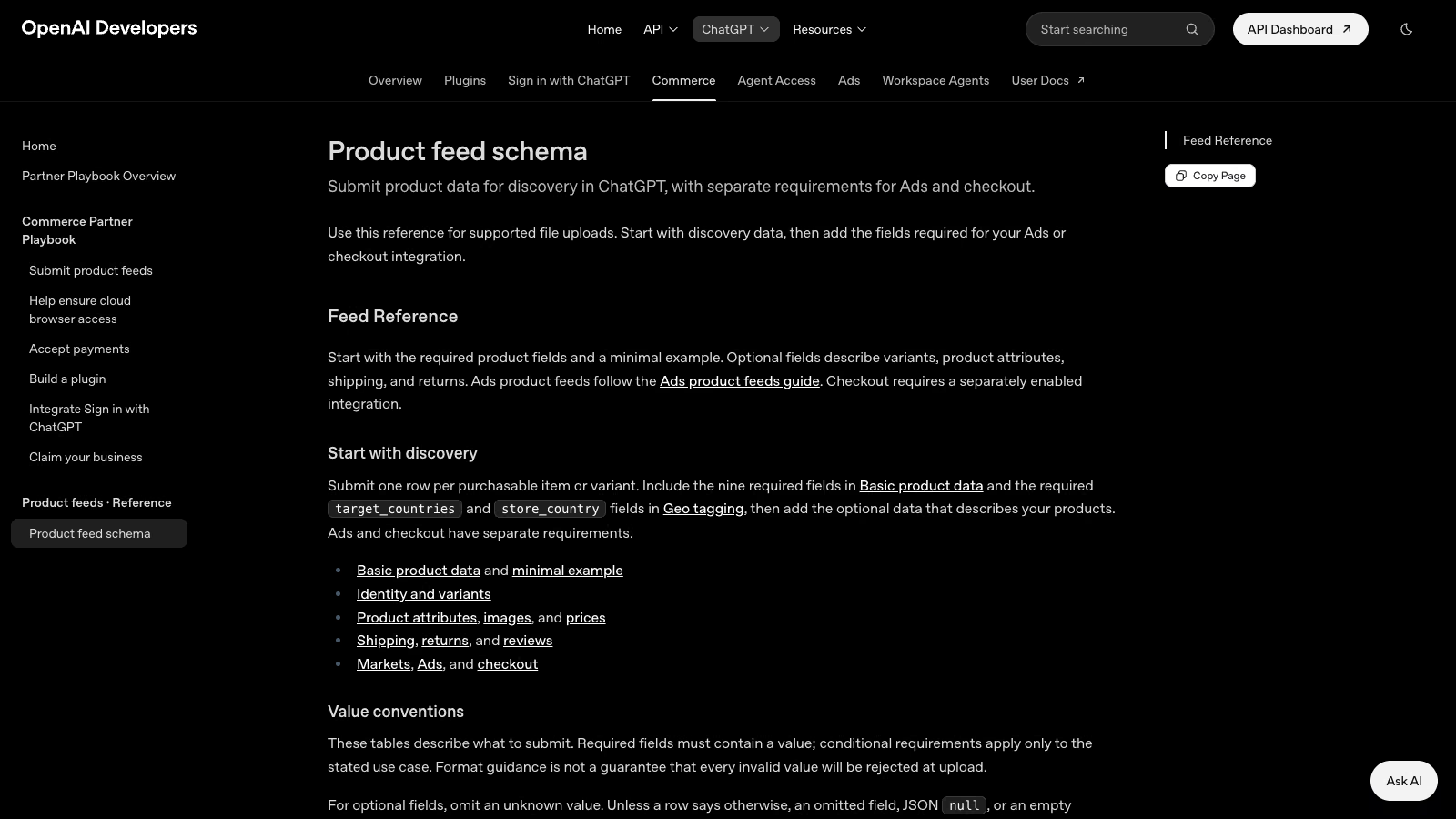 OpenAI product feed specification, as of 18 November 2026. Source: developers.openai.com.
So if the competitor ChatGPT shows you is a large US brand or a Shopify store, the reason may sit in the data channel itself, and the quality of their product pages may have little to do with it.
Can you send your WooCommerce feed to ChatGPT from the UK, Ireland or the EU? Not on a self-serve basis. The form on the merchants page asks for the country where your company is headquartered, and the list includes European countries, but the page also says that applicants are on a waitlist. Applying costs nothing, so send the application, but do not plan revenue on it this quarter.
The picture is different if your business is based in the US. A US-based WooCommerce shop selling to US customers falls inside the market the feed already supports, so it can apply now and prepare a feed in the OpenAI format. Shopify and Etsy sellers in the US do not need to apply at all.
It also helps to know what OpenAI changed in the buying step. On the same page, the company says it is moving away from standalone Instant Checkout in ChatGPT towards better product discovery and checkout on merchants’ own sites. The purchase completes in your shop, and OpenAI states that it charges no fees on purchases that start in ChatGPT. That has a side effect for your reporting, which I covered in the post on ChatGPT traffic that shows up as direct.
The protocol through which an AI agent can place an order is the Agentic Commerce Protocol. Stripe and OpenAI developed it, it is open, licensed under Apache 2.0, and the latest version is dated 30 January 2026 (agenticcommerce.dev). The protocol site notes that each AI platform runs its own merchant onboarding, and for ChatGPT you have to apply. Implementing the protocol on your own does not open the door to ChatGPT.
Google is building a parallel route. The Universal Commerce Protocol is meant to enable agentic buying in AI Mode in Google Search and in Gemini, and Google encourages merchants to use the feeds they already have in Merchant Center (Google, UCP). There is a waitlist here too, and the page gives no list of countries. If your shop already has a clean Merchant Center feed, you have done half the work any of these channels will ask for. More on the protocol itself is on the page about getting a shop ready for AI agent commerce.
Is OpenAI’s crawler blocked on my shop?
This is the one question in this post you can answer in fifteen minutes. OpenAI runs several crawlers, and each does a different job (OpenAI, crawlers):
| Crawler | What it is for | What blocking it means |
|---|---|---|
OAI-SearchBot | ChatGPT search | the page will not appear in search answers, at most as a navigational link |
GPTBot | model training | your content is not used to train future models |
ChatGPT-User | actions a user asks for | robots.txt rules may not apply, it does not decide search inclusion |
OAI-AdsBot | checking ad landing pages | affects ads in ChatGPT only |
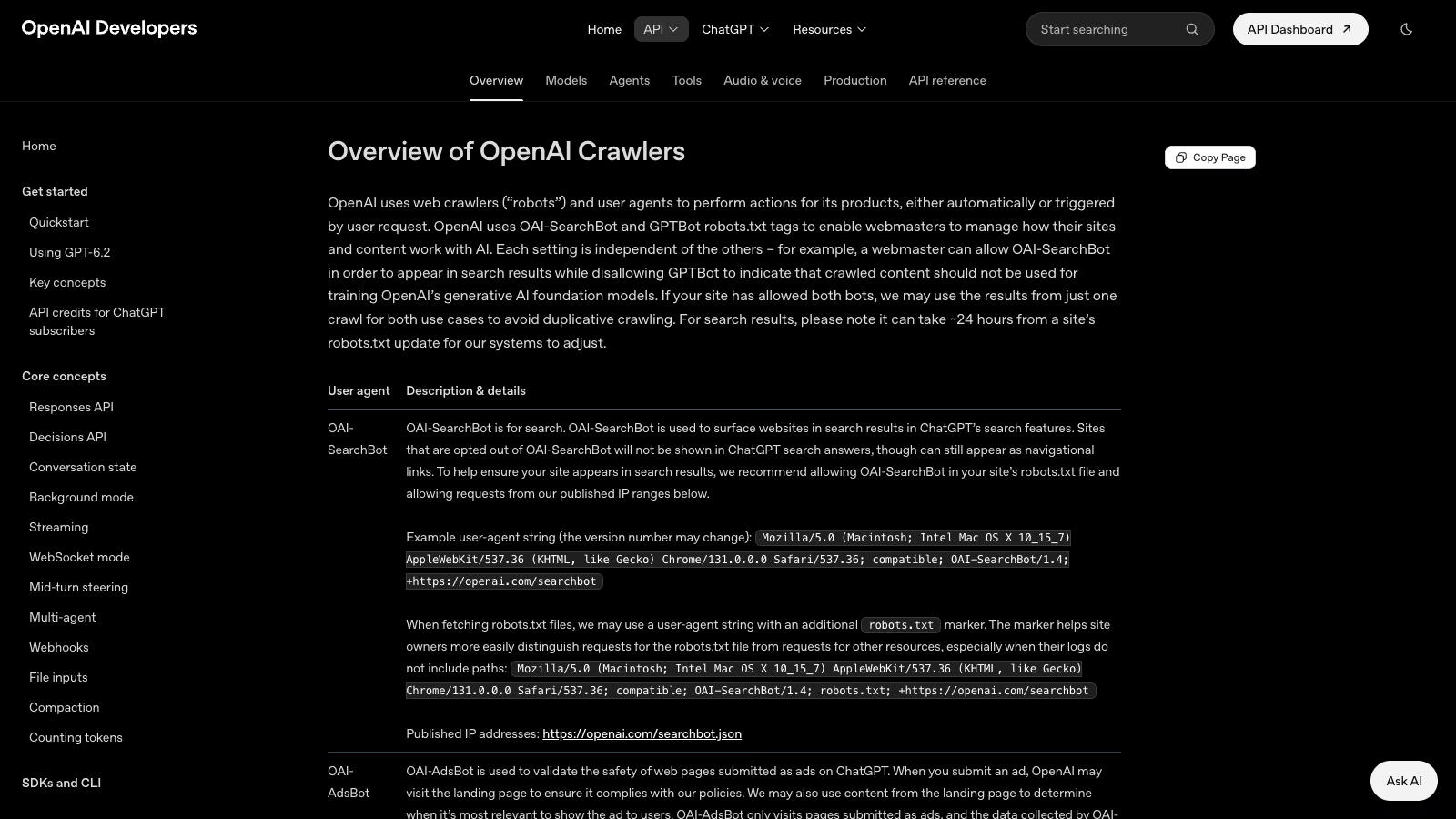 OpenAI crawler documentation, as of 18 November 2026. Source: developers.openai.com.
The documentation is clear: pages opted out for OAI-SearchBot will not be shown in ChatGPT search answers. OpenAI recommends allowing it in robots.txt and warns that its systems need about 24 hours to pick up a change to the file.
A minimal robots.txt entry that lets the search crawler in and keeps the training crawler out looks like this:
User-agent: OAI-SearchBot
Allow: /

User-agent: GPTBot
Disallow: /
Whether you allow GPTBot is a separate decision. Blocking GPTBot does not remove you from ChatGPT search, though it does mean future models will not learn about your shop from your own site.
robots.txt is only part of the check. Many shops sit behind Cloudflare or a hosting firewall that rejects AI crawlers before they ever read robots.txt. Look at the AI bot settings and WAF rules in Cloudflare, and search your server logs for OAI-SearchBot and the response codes it received. If the crawler gets a 403 or a challenge page, robots.txt changes nothing. OpenAI publishes the IP addresses of its crawlers, so you can base an allow rule on that list instead of on the User-Agent header alone, which is trivial to fake.
The third check: product pages need their content in the HTML. If price, availability and description load only through JavaScript after a click, the crawler may never see them. On a typical WooCommerce shop with a block theme this is rare, but shops with heavy filters and variations loaded over AJAX should test it. Open a product page with JavaScript disabled, or fetch it with a command-line tool, and confirm the price and stock status are in the response.
What product information should my WooCommerce pages show for ChatGPT?
OpenAI does not say how it orders results. It does say which fields it requires in the feed, and that is a good list of what the company considers a product description. Nine fields are required: item ID, title, description, page URL, brand, seller name, image URL, availability and price. On top of those come the target country and the store country. Optional fields include GTIN, MPN, review count, average star rating on a scale from 0 to 5, shipping price, whether returns are accepted and the return deadline in days.
The merchants page says only that products are matched to shoppers based on preferences, context and product data, and that richer data helps products show up with more accurate information when shoppers compare options. Read that as a statement about comparison: missing data makes your product harder to compare. It promises nothing about position.
A shop outside the US can use this list without sending any feed. You can show the same information on the product page and in schema.org structured data, which every search engine reads. Here is how the fields line up:
| OpenAI feed field | schema.org equivalent | Where it lives in WooCommerce |
|---|---|---|
title, description | name, description | product title and description |
brand | brand | brand attribute or taxonomy |
gtin, mpn | gtin13, mpn | GTIN field in the inventory tab, or a plugin |
price, availability | offers.price, offers.availability | price and stock status |
review_count, star_rating | aggregateRating | product reviews |
shipping_price, return_deadline_in_days | shippingDetails, hasMerchantReturnPolicy | shipping zones, returns policy |
WooCommerce generates basic product structured data on its own. Return policy and shipping costs usually need an SEO plugin or custom code. Check the output in Google’s Rich Results Test, because Merchant Center reads the same data.
OpenAI’s documentation adds one practical point: send the current price and update the feed when a sale starts and when it ends. For a product page, that means the price in structured data has to match the price on the page. If you sell to consumers in Ireland or another EU country, there is one more rule on top: when you announce a price reduction, you show the lowest price from the 30 days before it, a requirement the Omnibus Directive introduced.
How do I test what ChatGPT says about my shop?
A single question asked once tells you nothing, because answers vary between runs. You need a simple procedure you can repeat every month:
- Write down 10 questions your customers actually ask. Take them from your site search, from Google Search Console and from customer emails. For example “where to buy [product] with next-day delivery” or “which [product] for [use]”. Leave your shop’s name out.
- Ask them in ChatGPT with search turned on, in a new chat, with no history and no saved preferences.
- Record three things: whether your shop appeared, who ChatGPT recommended and which sources it cited under the answer.
- Ask each question three times and count appearances instead of trusting single results.
- Look at the cited sources as well as the shop names. If ChatGPT cites a comparison site, a ranking in a magazine or a forum thread, that is where your gap is.
If you sell into several markets, run the same questions in each language your customers use. Answers and cited sources can differ between languages, so one language tells you nothing about another.
A fuller treatment of what to measure and how often is in the post on AI citation monitoring. If other AI tools cite your shop and ChatGPT does not, the cause often lies in the different indexes they draw on, which I covered in why Perplexity cites your brand and ChatGPT does not.
You will also see ChatGPT traffic in your analytics. Some visits arrive with utm_source=chatgpt.com, and some land in the direct channel. How to separate them is in the post on measuring conversions from AI search.
Are my shop reviews legal in the UK and Ireland, and does ChatGPT use them?
The OpenAI feed has review_count and star_rating fields, so OpenAI treats reviews as part of product data. How much they weigh in the choice, the documentation does not say, and nobody outside OpenAI knows.
What is known is the law, and it applies whether or not ChatGPT ever reads your reviews.
United Kingdom: the DMCC Act 2024
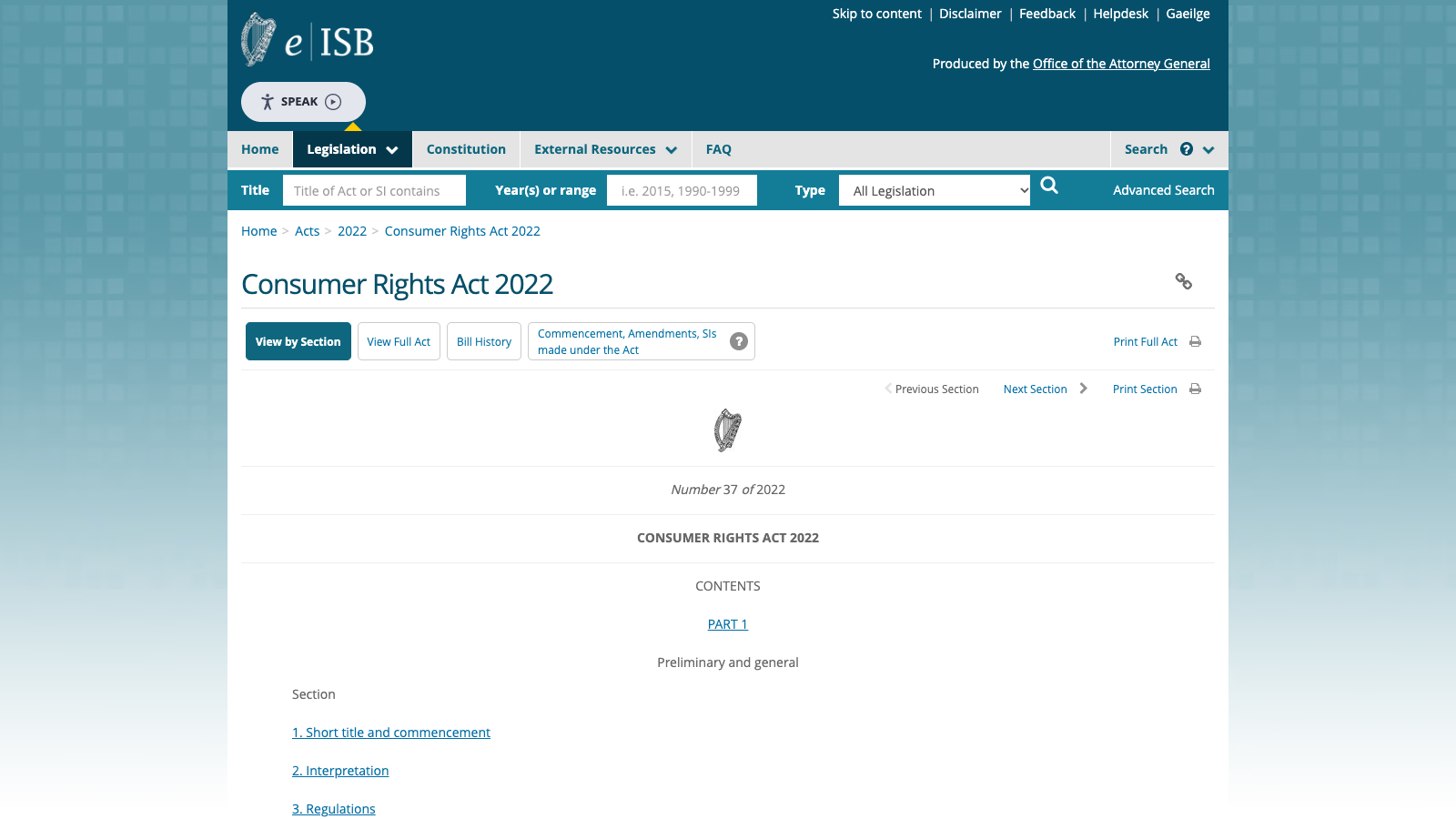
The Digital Markets, Competition and Consumers Act 2024 lists in Schedule 20 the commercial practices that are unfair in all circumstances (legislation.gov.uk, Schedule 20). Paragraph 13 deals with consumer reviews:
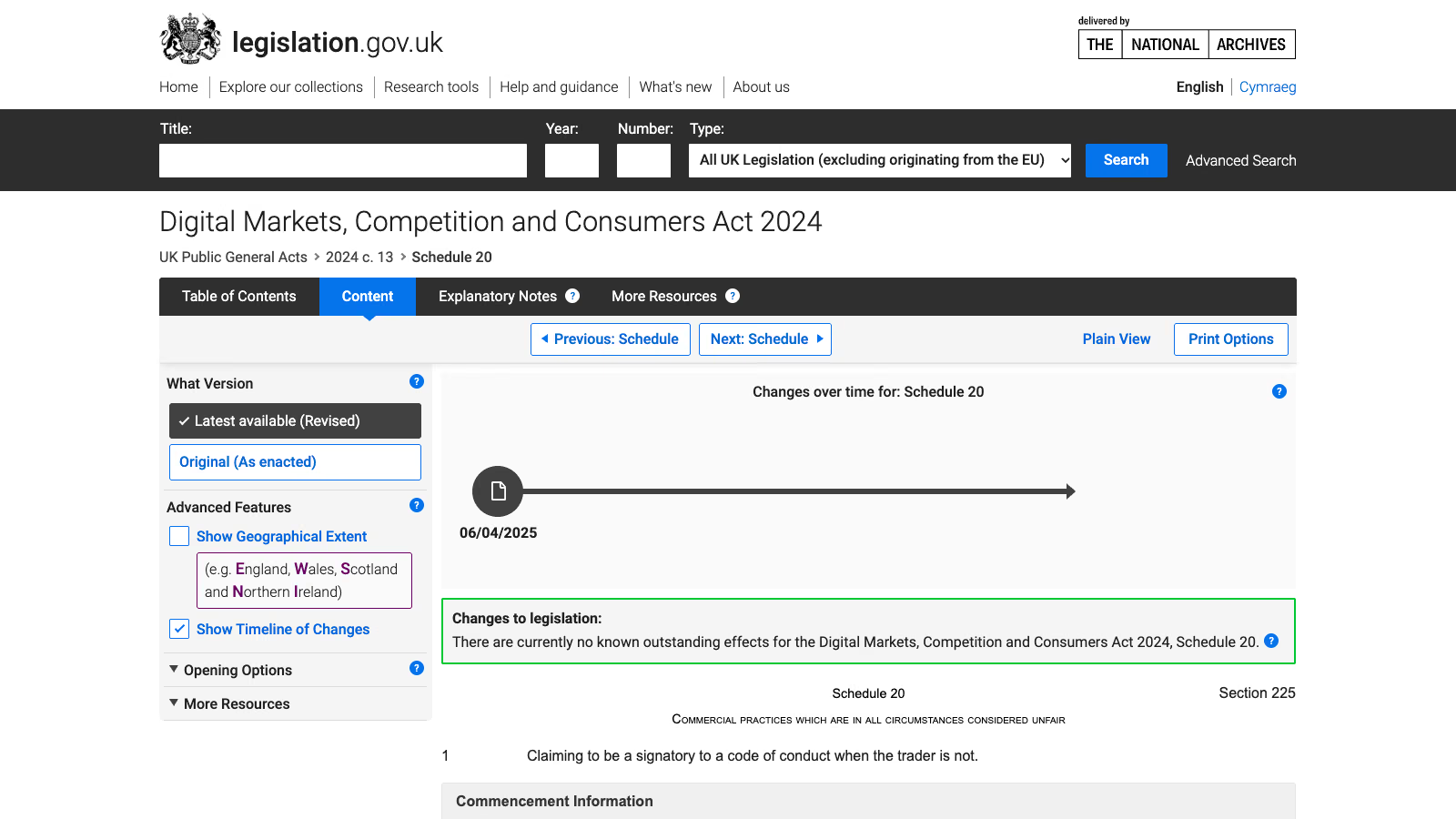 Digital Markets, Competition and Consumers Act 2024, Schedule 20. Source: legislation.gov.uk.
- Submitting or commissioning a fake consumer review is banned outright.
- Paragraph 13(3) requires a trader who publishes consumer reviews to take reasonable and proportionate steps to prevent fake or misleading reviews from being published.
These provisions came into force on 6 April 2025 (S.I. 2025/272).
Ireland and the rest of the EU: the Omnibus Directive
Directive (EU) 2019/2161, known as the Omnibus Directive (EUR-Lex), added two points to Annex I of the Unfair Commercial Practices Directive 2005/29/EC, the list of practices banned in all circumstances:
- Point 23b: stating that reviews come from consumers who actually bought or used the product without taking reasonable and proportionate steps to check that they do.
- Point 23c: submitting or commissioning fake consumer reviews, or misrepresenting reviews, in order to promote products.
The same directive made information on whether and how a trader ensures that published reviews come from real buyers “material information”. Leaving it out can count as a misleading omission. Member states have applied these rules since 28 May 2022 through their own national laws, Ireland included. If you are a UK or US shop that directs its sales to consumers in EU countries, the Rome I Regulation (Article 6) generally means those consumers keep the protection of the consumer law where they live, so the Omnibus rules reach you too.
What this means in WooCommerce
A WooCommerce shop already has most of the tools. In the product settings you can allow reviews only from verified owners and show a verified owner label next to each review. That is exactly the kind of check both the UK and EU rules describe. What is usually missing is one sentence on the page explaining how you verify reviews. Add it next to the reviews section or in your terms, and link to it.
Reviews on external sites, such as price comparison sites or your Google Business Profile, help in a different way: they are information about your shop that lives outside your own site. Buying reviews or swapping them with other shops is a banned practice in both the UK and the EU.
Why does ChatGPT suggest marketplaces and big brands instead of my shop?
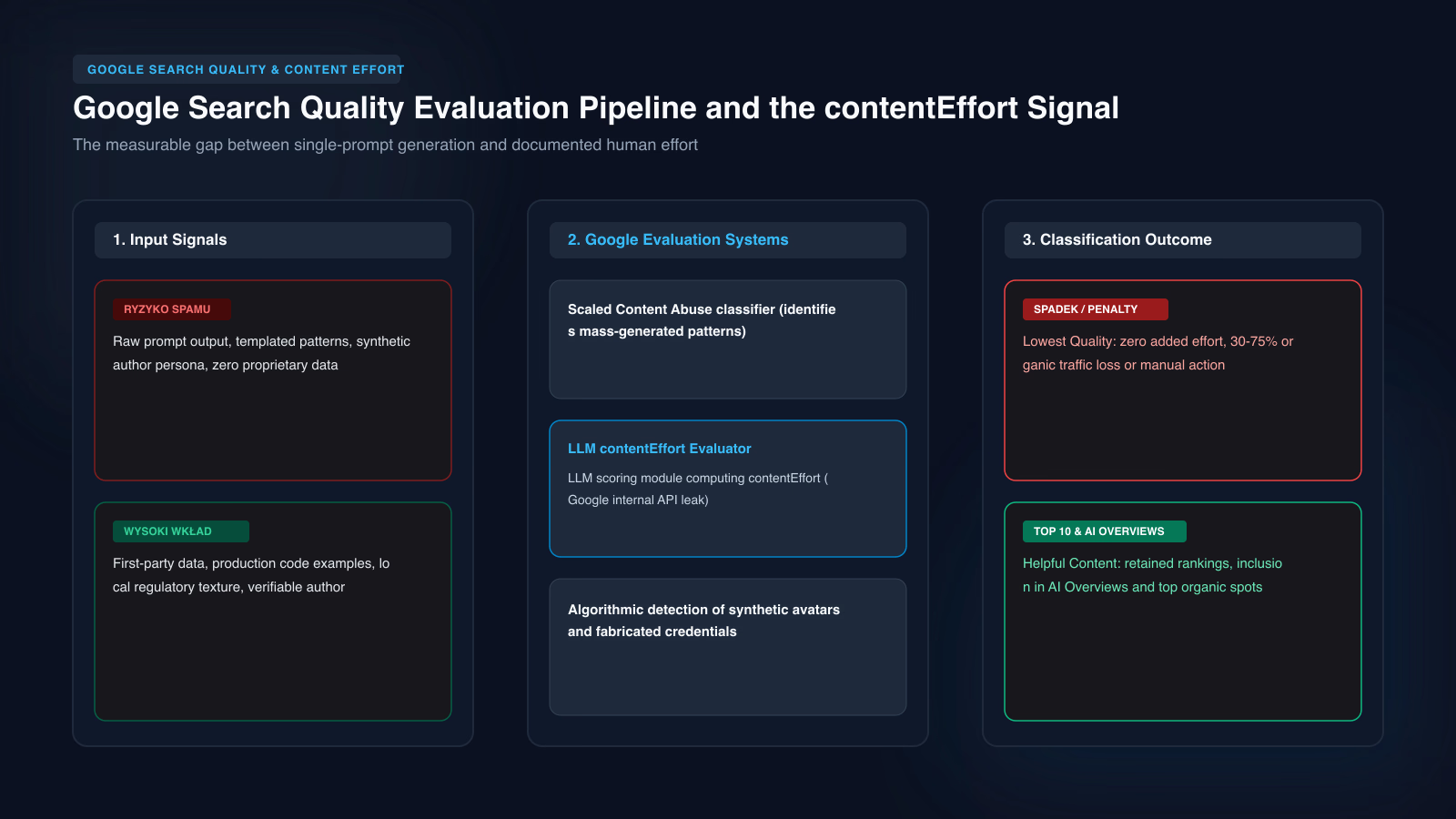
On 5 October 2026 I measured how models answer questions about our own industry. I asked 24 questions about customer problems, without the brand name, in six languages, 60 times each, to two models over the API: gpt-4o-mini and gemini-2.5-flash-lite. That came to 2878 answers. Our brand did not appear in any of them.
What mattered more was who the models recommended. For “who should I hire” questions they named intermediary platforms rather than firms: in Polish useme.com and freelancerzy.com, in English clutch.co and codeable.io, and freelancer.com in every language.
The measurement has limits you should know about. It covered B2B services, not shops. The models ran over the API without web search, so they answered from training data. ChatGPT with search turned on behaves differently, because it reads pages at the moment of the question. Even so, the lesson carries over to retail: when a model has no data about a specific seller, it points to the places where buyers usually look, which means platforms and large brands.
For a shop, presence in places the model already knows may do more than another post on your own blog. That means price comparison sites and marketplaces in your market, plus trade and niche sites in your product category. OpenAI does not say which sites ChatGPT reads, so this presence builds knowledge of your brand across the web and its effect on ChatGPT itself cannot be predicted.
What should I fix first if ChatGPT ignores my shop?
| Symptom | Likely cause | What to do |
|---|---|---|
| ChatGPT never cites your site, even when asked about your shop by name | OAI-SearchBot blocked in robots.txt, Cloudflare or the hosting firewall | check robots.txt, bot rules and logs, wait 24 hours after a change |
| ChatGPT knows the shop but gives wrong prices or stock | page data does not match structured data, or loads through JavaScript | align the price in HTML and schema.org, check in the Rich Results Test |
| ChatGPT recommends big brands and Shopify stores | competitors have a feed or integration your shop cannot get yet outside the US | join the OpenAI waitlist, keep a clean Merchant Center feed, apply now if you are US-based |
| ChatGPT cites comparison sites and rankings you are not in | little information about your shop beyond your own site | get listed on comparison and trade sites, collect genuine reviews |
| ChatGPT without search does not know the brand at all | the brand was rarely described online before the model’s training | build presence on the web, effect only after the next training run |
The order of work, starting with the quickest changes:
- Check robots.txt for
OAI-SearchBotand decide separately aboutGPTBot. - Check your logs or Cloudflare to confirm OAI-SearchBot gets a 200 on product pages.
- Fill in brand, GTIN, shipping costs and return policy in your product structured data.
- Allow reviews only from verified owners and add a sentence explaining how you verify them.
- Apply at chatgpt.com/merchants and check your Merchant Center feed for errors.
- Write down 10 customer questions and run the first test, so you have a baseline a month from now.
Steps 1 and 2 usually take a quarter of an hour. Step 3 depends on how many products lack GTINs, and that is most often the longest part of the job.
Do I need a developer to get my shop into ChatGPT?
If your shop has several thousand products, variations, several markets or a feed generated from an ERP, aligning product data and structured data is a technical project, well beyond a settings change in the admin. The same goes for preparing a shop for the OpenAI feed or the Universal Commerce Protocol once they cover the UK and Europe, or right now if you have a US entity. I describe the scope of that work on the page about preparing a WooCommerce shop for AI commerce. Pricing is individual and starts with a review of your shop: robots.txt, firewall, structured data and feed.