Changing a button on the homepage gets a two-week estimate. The plugin update waits until Monday because nobody wants to take the risk on a Friday. A week in, the new developer still has no working copy of the site on their machine. The business owner sees the invoices growing and draws the easiest conclusion: the people are too slow.
Ally Piechowski, who audits engineering teams, described in Why Your Engineering Team Is Slow (It’s the Codebase, Not the People) five signals that the code, not the team, is holding the pace back. She wrote about applications, but each signal has a counterpart on a WordPress site and in a WooCommerce store. Below you will find each one, together with a way to measure it on your own install.
Why is a simple WordPress change estimated so high
The author calls the first signal the apology estimate. A developer says “Knowing this codebase, it’ll probably take about two weeks” for a feature that should take three days, because they know a change in one place breaks something in three others. In her view, estimates that consistently come out 2-3x higher than they should are not an estimation problem. The team knows what this code costs; it has simply stopped explaining it.
In WordPress these hidden couplings have familiar sources: a theme that generates part of the content itself instead of using blocks, WooCommerce template overrides copied several versions ago, a few plugins doing the same job, and custom code hooked into the same hooks.
How to measure it: take the last ten changes from the ticket history and set the estimate against the actual time. If the gap is steady and always in the same direction, the estimate is telling the truth about the code.
Why does nobody want to update the site on a Friday
The second signal is deploy fear. The article gives the example of a team with an unofficial rule, “no deploys after Wednesday”. It appeared after three Thursday deploys in a row caused weekend incidents, with no rollback plan, tests nobody trusted and a 45-minute deploy pipeline.
On a WordPress site deploy fear looks like this: plugin updates clicked through on production, no staging site or a staging site with a database from six months ago, a backup nobody has ever restored. The result is the same as in the article: changes pile up into batches, and each batch is bigger and riskier than the last.
How to measure it: answer three questions. Is there a staging site with a current database? Has anyone restored a backup in the last quarter? Are there days when the team does not deploy? Every “no” to the first two and a “yes” to the third raises the score.
Which file in a WordPress theme is the no-go zone
The third signal is the “don’t touch that” file. The author looks for it in the repository history: a file that keeps showing up in git log, but whose structure nobody has changed in years. The team builds workarounds around it, so the code grows around a zone everyone avoids.
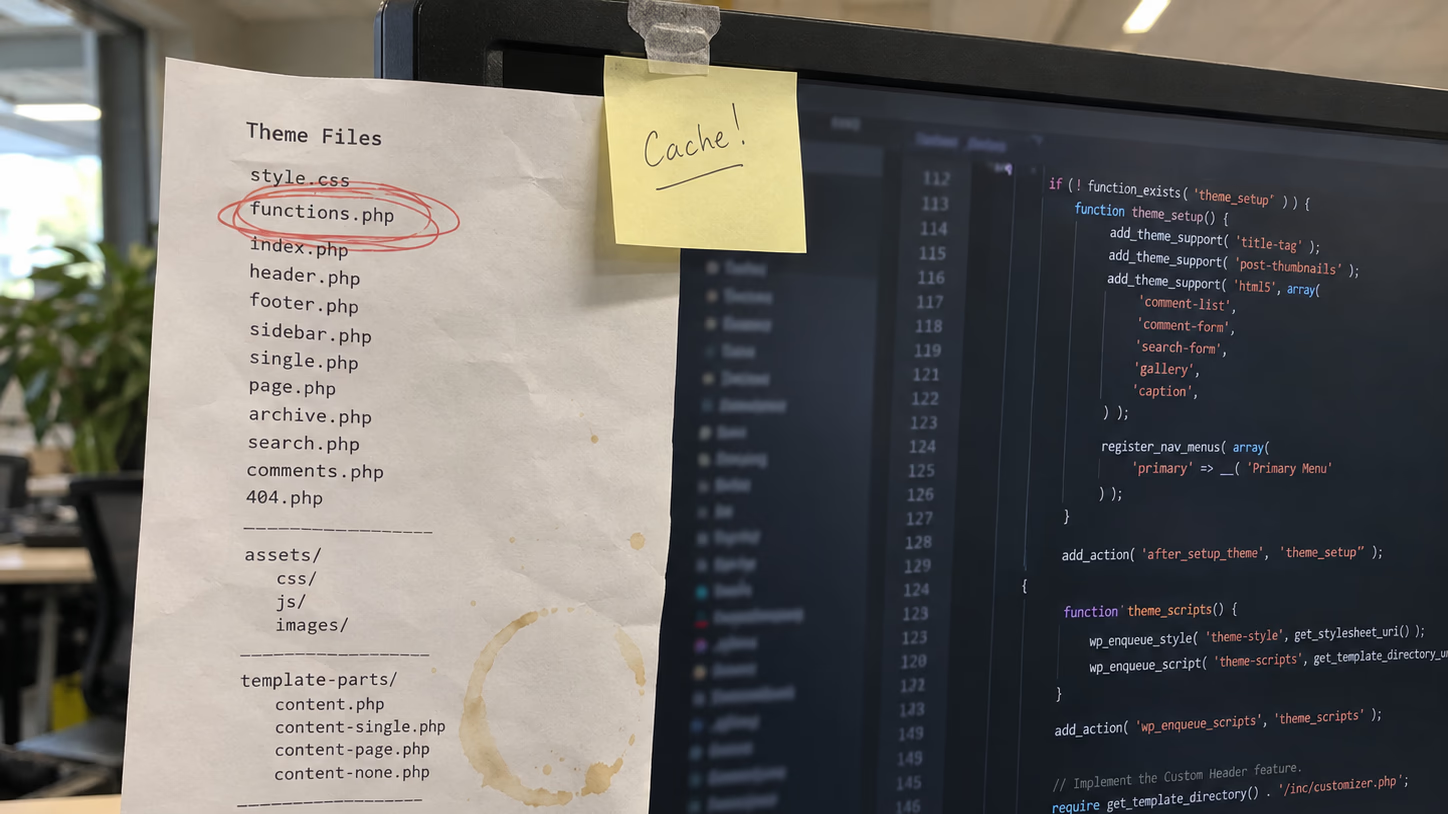
In WordPress this is most often the theme’s functions.php, which over the years has grown to several thousand lines, or the company’s own plugin, where everyone added “just one function”.
How to measure it: in the theme or custom plugin repository, run
git log --since="1 year ago" --format= --name-only | sort | uniq -c | sort -rn | head -10The list shows the most frequently changed files. The file at the top whose changes are only additions at the end is a candidate for the no-go zone. If the theme has no repository, this signal scores high anyway: there is no way to find out who changed the code and why.
While you are at it, count the active plugins:
wp plugin list --status=active --format=countThe number alone settles nothing, but several form, cache or SEO plugins at once are a common source of conflicts that make every change take longer.
Does high test coverage protect the WooCommerce checkout
The author calls the fourth signal the coverage lie. The dashboard shows a healthy coverage percentage, while three models that handle money have zero tests. On top of that, CI took 40 minutes, so developers stopped running tests locally. Her check is simple: when did a test last catch a bug before it reached production?
A WooCommerce store with no tests at all has the same problem in a sharper form. The money path is the cart, the checkout, the payment gateway and the order confirmation email. If someone places a test order by hand after every update, the store does have a test, just a manual one that depends on one person’s memory.
How to measure it: check whether any automated test places an order, and ask when it last caught something.
How long does it take to onboard a new developer to a WordPress site
The fifth signal is time to first commit: how long it takes before a new person ships a real fix. According to the author, a day or two is healthy; in unhealthy projects she has seen two weeks or more. The cause is often setup rot: outdated install scripts, broken seed data, undocumented environment variables.
With WordPress the list is similar: no repository, a database dump you have to beg the host for, API keys stored only on production, premium plugins without a development licence.
How to measure it: set up a working local copy from scratch, for example with wp-env, and note the time and every single thing you had to ask someone for.
How do you score the five signals
The author scores each signal from 0 to 2. A total of 4 or more means the code needs direct investment before other changes will help. From 7 points, as she writes, is where most of her engagements start.
| Signal | 0 points | 2 points |
|---|---|---|
| Apology estimate | estimates match actuals | steady gap upwards |
| Deploy fear | staging, rollback plan, deploys on any day | changes on production, no tested backup |
| The file nobody touches | no file dominates the history | one file keeps collecting additions |
| Test coverage | a test recently caught a bug before production | checkout with no test at all |
| Time to first commit | local copy in an hour | several days and access requests |
The points themselves are arbitrary; what matters is the order of the signals. The author advises starting with the highest-scoring signal, giving it a focused two-week sprint and measuring something concrete, such as deploy frequency or estimate accuracy.
Why is the best developer on the site the slowest
The author points out a paradox: with code like this, the best engineers slow down the most. They see the risk, they know a change in this file can break that process, so they work carefully, write defensive code and pad their estimates. A less experienced person is sometimes faster because they do not see the danger, and then causes an incident that makes everyone even more careful.
An example from her article: two engineers spent a week adding a CSV export to the admin panel, when the actual work was maybe a day. The rest of the time went into understanding the existing code well enough to change it safely. That overhead shows up in no report, so management only sees slow people.
Will rebuilding the site from scratch fix slow changes
Not always. The author describes a client that went through six engineering teams in ten years. Each time the pattern was the same: pressure for new features, cleanup postponed, until the code started to look beyond saving. Then someone proposed a rewrite or splitting out microservices, which made things worse, because instead of one system there were two, and the old one was still running.
On WordPress this scenario looks familiar: a new theme set up next to the old one, a headless frontend taking over some pages while the rest still runs through the old template, or a new store to which half the integrations never get moved. A rebuild makes sense when you know which signal is the brake and whether the new architecture removes it. Without that, the old obstacles move into the new code.
What should you fix first for each signal
The author gives a different first step for each signal. Below are her recommendations and their WordPress counterpart.
- Apology estimate: decouple the modules with the widest blast radius. In WordPress that usually means splitting
functions.phpinto separate files or a plugin with clearly named functions, and retiring WooCommerce template overrides nobody has updated. - Deploy fear: a faster deploy pipeline, automatic rollback and smaller batches of changes. In WordPress: a staging site with a current database, deploying code from the repository instead of over FTP, and a tested backup restore.
- The file nobody touches: tests around it first, structural changes after. For a theme, a few tests checking that the key pages render are enough to start.
- Test coverage: a test for the money path. In WooCommerce that is one automated test that places an order on staging and checks that the confirmation email arrived.
- Time to first commit: according to the author, a single day spent fixing setup pays for itself. In WordPress: a wp-env config file in the repository, a script that pulls an anonymised database dump, and a list of environment variables.
When you raise this with the board or with a client, specifics work better than generalities. The author contrasts two statements: “every feature takes roughly twice as long because of coupling in these three modules” is a completely different conversation from complaining about technical debt.
Will AI speed up changes on an old WordPress site
It is tempting to assume an AI agent will rewrite the problem away. The author cites a 2025 METR study: 16 experienced open-source developers were 19% slower with AI tools on repositories they knew well. She adds that writing code was never the bottleneck.
The agent runs into the same hidden dependencies as a human; it just generates the next workaround around the file nobody touches faster. So bring the five signals down before you let AI into the repository.
Where to start fixing a slow WordPress site
With a score of four points or more, start by removing the obstacle with the highest score. A new developer or a new theme will run into the same obstacles. Usually that means a staging site with a current database and a repository for the theme, because without them no other signal can be tackled safely.
This is how our WooCommerce rescue sprint works: a paid diagnosis, fixes in order of priority, deployment to staging first, and a written report on what was changed and why. If you are wondering whether the site is still worth fixing at all, start with the redesign readiness audit or the guide on when to rebuild your website.