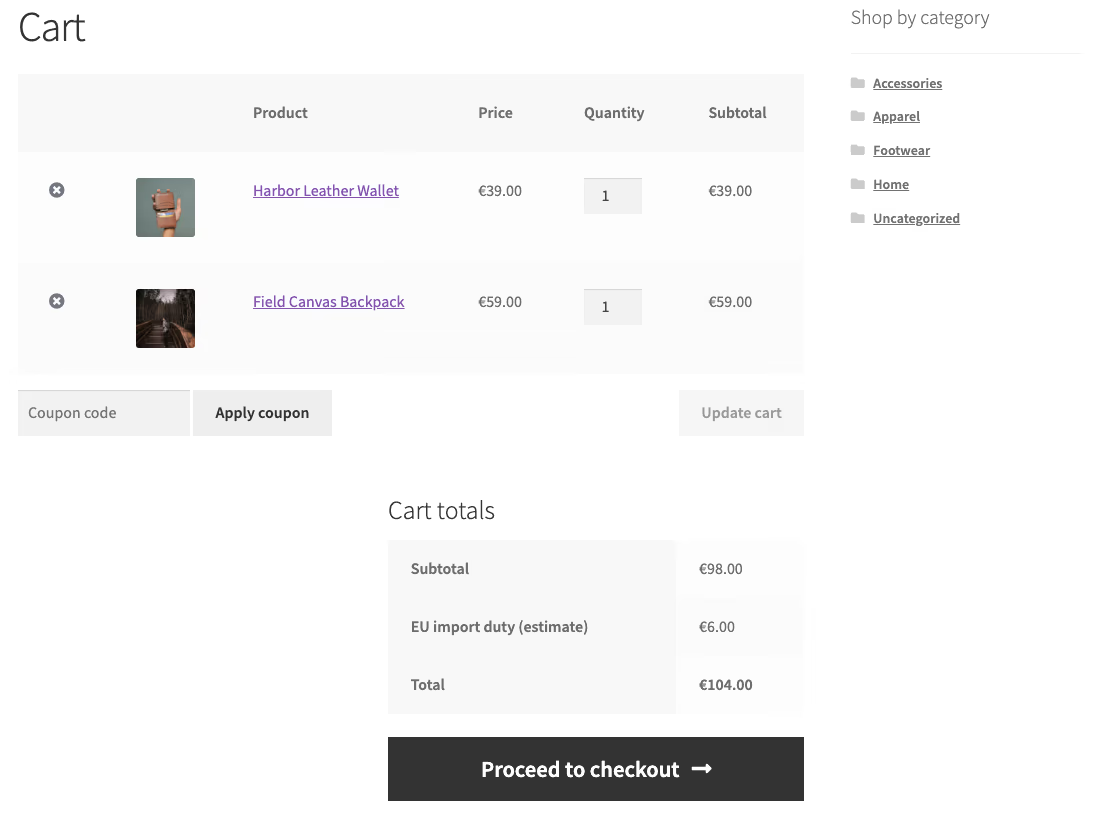
A customer no longer has to visit your shop to buy from it. In 2026 an AI agent can read your catalogue, add a product, and complete a WooCommerce order on the buyer's behalf, and it does all of that over an interface, not in a browser tab. The order lands in your admin. The money arrives. And your analytics record nothing.
This is not a hypothetical. WooCommerce’s own developer blog laid out the AI and agentic commerce roadmap, including tests of instant, off-site checkout with partners such as Google and Stripe, and the ecosystem is filling in around it faster than the tracking plugins can keep up. At WPPoland we build and instrument WooCommerce stores for clients selling across the EU, and the first stores to receive agent orders are already seeing the gap between what they sold and what their dashboards say they sold.
Here is the mechanism, the specific things that break, why the Conversions API does not save you automatically, and the way to instrument it properly.
The scale is growing fast: according to Stripe, its Link payments product now powers about 200 AI agents, against about 70 in the company’s September data (Upstarts Media, 18 Oct 2026). Stripe notes that Anthropic and OpenAI use Link, “but not for agentic commerce just yet”.
Why AI agent orders are missing from GA4
The short answer: nothing happens to your analytics, and that is the problem. Your reporting stack was built on the assumption that every purchase is preceded by a human loading pages in a browser. An agent breaks that assumption. It completes the order server-side, so every browser-based signal your analytics depends on simply never fires.
You end up with a WooCommerce order that has no matching session in Google Analytics, no matching event on the Meta pixel, and no attribution because there was no click, no UTM-tagged landing, and no browser to read any of it from. The revenue is real. The trail is empty.
Why GA4 and the Meta pixel need a browser
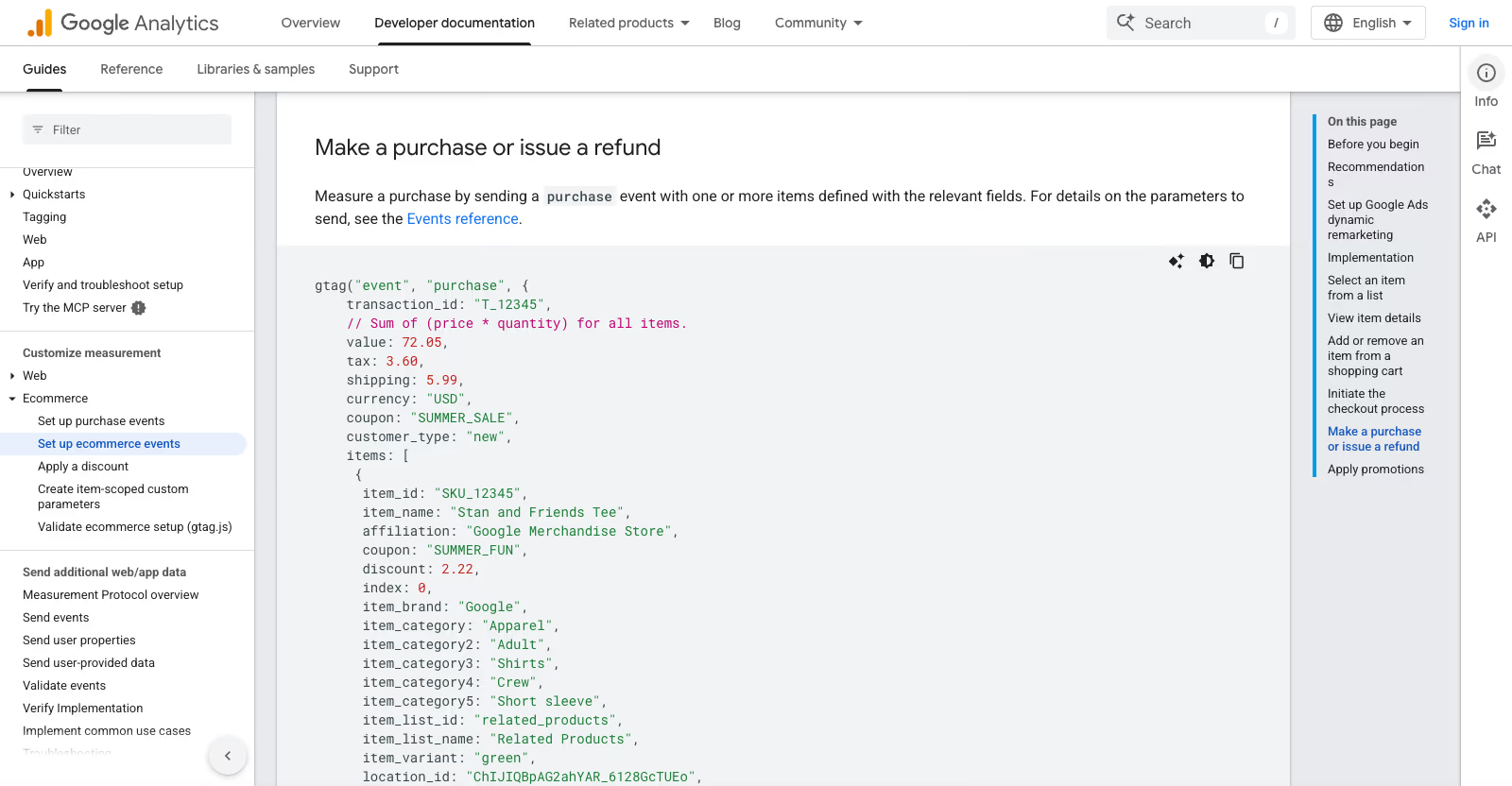
Most WooCommerce measurement is client-side by design. Google Analytics 4 collects through gtag.js, a script the visitor’s browser downloads and runs. The Meta pixel is the same idea: a snippet that executes in the browser and reports PageView, AddToCart, InitiateCheckout and Purchase as the shopper moves through the funnel. Google Tag Manager, the container most stores route these tags through, is also a browser runtime.
Every one of those tools needs a page to render and a script to execute. That is the single point of failure. Take away the browser session and you have taken away the only place these tags were ever going to run.
An agent checkout takes away the browser session.
Which WooCommerce reports break with agent orders
It is worth being precise, because “analytics breaks” hides how many separate reports go wrong at once.
- GA4 funnel and purchase events. No
page_view, noadd_to_cart, nobegin_checkout, nopurchase. The order never enters GA4, so revenue, conversion rate and funnel drop-off are all understated. - The Meta pixel conversion. No
Purchaseevent reaches Meta from the browser, so the sale is missing from your ad reporting and from the optimisation signal the algorithm learns from. - Attribution. Attribution models read a click, a referrer, UTM parameters or a stored client id from the browser session. An agent order has none of these, so it cannot be attributed to a channel, a campaign or a source. It shows up, at best, as direct or unassigned, and often not at all.
- Remarketing audiences. A buyer the pixel never saw cannot be added to a customer audience or excluded from a prospecting one. You will keep paying to advertise to people who have already bought through an agent.
- Return on ad spend. Revenue in WooCommerce stops matching revenue in your ad dashboards. ROAS looks worse than reality, and the natural but wrong reaction is to cut the very campaigns that are working.
None of this throws an error. That is what makes it dangerous. The store keeps running, the orders keep arriving, and the dashboards quietly drift away from the truth.
Does Meta Conversions API catch agent orders
The obvious objection is that Meta already solved server-side tracking. The Conversions API sends events straight from your server, no browser required. So agent orders should be covered.
They are not, at least not with a standard install, and the reason is deduplication. The Conversions API is designed to work alongside the pixel, not instead of it. You are expected to send the same conversion twice, once from the browser pixel and once from the server, and Meta collapses the pair into one using a shared event_id and event_name. That is the whole point: measure reliably without double-counting.
An agent order has no browser half. There is no pixel event to pair with the server event, and the popular WooCommerce CAPI setups build the dedup key at the moment the thank-you page renders. For an agent order that page never renders, so the key is never produced, and the server event is either not sent or sent without the identity information Meta expects. The dedup model that protects you from double-counting browser-plus-server orders is the same model that silently drops an order that only ever existed on the server.
Server-side tracking is the right direction. Bolting it onto a browser-first assumption is not the same as being ready for agents.
How to track WooCommerce purchases server-side
The durable fix is to stop treating the thank-you page render as the moment of truth and start treating the order itself as the moment of truth. The order is the one thing that reliably exists no matter how the sale was placed.
Concretely:
- Fire the purchase server-side from an order hook. WooCommerce raises
woocommerce_order_status_completedand related payment hooks on the server for every order, browser or agent. Send your GA4 purchase via the Measurement Protocol and your MetaPurchasevia the Conversions API from that hook, so collection no longer depends on a page loading. - Deduplicate on the order id. Use the WooCommerce order id as the
event_id. A browser order and its server twin still collapse into one because both carry the same order id, and an agent-only order comes through cleanly because the key does not need a pixel counterpart. - Tag the order source. Store where the order came from, the payment gateway id or a dedicated meta field, at creation. Now every report can split agent revenue from browser revenue instead of blending them into an average that hides the shift.
- Rebuild attribution around identity you actually hold. For agent orders, the customer account, the email, or the agent’s own identifiers are what you have. Map those to your channels deliberately rather than hoping a UTM string appears.
This is ordinary WooCommerce engineering, hooks, webhooks and server-to-server events, but it has to be designed for the agent case from the start rather than patched onto a pixel that assumes a browser.
How WooCommerce records where an order came from
Before you build a custom source field, look at the two places WooCommerce already writes origin data, because both behave differently for agent orders.
The first is the order’s created_via property. In the WooCommerce source, the classic shortcode checkout sets it to checkout (class-wc-checkout.php), the Store API sets it to store-api (OrderController.php), and the REST API v3 orders endpoint sets it to rest-api unless the request supplies its own created_via value (class-wc-rest-orders-controller.php). That last detail is useful: an integration that creates agent orders over REST can stamp them with a value of its own. The limit is the Store API. The block checkout in the browser goes through the Store API too, so store-api alone does not separate a shopper in a tab from an agent calling the same endpoint.
The second is order attribution. WooCommerce’s order attribution documentation describes a set of sbjs_ cookies that hold the referrer, UTM parameters, device type and session page views, read only when an order is placed and saved as order meta with the _wc_order_attribution prefix. The origin label in the orders list is built from a source type: UTM, organic, referral, direct, mobile app, web admin or point of sale. Anything else falls through to “Unknown” (OrderAttributionMeta.php). An agent that never loads your storefront never receives those cookies, so its orders land in the Origin column as Unknown, next to every other order whose data went missing.
So the practical order of work is: read created_via first, add your own marker only where it cannot tell agent and browser apart, and treat a rising share of Unknown origins as an early sign that agent traffic has started.
What ACP and UCP pass to the merchant for attribution
Whether an agent order arrives with any attribution depends on the protocol behind it. WooCommerce’s own post names Stripe’s Agentic Commerce Protocol and its MCP work; it does not mention UCP or AP2, so check what your payment or agent integration actually implements before you rely on any of the fields below.
The Agentic Commerce Protocol is maintained by OpenAI and Stripe, is still in beta, is published under Apache 2.0 and is versioned by date. In the 2026-04-17 checkout spec, the agent works through POST /checkout_sessions, then /complete or /cancel on that session. Both the create and the complete calls accept an optional affiliate_attribution object: a required provider, plus either a token or a publisher_id, optional campaign, creative and sub ids, and a touchpoint of first or last. The spec says it is write-only, stored alongside the resulting order but not returned in the response. The order returned on completion carries its own id, the checkout_session_id, a permalink_url and a status, and the merchant pushes later order events back to the agent platform, signed with an HMAC in a Merchant-Signature header. The checkout_session_id is the key worth saving on the WooCommerce order: it ties the order to the agent conversation that produced it.
Update, . The checkout session described above is now a path for approved partners only. On 24 March 2026 OpenAI limited Instant Checkout in ChatGPT to approved partners, let merchants use their own checkout and said it is focusing on product discovery, with ACP used to share product feeds and promotions (OpenAI). For most WooCommerce stores, a purchase that starts in ChatGPT therefore ends as a visit to your own checkout in a browser. That visit loads the storefront, so the sbjs_ cookies, the Origin column and your GA4 and Meta tags see it like any other session: attribution happens on your site, not in an ACP field. Before you write a rule for these visits, check in your own order data which referrer or UTM parameters they actually arrive with.
The Universal Commerce Protocol has a general attribution field. Its specification overview defines an attribution field that platforms can send on cart, checkout and catalog requests, carrying the same campaign parameters and click ids, such as gclid or fbclid, that would otherwise arrive in a URL. UCP does not prescribe an attribution model, the field is optional, and the spec notes that click ids and session keys can be personal data, so your consent and retention rules apply to it. The order can expose a read-only snapshot of the checkout’s attribution, and order lifecycle events go to the platform as webhooks with Standard Webhooks headers.
AP2, announced on 16 September 2025, is a payment trust layer rather than an analytics source. Its signed Checkout Mandate and Payment Mandate prove what the user authorised. They tell you the order was agent-placed, not which campaign led to it.
Measurement Protocol and Conversions API limits for agent orders
Moving collection to the server fixes the missing events, but both APIs have rules that a page-less order runs into.
GA4’s Measurement Protocol expects a client_id for web streams that matches the ID the Google tag generated in the visitor’s browser. An agent order has no such ID, so you have to mint one, and you should store it on the order so refunds and later events reuse it. Events can be backdated by up to 72 hours, a request holds at most 25 events, and the api_secret has to stay on the server. Google describes the protocol as designed for server-side environments, with events joined to what gtag.js collects, so an agent order sent with a newly minted client id counts as a new user, not as the end of an earlier browser session.
Meta’s server event parameters set a harder clock: event_time can be at most 7 days old, and one event older than that makes Meta reject the entire request. Every event needs an action_source, one of email, website, app, phone_call, chat, physical_store, system_generated, business_messaging or other. If you send website, event_source_url is required, and an agent order has no page URL to put there. Meta’s list has no value for an AI agent, so pick one deliberately, document why, and keep it consistent, because switching values later makes before-and-after comparisons harder. The same page confirms that an order number is an acceptable event_id.
Those windows are also your retry budget. If the hook that sends the event fails, a queued retry has 72 hours for GA4 and 7 days for Meta before the event is gone.
Should a WooCommerce store let AI agents in
Before an agent order can go missing from GA4, the agent has to get through checkout at all. The Verge reported on 17 October 2026 that more services are closing their doors to agents: Yelp only admits agents that pay for its data licensing program, Delta Air Lines stops them from booking tickets, and JPMorgan Chase and Charles Schwab block them from accounts over security concerns. Amazon banned Perplexity’s shopping agent and sued the company; after an appeals court overturned the injunction in August, Amazon filed an amended complaint. On the other side, Meta partnered with Walmart, Gap, Sephora and Best Buy so its Muse assistant can shop there, and Shopify opened its storefronts to agents.
For a WooCommerce store the more useful part comes later in the piece: agents also hit anti-bot systems that were never set up against them. Users reported checkout problems at Walmart despite the Meta partnership. On WordPress the same effect comes from WAF rules, Cloudflare Bot Fight Mode, Turnstile or a CAPTCHA on the checkout form, and rate limits in a security plugin. You will not see that order in GA4 or in WooCommerce, because it was never created.
The decision belongs to the store owner, but it should be a deliberate one:
- Review WAF events and server logs for
/checkout/and the Store API (/wp-json/wc/store/v1/checkout) and count how many requests end in a 403 or a challenge. - If you want agent orders, let agents in through an integration you choose (ACP or UCP), not by switching off form protection for everyone.
- If you do not, block them explicitly with a rule on specific paths or user agents, instead of leaving it to chance which bot gets past the anti-bot layer.
Walmart’s rules for shopping agents, update of 23 October 2026: on 21 October Walmart announced three pieces. Agent Profiles, launching within the next month, give each agent a customer authorises its own profile inside the customer’s account, so the agent’s purchases show separately, with approval required for every order or a spending limit the customer sets. The Walmart Agent Gateway lets agents shop over MCP instead of clicking through pages built for people, starting as a beta for companies and developers. Walmart’s terms for AI agents say customers approve agent purchases by default, agents never receive card details or change payment methods, Walmart’s returns process applies even if an agent does not act as intended, and agents that break the terms get blocked. For the customer, Agent Profiles close the same gap this article covers for the merchant: telling agent orders apart from human ones. Any store, on WooCommerce, Shopify or a custom stack, can apply the idea now: record the agent as its own order source, keep a human approval step before payment, and publish what agents may and may not do on your site. Our AI commerce readiness service covers that setup.
When to fix agent order tracking in WooCommerce
For now agent orders are a trickle for most stores, which is exactly why this is the right moment to fix it. The stores that instrument server-side collection while the volume is small will have clean, comparable numbers when it is not. The stores that wait will spend 2027 trying to explain a widening gap between their WooCommerce revenue and their ad dashboards, and rebuilding attribution under pressure is far more expensive than building it once, calmly, now.
If you sell through WooCommerce and you are starting to see orders your pixels cannot explain, that is the signal. It is a plumbing problem with a known fix, and it is the kind of work that pays for itself the first time a campaign you were about to cut turns out to have been profitable all along. When dashboards and TTFB both look wrong, treat analytics and checkout latency as one workstream: the layered playbook is in WooCommerce performance optimization 2026, and the field recovery sequence is in the confidential WooCommerce performance recovery case study.
We do this work as part of our WooCommerce development engagements, and it sits next to the broader question of whether your store is discoverable and buyable by agents in the first place, which we cover in our AI commerce readiness guide and in the Universal Commerce Protocol explainer. If you want to understand how agents reach your catalogue in the first place, our read-only WooCommerce MCP server shows the mechanics, and for the client-side foundations that still matter, our Google Analytics 4 for WordPress guide covers the browser side that agent orders bypass.
Last updated: 20 October 2026.