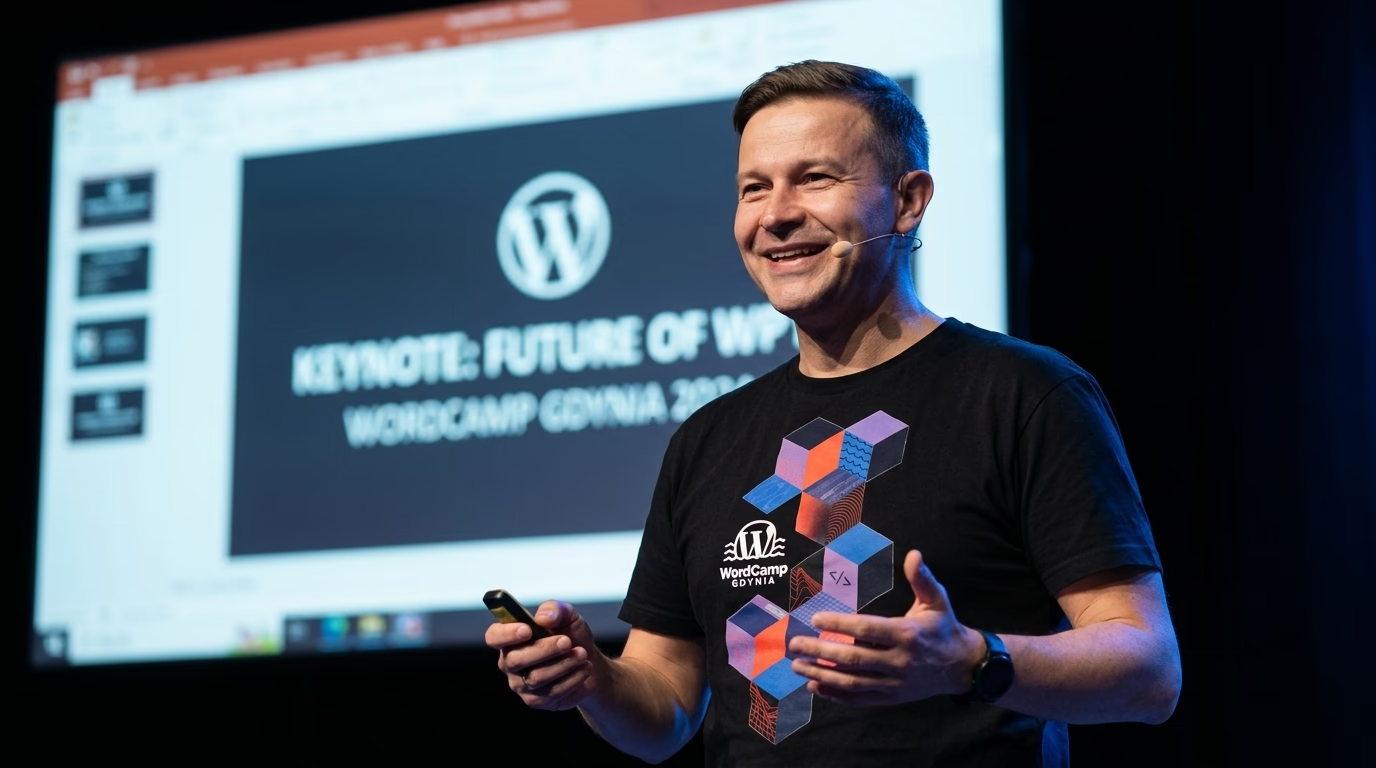
WordCamp Poland 2023 in Gliwice, officially WordCamp Gliwice 2023, took place on 12-14 May 2023 at the Education and Congress Centre of the Silesian University of Technology, ul. Konarskiego 18B (event website, venue). Friday was the contribution day, while Saturday and Sunday belonged to talks, workshops and a business mastermind.
This report sticks to the official programme. Every name and topic below comes from the agenda and the session descriptions published by the organisers. Where I describe what a talk covered, I rely on the session description or the recording, not on hallway memories. The code snippets are my own examples for topics raised on stage, and they are labelled as such.
If your company needs experienced technical support or you are planning a complex migration, see what I do as a WordPress developer at WPPoland.
WordCamp Gliwice 2023 programme day by day
The organisers split the programme into seven tracks. Saturday and Sunday ran in parallel across several rooms, so nobody could see everything live.
| Track | What it covered | Day |
|---|---|---|
| Contributor Day | work at the tables on the WordPress project | Friday, 12 May |
| Business | talks on running a company, sales and teams | Saturday |
| Future&Business | AI, the future of the platform, the cloud, Playground | Saturday and Sunday |
| Technology | Gutenberg, headless, performance, migrations | Sunday |
| Workshops, room F | dependency injection, TDD with React, Core Web Vitals | Saturday |
| Workshops, room J | WP-CLI, Astro, security, Figma to FSE, choosing a server | Saturday and Sunday |
| Mastermind | two sessions led by Kasia Aleszczyk and Damian Ślimak | Sunday |
Tomasz Karwatka opened Saturday, followed by Krzysztof Dyszczyk speaking about life in the age of AI. Both days ended with a Q&A session. The full list of sessions is on the Sessions page.
What happens at a WordCamp Contributor Day
The conference started on Friday 12 May with Contributor Day. Instead of listening to talks, attendees spend this day in working groups that develop the WordPress ecosystem.
According to the Contributor Day page, the day looked like this:
- 9:30-10:00: registration, coffee and tea.
- 10:00-10:30: welcome, splitting into teams and starting work at the tables, with a short introductory workshop for first-timers.
- 10:30-12:30: work (contributing), then a lunch break and a second round of work.
- At the end, a wrap-up of the day and a review of the results.
The organisers stressed that the day was for everyone, not only developers: designers, marketers, translators and photographers, at any level of experience. The description listed fixing bugs, filling in missing translations, creating content and adding photos to the open media library. Taking part required a conference ticket and a separate registration.
For an agency this day has practical value. Anyone who reports a bug or fixes a translation themselves understands better how changes reach core and how long the road from report to release takes. Guides for Full Site Editing and the block editor are written in exactly this way.
Business talks at WordCamp Gliwice 2023
The Saturday Business track was about running a company around WordPress. The session descriptions are specific, so I summarise them close to the source.
From a service company to a product company (Tomasz Karwatka)
Tomasz Karwatka co-founded Divante, Vue Storefront, Callstack and Open Loyalty, among others, and now runs Catch The Tornado, a company that invests in technology entrepreneurs (speaker bio). In the talk description he explained that Divante and Callstack managed to build products, including Vue Storefront, which went through the Y Combinator accelerator.
Announced topics: why so few service companies succeed at building products, which mistakes they make most often, how much it really costs, how to turn a project into a fully fledged company, how to raise external funding and how the owner of a service company can maximise value for themselves. The recording is on WordPress.tv.
Two years of OKR in a WordPress team (Michał Kaźmierczak)
Michał Kaźmierczak spoke about the OKR method (Objectives and Key Results). His talk summed up more than two years of using OKR in a WordPress development team: what worked, what did not, and who needs the method at all. The session description gives no specific metrics, so I do not add any here. The details are in the recording.
WooCommerce at the heart of the business (Łukasz Wilczak)
Łukasz Wilczak presented a case study of a WooCommerce store whose annual sales run into millions of zloty. The store sells unique and made-to-order products, and WooCommerce ties together payments, shipping, invoices and CRM. The talk showed the product configurator, the cart, order handling and how the store changed the team’s work and its contact with customers (recording).
Other business talks
The same track featured Ola Gościniak (a digital product ladder), Aleksander Misky (the subscription model in WordPress), Izabela Karkocha (closing projects so the client keeps recommending you), Adrian Kałamajski (selling courses and ebooks), Tomasz Kołkiewicz (barter as a way to create demand when clients cut costs), Dariusz Pichalski (the road to the largest Polish channel about WordPress), Krzysiek Dróżdż, Dominik Kawula (a company clients come back to) and Marta Domasz (investing in employee development). On Sunday Przemysław Hernik presented five rules for estimating tasks, useful for developers and managers alike.
Headless WordPress with Astro at WordCamp Gliwice
Maciek Palmowski had two slots in the programme on the same subject, approached from two sides.
On Saturday he ran a workshop on integrating WordPress with Astro (room J). According to the description, participants learned the basics of Astro: file structure, components, layouts and routing, and at the end they connected WordPress to Astro in both modes, SSG and SSR. The distinction matters: in SSG mode pages are generated at build time, in SSR mode on request, so the choice depends on how often the content changes.
On Sunday, on the Technology track, Palmowski asked whether headless WordPress really makes sense. In the description he observed that many articles and many companies give the impression that headless is the only right way, and asked directly whether it is simply another way of making money (recording). The same day Adam Kanigowski presented a case study of Astro and WordPress as a headless CMS: which projects it suits, how to plug in your favourite JS framework (Vue.js, for example) and which mistakes come up while coding (recording).
Below is my diagram of such an architecture, not a slide from the conference:
DECOUPLED HEADLESS WORDPRESS ARCHITECTURE:
+-------------------------------+      REST API / GraphQL      +-------------------------------+
|     WordPress Backend         | ---------------------------> |     Astro                     |
| (wp-admin, editorial workflow,|       JSON Data Payloads     | (SSG at build time or SSR     |
|  custom post types, ACF)      |                              |  on request, component islands)|
+-------------------------------+                              +-------------------------------+
                |                                                              |
                v                                                              v
+-------------------------------+                              +-------------------------------+
| MySQL / MariaDB Database      |                              | CDN or edge hosting           |
| (not exposed to visitors)     |                              | (serves the generated HTML)   |
+-------------------------------+ +-------------------------------+Why an Astro frontend ships less JavaScript than a typical SPA
In a classic WordPress installation every HTTP request forces PHP to load plugins, run queries against wp_posts and wp_postmeta, walk the template hierarchy and assemble the final HTML. Page caching softens this cost but does not remove it.
In SSG mode Astro generates HTML at build time. Components render without client-side JavaScript by default, and interactivity is switched on only where you mark it with a directive such as client:idle or client:visible (Astro directives documentation). The WordPress admin can then run on a separate subdomain, while visitors get ready-made HTML without touching PHP or the database. Whether this pays off depends on the project, and that is exactly what Palmowski asked on Sunday.
getStaticPaths example in Astro with the WP REST API
---
// src/pages/blog/[slug].astro
export async function getStaticPaths() {
  const response = await fetch("https://cms.example.com/wp-json/wp/v2/posts?_embed&per_page=100");
  const posts = await response.json();

  return posts.map((post) => ({
    params: { slug: post.slug },
    props: { post },
  }));
}

const { post } = Astro.props;
const featuredImage = post._embedded?.['wp:featuredmedia']?.[0]?.source_url;
---

<article class="prose max-w-3xl mx-auto py-12">
  <h1>{post.title.rendered}</h1>
  {featuredImage && <img src={featuredImage} alt={post.title.rendered} loading="eager" />}
  <div set:html={post.content.rendered} />
</article>WP-CLI: advanced techniques and a safe search-replace
On Saturday Marcin Krzemiński ran a workshop on advanced WP-CLI techniques for people who already know the basics. According to the description, participants installed and used WP-CLI extensions, generated plugin and theme code and worked with WP-CLI on a remote server over SSH. The workshops were not recorded.
Teams that maintain several environments sooner or later move a database between domains. This section is my addition, based on the wp search-replace documentation.
How to safely replace serialized data
The classic disaster with hand-written SQL search-and-replace scripts is corrupting serialized PHP arrays in the wp_options and wp_postmeta tables. When the length of the text changes and the stored length does not (for example s:21:"https://staging.local" replaced with s:19:"https://example.com"), PHP cannot rebuild the object. The result is broken widgets and lost theme settings.
The WP-CLI documentation says the command handles serialized PHP data intelligently and does not change primary key values. By default it uses fast SQL queries and falls back to PHP for columns holding serialized data, while the --precise flag forces PHP for all columns, which is slower but more reliable for complex structures:
# Step 1: dry run to preview affected tables and matching rows
wp search-replace "https://staging.example.com" "https://example.com" \
  --all-tables \
  --dry-run \
  --precise

# Step 2: export a backup, then run the replacement
wp db export pre-migration-backup.sql
wp search-replace "https://staging.example.com" "https://example.com" \
  --all-tables \
  --precise \
--recurse-objectsAutomating plugin and core updates in scripts
# Verify file checksums against official WordPress.org releases
wp core verify-checksums
wp plugin verify-checksums --all

# Update every plugin that has an update available
wp plugin update --all

# Flush object cache and regenerate rewrite rules
wp cache flush
wp rewrite flush --hardDependency injection in WordPress plugins
On Saturday Bartek Jaskulski ran a workshop on a dependency injection container in WordPress plugins (room F). According to the description, participants refactored a sample plugin live, and the session focused on configuring PHP-DI, one of the most popular DI containers in PHP. Topics covered: the dependency inversion principle as the starting point, avoiding the Service Locator pattern, the role of interfaces in object-oriented programming and building stateless services.
Anyone who maintains older plugins knows the problem this solves: hundreds of functions in a single file, global variables (global $wpdb) and database calls woven into the logic. The example below is mine. It shows a class that receives its dependencies through the constructor instead of creating them itself:
<?php
declare(strict_types=1);

namespace WPPoland\Plugin;

interface CacheInterface {
    public function get(string $key): mixed;
    public function set(string $key, mixed $value, int $ttl = 3600): bool;
}

final class ObjectCacheService implements CacheInterface {
    public function get(string $key): mixed {
        return wp_cache_get($key, 'wppoland_group');
    }

    public function set(string $key, mixed $value, int $ttl = 3600): bool {
        return wp_cache_set($key, $value, 'wppoland_group', $ttl);
    }
}

final class CustomerReportManager {
    public function __construct(
        private readonly CacheInterface $cache,
        private readonly \wpdb $db
    ) {}

    public function generateReport(int $customerId): array {
        $cacheKey = "customer_report_{$customerId}";
        $cached = $this->cache->get($cacheKey);

        if ($cached !== false) {
            return $cached;
        }

        $query = $this->db->prepare(
            "SELECT * FROM {$this->db->prefix}customer_orders WHERE customer_id = %d",
            $customerId
        );
        $data = $this->db->get_results($query, ARRAY_A);

        $this->cache->set($cacheKey, $data, 1800);
        return $data;
    }
}
This layout lets you substitute a mock CacheInterface in PHPUnit or Pest tests without a running WordPress database. A container such as PHP-DI assembles these objects automatically, so manual new calls disappear from the plugin’s bootstrap code.
Testing, local environments and email: sessions for developers
Several Sunday sessions on the Technology track and Saturday workshops dealt with a developer’s daily work.
- Sebastian Kurzynowski spoke twice. On Saturday he ran a TDD with React workshop: tests first, then code that passes them, and finally refactoring based on those tests, with an emphasis on separating business logic from the visual layer. On Sunday he talked about how TDD and other quality-focused approaches save money and how to introduce TDD in a team made up mostly of people who are just starting out in IT (recording).
- Piotr Niewiadomski showed a lightweight local environment for WordPress built from Docker, Composer, PHP’s built-in web server and an SQLite database.
- Bartosz Nowak presented Juniper, an open boilerplate developed after the WordCamp workshops in 2022. The new release added
.shscripts for setting up a project, an object-oriented approach in the theme and plugin management throughcomposer.json(GitHub repository). - Kamil Porembiński answered the question of why emails from WordPress end up in spam and whether a mailing plugin alone solves the problem (recording).
- The Saturday security workshop in room J was aimed at marketers, bloggers and business owners: password and access policy for WordPress, checking for data leaks and what to do after a leak.
WordPress performance at WordCamp Gliwice 2023: TTFB, Core Web Vitals and images
Several speakers covered performance, each from a different angle.
- Aneta Rutkowska asked whether TTFB depends only on hosting. In the description she announced a case study of a site where TTFB was cut from over 3 s to 110 ms, a review of 65 000 WordPress installations on LH.pl hosting and the ten most frequently installed plugins, and a comparison of how hosting and plugins affect TTFB (recording).
- Krystian Wójcik ran a workshop on Core Web Vitals recommendations: how to improve each metric, what to watch out for and when chasing a 100/100 score is not worth it. I describe my approach in the guide to Core Web Vitals.
- Mateusz Gbiorczyk compared the WebP and AVIF formats based on his experience with an image conversion plugin used by hundreds of thousands of sites (recording).
- Jakub Józwiak showed an Algolia implementation in WordPress, which moves search over a large dataset out of the WordPress database.
- Piotr Pantkowski ran a workshop on choosing a server for WordPress: the most common mistakes when buying hosting and checking the key features in practice.
- Maciej Kuchnik talked about difficult data migrations between WordPress installations and how to plan them.
How to take the load of WP-Cron off the server
One topic comes up in every conversation about TTFB, so I add it here based on the WordPress Plugin Handbook. WP-Cron checks the list of scheduled tasks on every page load and runs the ones that are due. It does not run in the background like system cron, so a task scheduled for 14:00 runs only on the first page view after that time.
The handbook describes hooking WP-Cron into the system task scheduler: first a task in the system (on Linux via crontab -e), then disabling the page-load trigger with the line define( 'DISABLE_WP_CRON', true ); in wp-config.php. According to the documentation, running WP-Cron on every page view is then no longer needed and only adds work for the server.
Gutenberg and Full Site Editing on the programme
Magdalena Paciorek showed ready-made Gutenberg components that developers can use to extend the editor: creating new blocks and sidebar panels, with examples from real projects (recording).
On Sunday Łukasz Wroński ran a workshop for people who build sites in page builders and want to start with Full Site Editing. The plan covered a child theme with its file structure (theme.json, functions.php, CSS and JS files), moving a simple landing page from Figma to WordPress, adding a custom font, and new button and list styles.
The future of WordPress, AI and WordPress Playground
The Future&Business track asked questions about the direction of the whole platform.
- Krzysztof Dyszczyk, in the Saturday opening talk, spoke about trends in artificial intelligence and the challenges its spread will bring.
- An AI panel with Krzysztof Radzikowski, Marta Domasz and Maciej Kuchnik, moderated by Kasia Aleszczyk, discussed whether to use AI or fear for your job.
- Albert Nogala broke the question of WordPress’s health down into business, social and technological factors.
- Michał Strześniewski compared no-code and low-code tools with the classic approach to building sites on WordPress.
- Oskar Sajdak spoke about WordPress in the AWS and Azure clouds and the problems a developer will face there.
- Mariusz Jałyński and Dominik Charasim covered the impact of AI on SEO and working with ChatGPT.
The most technically concrete talk was by Adam Zieliński about WordPress Playground, which is WordPress running in the browser with no server setup. In the description he listed three uses: a plugin demo on a website, testing code on different WordPress and PHP versions, and interactive courses (recording). According to the Playground documentation, the project runs entirely on the client side in WebAssembly, without a backend, and the environment is controlled through the Query API, the Blueprints API (a JSON file) or the JavaScript API.
Where to watch the WordCamp Gliwice 2023 recordings
The talk recordings are on the event page on WordPress.tv. The list has 31 videos, almost all published on 30 May 2023. The workshops (WP-CLI, Astro, dependency injection, TDD with React, Core Web Vitals, security, Figma to FSE, choosing a server) and the mastermind sessions have no recordings, so all that is known about them is what the session descriptions say.
WordCamp Gliwice 2023 summary
Over three days WordCamp Gliwice 2023 brought together Contributor Day, two days of talks on several tracks, eight workshops and a mastermind. The strongest technical items were the workshops on Astro, WP-CLI and dependency injection, and the talks on TTFB and Playground. It was good to see headless get two perspectives, a practical one at the workshop and a sceptical one on stage.
If your company is planning a migration to headless WordPress, needs to improve its Core Web Vitals or is looking for an experienced development team, see my WordPress developer services.