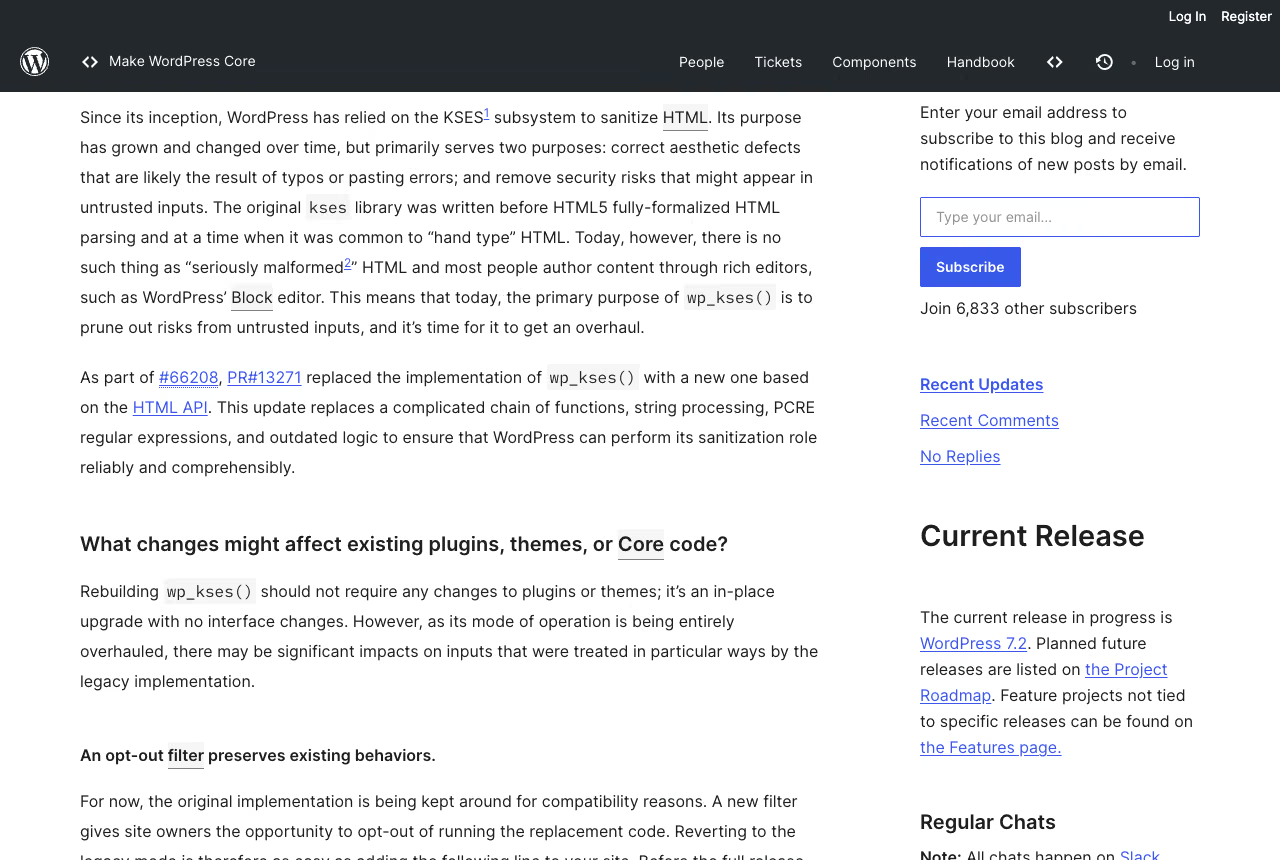
If you ship blocks, or you maintain client sites that run somebody else’s blocks, the remaining work is a grep and a test install. In WordPress 7.1 the post editor is always iframed. The dev note by Aki Hamano, published on 3 August 2026, puts it without hedging:
“Starting in WordPress 7.1, the post editor is always iframed, regardless of the theme type, the block API versions of the registered blocks, or the block API versions of the blocks in the content.”
Aki Hamano, WordPress Core, Iframed Editor Changes in WordPress 7.1
There is no opt-out and no compatibility shim. Anything in your editor JavaScript that reaches for the global document or window to touch block content is now pointing at the wrong page, and any stylesheet registered on enqueue_block_editor_assets that was expected to style the content will silently stop applying. WordPress 7.1 (Mary Lou) shipped on 19 August 2026, so a 7.1 install is the right place to find out.
Why the iframed editor breaks document and window calls
The reason this matters is stated in one sentence in the same dev note: “the iframe has its own document and window, separate from the admin page where editor scripts run.”
Your block’s edit component is still rendered by React from the outer admin page, but the DOM nodes it produces live inside the iframe. So the component and the markup it owns no longer share a document. A call to document.querySelector() from inside a block runs against post.php, not against the canvas. It does not throw. It returns null, or worse, it returns some unrelated node from the editor chrome and your code proceeds on a false premise.
Nothing about React changes. Nothing about block.json changes. What changes is that a class of assumptions that used to be true most of the time is now false all of the time.
Iframed editor history from WordPress 5.8 to 7.1
The iframe is not new. What is new is that the conditions are gone.
| Version | Behaviour |
|---|---|
| 5.8 | The template editor is iframed. |
| 6.3 | The post editor is iframed only when every registered block declares Block API version 3 or higher. enqueue_block_assets begins reaching the canvas. |
| 6.9 | Console warnings appear for apiVersion 2 or lower under SCRIPT_DEBUG. The block.json schema restricts new blocks to version 3. |
| 7.0 | The test narrows to the blocks actually inserted in the post. The 7.0 dev note by Ella Van Durpe says plainly that the iframe is not enforced in 7.0. |
| 7.1 | Always iframed. |
That 6.3 rule is the source of most of the confusion in the field. Because a single registered block at apiVersion 2 anywhere on the site switched the whole editor back to the non-iframe path, a plugin could be thoroughly broken inside an iframe and nobody would ever see it, as long as one legacy block on the same install kept the iframe from ever engaging. The condition was doing the work of a bug report suppressor.
The site editor, meanwhile, is always iframed, which is why the same plugin often behaves differently depending on which screen an editor happens to be on.
Can you disable the iframed editor in WordPress 7.1
The rationale in Gutenberg PR #74042, merged on 10 July 2026, is worth reading in full, but the operative line is:
“far more breakage is caused by the inconsistency than blocks not functioning well with iframe.”
Gutenberg PR #74042, WordPress, Post editor: always iframe
That is a defensible engineering call. Two rendering environments with a runtime switch between them is a worse contract than one environment that is sometimes hostile. It also means the escape hatches are gone: the pull request removes the non-iframe path, and a reviewer notes that switchToLegacyCanvas() “does nothing anymore.” If you had planned to buy a release cycle with a filter, there is no filter to reach for.
The counter-pressure is real and it is documented. On the tracking issue #70743, the Meta Box lead developer wrote:
“Switching to version 3 is impossible at the moment, as most of the JS the plugins use are using jQuery with DOM manipulation.”
Meta Box lead developer, Meta Box, Gutenberg tracking issue #70743
That is not one plugin’s problem. It describes a large share of the commercial metabox and custom-field ecosystem that many agency sites depend on.
Do legacy meta boxes still work in WordPress 7.1
Registering classic meta boxes was one of the paths that kept a site’s editor out of the iframe, which is why plenty of installs with custom meta boxes and classically rendered ACF field groups have never met iframe behaviour at all. The 7.1 Field Guide closes that door in one sentence:
“WordPress 7.1 completes the move to an iframe-based post editor, including for sites that register legacy meta boxes.”
WordPress Core, WordPress 7.1 Field Guide
For an agency this is the more probable failure surface, because it does not require anyone to have written a block. It only requires an old post type with fields bolted onto it, which describes a large part of any inherited portfolio. Those screens need retesting on their own terms: a site can come through the block test clean and still fail here, since what changed underneath it is the editing screen itself.
How to fix blocks broken by the iframed editor
The handbook page on block migration for iframe compatibility is the reference. Here is what the fixes look like in practice.
How to replace global document lookups
This is the one that produces silent wrong answers rather than errors. Gutenberg issue #55947 is a clean example: a script enqueued via enqueue_block_editor_assets reads document.body.classList and gets the outer post.php document, so the class it is testing for is never there.
Before:
import { useEffect } from '@wordpress/element';

export default function Edit( { attributes } ) {
	useEffect( () => {
		// `document` is the admin page. This finds nothing in 7.1.
		const heading = document.querySelector( '.wp-block-my-plugin-hero h2' );
		if ( heading && document.body.classList.contains( 'is-dark-theme' ) ) {
			heading.dataset.contrast = 'inverted';
		}
	}, [ attributes.style ] );

	return <div className="wp-block-my-plugin-hero">{ /* ... */ }</div>;
}
After:
import { useRefEffect } from '@wordpress/compose';

export default function Edit( { attributes } ) {
	const ref = useRefEffect(
		( element ) => {
			// Resolve the canvas from a node that is already inside it.
			const canvas = element.ownerDocument;
			const heading = element.querySelector( 'h2' );
			if ( heading && canvas.body.classList.contains( 'is-dark-theme' ) ) {
				heading.dataset.contrast = 'inverted';
			}
		},
		[ attributes.style ]
	);

	return <div ref={ ref } className="wp-block-my-plugin-hero">{ /* ... */ }</div>;
}
Two things changed. element.ownerDocument gives the document that actually contains the node, whichever document that turns out to be, so the same code works in the post editor, the site editor and any future surface. And the lookup for the heading is now scoped to the block’s own element instead of searching a whole document, which was always the more correct thing to do.
How to fix window globals and event listeners in the iframe
Anything measured off window has the same problem, and it is more dangerous because window.innerWidth returns a real number. It is just the wrong number: the browser viewport, not the canvas, which in a split-pane editor with the settings sidebar open can be several hundred pixels wider than the area the block is rendered into.
Before:
import { useState, useEffect } from '@wordpress/element';

export default function Edit() {
	const [ width, setWidth ] = useState( 0 );

	useEffect( () => {
		const onResize = () => setWidth( window.innerWidth );
		onResize();
		window.addEventListener( 'resize', onResize );
		return () => window.removeEventListener( 'resize', onResize );
	}, [] );

	return <div>{ width }</div>;
}
After:
import { useState } from '@wordpress/element';
import { useRefEffect } from '@wordpress/compose';

export default function Edit() {
	const [ width, setWidth ] = useState( 0 );

	const ref = useRefEffect( ( element ) => {
		const view = element.ownerDocument.defaultView;
		const onResize = () => setWidth( view.innerWidth );
		onResize();
		view.addEventListener( 'resize', onResize );
		return () => view.removeEventListener( 'resize', onResize );
	}, [] );

	return <div ref={ ref }>{ width }</div>;
}
element.ownerDocument.defaultView is the window belonging to the canvas. Bind listeners through it, and bind them from inside a ref callback rather than from an effect that has no idea which document it is running against.
The switch from useRef plus useEffect to useRefEffect is not cosmetic. The useEffect callback is not called if the ref changes, and in an iframed editor the ref does change: the canvas node is created, replaced and torn down over the life of an editing session. An effect that ran once against a node that no longer exists is how you end up with listeners on a dead document and cleanup that never runs. Gutenberg PR #52588 is the teardown case made concrete, with a Cannot read properties of null (reading 'getComputedStyle') thrown as the iframe goes away.
jQuery and select2 in the iframed editor
This is the category the Meta Box comment was describing, and it is where most agency-maintained code sits. Issue #47924 records ACF’s select2 and the jQuery UI datepicker breaking inside the iframe.
Before:
import { useEffect } from '@wordpress/element';

export default function Edit( { clientId } ) {
	useEffect( () => {
		jQuery( `#my-plugin-select-${ clientId }` ).select2( { width: '100%' } );
	}, [ clientId ] );

	return <select id={ `my-plugin-select-${ clientId }` }>{ /* ... */ }</select>;
}
After:
import { useRefEffect } from '@wordpress/compose';

export default function Edit() {
	const ref = useRefEffect( ( element ) => {
		const $ = element.ownerDocument.defaultView.jQuery;
		if ( ! $ ) {
			return;
		}
		const $select = $( element );
		$select.select2( { width: '100%' } );
		return () => {
			$select.select2( 'destroy' );
		};
	}, [] );

	return <select ref={ ref }>{ /* ... */ }</select>;
}
Three changes carry the fix. The library is resolved from the canvas window rather than from a global, which is the defaultView.jQuery(element) pattern. The element is passed directly instead of being found by an ID selector, so there is no cross-document lookup at all. And the returned cleanup destroys the widget when the node goes away, which is the part most existing code omits, because before the iframe the node effectively never went away.
If jQuery is not present on the canvas window, that is an enqueueing problem, not a JavaScript problem, which brings us to the last category.
enqueue_block_assets vs enqueue_block_editor_assets
The rule from the handbook page on enqueueing assets in the editor is a clean split. enqueue_block_editor_assets is for the editor interface: sidebars, toolbars, plugin panels, format buttons. enqueue_block_assets is for content, and it reaches the canvas as well as the front end.
Before:
add_action( 'enqueue_block_editor_assets', function () {
	wp_enqueue_style(
		'my-plugin-blocks-editor',
		plugins_url( 'build/blocks.css', __FILE__ ),
		array(),
		'1.4.0'
	);
} );
After:
// Editor interface only: panels, toolbars, sidebar controls.
add_action( 'enqueue_block_editor_assets', function () {
	wp_enqueue_style(
		'my-plugin-blocks-panels',
		plugins_url( 'build/panels.css', __FILE__ ),
		array(),
		'1.4.0'
	);
} );

// Content: applies inside the canvas and on the front end.
add_action( 'enqueue_block_assets', function () {
	wp_enqueue_style(
		'my-plugin-blocks-content',
		plugins_url( 'build/blocks.css', __FILE__ ),
		array(),
		'1.4.0'
	);
} );
Getting this wrong produces no error at all. The stylesheet loads, the browser reports a 200, and the rules never match anything in the canvas because they were injected into a different document. Gutenberg issue #53236 tracks exactly that: a stylesheet enqueued for the editor silently stops applying to the canvas.
The same split applies to scripts. Anything that has to run against content nodes needs to be loaded where those nodes live.
How to test plugins for iframe compatibility
You do not need a full audit to find out whether you have a problem, and you do not need a dedicated 7.1 install either. The same dev note records a faster route: “since Gutenberg 22.6, when the plugin is active the post editor is forced to be iframed regardless of the theme type or the block API versions in use.” Activating the plugin on a staging copy puts that site under 7.1 conditions today, on the core version it already runs.
- Activate the Gutenberg plugin at 22.6 or newer on a staging copy of the site. If you would rather test core itself, a throwaway install of WordPress 7.1 gives you the same answer, and a local container is fine for either route.
- Activate one plugin that registers a block at
apiVersion2. Any legacy block in your own catalogue works; so does one from a client site. - Open the post editor and insert the block.
- Open the browser console and keep it open while you interact with the block: type into it, change a setting in the sidebar, switch to another block and back, then delete it.
- Read what you get. Null property reads on teardown, selectors returning
null, missing styles in the canvas that appear correctly on the front end.
Two notes on reading the results. Turn on SCRIPT_DEBUG, because the apiVersion warnings added in 6.9 only appear with it enabled. And check the styles visually, not just the console, since the asset misrouting described above is completely silent.
Ten minutes gets you a yes or no per plugin. That is enough to size the real work.
WordPress 7.1 iframe checklist for client sites
If you maintain sites you did not build, the blocking question is not “is our code ready” but “which of the code on these sites is nobody’s responsibility any more”. That inventory is engineering work, and it is worth doing before an editor calls to say the layout looks wrong.
- Build the block inventory. For every site, list which plugins and themes register blocks, and what
apiVersioneach block declares. Bumping the number does not fix behaviour in 7.1, but the count of version 2 blocks tells you where to look first. - Separate maintained from abandoned. For each affected plugin, check the last release date and whether the developer has said anything about iframe compatibility. A maintained plugin means you wait and test. An abandoned one means you decide between a local patch, a fork or a replacement, and that decision has a lead time.
- Grep your own code. Search every custom plugin and theme in the portfolio for
document.andwindow.in editor bundles, plusjQuery(and anyenqueue_block_editor_assetshandler that registers content styles. This is a fast, mechanical pass that produces a concrete list. - Check the metabox layer specifically. ACF, Meta Box and similar tools sit in the highest-risk category, and they usually sit on the sites where editors notice breakage fastest.
- Run a second pass over the meta box screens. After the block test, open every post type that carries custom meta boxes or classic ACF field groups, save a post and confirm the values persist and the panels still draw. This is its own pass, not a line item inside the first one.
- Test the editing workflow, not just page load. The teardown failures only surface when blocks are inserted, moved and deleted. A smoke test that opens a post and looks at it will pass on a broken install.
- Order the work by editorial load. A site whose team publishes daily needed that work done when 7.1 shipped on 19 August. A brochure site edited twice a year is lower urgency, but the iframe is live either way.
None of this is exotic. It is an inventory, a grep and a test matrix, and it is the kind of thing that belongs in a scheduled cycle rather than in an emergency. If you want it handled as part of an ongoing arrangement, it fits inside a WordPress maintenance programme, where core release testing is already on the calendar.
Why Gutenberg uses an iframe instead of Shadow DOM
The architectural transition to a fully iframed post editor resolves longstanding styling conflicts:
- Complete style encapsulation: Isolating the canvas within an iframe guarantees that administrative styles cannot bleed into frontend block typography. Shadow DOM failed to accommodate global font declarations and CSS custom property inheritance cleanly across thousands of themes.
- Container Queries over Viewport Media Queries: Viewport-based media queries fail inside dual-panel editorial workspaces with open inspector panels. The iframe creates a dedicated rendering context that makes responsive block patterns behave identically in the editor and on the published frontend.
- React Portals and Canvas-Aware Popovers: Tooltips, dropdowns, and modals must mount to the canvas document body rather than the global admin DOM to avoid severe coordinate displacement and broken focus trapping.
When apiVersion 2 blocks lose editor support
WordPress engineering leadership maintained backward compatibility paths across multiple major versions to ease this architectural cutover:
- Graceful degradation for legacy blocks: While apiVersion 2 blocks are supported in compatibility wrappers, core development will eventually deprecate non-iframed execution entirely. Migrating legacy custom blocks to apiVersion 3 ensures full compatibility with upcoming WordPress 7.2 features.
- Continuous automated testing: Enterprise teams should implement automated Playwright test suites that mount custom blocks inside the iframed canvas on continuous integration runs, catching detached node errors and silent styling regressions before production deployments. Architectural discipline across editor assets protects editorial velocity and eliminates unexpected production disruptions.
Sources
- Aki Hamano, Iframed Editor Changes in WordPress 7.1, 3 August 2026
- Ella Van Durpe, Iframed Editor Changes in WordPress 7.0, 24 February 2026
- WordPress 7.1 Field Guide, 5 August 2026
- Aki Hamano, Preparing the Post Editor for Full iframe Integration, 12 November 2025
- Block migration for iframe editor compatibility, Block Editor Handbook
- Enqueueing assets in the editor, Block Editor Handbook
- Gutenberg PR #74042, “Post editor: always iframe”, merged 10 July 2026
- Gutenberg tracking issue #70743, and issues #55947, #47924, #53236, PR #52588