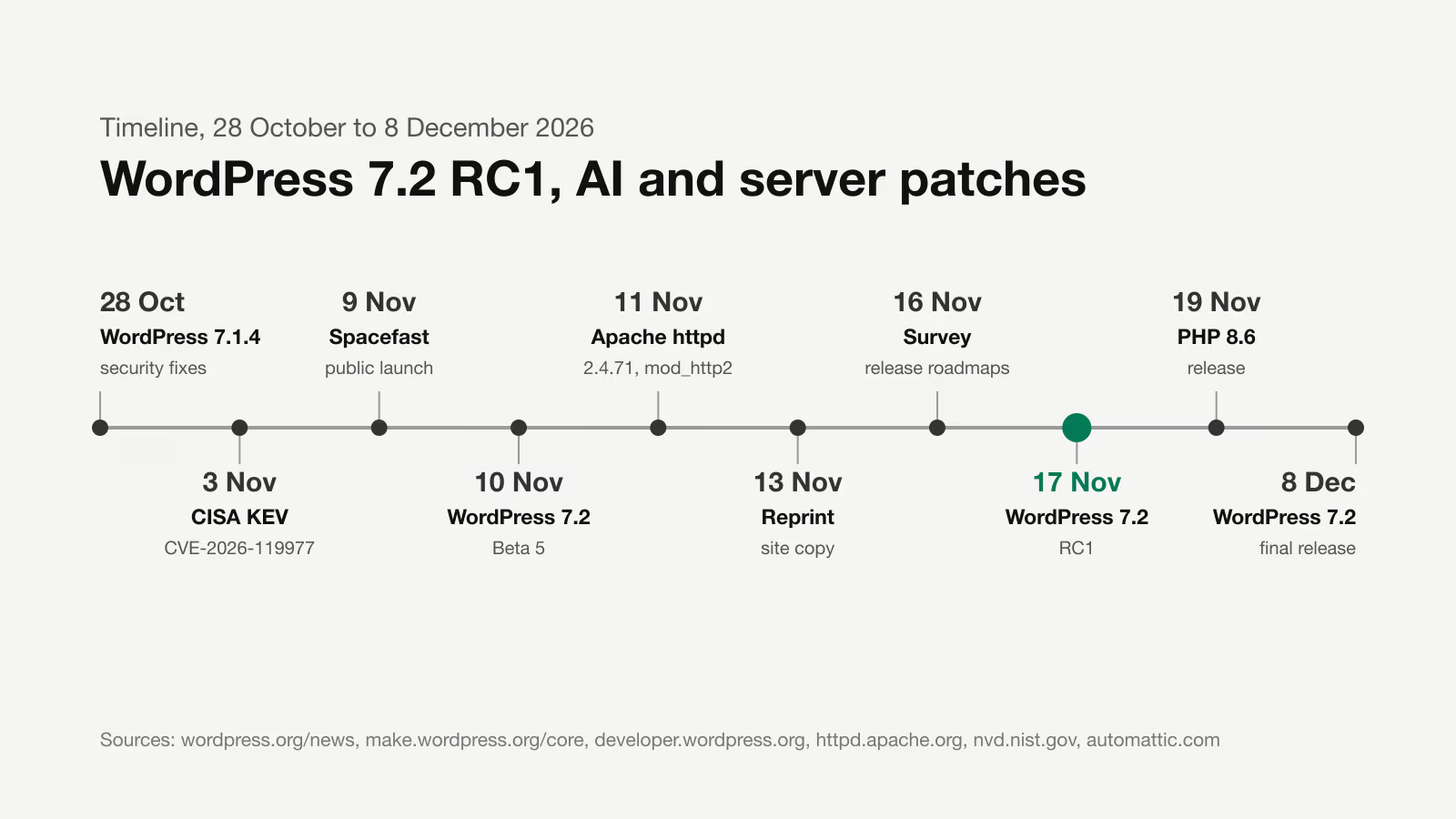
WordPress 7.2 Release Candidate 1 ships on 17 November 2026, and the final release is scheduled for 8 December 2026. That is the schedule Justin Tadlock gives in the developer roundup of 13 November, the last one before 7.2. The Field Guide and the Source of Truth are due together with RC1.
From the last few days, these are the items that matter for the sites I maintain from Gdynia: the test list before RC1, the new Reprint tool for copying a site, Spacefast from Automattic, the AI team’s plans and two patches you should not put off: WordPress 7.1.4 and Apache httpd 2.4.71.
When does WordPress 7.2 RC1 come out
Beta 5 shipped on 10 November. The dates I checked against the sources:
| Milestone | Date | Source |
|---|---|---|
| WordPress 7.1.4 and Beta 3 | 28 October 2026 | WordPress.org News |
| Beta 5 | 10 November 2026 | WordPress.org News |
| Release roadmap survey closes | 16 November 2026 | Make WordPress Core |
| RC1, Field Guide and Source of Truth | 17 November 2026 | WordPress Developer Blog |
| PHP 8.6 | 19 November 2026 | WordPress.org News |
| WordPress 7.2 | 8 December 2026 | WordPress.org News |
The Beta 5 announcement lists four ways to test: the WordPress Beta Tester plugin with the “Bleeding edge” channel and the “Beta/RC Only” stream, the zip package, the command wp core update --version=7.2-beta5 and a Playground instance. Beta 5 also added an email notification when a new application password is created, and according to the announcement all known core issues with PHP 8.6 are resolved. That statement covers core only. Plugins and the theme need their own check on PHP 8.6 before your host raises the version.
What to test in plugins and themes before RC1
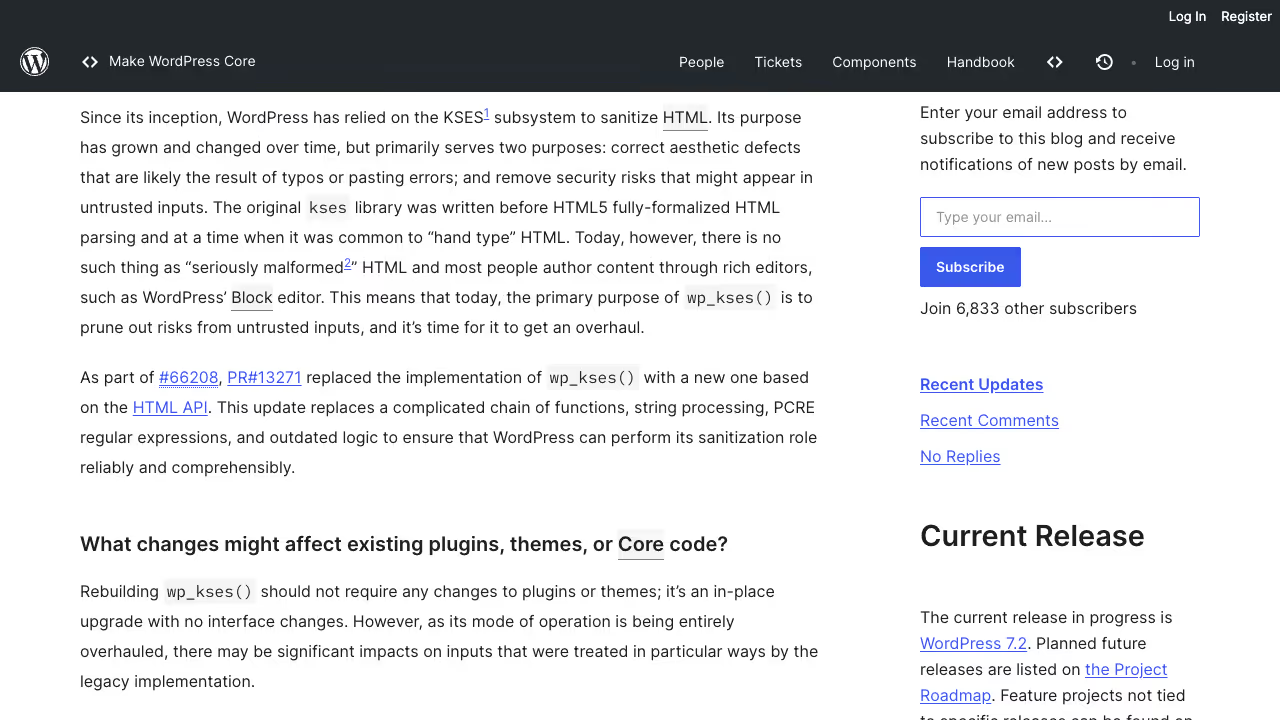
I covered most of the 7.2 changes in detail in the post on the WordPress 7.2 roadmap, sudo mode and the Secrets API, and the wp_kses() change in a separate piece on wp_kses() moving to the HTML API. Here is only the checklist from Tadlock’s roundup, in the order I work through it on a test copy:
- Admin icons. The admin bar and the side menu use built-in SVGs from the
core-admincollection instead of the Dashicons font. Dashicons passed toadd_menu_page()still work, because core swaps them for an equivalent. CSS that colours, hides or replaces the icon through::beforestops working. - Admin scripts and styles.
load-scripts.phpandload-styles.phpare deprecated and no longer called. Some scripts that used to print in<head>now go to the footer. Check any code that assumes a load order in the browser, in the network tab and the console. - Interactivity API. The
data-wp-htmldirective renders HTML from the store, but only accepts values marked withasDangerousHTML(). The router getsstate.navigatingandstate.initiator. - theme.json. The
textInputelement can be styled per state::required,:user-valid,:user-invalid,:focus,:focus-visibleand::placeholder(Trac #65880). If your theme styled these states with its own CSS, check which rule wins. - Updates screen. Translation updates are listed separately and can be installed selectively (Trac #42281). This affects people who update sites by hand, not plugin code.
What changed in the Secrets API since Beta 1
Eric Mann’s developer note of 11 November, revised on 13 November, describes changes that break code written against the earlier betas:
WP_SECRETS_KEYis required. In the first betas a site without this constant used a key derived fromLOGGED_IN_KEYandLOGGED_IN_SALT. That path is gone. Without a usable key the API stores nothing, and every write and read returns thesecret_key_unavailableerror. New installs get the key from the installer; on existing sites Site Health generates the line to paste intowp-config.php.- Do not treat the key like a salt. Changing or removing
WP_SECRETS_KEYafter secrets have been stored makes them unreadable until the old value comes back. The note describes key rotation throughWP_SECRETS_KEY_PREVIOUS. - A
secrets.phpdrop-in must useextends. The keyring, the store and the provider are now abstract classes, not interfaces. A drop-in that still saysimplementscauses a fatal error on every request. - The functions do not check capabilities, because they have to work from cron and REST. Check them where the user enters or changes a value.
The note also describes wp_retire_secret_version(), which removes the previous version after rotation, wp_list_secrets(), which returns names and metadata without values, and the wp_secret_changed action, which passes fingerprints instead of values. Site Health has three new tests in its security section. Ryan McCue’s objection to the project itself, from the discussion under the August proposal, is covered in the post on the 7.2 roadmap.
On sites with plugins that keep keys in wp_options, I check for wp_is_secrets_api_available() in the code before migrating. It returns false when the drop-in did not load, the key is missing or it does not decrypt the stored master key.
How to copy a site for testing with Reprint and Playground
Reprint is a free, open source GPL tool written in PHP that copies a site’s files and database. Adam Zieliński announced it on WordPress.org News on 13 November; I wrote about his earlier work on Playground in the piece on WordPress Playground as infrastructure. The copy includes posts, pages, media, users, settings, themes, plugins and their tables, WooCommerce orders for example. It skips caches, logs, backup archives and temporary files.
There are two routes. The first one leads to the browser. According to the Playground team’s post of 4 November it works like this:
- Install and activate the Reprint plugin on the source site. You need an administrator account.
- In WordPress Playground choose New Playground, then Clone a live site, enter the site address and click Check site.
- Copy the migration key shown in Playground. On the source site open Tools, Reprint Server, paste it into the Migration Token field and click Authorize client.
- Go back to Playground, click Clone site and, when it finishes, Open site.
The site address alone gives access to nothing: without the key pasted in by an administrator, Playground cannot read the files or the database. Limits from the same post: the in-browser import currently accepts up to 2 GiB of files and database data, the tab has to stay open until the copy finishes, and Playground is a different environment from your host, so some plugins and external services will behave differently.
The second route is the reprint.phar client, run in a terminal on a laptop or another server, with an SQLite or MySQL database. According to the requirements in the handbook the client needs PHP 7.4 or newer, and the plugin on the source site needs WordPress 4.7 or newer, PHP 5.6.20 or newer and a working HTTPS address. The transfer can resume after a dropped connection, site URLs are rewritten in serialized data, JSON and block markup too, and on the next copy Reprint fetches only the changed files. The database is copied in full every time.
I take two warnings from the tool’s description seriously. The copy contains personal data, password hashes and plugin keys, so do not pass it on without cleaning it. Plugins that still carry production settings on the copy can email an order to a real customer or charge their card. On a shop copy I first switch off outgoing mail and put the payment gateways into test mode, and only then click anything. The tool only pulls data: pushing changes back to the source site is not available yet.
If such a copy ends up with someone who should not have it, that is a personal data breach as Article 4(12) of the GDPR defines it: unauthorised disclosure of, or access to, personal data. Article 33 gives the controller 72 hours from becoming aware of it to notify the supervisory authority, unless the breach is unlikely to result in a risk to the people concerned. In Ireland that authority is the Data Protection Commission. In the UK the same 72 hours sit in Article 33 of the UK GDPR, which since 30 September 2026 names the Information Commission instead of the Information Commissioner (the ICO).
For RC1 testing this is the shortest route I know: a copy of a client’s shop in the browser, an update to RC1 and a pass through the list from the previous section, without touching production. I describe the process itself on the page about my WordPress update service.
What is Spacefast from Automattic
Automattic launched Spacefast publicly on 9 November 2026, after a soft launch in September. The product page says plainly that Spacefast is not an AI builder. It gives infrastructure to the agents you already use: Claude, ChatGPT, Cursor, Grok Bot and any MCP client. Automattic’s announcement also names the coding agents Claude Code and Codex.
What you get according to those two pages:
- hosting with a new version on every publish, each at a permanent address, with rollback,
- an SQL database (MariaDB) for each project,
- domains, private sharing by password, invitation or link, and on-page comments,
- publishing through a plugin in the AI app, the API, an MCP server, the
npx spacefast publishcommand or Git.
User login in apps, transactional email and object storage are marked as “coming soon”. Spacefast runs on the same Automattic infrastructure as WordPress.com and Tumblr and has a free personal plan. Automattic points out that you pay for infrastructure, not for AI credits.
I do not see it replacing WordPress on a company website. It is a place for a prototype that a client built with an agent and wants to show someone under a private link. Once such a prototype has to become a site with content, forms and SEO, building it on WordPress or Astro makes sense.
What the WordPress AI team is preparing before 7.2
From the summary of the AI team meeting of 11 November:
- The AI plugin 1.6.0 is due at the end of November as the last planned major release before WordPress 7.2. The directory currently has version 1.5.0. The main topic is AI Workspace: a chat with an agent inside WordPress, using the models available through the configured AI connectors. Connecting external agents and tools through MCP is, according to the summary, the vision for WordPress 7.3.
- A shared abilities package will move to the WordPress organisation on GitHub as a Composer package. That way WooCommerce, for example, could use shared abilities without installing the whole AI plugin.
- The Abilities API gets developer notes, ideally before RC1. There is an open ticket on how ability permissions are defined. If it gets no feedback before the release, the change may be reverted.
- The Secrets API the team asks people to test especially on multisite installs, because further features in 7.3 are meant to build on it.
On the tooling side, WordPress Studio 2.2.0 from 11 November lets you connect Claude Code, Codex, Cursor or Grok Build in the settings, adds rectangle selection to annotations in the preview and lists the Studio MCP server in the MCP Registry. If you plan to give AI agents access to your own site data, start with MCP integration for WordPress in read-only mode.
Does CVE-2026-119977 affect my site
Yes, if the site runs WordPress 4.7 to 7.1.3. WordPress 7.1.4 from 28 October fixes, among other things, a weakness in the update process that can lead to remote code execution during an update. The fixes were backported to every branch that still receives security patches, all the way to 4.7. Tadlock counts 13 security fixes in this release in his roundup.
The NVD record describes the bug like this: full core updates use predictable temporary directories reachable from the web, so an unauthenticated attacker can execute code on the server during the update window. Wordfence, which assigned the CVE, rates it 8.1 in CVSS 3.1 with high attack complexity. CISA added it to the Known Exploited Vulnerabilities catalog on 3 November 2026, with a remediation deadline of 6 November for US federal agencies. The KEV catalog lists vulnerabilities that CISA considers exploited in attacks.
You can check the version with wp core version or in the admin under Dashboard, Updates. In the CVE record the highest vulnerable version of the 4.7 branch is 4.7.38. If you manage several sites, also check the ones where automatic updates are switched off: the patch will not install itself there. If a site is still on an old branch, that is a good time for a WordPress security audit.
Apache 2.4.71 and the critical mod_http2 flaw
The Apache Software Foundation released httpd 2.4.71 on 11 November 2026. The release fixes three vulnerabilities:
| CVE | Severity | Module | Affected versions |
|---|---|---|---|
| CVE-2026-119618 | critical | mod_http2, heap corruption and RCE in assign_headers() | 2.4.55 to 2.4.70 |
| CVE-2026-106023 | important | mod_md, child process crash | 2.4.30 to 2.4.70 |
| CVE-2026-109163 | low | mod_vhost_alias, 1-byte stack overwrite | 2.4.69 and 2.4.70 |
The advisory gives no workaround, it only recommends upgrading. The mod_http2 flaw was reported independently by Anthropic’s OSS Scanner and by researchers from Google Cloud Vulnerability Research. The advisory names only mod_http2 as the faulty module. I infer from that that a server without mod_http2 loaded is not exposed to this flaw, but the advisory does not say so directly.
On your own VPS two commands tell you: apachectl -v shows the version, and apachectl -M | grep http2 shows whether the module is loaded. On shared hosting the decision is not yours, so ask your provider for the Apache version and the patch date. Distribution packages often use their own numbering, so whether the fix is in your package is decided by the distribution’s security tracker, not by the 2.4.x number alone.
The release roadmap survey closes today
16 November is the last day of the WordPress release roadmap survey. The post of 26 October invites everyone: core committers, extension authors, hosting companies and ordinary users. Comments that do not fit the form can go under the post. After 16 November a summary of the results is due in the post. If during 7.2 you missed information in the roadmap about what will definitely make it into the release, this is the place to say so.
WordCamp Asia 2027 takes place from 9 to 11 April 2027 at the Penang Waterfront Convention Centre in Malaysia, with Contributor Day on 9 April.
My list for this week
- Today: fill in the roadmap survey.
- On every site I maintain, confirm WordPress 7.1.4 or the patch for an older branch.
- On servers with Apache, check the version and mod_http2; on shared hosting, ask the provider about 2.4.71.
- 17 November: a copy of every site with custom code (Reprint or a regular staging site), RC1 and the list from the testing section.
- By 19 November: plugins and themes on PHP 8.6 on the copy, before the host changes the version.
- Plugins with API keys: a migration plan to the Secrets API with a
wp_is_secrets_api_available()check.
Running a list like this on a test copy before a major release is part of my WordPress website maintenance. Write to me through the contact form with the site address and the PHP version.