The WordPress Abilities API is a registry of operations that a plugin, a theme or core itself declares in one predictable format: a name, a category, an input and output schema, a permission check and an execute function. This page is a reference: what the API is, how to register an ability, which REST endpoints exist, how permissions work, what versions 7.0 and 7.1 added and where the MCP Adapter fits in. For examples of workflows built on abilities, see WordPress AI workflows with the Abilities API.
What is the WordPress Abilities API
The dev note on make.wordpress.org defines a single ability like this:
“An ability is a self-contained unit of functionality with defined inputs, outputs, permissions, and execution logic.”
Jonathan Bossenger, Make WordPress Core, Abilities API in WordPress 6.9
Every registered ability goes into a central registry. That registry is read by PHP code on the server, the JavaScript client in the admin, the REST API and AI agents connected through the MCP Adapter. A plugin describes an operation once, and each of those channels sees it in the same shape, with the same schema and the same permission check.
The 6.9 release announcement puts it in terms of permissions:
“The new Abilities API provides a standardized, machine-readable permissions system that opens the door for next generation AI-powered and automated workflows.”
WordPress News, WordPress 6.9 “Gene”
Every ability belongs to exactly one category:
“Each ability must belong to exactly one category. Categories have a slug, label, and description.”
Common APIs Handbook, Abilities API
Which WordPress version has the Abilities API
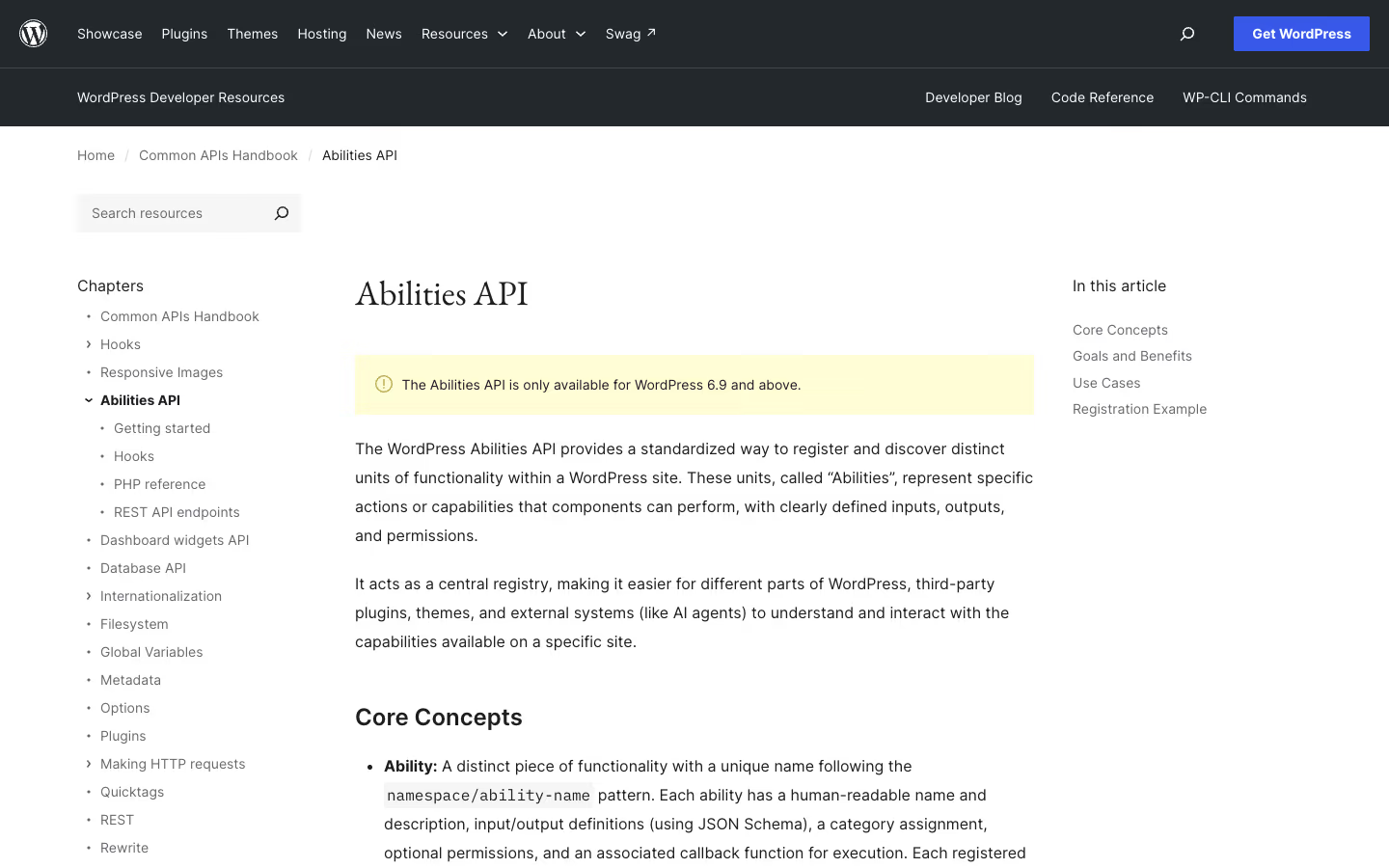
The Abilities API landed in core in WordPress 6.9, released on 2 December 2025. The handbook says so in a notice at the top of the page:
“The Abilities API is only available for WordPress 6.9 and above.”
Common APIs Handbook, Abilities API
Later releases extended the API without changing its foundations:
| Version | Date | What was added |
|---|---|---|
| 6.9 “Gene” | 2 December 2025 | registry, categories, schemas, permissions, wp-abilities/v1 endpoints |
| 7.0 | dev note of 24 March 2026 | JavaScript client: @wordpress/abilities and @wordpress/core-abilities |
| 7.1 “Mary Lou” | 19 August 2026 | meta.public flag, four execution lifecycle filters |
A plugin that also has to run on installs older than 6.9 checks for the function before registering: the make.wordpress.org dev note recommends a function_exists( 'wp_register_ability' ) check, which is also how the example below opens.
For the wider context of the 7.0 release, including the rest of the AI-related changes, see our guide to WordPress 7.0 and AI integration.
How to register an ability in WordPress
Registration has two steps: the category first, then the ability. Each step has its own hook, and the order matters.
Registering an ability category
“Categories must be registered before the abilities that reference them using the wp_abilities_api_categories_init hook.”
Make WordPress Core, Abilities API in WordPress 6.9
A category has a slug, a label and a description. The category argument is required when registering an ability and must point to the slug of a category that already exists in the registry.
The wp_abilities_api_init hook
The ability itself is registered on a separate action. Registering it anywhere else fails:
“Abilities must be registered on the wp_abilities_api_init action hook. Attempting to register abilities outside of this hook will trigger a _doing_it_wrong() notice, and the Ability registration will fail.”
Make WordPress Core, Abilities API in WordPress 6.9
wp_register_ability example
The function signature according to the Code Reference:
function wp_register_ability( string $name, array $args ): ?WP_Ability {Source: Code Reference, wp_register_ability().
On success the function returns the registered WP_Ability instance, on failure null. A minimal example: a category and one read-only ability that returns the number of published posts.
if ( function_exists( 'wp_register_ability' ) ) {

	add_action( 'wp_abilities_api_categories_init', function () {
		wp_register_ability_category( 'my-plugin', array(
			'label'       => 'My plugin',
			'description' => 'Operations exposed by My plugin.',
		) );
	} );

	add_action( 'wp_abilities_api_init', function () {
		wp_register_ability( 'my-plugin/post-count', array(
			'label'               => 'Published post count',
			'description'         => 'Returns the number of published posts.',
			'category'            => 'my-plugin',
			'output_schema'       => array( 'type' => 'integer' ),
			'permission_callback' => function () {
				return current_user_can( 'edit_posts' );
			},
			'execute_callback'    => function () {
				return (int) wp_count_posts()->publish;
			},
			'meta'                => array(
				'show_in_rest' => true,
				'annotations'  => array( 'readonly' => true ),
			),
		) );
	} );
}
This ability takes no input, so it has no input_schema. It returns a value, so output_schema is mandatory.
Ability name format and namespace
“The format should be namespace/ability-name”
Make WordPress Core, Abilities API in WordPress 6.9
The name uses lowercase letters, digits, hyphens and a slash. The namespace is usually the plugin slug, which prevents collisions between plugins that register similar operations.
input_schema and output_schema
Schemas are not there just for documentation. Core validates input against them before execution and output after it.
“Defining schemas is mandatory when there is a value to pass or return.”
Make WordPress Core, Abilities API in WordPress 6.9
The validator does not support the full JSON Schema specification:
“WordPress implements a validator based on a subset of JSON Schema Version 4.”
Make WordPress Core, Abilities API in WordPress 6.9
In practice that means writing schemas in draft 4 syntax and being careful with keywords outside that subset.
permission_callback and execute_callback
Both callbacks are required. The Code Reference describes them like this:
“Required. A callback function to check permissions before execution.”
Code Reference, wp_register_ability()
“Required. A callback function to execute when the ability is invoked.”
Code Reference, wp_register_ability()
The permission callback sees the same data as the execute callback, so it can make a decision based on the specific input, for example allowing edits only to a post the user wrote:
“It receives the same input as the execute callback and must return a boolean or WP_Error”
Code Reference, wp_register_ability()
Error handling in execute_callback
An error is returned as an object, not thrown as an exception or signalled with an empty result:
“Abilities should handle errors gracefully by returning WP_Error objects:”
Make WordPress Core, Abilities API in WordPress 6.9
readonly, destructive and idempotent annotations
Annotations in meta.annotations describe what kind of operation an ability is. readonly marks an ability that changes nothing:
“Optional. If true, the ability does not modify its environment.”
Code Reference, wp_register_ability()
The other two annotations are destructive and idempotent. They are not decoration: they decide the HTTP method for REST calls, and a client such as an AI agent can use them to judge whether an operation is safe to repeat.
This site runs its own MCP server, described in /.well-known/mcp/server-card.json, and it exposes read-only tools only. The same approach works for abilities: the first version of an agent integration uses abilities with readonly: true, called over GET. Write operations come later, each with its own permission_callback.
Abilities API REST endpoints
In WordPress 6.9 an ability does not show up in the REST API automatically. You have to declare it:
“This is possible by setting the meta.show_in_rest argument to true when registering an ability.”
Make WordPress Core, Abilities API in WordPress 6.9
The endpoints live in the wp-abilities/v1 namespace: the list of abilities, a single ability and execution. The execution route looks like this:
GET|POST|DELETE /wp-abilities/v1/abilities/{name}/runSource: Make WordPress Core, Abilities API in WordPress 6.9.
Abilities API authentication
“Access to all Abilities REST API endpoints requires an authenticated user.”
Make WordPress Core, Abilities API in WordPress 6.9
This applies to the list of abilities as well. A session cookie, application passwords or your own authentication mechanism all work. An anonymous client cannot even see which abilities exist on the site.
How to run an ability via the REST API
The annotations decide the HTTP method for the run endpoint. A readonly ability runs over GET, an ability that is both destructive and idempotent over DELETE, and in every other case:
“All other cases: uses POST”
Jorge Costa, Make WordPress Core, Client-Side Abilities API in WordPress 7.0
The REST documentation in the project repository stresses that for read-only abilities this is a requirement, not a recommendation:
”- Read-only abilities must use GET (
readonly: true)”GitHub, WordPress/abilities-api, docs/rest-api.md
With GET and DELETE the input does not go in the request body but in the input query parameter as URL-encoded JSON.
Abilities API in JavaScript
WordPress 7.0 added a browser-side client in two packages. @wordpress/abilities is the abilities store itself, and @wordpress/core-abilities loads the abilities registered on the server through REST:
“This will load both @wordpress/core-abilities and its dependency @wordpress/abilities, and automatically fetch and register all server-side abilities.”
Jorge Costa, Make WordPress Core, Client-Side Abilities API in WordPress 7.0
Errors in the JS client have fixed codes. Failed validation gives ability_invalid_input or ability_invalid_output, and a permission denial:
“If the permission callback returns false, an error with code ability_permission_denied is thrown.”
Jorge Costa, Make WordPress Core, Client-Side Abilities API in WordPress 7.0
What changed in the Abilities API in WordPress 7.1
The 7.1 release announcement sums up the changes in one sentence:
“The Abilities API builds on the infrastructure introduced in WordPress 6.9 with a filterable execution lifecycle, custom validation, and shared discovery.”
WordPress News, WordPress 7.1 “Mary Lou”
The meta.public flag
WordPress 7.1 introduced meta.public, a shared client exposure flag. It fills show_in_rest, but an explicitly set show_in_rest takes precedence, and the default stays false:
$show_in_rest = $meta['show_in_rest'] ?? $meta['public'] ?? false;Source: Milana Cap, Make WordPress Core, A unified public exposure flag for Abilities in WordPress 7.1.
The flag controls visibility, not access:
“The public flag controls discoverability and client exposure.”
Milana Cap, Make WordPress Core, A unified public exposure flag for Abilities in WordPress 7.1
An ability marked as public still goes through permission_callback. The public flag does not replace it.
Ability execution lifecycle filters
“The Abilities API previously provided the wp_before_execute_ability and wp_after_execute_ability actions.”
Make WordPress Core, New execution lifecycle filters for the Abilities API in WordPress 7.1
On top of those two actions from 6.9, version 7.1 added four filters:
| Filter | Execution stage |
|---|---|
wp_pre_execute_ability | before execution |
wp_ability_normalize_input | input normalization |
wp_ability_permission_result | permission check result |
wp_ability_execute_result | execution result |
The actions only let you observe execution. The filters let you change it, for example to normalize the input or alter the result of the permission check.
Abilities API and the MCP Adapter
The Abilities API does not include a Model Context Protocol server. A separate package does that job:
“The official WordPress package for MCP integration that exposes WordPress abilities as Model Context Protocol (MCP) tools, resources, and prompts for AI agents.”
GitHub, WordPress/mcp-adapter, README
Since 7 October 2026 the MCP Adapter is also a plugin in the WordPress.org plugin directory (version 0.7.0, requires WordPress 6.9+ and PHP 7.4+), so you can install it from the admin instead of pulling it from GitHub or Composer. According to the announcement on Make WordPress AI, it supports the new stateless 2026-07-28 MCP spec, and clients that request 2025-06-18 or 2024-11-05 still connect, served through the 2025-11-25 schema. It stays outside core because the MCP specification is still changing.
The default is conservative:
“WordPress abilities are private by default.”
GitHub, WordPress/mcp-adapter, README
For an ability to be visible to an MCP client, set meta.public (or meta.mcp.public) to true. The adapter’s default server exposes three meta tools that the agent uses to discover and run abilities. Connecting:
“Connect via WP-CLI over STDIO, or point an HTTP client at
/wp-json/mcp/mcp-adapter-default-server.”GitHub, WordPress/mcp-adapter, README
STDIO through WP-CLI suits local work and staging, HTTP suits an agent running off the server. Either way, what the agent can do is decided by the same permission_callback and annotations described above.
For more on connecting WordPress to AI agents over MCP, see our guide to MCP and AI integration in WordPress. For when WordPress.com Agent and MCP write are enough versus self-hosted abilities, see WordPress.com Agent and MCP write. If you need your own MCP server or a set of abilities designed around a specific store or site, that is covered on the WordPress MCP server development page.
How to check if WordPress supports the Abilities API
The simplest check is in code: function_exists( 'wp_register_ability' ) returns true from version 6.9. From the outside, with an account that has an application password, query the wp-abilities/v1 namespace in the site’s REST API. If it is missing, the site runs a version older than 6.9 or something is blocking the REST API. The list only returns abilities with show_in_rest or public set to true, so an empty list does not mean plugins register no abilities.
Sources last verified: 6 October 2026.