WCAG 2.2 Level AA is the practical bar most WordPress teams aim for when they need a shared checklist for keyboard use, focus visibility, and form usability. In the EU, the European Accessibility Act (EAA) also raised the stakes for many consumer-facing digital products and services from 28 June 2025. This piece is a developer walkthrough of the WCAG 2.2 criteria that break WordPress themes most often, what the directive and the national laws actually say, how Gutenberg and block themes help or hurt, and how to test without treating the article as legal advice.
Official references: the WCAG 2.2 Recommendation, the text of Directive 2019/882 and the WordPress accessibility handbook.
Does the European Accessibility Act apply to WordPress sites
The EAA is EU product legislation. Member states implement and enforce it. It covers defined categories of products and services, not “every website on the internet” by slogan. Article 2(2) lists the services provided to consumers after 28 June 2025:
- electronic communications services;
- services providing access to audiovisual media services;
- elements of air, bus, rail and waterborne passenger transport services (websites, mobile apps, electronic tickets, travel information);
- consumer banking services;
- e-books and dedicated software;
- e-commerce services.
The directive defines e-commerce services as services provided at a distance, through websites and mobile device-based services, at the individual request of a consumer with a view to concluding a consumer contract. A WooCommerce store that sells to EU consumers sits inside that definition. A marketing site for a B2B consultancy with no online consumer contract does not appear on the list.
What that means for a WordPress project in practice:
- Treat WCAG 2.1 or 2.2 Level AA as the technical language procurement and auditors usually speak.
- Map your offering (store, booking, media, SaaS marketing site with login) against your counsel’s EAA scope analysis for the markets you sell into.
- Document what you tested (templates, assistive tech, date). Audits age;
lastVerifiedon this article marks editorial freshness, not a certificate of compliance.
Which exemptions the EAA allows
- Microenterprises providing services (Article 4(5)) are exempt from the service accessibility requirements. Article 3 defines a microenterprise as one that employs fewer than 10 persons and has an annual turnover or annual balance sheet total not exceeding EUR 2 million. The exemption does not cover products.
- Fundamental alteration and disproportionate burden (Article 14): the requirements apply only to the extent that compliance does not fundamentally alter the service or impose a disproportionate burden. The operator must carry out that assessment, document it, and keep the results for five years.
- Excluded content (Article 2(4)): for example pre-recorded time-based media and office file formats published before 28 June 2025, and third-party content that the operator neither funds, develops nor controls.
EAA deadlines and penalties
| Date | What happens | Article |
|---|---|---|
| 17 April 2019 | Directive 2019/882 adopted | Title |
| 28 June 2022 | Deadline for national laws to be adopted and published | 31(1) |
| 28 June 2025 | National measures apply | 31(2) |
| 28 June 2030 | End of the transition for services provided with products already in lawful use before 2025; service contracts agreed before 28 June 2025 may run unchanged for at most five years | 32(1) |
The directive sets no fine amounts. Article 30 requires each member state to lay down penalties that are effective, proportionate and dissuasive, taking into account the seriousness of the non-compliance, the number of non-complying units and the number of persons affected.
How EU countries transposed the EAA and what fines apply
Obligations, exemptions, and penalties vary by country and product type. Six markets that matter for WordPress shops, checked against the official texts:
| Country | National act | What the official text says |
|---|---|---|
| Germany | Barrierefreiheitsstärkungsgesetz (BFSG) of 16 July 2021 | Microenterprises offering services are exempt (§ 3(3)); fines up to EUR 100,000 for offences that include offering a non-compliant service (§ 37(1) no. 8) and up to EUR 10,000 for the rest (§ 37(2)); transition for existing products until 27 June 2030 (§ 38) |
| Ireland | European Union (Accessibility Requirements of Products and Services) Regulations 2023 (S.I. No. 636 of 2023) | In operation from 28 June 2025 (reg. 1(2)); services provided by a microenterprise are exempt from the service requirements (reg. 5(4)); the CCPC is the market surveillance authority for products, while named compliance authorities such as ComReg, Coimisiún na Meán and the Central Bank police services (reg. 4); offences carry a fine of up to EUR 60,000 or up to 18 months’ imprisonment on indictment (reg. 32(6)) |
| United Kingdom (outside the EU) | Equality Act 2010 and the Public Sector Bodies (Websites and Mobile Applications) (No. 2) Accessibility Regulations 2018 | The EAA does not apply. A shop that serves the public must not discriminate against disabled customers (s. 29) and must make reasonable adjustments (s. 20); the 2018 Regulations, in force since 23 September 2018, bind public sector bodies only |
| Spain | Ley 11/2023 of 8 May, title I | Penalties follow sectoral law, with the general disability law (Real Decreto Legislativo 1/2013) applying in the alternative (art. 30); that law ranges from EUR 301 to EUR 1,000,000 |
| Portugal | Decreto-Lei 82/2022 of 6 December | Effects from 28 June 2025; requirements and disproportionate-burden criteria set by Portaria 220/2023 |
| Norway (EEA) | Not yet incorporated | The Norwegian ICT authority states that implementation of the EAA in Norway, Iceland and Liechtenstein is delayed |
Norway is a useful reminder that “Europe” is not one legal space. Its existing universal design rules already cover private websites, with a fixed list of WCAG success criteria, but WCAG 2.2 is not part of that list.
Which technical standard the EAA relies on
The EAA does not mention WCAG. Annex I requires websites and mobile apps to be made accessible in a consistent and adequate way by making them perceivable, operable, understandable and robust: the same four principles that structure WCAG. Article 15 adds that services which conform to harmonised standards published in the Official Journal are presumed to conform to the directive.
WordPress has already picked its version. The accessibility coding standards say code integrated into the WordPress ecosystem, including core, WordPress.org websites and official plugins, is expected to conform to WCAG 2.2 at Level AA, and encourage new authoring interfaces to follow ATAG 2.0.
WCAG 3.0 does not move that target yet. It is still a W3C Working Draft (10 September 2026), and W3C states that it does not replace WCAG 2, which countries will keep requiring for a long time. In the proposed model, a site conforms when all core requirements are met, with Bronze, Silver and Gold reporting tiers above that; the working group is still discussing the tiers. Léonie Watson of TetraLogical (15 October 2026) describes that conformance level as broadly equivalent, though not identical, to WCAG 2.2 Level AA. The European standard EN 301 549 V3.2.1 (ETSI, March 2021) equates its web clauses with WCAG 2.1 Level AA, so Level AA under WCAG 2.x remains the target.
What changed between WCAG 2.1 and WCAG 2.2
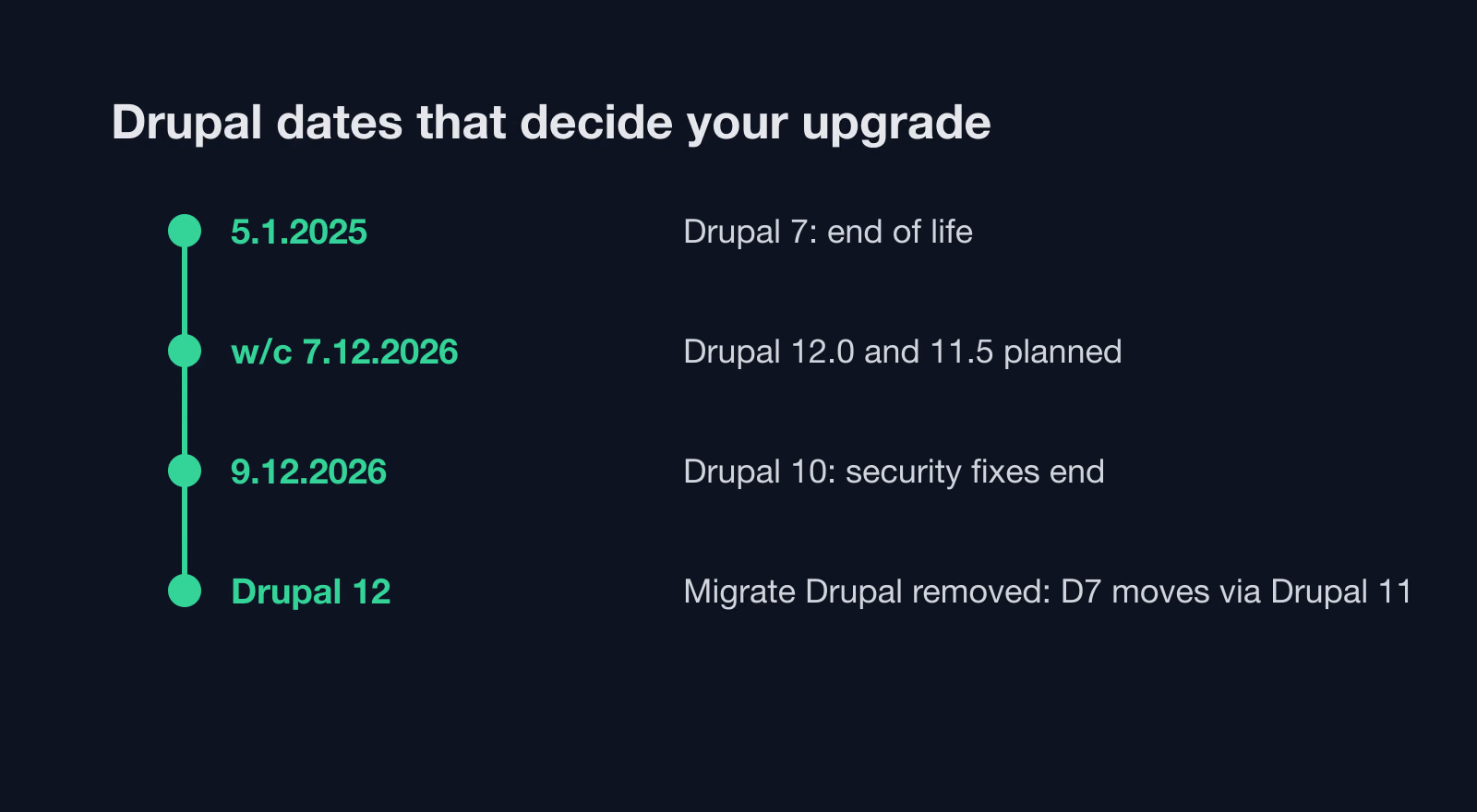
WCAG 2.2 became a W3C Recommendation on 5 October 2023; the current edition is dated 12 December 2024. According to What’s new in WCAG 2.2, it adds nine success criteria:
| Number | Criterion | Level |
|---|---|---|
| 2.4.11 | Focus Not Obscured (Minimum) | AA |
| 2.4.12 | Focus Not Obscured (Enhanced) | AAA |
| 2.4.13 | Focus Appearance | AAA |
| 2.5.7 | Dragging Movements | AA |
| 2.5.8 | Target Size (Minimum) | AA |
| 3.2.6 | Consistent Help | A |
| 3.3.7 | Redundant Entry | A |
| 3.3.8 | Accessible Authentication (Minimum) | AA |
| 3.3.9 | Accessible Authentication (Enhanced) | AAA |
Six of them count toward a Level AA target. The three AAA criteria are still useful as design references.
Why WCAG 2.2 removed 4.1.1 Parsing
4.1.1 Parsing is marked obsolete and removed. The W3C explains that assistive technology no longer parses HTML itself; it relies on the browser, and the issues that used to fail 4.1.1 now fail 1.3.1 Info and Relationships or 4.1.2 Name, Role, Value. A national rulebook built on WCAG 2.1 can still require it, so check before dropping it from an audit template.
How to meet the new WCAG 2.2 criteria in WordPress themes
WCAG 2.2 builds on 2.1. Several new criteria hit sticky headers, icon buttons, login flows, and dense admin-like UIs that WordPress themes often ship.
2.4.11 Focus not obscured (minimum, AA)
When a user tabs, the focused control must not be entirely hidden by author-created content such as sticky headers, footers, or cookie banners. The AAA version (2.4.12) goes further: no part of it may be hidden.
Typical WordPress failure: a fixed header at z-index above content, or a consent bar that covers the first focused link after skip-to-content.
Practical fixes:
- Prefer
scroll-padding-top(and bottom when needed) onhtmlequal to sticky chrome height so focused elements scroll into the clear area. - Keep cookie UIs in the tab order with a visible dismiss control; do not trap focus without an Escape path.
- Avoid
overflow: hiddenon ancestors that clip the focused outline.
2.4.7 Focus visible and 2.4.13 Focus appearance
Many teams still strip outline for aesthetics and never replace it. That fails 2.4.7 Focus Visible, which remains AA. 2.4.13 Focus Appearance (AAA) gives a measurable design target: the indicator area should be at least as large as a 2 CSS pixel thick perimeter of the unfocused component, with a contrast ratio of at least 3:1 between the same pixels in the focused and unfocused states.
In block themes, put focus styles in theme.json or a small stylesheet that survives editor and front-end. Do not rely on browser default alone if your CSS resets it.
2.5.7 Dragging movements (AA)
Anything that requires drag (sortable menus, slider handles, Kanban-style builders) needs a single-pointer alternative such as buttons or form controls, unless dragging is essential. Gutenberg itself exposes alternatives for many interactions; custom blocks that only listen to drag events need the same treatment on the front end.
2.5.8 Target size (minimum, AA)
Pointer targets need at least 24 by 24 CSS pixels. The criterion lists five exceptions:
- Spacing: a smaller target passes if a 24 CSS pixel diameter circle centred on it does not intersect another target or the circle of another undersized target.
- Equivalent: the same function is available through another control on the page that meets the size.
- Inline: the target sits in a sentence or its size is constrained by the line height of surrounding text.
- User agent control: the browser sets the size and the author has not modified it.
- Essential: a particular presentation is essential or legally required.
Tiny “X” icons on modals, pagination chevrons, and social icon rows often fail. Fix with padding, min-width / min-height, or wrapping the icon in a larger hit area without changing the visual size of the glyph if design requires it.
3.2.6 Consistent help (A)
If help mechanisms repeat across pages, they must appear in the same order relative to other page content. The criterion covers human contact details, a human contact mechanism, a self-help option, and a fully automated contact mechanism such as a chatbot. In a WordPress theme, keep the support link or chat widget in the same template part on every page.
3.3.7 Redundant entry (A)
Information the user already entered in the same process must be auto-populated or available to select, unless re-entry is essential, required for security, or the earlier value is no longer valid. In WooCommerce, a “same as shipping address” option for billing covers the common case.
3.3.8 Accessible authentication (minimum, AA)
No step of a login may require a cognitive function test (remembering a password, solving a puzzle) unless that step provides at least one of: an alternative method without such a test, a mechanism that assists the user (for example a password manager), an object recognition test, or identification of non-text content the user supplied. The AAA version (3.3.9) drops the last two exceptions.
Allow paste into password fields so password managers work. Prefer email magic links, WebAuthn / passkeys, or copy-paste of one-time codes where the product allows. On WordPress logins and membership plugins, audit any “disable paste” scripts and third-party bot walls. If you must use a challenge, offer an accessible alternative path.
How to use semantic HTML in accessible WordPress themes
Most durable fixes are boring HTML:
- Landmarks: one main, clear
nav,header,footer. Screen reader users jump by region. - Heading levels follow outline, not font size. Style with CSS; do not skip from
h2toh4for looks. - Links go somewhere; buttons change state on the page. Never use a
divwith a click handler as the only control. - Images that convey meaning get
alt; decorative images get emptyalt.
ARIA is a supplement when native HTML cannot express the pattern. Prefer a real <button> over role="button" on a span.
Which Gutenberg blocks commonly fail accessibility checks
Core blocks and the block editor have improved keyboard support and structure over several releases. That does not make every published page accessible.
Patterns that still fail in the wild:
- Group and Cover blocks with low-contrast text over busy media. Check contrast after theme colour palettes apply.
- Navigation block with mega-menus that open on hover only. Provide click / Enter activation and Escape to close.
- Custom blocks that render interactive widgets without focusable elements or with incorrect
aria-expandedon toggles. - Patterns from marketplaces that nest headings incorrectly or duplicate
h1.
Editor checklist for authors:
- Use the List View to verify heading order before publish.
- Prefer native Image / Gallery blocks so
altfields remain editable. - Avoid stacking multiple sticky template parts that compete for vertical space.
For theme developers: register block styles that preserve focus outlines; document any required wrapper markup in block.json supports. Test both the Site Editor canvas and the front-end output, because they are not always identical.
How to run accessibility checks on classic and block WordPress themes
Classic PHP themes fail when templates hard-code inaccessible menus or remove focus styles in style.css. Hybrid setups (classic theme plus block template parts) need the same sticky and focus checks on both PHP and HTML templates.
Block themes (theme.json, template parts) centralise colour and typography, which helps contrast if the palette is designed with AA ratios. They also make it easy to ship a global sticky header that violates Focus Not Obscured on every page: fix once in the header template part.
WooCommerce and form plugins sit on top of the theme. Checkout, account, and contact templates deserve their own keyboard pass: label association, error text that names the field, and focus moved to the first error after failed submit.
What the accessibility-ready theme tag requires
The WordPress.org theme directory grants the accessibility-ready tag only after an extra review. The Themes team handbook lists 18 required items:
- skip to content link;
- meaningful landmark roles and names;
- keyboard navigation support;
- controls with accessible names, roles, and states;
- labelled form fields;
- headings with meaningful structure;
- underlined links in text;
- no ambiguous link text;
- sufficient colour contrast of text and UI controls;
- alternative text on images and graphics;
- accessible audio, video, and animations;
- support for reflow, resize, and text spacing changes;
- no unexpected changes of context;
- no links opening new windows or tabs without warning;
- content on hover or focus is accessible;
- an accessibility statement;
- must not recommend or require inaccessible plugins;
- screen reader text supported.
The tag does not certify your site, because plugins, patterns and content can break a reviewed theme. It does give you a reviewed baseline and a checklist for custom themes.
Do accessibility overlay plugins work
Accessibility overlays and “one-line fix” widgets do not rewrite your DOM into semantic HTML. They often conflict with the assistive technology users already have configured. Regulators have noticed: on 22 April 2025 the US Federal Trade Commission approved a final order requiring accessiBe to pay 1 million dollars. The FTC’s complaint alleged that claims the accessWidget plug-in could make any website WCAG compliant were false, misleading, or unsubstantiated. Remediate theme and content instead.
How to test WordPress accessibility before each release
Automated tools (axe, WAVE, Lighthouse accessibility category) are the first pass, not the last. They miss most keyboard traps and many focus-obscured cases.
Suggested order on each major template:
- Automated scan on home, archive, single post, search, form, and checkout if present.
- Keyboard only: Tab through the header, open every submenu, submit a form with an intentional error, dismiss modals with Escape.
- Screen reader spot-check with NVDA (Windows) or VoiceOver (macOS / iOS) on the same critical path.
Re-test after theme updates, plugin updates that change markup, and Site Editor template edits. Accessibility regressions often arrive with a “harmless” CSS commit that sets outline: none.
Tools that fit a WordPress workflow: axe DevTools in the browser, WAVE from WebAIM for a visual overlay of issues, Pa11y on the command line inside CI, and the Accessibility Checker plugin inside the editor.
Accessible forms on WordPress
Contact Form 7, Gravity Forms, Fluent Forms, and custom wp_mail UIs share the same rules:
- Visible
<label>(or correctly associatedaria-labelledby), not placeholder-as-label alone. - Error messages that say what failed and how to fix it, tied to the field with
aria-describedby. - After submit with errors, move focus to the first invalid field or to a summary that links to fields.
- Mark required fields with the
requiredattribute, not only a red asterisk. - Do not disable paste on password or OTP fields.
How to make WooCommerce and headless WordPress accessible
WooCommerce checkout must work end to end with a keyboard: add to cart, change quantity, apply a coupon, complete payment, read the confirmation. Product comparison tables need real <table> markup with <th> and scope. Cart notices should use aria-live="polite" so screen readers announce “added to cart” without interrupting the user.
Headless front-ends built with React, Next.js or Astro add one problem classic themes do not have: route changes in a single-page app do not reload the page. After each route change, move focus to the main content, announce the new page title through an aria-live region, and update document.title. Server-side rendering helps because content is in the initial HTML before any JavaScript runs.
WCAG 2.2 AA checklist for WordPress sites
Ship focus styles, respect 24px targets, keep focused controls out from under sticky UI, give every drag action a click alternative, keep help in the same place, do not ask for the same data twice, and keep authentication paste-friendly. Use Gutenberg’s native blocks where they already expose accessible patterns, and treat custom blocks as first-class UI that needs keyboard and screen reader tests. If you rely on the Article 14 disproportionate burden clause, write the assessment down.
If you need a WordPress developer to remediate theme templates, block markup, or a WooCommerce checkout path against WCAG 2.2 AA, start from a documented accessibility audit of the templates you actually ship, not from an overlay install.