WordPress maintenance with me starts at €81 a month, excluding VAT. Where a site lands above that depends on what I look after: a company website is usually €81-200 a month and a WooCommerce shop €130-590 a month. The onboarding audit is included in the first month. You get the exact amount in a written quote after a short brief.
The same ranges appear on the WordPress pricing page. This page sets out what the fee pays for, what I bill separately, how integrations, Multisite and non-WordPress systems move a site within the range, and what to ask when you put my quote next to someone else’s. The figures are in euros and are the same for a client in the UK, Ireland or anywhere else in Europe.
WordPress maintenance prices
Monthly, excluding VAT, for maintenance of one site.
Company website
€81-200 a month
Brochure site, service business, company blog, site with a contact or booking form.
- Updates tested on staging first, with before and after screenshot comparison
- Daily cloud backups kept for at least 30 days
- Uptime monitoring every 1 to 5 minutes and a malware scan
- Monthly report
WooCommerce shop
€130-590 a month
A WooCommerce shop where downtime means lost orders.
- Everything in company website maintenance
- Scope and hour allowance matched to the shop, written into the quote
Larger site or portfolio
Quoted against an SLA
Several integrations, Multisite, a portfolio of sites, a shorter reaction time.
- Scope written separately for each site
- Hour allowance and reaction time as figures in the quote
Hours above the monthly allowance are billed at the rate in the quote. Unused hours do not roll over to the next month.
WordPress maintenance cost: what the monthly fee pays for
The fee covers the work that comes round every week and every month, whether or not anything visible happens on the site. I update WordPress core, plugins and themes on a staging copy of the site first, then compare screenshots taken before and after the update. A change reaches the live site only when the tests and the comparison show no differences nobody planned. Moving to a newer PHP version is part of the fee too: I plan it ahead and test it on staging like any other update.
Backups run daily, incrementally, go to cloud storage away from the web server and are kept for at least 30 days. Monitoring checks the site every 1 to 5 minutes and alerts me when it stops responding. On top of that come a malware scan and file integrity checks against the official versions of core, plugins and themes. Once a month I measure Core Web Vitals and clean up the database.
The fee also carries a monthly allowance of developer hours for small fixes. The allowance and the rate for hours above it are set in the quote. You send requests by email or through the ticket system, and each one is logged, so the report shows what was done and when.
The detail of how updates run is on the WordPress update service page. What happens after a break-in is on the WordPress malware removal page.
What the fee covers and what is billed separately
In the monthly fee
- Onboarding audit in the first month
- Core, plugin and theme updates, staging first, with screenshot comparison
- Planned PHP version upgrades, tested on staging
- Daily incremental cloud backups kept for at least 30 days
- Uptime monitoring every 1 to 5 minutes, malware scan, file integrity checks
- Monthly Core Web Vitals measurement and database cleanup
- Requests by email or the ticket system, each one logged
- Report: update status, uptime, performance, indexing errors
- Monthly allowance of developer hours, set in the quote
Billed separately, after a quote
- New pages, new features, graphic design
- Rebuilding a feature that needs new code after an update
- Large changes to the theme or site architecture
- New integrations with ERP, CRM, payment providers or e-invoicing
- Migrations: new host, another CMS to WordPress, WordPress to Next.js or Astro
- One-off audits: security, WCAG accessibility, Core Web Vitals, NIS2 and DORA
- Hours above the monthly allowance, at the rate in the quote
- Hosting, domains and email, unless written into the quote
- Content strategy and a separate SEO service
- Emergency work on a site without a maintenance contract
Is there a setup fee? The onboarding audit is in the first month
Maintenance starts with an audit, and the audit is included in the first month’s fee. There is no separate charge. I check the PHP version, the plugin list and the state of each plugin, the theme, access to the server and the domain, and whether the existing backups can be restored. When one owner has several sites, I collect this in a single sheet: where each site is hosted, who holds the hosting and domain logins, and which sites are shops.
Before I get any access to the site, we sign a data processing agreement. Your site holds customer data, orders and form submissions, and as the technical maintainer I process that data on your behalf. For EU and Irish clients the agreement follows Article 28 of the GDPR; for UK clients it follows the same article in the UK GDPR. You stay the controller and I am the processor.
The audit result goes into the first report. If the site has abandoned plugins, a theme without support or backups that do not restore, I write that down and propose an order of repairs. Work outside the maintenance scope gets its own quote and starts once you confirm it.
Which option fits your site
Start from the state the site is in today.
You have a working company website and want someone to update it on a schedule and look after the backups.
Company website maintenance, the first range in the table above.
You run a WooCommerce shop and a day of downtime means lost orders.
Checkout or payment has already stopped working.
The WooCommerce rescue sprint first, a maintenance plan after it.
The site is down right now and you have no maintenance contract.
WordPress repair and technical support, priced after you describe the fault.
You have 5 to 10 sites or a Multisite network.
A portfolio quote: scope per site, Multisite priced individually.
The site runs on Drupal or TYPO3, or it is a Laravel or Symfony application.
Maintenance of a non-WordPress system, quoted after an audit. Details further down this page.
You do not know what state the site is in.
WordPress site check: measured numbers for one address, results straight away, no email required.
What makes WordPress maintenance more or less expensive
The type of site moves the price most. A WooCommerce shop and a brochure site need different attention, which is why they have different ranges. In a shop, downtime means lost orders, and an update can break the basket or the payment step. A shop that needs a standing test of the basket, details, delivery and payment path (without placing a real order) goes on the Store Reliability Plan.
With a portfolio of several sites belonging to one owner, I write the scope separately for each site. A Multisite network is priced individually.
Reaction time changes the figure as well. On priority plans I start diagnosing within 1 hour of your report, and most incidents close within 2 to 4 hours. The basic plan has a longer window, written into the offer. A shorter window costs more because I have to keep time free for it. The window runs on working days, Central European Time, which is one hour ahead of the UK and Ireland whether or not the clocks have changed.
A larger hour allowance raises the fee. A smaller allowance does not lower it in proportion, because the fixed part (monitoring, backups, updates tested on staging) costs the same with 2 hours as with 4. A smaller plan is therefore not half the price of a plan with twice the hours.
How integrations, Multisite and other systems move the price
The examples below are typical situations that site owners bring to me. None of them describes a specific client. They show what puts a site near the bottom or the top of its range.
A typical company site with 30 plugins and a page builder
A service business site built on Elementor or another page builder, with a contact form, an SEO plugin, a caching plugin and twenty-odd smaller add-ons. This site fits the company website range. The more plugins, the more updates each week and the more places where the page builder can change the look of a page after an update. Screenshot comparison catches those changes before visitors do. The fee rises mostly with the number of plugins I have to review at each major release. I compare the main builders in Gutenberg vs Elementor, Divi and WPBakery.
A typical shop with a payment gateway and an accounting connector
A WooCommerce shop with a payment gateway, a shipping plugin and a link to an accounting package. In the UK, HMRC plans to require e-invoices for all VAT invoices from April 2029. In Ireland, large corporates must issue e-invoices from 1 November 2028, and every business must be able to receive them from that date. WooCommerce does not issue structured e-invoices by itself, so a plugin or the accounting package does that job, as I explain in e-invoicing in WooCommerce for the UK and Ireland. Each connector is one more thing to check after an update, before the change goes live. After a connector update I issue a test invoice in the provider’s test environment. A shop like this fits the WooCommerce range and moves up within it when there are several integrations or when it needs a short reaction time.
A shop connected to an ERP or CRM
When stock levels, prices or orders flow between WooCommerce and an ERP or CRM, a plugin update can change the format of the data the other system receives. Maintenance here needs a data exchange test on staging and is usually quoted against an SLA. I describe the architecture of these connections in the WooCommerce ERP integration guide and the WordPress API-first guide. Building a new integration is a project outside the monthly fee.
A Multisite network or a portfolio of sites
A Multisite network is one installation, but a plugin update applies to every site in it at once, and each site may use that plugin differently. A portfolio of separate sites means several servers, several sets of logins and several schedules. In both cases I write the scope separately and give the price in a quote after a short brief.
A Drupal or TYPO3 site, or a Laravel or Symfony application
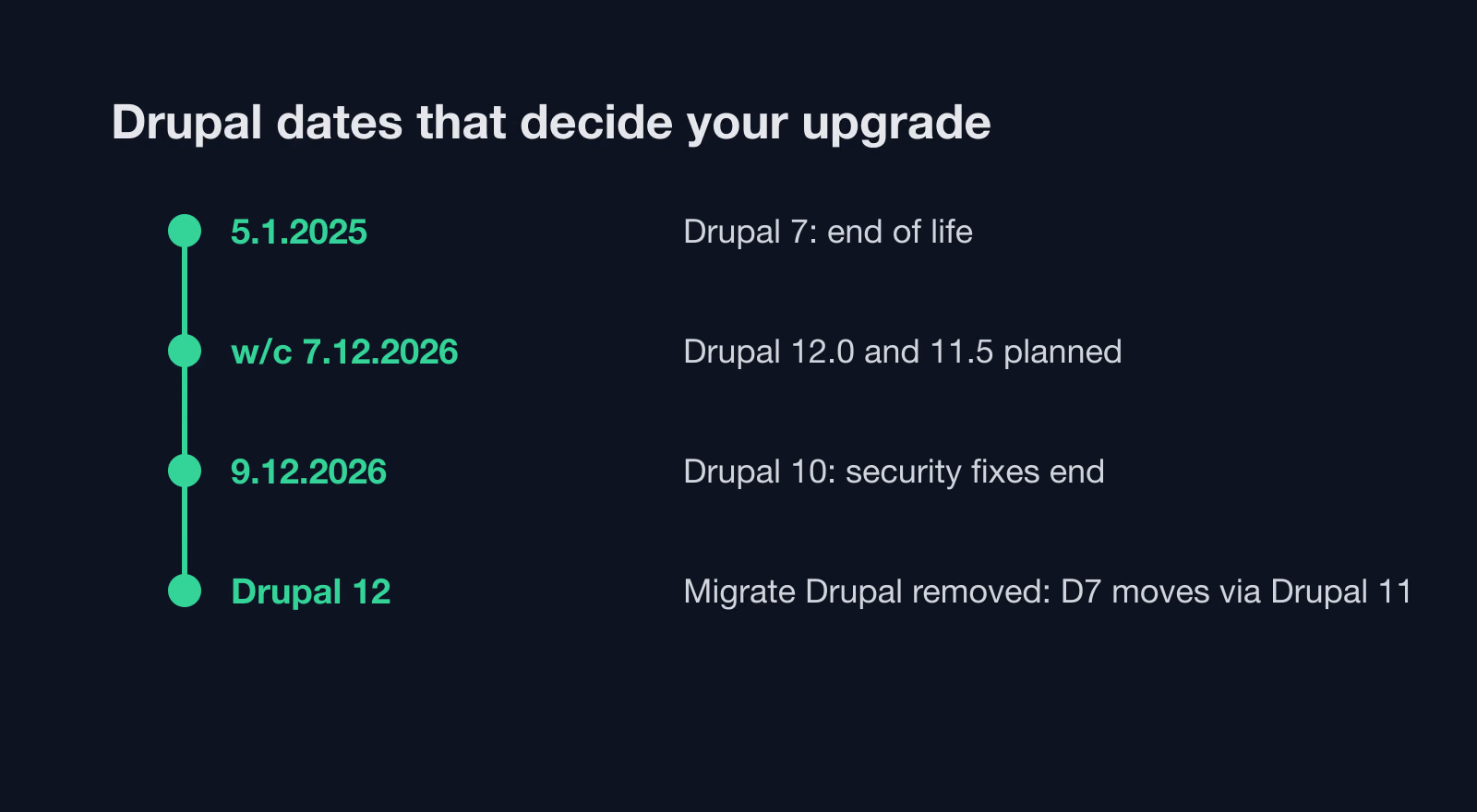
The ranges in the table apply to WordPress maintenance. I also maintain sites on other systems, each with its own release rhythm and tools. I update Drupal through a Composer and Drush workflow; Drupal 10 loses security support on 9 December 2026. TYPO3 needs a plan for moving between LTS versions. A Laravel application can get patch releases as often as weekly, and Symfony 6.4 receives bug fixes until November 2026. I quote maintenance for these systems after an audit, because the scope depends on the version, the number of modules and who manages the server.
Projects billed outside the monthly fee
The fee covers keeping what already works running. Projects that change the site or its surroundings get their own quote and start once you confirm it. The most common ones:
- Moving WordPress to a new host: backup, transfer of the database and files, DNS change and checks after go-live.
- Moving to WordPress from another system, for example from TYPO3, from Drupal or from Joomla. An anonymised TYPO3 to WordPress case study shows how such a migration runs.
- Migration from WordPress to Next.js or Astro, when the site needs a different architecture.
- A WCAG accessibility audit for the European Accessibility Act, a Core Web Vitals audit with a list of fixes and an NIS2 and DORA readiness audit.
- A WordPress security audit and speed optimisation, when the site needs a single, thorough piece of work that maintenance then keeps in place.
- New integrations with ERP, CRM, payment providers or e-invoicing.
- The WooCommerce rescue sprint, when checkout or payment has already stopped working.
When the project ends, the site can move into ordinary monthly maintenance.
What you get each month for the fee
You see the result of maintenance in the monthly report. It shows update status, uptime, performance and the indexing errors Search Console reports. The update section lists what was updated, which regressions showed up on staging and whether any change was rolled back. The backup section shows backup status and the date of the last test restore. The request section lists what you asked for and what I did about it.
The report also lists the actions for the following month: plugins to replace, versions held back until a fix arrives, a planned move to a newer PHP. It shows what you are paying for. Content strategy and SEO are separate services.
Maintenance, hosting, domains and email
Maintenance covers the site. Hosting, domains and email are part of the scope only when they are written into the quote. If the hosting belongs to you or your IT team, monitoring still shows its outages, and I work out whether a problem sits with the site or with the server. I have no control over the hosting, the payment gateway or other outside systems, so I do not guarantee their availability.
When the hosting stops being enough, I move the site to a new server as a separate project. I compare hosting types in WordPress hosting in 2026: cloud, edge or managed.
WordPress maintenance contract terms: hours, reaction time, data
- Hours: the monthly allowance is set in the quote together with the rate for hours above it. Unused hours do not roll over to the next month.
- Work outside the scope gets its own quote and starts only after you confirm it.
- Reaction time means diagnosis and a plan of action on working days, Central European Time. It does not guarantee a repair time, because the repair also depends on the host, the payment gateway and outside suppliers.
- Out of hours: monitoring runs all the time and alerts me within minutes, and I respond during working hours unless the quote says otherwise.
- Security: maintenance lowers the risk of a break-in, but it cannot guarantee that a site will never be hacked.
- Personal data: before I get access, we sign a data processing agreement under Article 28 of the GDPR or the UK GDPR. You remain the controller and I am the processor.
- Liability between us is set by the contract.
- A breakdown without a contract: a site without maintenance that has stopped working goes to WordPress repair. I price it after you describe the fault and start once you confirm the scope in writing.
- Payment and notice: invoices are due within 7 days. Notice terms are written into the order, in line with the terms and conditions.
If you are moving from another maintenance provider, read what to check when you switch WordPress maintenance provider before you sign anything new.
How to compare WordPress maintenance quotes
Two quotes with a similar figure can cover very different work. Ask every provider about the same points:
- Whether updates go to staging first or straight to the live site, and whether anyone compares how the site looks after an update.
- How long backups are kept, where they are stored and when someone last restored one as a test.
- What the reaction time in the contract means (the start of diagnosis or a finished repair) and during which hours it applies.
- Whether unused hours roll over, and the rate for hours above the allowance.
- Whether a PHP version upgrade is part of the fee or a separate project.
- Whether the onboarding audit is charged separately.
- Whether the provider signs a data processing agreement before getting access.
- Who actually runs the updates, and who you write to when the site is down.
My answers are on this page and on the WordPress website maintenance page. If another quote is cheaper, check which of these items it leaves out.
Who runs the maintenance
I run it myself: Mariusz Szatkowski, senior WordPress developer, working with WordPress since 2006, based in Gdynia, Poland. I work remotely, so a business in London, Manchester, Dublin or Cork gets the same scope as one in Gdynia. Updates, backups, monitoring and reports are done by the person you agree the scope with.
Next step: send the site address and a short note on what runs on it (forms, a shop, integrations, other systems). I reply with a written quote showing the fee, the hour allowance and the reaction time.