What WordPress 7.1.3 fixed
WordPress 7.1.3 shipped on 6 October 2026 with 7 security fixes and 4 bug fixes. The release post lists the classes of bug:
- stored XSS on the Comments administration page, triggered through pending comments
- a denial-of-service issue in
WP_Http::make_absolute_url() - a second-order SQL injection in the WXR export
- a weakness that let users with the Author role make posts sticky
- unauthenticated disclosure of comments on private and unpublished posts
- XSS in Imgur embeds
- forgeable parameters passed to the
{status}_{type}hook, leading to an action name collision
The credits name Thomas Chauchefoin of Trail of Bits, Ananda Dhakal of Patchstack and others. Anthropic is credited for three of the issues: the denial of service, the SQL injection and the sticky-post weakness.
Three weeks earlier, WordPress 7.1.1 (17 September 2026) carried 11 security fixes, among them a stored XSS in wpautop(), an authenticated path traversal in the REST templates controller and an arbitrary post overwrite by Contributors.
Read the list for what it is: mostly bugs that need a logged-in role, a pending comment or a specific feature. None of them is “the whole internet owns every site tonight”. That is exactly why they get postponed. The argument for patching fast is not drama, it is arithmetic. A fix is public the moment it ships, a diff is public with it, and the gap between release day and your update day is the window in which a known bug sits on your site. Core also states that “only the most recent version of WordPress is actively supported”, with security fixes backported where necessary to older branches (currently through 4.7).
How the WordPress security team handles core vulnerabilities
According to wordpress.org/about/security, the WordPress security team is made up of more than 50 trusted experts, including lead developers and security researchers. The team develops and tests the fixes itself and publishes them in bugfix releases. The page also describes working with major web hosts and security providers on the rollout and on WAF mitigations that blunt attacks before everyone has updated.
Two consequences follow for maintenance. In core, the fix comes from one coordinated source, and the automatic background update is the delivery channel. If it is on, most of the core work is done. Plugins and themes are different: vulnerabilities are reported to the developer and to the plugins or themes team, and how fast a fix arrives depends on a single maintainer. That is why most of your update work sits in the plugin list, not in core.
How WordPress core automatic updates work
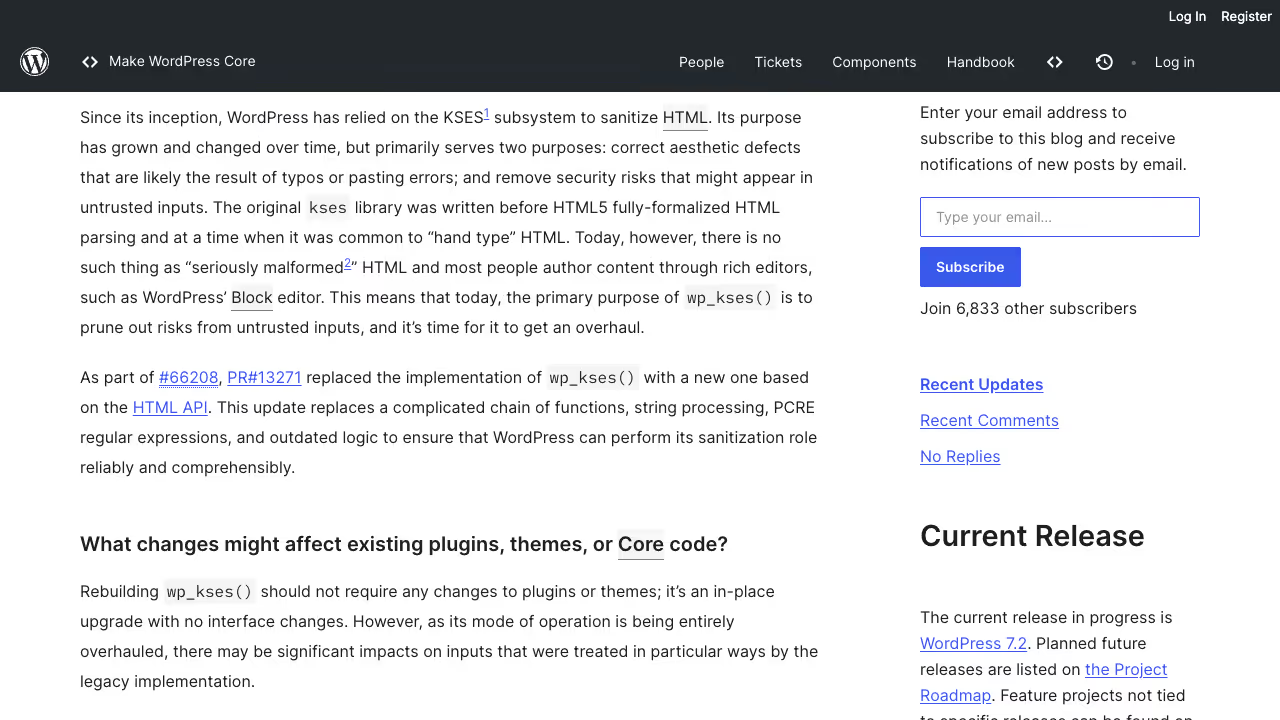
The 7.1.3 post says that sites supporting automatic background updates begin the update on their own. The upgrading documentation describes the control: the WP_AUTO_UPDATE_CORE constant accepts true (development, minor and major releases), false (none) or 'minor' (minor releases only). Before WordPress 5.6 every site got automatic updates for minor core releases and translation files by default, and new installations since 5.6 also get major releases unless WordPress detects a version control checkout.
Check three things on every site you run:
- The constant is not set to
falseinwp-config.php, left behind by a developer who wanted to freeze a version years ago. - The site is not a version control checkout that silently opts out.
- The host actually delivers the update. Run
wp core versionon the server a day after a release and compare it with the version in the release post.
Do WordPress plugins and themes update automatically
By default, the documentation says, background updates for plugins and themes happen only in special cases, “as determined by the WordPress.org API response, which is controlled by the WordPress security team”. Since WordPress 5.5 you can turn auto-updates on or off for each plugin and theme on the screens you already use. Turning them on for everything is not a strategy. Turn them on for plugins with a small surface and a good release record, and keep checkout, forms and membership plugins on a staged path.
The plugin directory has its own safety valve. Vulnerabilities are reported to the plugins team, which tries to reach the developer, and per the plugin security guidance “most plugins are closed to prevent new downloads until the issue is resolved”. Closing blocks new installs. It does not reach into your site, so a closed plugin you installed last year keeps running. Once a quarter, compare your active plugins with what the directory still lists, and replace the ones that are closed or abandoned. The same discipline covers supply chain attacks, where a trusted plugin changes hands and the next update is the attack. My note on the update hold at WordPress.org covers the change to the mandatory delay and what agencies should do about it.
How to update WordPress safely on a live site
Whether an update is worth the risk depends on whether you can undo it. The routine that works:
- Take a backup you have restored at least once. An untested backup is a hope.
- Apply updates on staging and click through the paths that earn money or collect data: checkout, contact forms, login, search.
- Update production in a low-traffic window, then repeat the same click-through.
- Look at the PHP error log for new notices, because a plugin can break quietly.
- Know the rollback before you start. If it goes wrong, the guide on restoring a previous version after a failed update walks through it.
Two WP-CLI commands do most of the inventory work. wp plugin list --update=available shows what is pending, and wp core check-update shows the core status. Security releases go first and the rest follows weekly. A maintenance plan is mainly someone doing exactly this, on schedule, and writing it down.
With hosting that offers one-click staging, the barrier is low. On your own VPS, use wp-cli or a deploy pipeline and keep staging behind HTTP auth or a VPN. An open clone of production with real customer data is a data protection problem in itself.
Also avoid a “staging” that is only a subfolder on the same database. Shared tables and shared cookies create false confidence. Real staging has its own database and its own URL.
How WordPress rolls back a failed plugin update
Since WordPress 6.3, core has a built-in rollback for manual plugin and theme updates. According to the 6.3 developer note, the installed version is moved to wp-content/upgrade-temp-backup/plugins/ or wp-content/upgrade-temp-backup/themes/ before the update starts. If the installation fails, it is moved back. If it succeeds, the copy is deleted. Site Health gained two checks at the same time: whether the backup folder is writable and whether there is enough disk space to update safely.
The limit is in the same note. “Failed” means the installation itself returns an error, for example an empty download package or files that cannot be moved. An update that installs cleanly but breaks checkout counts as a success, and the old version is already gone.
WordPress 6.6 went further for plugin auto-updates. The merge proposal describes the flow: the site is in maintenance mode while automatic updates run, WordPress sends a loopback request to the homepage to look for PHP fatal errors, and if that request returns an error, the previous version of the plugin is restored and the address in admin_email gets an email about it. The 6.6 testing call confirms that this is the default from 6.6.
The mechanism catches the obvious case: a fatal error that takes down the homepage. It does not catch a bug that only shows in checkout, a form or a cron job, and the proposal covers plugins only, not themes. Built-in rollback therefore replaces neither staging nor a backup you have restored at least once.
How to control automatic updates in code
The upgrading documentation describes more switches than WP_AUTO_UPDATE_CORE. They help when one team runs many sites under the same rules:
AUTOMATIC_UPDATER_DISABLEDinwp-config.phpturns off every automatic update, core and everything else. The documentation strongly discourages it. If you find the constant on a site, find out who set it and why.- The
auto_update_pluginandauto_update_themefilters receive the item being updated, so you can check$item->slugand enable automatic updates for selected plugins only. If the filter returnsfalsefor everything, it also blocks the security updates WordPress.org pushes in special cases. auto_update_translationcontrols translation files, which update automatically by default.auto_core_update_send_emailcontrols the core update emails. The filter receives the type (success,failorcritical), so you can silence success notices and keep the failure ones.automatic_updates_is_vcs_checkoutdecides whether a.git,.hgor.svnfolder in the WordPress directory or a parent directory stops automatic updates.
The documentation says these filters belong in a must-use plugin, not in wp-config.php, because WordPress is not fully loaded there and conflicts can occur, including with WP-CLI. A small mu-plugin in version control also makes the rules visible to the next developer who takes over the site.
How to protect custom plugins from the wrong update
A custom plugin with the same slug as a plugin in the WordPress.org directory used to risk being overwritten when the directory version received an update. The WordPress 5.8 developer note introduced the Update URI plugin header against this: if the value points anywhere other than WordPress.org, WordPress does not try to update the plugin from there. Update URI: false stops updates entirely, and the update_plugins_{$hostname} filter lets your own update server deliver new versions. Add the header to every in-house plugin. It takes a minute and removes a whole class of accidents in which someone else’s code reaches production through the update button.
How to harden WordPress while a patch is pending
No routine is instant. Hardening decides what an attacker can do in the meantime.
- No file editor.
define('DISALLOW_FILE_EDIT', true);inwp-config.phpremoves the theme and plugin editor from the dashboard, so a stolen admin session cannot write PHP from the browser. - No PHP in uploads. Block execution in
wp-content/uploadsat the web server. An upload bug then ends as a stored file, not a shell. - Tight permissions.
wp-config.phpreadable by the site user only, and no world-writable directories. - Few administrators. Several of the 7.1.x fixes depend on a role. Fewer privileged accounts means fewer exploitable paths. Give editors the Editor role, not Administrator.
- Strong login. Passkeys or 2FA for every account that can publish or install.
- Unused XML-RPC off.
add_filter('xmlrpc_enabled', '__return_false');if no app or Jetpack connection needs it.
The full list, with server examples, is in the WordPress hardening guide.
What a WAF protects WordPress against
Web application firewalls (Cloudflare, Sucuri, the host’s own WAF, or plugin-based virtual patching from vendors such as Patchstack) are useful. They do not replace updates.
A WAF is good at:
- rate limiting brute force against the login,
- blocking known exploit signatures and malicious user agents,
- virtual patching: temporarily blocking a known attack pattern while you test the update on staging,
- geo or ASN filtering when obvious scanning patterns appear.
A WAF is weak or blind to:
- logic bugs in your own plugin (“if
?token=matches, grant admin”), - compromised legitimate admin sessions (a cookie stolen after phishing),
- wrong file permissions that let an uploaded PHP file run,
- backdoors already sitting in
wp-content/uploadsfrom an earlier breach, - supply chain problems where the updated plugin itself is compromised (rarer, but documented in the ecosystem).
So the order is always the same: update and harden first, use the WAF as an extra layer and as a buffer during the patch window. Putting Cloudflare in front and calling the job done is a common mistake, especially when DNS is right but the origin server still serves wp-admin directly on its IP.
Why the PHP version belongs in the update routine
WordPress updates help little if the PHP underneath no longer gets security fixes. The requirements page on wordpress.org recommends PHP 8.3 or greater, MySQL 8.0 or greater or MariaDB 10.11 or greater, and HTTPS. It also says WordPress works on PHP 7.4 and MySQL 5.5.5, but that these versions have reached their end of life and may expose the site to security vulnerabilities.
The php.net overview shows that, as of October 2026, PHP 8.2 receives security fixes only and that these stop on 31 December 2026. PHP 8.3 gets security fixes until 31 December 2027, while 8.4 and 8.5 still have active support. Branches older than 8.2 get no fixes at all. Check the version under Tools, Site Health, Info tab, or with php -v on the server, and plan the switch on staging like a larger WordPress update. An old plugin that cannot handle a newer PHP version is an argument for replacing the plugin, not for staying on a PHP branch without fixes.
The critical PHP security release of 21 October 2026 shipped new versions only for the 8.2, 8.3, 8.4 and 8.5 branches. The steps for site owners are in what to do about PHP2Shell on a WordPress site.
What GDPR requires after a website breach
Article 32 of the GDPR requires “appropriate technical and organisational measures” to protect personal data. Article 33 requires notifying the supervisory authority “without undue delay and, where feasible, not later than 72 hours” after becoming aware of a breach, unless it is unlikely to risk people’s rights and freedoms. Infringements of obligations under Articles 25 to 39 fall under the lower fine tier of Article 83(4): up to EUR 10 million or 2 percent of worldwide annual turnover, whichever is higher.
The regulation does not say “install updates”. But a shop that collects customer data and ran a plugin with a published fix for weeks will find that measure hard to defend. Keep records that show the opposite: dates of updates, the staging check, the rollback plan. The same evidence helps your EU compliance audit.
How to detect a hacked WordPress site
Injected SEO spam is built so the owner does not notice. Pages are shown to Googlebot, not to visitors, so a clean homepage proves nothing. These checks do:
wp core verify-checksumsandwp plugin verify-checksums --allcompare files with the official releases and flag changes.- Search for PHP files newer than
wp-config.php, with the theme directory first. wp user list --role=administratorshould show only people you recognise.- A file change nobody on the team can explain is an incident, not a curiosity. Move straight to containment.
If you want the checks run by someone who does not own the site, a WordPress security audit covers outdated components, exposed users and server configuration in one pass. If these checks turn up an infection, I handle the cleanup and close the entry point as part of WordPress malware removal.
Common WordPress security mistakes in small businesses
Several patterns recur with small businesses and agency clients:
A payment and booking stack without an owner. Stripe, PayPal, Easy Digital Downloads, Bookly or Amelia get updated “when there is time”. The payment plugin is exactly where attackers look, because the payoff is direct. Name an owner: one person who follows security advisories for those exact slugs.
Production data on staging without masking. Copies of customer lists, order history and memberships on an open staging URL are a data protection problem before anyone breaks in. Mask the data or restrict access. A supervisory authority cares about the security of processing, not about whether the environment is called “dev”.
Agency and client without clear responsibility. The client thinks the agency patches. The agency thinks the client clicks in wp-admin. Write it down: who monitors updates, who approves staging to production, who has 2FA on the hosting panel. Without that sentence the patch slips until after Black Friday or the holiday season, exactly when there is least time for firefighting.
A “security plugin” instead of hardening. A plugin that scans files is useful as a signal. It does not replace file permissions, updates or blocking access to install.php after installation. Work through the developer handbook hardening checklist before buying another licence.
Email and SMTP keys. A compromised SMTP plugin or a leaked SendGrid or Mailgun key is used for phishing in your company’s name. Rotate keys when people leave, and limit API scopes.
What to check on your WordPress sites this week
Confirm that 7.1.3 is installed on every site. List the plugins with pending updates and sort them by what each can reach. Remove anything abandoned. Count the administrator accounts and cut them. Then put the next review in the calendar, because the next security release will not wait for your next idea.