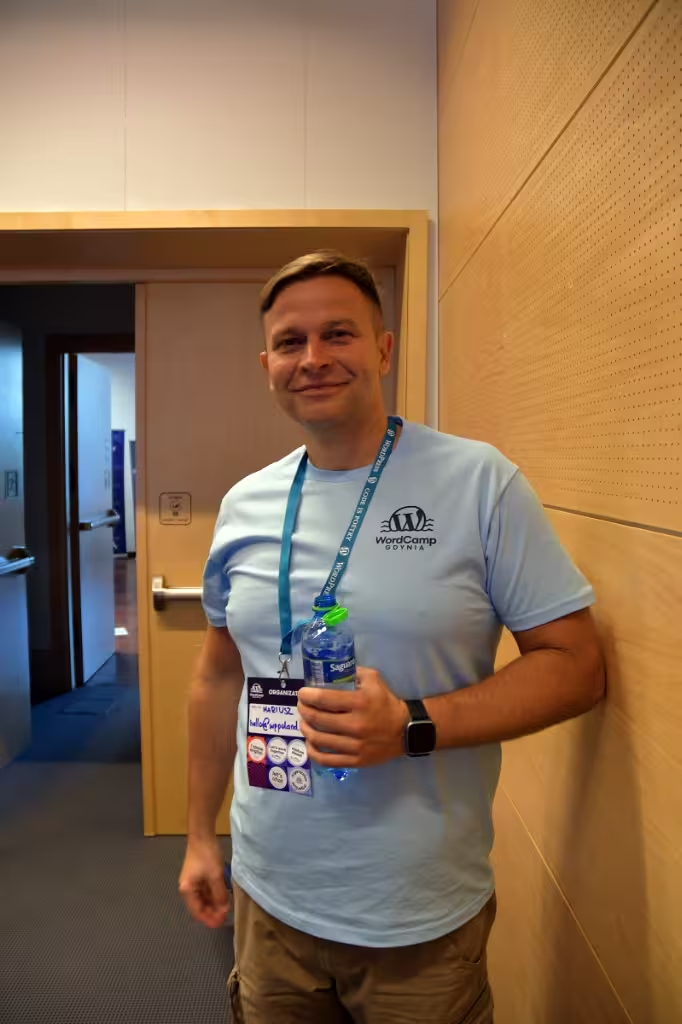
I’m Mariusz Szatkowski, and I have built and repaired WordPress sites since 2006. As a specialist I take the incidents a general developer could not close: an outage after an update, malware, poor Core Web Vitals, a WooCommerce store that fails under load. Broken stores go to the WooCommerce rescue sprint. New builds are on the WordPress developer page.
I work alone: no team, no agency staff, no subcontractors. The code you receive is code I wrote, and your credentials stay with me.
Who does the work
Mariusz Szatkowski, a senior WordPress developer. I have published more than 25 free plugins on WordPress.org and I organise WordCamp Gdynia.
What the work covers
Diagnosis after outages, malware cleanup and hardening, WooCommerce checkout and ERP integration, custom plugins and REST endpoints, Gutenberg blocks, and Core Web Vitals measured on real visitors.
Where I work from
Remotely from Gdynia, Poland, on Central European Time, for clients in the UK, Ireland and elsewhere. I communicate by email, written documents and the repository. If you need a call, ask.
When do you need a WordPress specialist?
When your agency or in-house team is stuck. The usual cases:
- Outage or hack: a critical error after an update, redirects to strange domains, spam pages in Google.
- Custom development: a plugin, REST endpoint or block when no existing plugin fits the process.
- Performance: slow admin, slow checkout, Core Web Vitals failing in field data.
- WooCommerce: checkout, payment webhooks and ERP synchronisation on larger stores.
WordPress specialist vs generalist developer
The difference shows up in problems that have no Stack Overflow answer. Three failure patterns I see on sites past their first year:
- Slow admin behind a fast front end: page caching hides the problem from visitors while editors wait seconds per screen. A frequent cause is the
autoloaddata inwp_options, swollen by rows that deactivated plugins left behind, or by an active plugin that rewrites a serialised array on every admin request. A generalist adds PHP memory. The fix is trimming the autoloaded options. - Editors who may publish in some categories only: when one category sits behind a paywall taxonomy, role settings are not enough. A clean solution needs
map_meta_caponedit_postplus a capability set tied to the taxonomy term. ACF Pro stops at field-level permissions. - One identity, different roles per site on multisite: shared user tables mean a user keeps one account but needs a different role on each site, and super admin rights do not propagate to new sites by themselves. A small mu-plugin that applies role assignments on new site creation handles it. No plugin does.
Which WordPress APIs a specialist should know
WP_Query and the posts_clauses filter for queries that need joins, register_rest_route with a real schema and permission_callback, InnerBlocks and block patterns for editorial teams, pre_get_posts for changing the main query without breaking pagination, and the capability and meta-capability system. Plugin internals matter too: how WooCommerce stores orders after the HPOS migration, how Yoast regenerates sitemaps, how Polylang and WPML rewrite query parameters.
How a specialist engagement starts
Rarely with “build something new”. First I find out what is already broken, then I decide together what stays.
Custom Gutenberg block development
Editorial teams want a block they can configure, with consistent styling, a locked structure and an editor preview that matches the front end. Technically that is InnerBlocks with allowedBlocks and a template lock, registered through block.json with proper attribute schemas and an edit component in React. Page builders cannot offer this because their structure lives outside the post content.
Secure WordPress REST API endpoints
Registering an endpoint is easy. Registering it properly means a real args schema with validate_callback and sanitize_callback per parameter, a permission_callback tied to a capability, rate limiting when the endpoint is open to anonymous traffic, and a versioned namespace (yourbrand/v1) from day one. Many REST problems I inherit come from permission_callback => '__return_true'.
Why WordPress is slow and how to fix it
Generic advice (lazy loading, HTTP/2, a CDN) applies to any site. On WordPress I start with the autoloaded options, plugins that call get_post_meta($post_id) without a key, duplicate WP_Query calls in the header, meta_query lookups that belong in a taxonomy, and posts_per_page => -1 left in widgets. Redis helps only after the data layer is clean. In front of a bloated autoload table it caches the wrong thing faster.
How to clean up a hacked WordPress site
Recovery from a real compromise is forensic work before it is cleanup. I read the access logs for the entry point and compare files against a clean copy of core, the active theme and the installed plugin versions. Most reinfections happen because a site was restored from a backup that was already infected, or because a backdoor sat in wp_options as a base64 payload in an autoloaded option. Scanning the options table is part of every cleanup.
Hardening follows: file editing disabled in the admin, xmlrpc.php restricted at the web server, REST user enumeration blocked, all API keys and database credentials rotated, and a firewall with rules for WordPress attack patterns.
What a technical audit gives you
An audit should help you decide what to do first. I start with context: what the site is for, where it loses money, what the constraints are. Then I go through the layers: theme and plugins, PHP and server, database and cron, technical SEO (canonicals, hreflang, sitemaps, redirects). Findings end up in three groups: fix now, schedule next, consider later. Whether the answer is repair or rebuild follows from the audit, not from a first impression.
Maintenance after stabilisation
Maintenance covers uptime monitoring every 1 to 5 minutes, backups kept for at least 30 days in EU countries, and updates I test on staging before production. Before I get access to a site that holds personal data, I sign a data processing agreement under Art. 28 GDPR. I do not offer 24/7 on-call or guaranteed response or repair times. You choose the hosting provider, I work with the existing stack.
Graphic design and wireframes come from you. I implement them and keep the code in a Git repository you can access.
WooCommerce under high order volume
At higher volume, weak assumptions in checkout, stock handling and integration timing get expensive. I start from the transaction path: which steps must run synchronously, which integrations can be queued, which validations are redundant at checkout. Moving non-critical work out of the request lowers the risk of timeouts during payment. Filters, search and product metadata are the second pressure point, handled with query work, indexes and object caching.
Reliable integrations with CRM and ERP
Integrations need a defined owner for each data object, validation, retries with limits, idempotency and visible errors. Without them, data drifts silently and someone corrects records by hand. Logs with an order or transaction ID make it possible to see where a record got stuck.
Next step
If the store is already down or checkout is failing, start with the WooCommerce rescue sprint. After a breach or malware, use the WordPress security audit. For ongoing care after stabilisation, see the Store Reliability Plan. You can also send a short written brief.