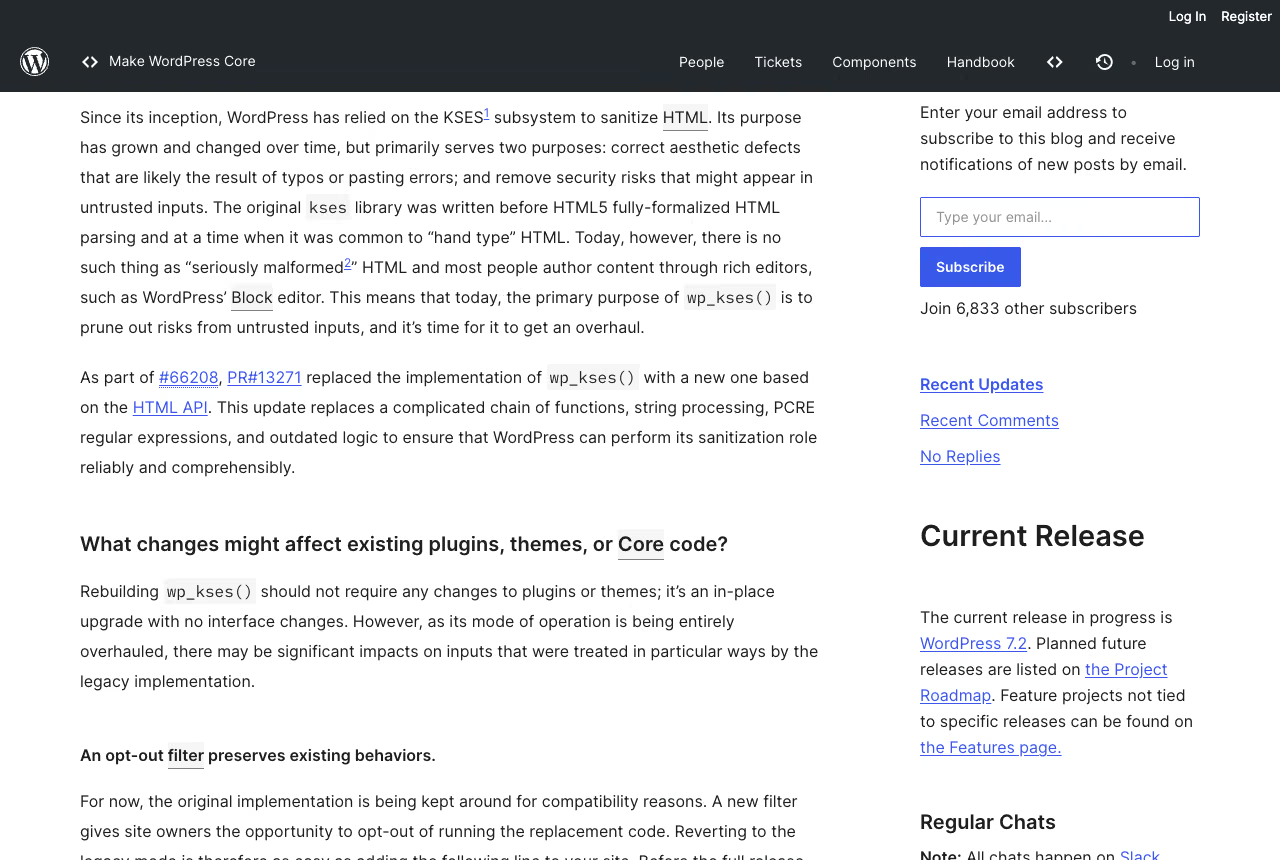
wp_kses() is the function behind wp_kses_post(), comment sanitizing, widget text and every wp_kses( $html, $allowed ) call in your plugin. In trunk it now runs on the WordPress HTML API instead of regular expressions. Dennis Snell’s progress report says it should land in WordPress 7.2 or 7.3, depending on what testing turns up. This post covers what changes in the output, how to find out which of your code cares, and what the temporary opt-out is for.
What exactly is changing in wp_kses()
The old implementation tore markup apart with regular expressions. The new one reads it with the HTML API tokenizer, decides per tag and attribute what is allowed, and writes the result back out. The pull request that did this is titled “KSES: Reimplement with Tag Processor” (PR 13271), tracked in Trac 66208. Per the PR, the new code lives in a function named wp_sanitize_html_kses().
The progress report is explicit about the intent: do not make wp_kses() worse than it was. It also states that plugins and themes should not need changes. Both statements can be true and your tests can still go red, because “same safety” is not “same bytes”. Re-serialization is the whole point, and it changes strings.
Primary source: Progress Report: wp_kses(), published 7 October 2026.
Status on 15 October 2026: the change is in trunk. It landed on 7 October 2026 as changeset 64233 (GitHub commit), and the commit message says calling code should need no changes. The wp_kses() docblock in trunk already carries @since 7.2.0, but the report still says 7.2 or 7.3, and the testing period decides what ships, not the annotation. Two follow-up commits to kses.php landed on 9 October: one normalizes all block delimiters, the other serializes block JSON attributes only when they are not empty (file history).
Which inputs produce different output
The report lists before and after pairs. The block below is modelled on them (my allowed-tags array, the report’s inputs). Run them on your own trunk build before you trust my transcription.
<?php
// Modelled on the examples in the Make Core progress report.
$allowed = array(
'a' => array( 'href' => true ),
'code' => true,
'img' => array( 'src' => true, 'class' => true ),
);
wp_kses( 'Click on my <script>alert(1)</script>!', $allowed );
// legacy: Click on my alert(1)!
// new: Click on my !
wp_kses( 'The <IMG class=bike class="boat" src=\'vehicle.png\' /> & the wheels…', $allowed );
// legacy: The <IMG class="bike" src="vehicle.png" /> & the wheels…
// new: The <img class="bike" src="vehicle.png"> & the wheels…
wp_kses( 'Add <code>/?preview=true§ion=grilling</code>.', $allowed );
// legacy: Add <code>/?preview=true&section=grilling</code>.
// new: Add <code>/?preview=true§ion=grilling</code>.
wp_kses( 'Click on the <butto', $allowed );
// legacy: Click on the <butto
// new: Click on the (trailing space, nothing else)The report groups the differences like this:
- Normalization. Tag names are lowercased, attributes are double-quoted, duplicate attributes collapse to the first, and character references are re-escaped.
- Stray angle brackets. Text such as
<$500or>5yoused to be swallowed. Now it is escaped as<and>, so the text survives. - Ambiguous ampersands. A named reference without a semicolon, such as
§ioninside a URL in a text node, is decoded the way a browser decodes it. That is how§ionturns into the section sign in the third case above. - Script and style. When these elements are not allowed, their contents are removed together with the tags. The old code left the contents behind as visible text.
- Incomplete trailing input. A truncated last tag is discarded, not escaped.
- Special elements. Tag-like text inside an allowed
<title>is escaped, while the same text inside a<div>is removed with the unknown tag. - CDATA, PLAINTEXT and incomplete special elements. CDATA sections and
PLAINTEXTcontents become ordinary escaped text. A<title>or other special element that arrives incomplete is removed entirely. - SVG and MathML. Content that needs complex parsing makes the function stop and return only what came before that point. The report shows an
<li>with MathML containing a nested<span>being cut at that point. - Hard limits. Some malformed comments,
NOSCRIPTand confusable elements are now rejected. - Unbalanced tags. Preserved on purpose, because existing code depends on it.
Where to look first on a typical agency estate: WooCommerce product descriptions with spec text such as “<5 cm” pasted from a supplier sheet, imported supplier HTML with uppercase tags, and page-builder widgets that print inline SVG. That is a guess about where to look, not a measurement.
I could not confirm from the sources I read how <script> behaves when it is explicitly allowed in your array, so test that case yourself instead of assuming either result.
Why wp_kses() uses the Tag Processor and not the HTML Processor
The HTML API has two parts. WP_HTML_Tag_Processor has existed since WordPress 6.2 and walks the document token by token: tags, comments and text nodes (class reference). WP_HTML_Processor arrived in 6.4, builds the document tree and, when it meets markup it does not support yet, aborts early to avoid breaking the document (class reference).
A footnote in the report says the new wp_kses() relies on the Tag Processor. It parses every tag, comment and text node, but it is not aware of the tree structure of the document. The HTML Processor builds that tree, at the cost of considerably more time and effort. The PR description adds why open elements are not closed: plenty of Core code calls wp_kses() with intentionally incomplete input, for example a wrapper opening tag with part of the content, separate from its closer. Isolating content by closing those elements would mangle sites. That is why the unbalanced tags in the list above stay unbalanced.
Does my custom allowed-html array still work
Most arrays keep working, because the allow-list logic is the same: a tag or attribute is either in the array or not. What changes is what comes out around it. Three patterns deserve a look.
- Arrays that allow inline
scriptorstyle. A shortcode that prints an inline script and then passes the result throughwp_kses()withscriptallowed sits exactly in the area the report touches. Look at what the old output was, what the new output is, and whether the shortcode should print the script throughwp_add_inline_script()instead of through the sanitizer at all. - Arrays that allow
svgormath. Inline icon sets are the common case. If the report’s rule applies, output can be truncated at the first construct the parser cannot handle. Diff every icon you ship. - Arrays for
<title>and similar.<title>is a special element. Their contents are treated as text, which is where the escaped<sneaky>example comes from.
If your array only allows a, strong, em, img and a few attributes, the likely effect is cosmetic: <IMG ... /> becomes <img ...>.
Where WordPress runs wp_kses() without you calling it
Core hooks the sanitizer into saving. kses_init() is attached to the init and set_current_user hooks in default-filters.php and only adds the filters when the current user lacks the unfiltered_html capability (kses_init reference). In that case kses_init_filters() adds wp_filter_kses to title_save_pre, wp_filter_post_kses to content_save_pre, excerpt_save_pre and content_filtered_save_pre, and filters pre_comment_content with the basic variant (kses_init_filters reference).
The wp_kses() reference page also lists dozens of direct calls in Core, among them Walker_Comment::filter_comment_text(), wp_filter_oembed_result(), img_caption_shortcode(), filter_block_kses_value() and the plugin and theme install screens (wp_kses reference). The rewrite touches comments, oEmbed results and image captions even if your code never calls wp_kses().
This has a practical consequence for testing. On a single site, administrators and editors have unfiltered_html; on multisite only super admins do (Roles and Capabilities). Their content is not passed through kses on save. Test saving with an author or contributor account, which is where the filters run, not only with your admin login.
What breaks in tests that compare sanitized HTML
Anything that asserts an exact string. A test like the first assertion below passes today and may fail after the rewrite, even though the markup means the same thing. The second assertion survives normalization.
<?php
// Brittle: pins the exact string the sanitizer happens to emit.
$this->assertSame( '<a href="/x">Read</a>', wp_kses_post( "<A HREF='/x'>Read</A>" ) );

// Sturdier: asserts on what the markup means.
$p = new WP_HTML_Tag_Processor( wp_kses_post( "<A HREF='/x'>Read</A>" ) );
$this->assertTrue( $p->next_tag( 'a' ) );
$this->assertSame( '/x', $p->get_attribute( 'href' ) );
Pin behavior, not bytes. For fixtures that must stay string-exact, regenerate them once on trunk, read the diff as a human, and commit the new expected value together with a comment naming the version where it changed. A blanket “update snapshots” is how a real regression gets approved.
Visual and golden-file tests need the same treatment. Email templates that you sanitize before sending are a typical place where a stored string is compared against a fresh one.
How to use assertEqualHTML() in wp_kses() tests
In the comments under the report, Jon Surrell points anyone whose tests fail on kses differences to assertEqualHTML(). The method shipped in WordPress 6.9 as part of WP_UnitTestCase (ticket 63527). Per JuanMa Garrido’s post on the Developer Blog, dated 26 February 2026, it parses both strings with WP_HTML_Processor and compares the trees rather than the bytes.
It ignores exactly the kind of difference the rewrite introduces: tag name case, quoting style, attribute and class order, the different forms of a character reference, and duplicate attributes, where the first one wins. It still fails when content, an attribute value or a class changes, or when an attribute is missing or extra.
<?php
$this->assertEqualHTML(
	'<a href="/x">Read</a>',
	wp_kses_post( "<A HREF='/x'>Read</A>" )
);
The same post draws the line: when exact serialization matters, such as the contents of a <script> or a specific data-wp-context value, keep assertSame(). For kses that means assertSame() for each script or style case you allow and assertEqualHTML() for the rest. If your suite runs against WordPress 6.9 or later, the method is already there.
How do I test on trunk without touching production
Three routes, all on staging or locally. These are my suggestions, not part of the official report.
Beta Tester plugin. The WordPress Beta Tester plugin can move a staging site to the bleeding-edge nightlies and later to the 7.2 betas. According to the release schedule post, Beta 1 is on 20 October 2026. The change landed in trunk on 7 October, but still check for the wp_kses_force_legacy_parser filter in the code you actually installed.
WP-CLI nightly. On a disposable copy:
# Staging only, never production.
wp core update --version=nightly --force
wp core version
wp eval-file bin/kses-diff.php > kses-diff.txt
tail -n 1 kses-diff.txt
wp-env. Point the core at the trunk mirror and mount your plugin:
{
  "core": "WordPress/WordPress#master",
  "plugins": [ "." ]
}
Whatever route you pick, finish by confirming the filter exists, for example with grep -rn wp_kses_force_legacy_parser wp-includes/. If it is not there, you are not testing the rewrite.
How do I diff the sanitized output of real content
Synthetic cases only find the bugs you already imagined. The useful test is your own database. The script below sanitizes every published post twice, once with the legacy parser forced and once without, and prints only the posts that differ.
<?php
// bin/kses-diff.php
// Run on a trunk build: wp eval-file bin/kses-diff.php > kses-diff.txt
$ids  = get_posts( array(
	'post_type'   => 'any',
	'post_status' => 'publish',
	'numberposts' => -1,
	'fields'      => 'ids',
) );
$diff = 0;

foreach ( $ids as $id ) {
	$raw = get_post_field( 'post_content', $id );

	add_filter( 'wp_kses_force_legacy_parser', '__return_true' );
	$old = wp_kses_post( $raw );
	remove_filter( 'wp_kses_force_legacy_parser', '__return_true' );

	$new = wp_kses_post( $raw );

	if ( $old !== $new ) {
		++$diff;
		printf( "== %d %s\n--- old\n%s\n+++ new\n%s\n", $id, get_permalink( $id ), $old, $new );
	}
}

printf( "%d of %d posts differ\n", $diff, count( $ids ) );
Run it where wp_kses_post() matters most: a copy of the production database, since real editors paste odd things. Read the first twenty diffs by hand. Expect a handful of recurring causes (self-closing tags, a stray < in a price, an inline SVG), and fixing a cause fixes many posts at once.
Widen the net with the same pattern: swap wp_kses_post() for the call your plugin makes with its own allowed array, and feed it option values, widget text and comment content, not only posts.
Be clear about what the script measures. It runs wp_kses_post() over all content, including posts written by users with unfiltered_html, which never went through kses on save. For those posts the diff does not describe a visible change today. It shows what would happen if someone without that capability saved them again.
When should I use the legacy-parser opt-out
The filter is wp_kses_force_legacy_parser. Returning true restores the legacy parser. The report describes it as a way for site owners to opt out of running the replacement code, and the word that matters is temporary.
<?php
// wp-content/mu-plugins/kses-legacy-parser.php
// Stopgap only. Delete it once your output diff is clean.
add_filter( 'wp_kses_force_legacy_parser', '__return_true' );
Use it in two situations. First, you found a regression on a client site during the testing window and need the site stable while you fix the code or report the bug. Second, a plugin you do not control breaks and the vendor has not shipped a fix. Put it in an mu-plugin so it is visible in one place, and give it a ticket with a removal date.
Do not ship it as a permanent default. The legacy implementation has known problems that the rewrite exists to fix, among them regex crashes on large attribute values and script contents appearing as visible text, per the PR description. A silent opt-out keeps those problems and hides the migration from the next developer.
The report does not promise a long runway. It says the original implementation is kept for now for compatibility and will disappear in future releases, possibly as early as WordPress 7.2.0. Plan as if the legacy parser may be gone in the next major version.
How it works in trunk: wp_kses() applies the filter with true as the default, and default-filters.php registers __return_false on it, which is what switches the new code on. wp-settings.php loads mu-plugins after default-filters.php, so your __return_true at the default priority runs later and wins (kses.php in trunk). Do not call wp_sanitize_html_kses() directly: its docblock marks it private and transitional.
Performance of the new wp_kses() compared with the legacy parser
There are no published numbers. Asked about benchmarks in the comments under the report, Dennis Snell replied that this change does not include any and that the expectation is that the new code is faster and uses less memory. He gives three reasons:
- The legacy code splits the document into a large array of tokens and holds it in memory. The new code walks forward token by token without keeping that array.
- The legacy code makes several text-processing passes over the whole document. The new code removes most of them and largely makes a single forward pass.
- The legacy code always calls
serialize_blocks( parse_blocks() )on the whole document. The new code only parses a block once one is actually present and relies onWP_Block_Parserfor more lazy evaluation.
Snell also says some parts of HTML processing are more demanding in the new implementation. If your site sanitizes a lot of content per request, measure on staging with the filter on and off and post the numbers under the report, which is what the author asks for.
What is the WordPress 7.2 timeline
From the 7.2 release party schedule, all at 15:00 UTC:
| Milestone | Date |
|---|---|
| Beta 1 | 20 October 2026 |
| Beta 2 | 27 October 2026 |
| Beta 3 | 3 November 2026 |
| Beta 4 | 10 November 2026 |
| RC1 | 17 November 2026 |
| RC2 | 24 November 2026 |
| RC3 | 1 December 2026 |
| Final release | 8 December 2026 |
The report says 7.2 or 7.3. That means you cannot count on either release, and you cannot rule out 7.2. A sensible plan: run the diff script on staging before Beta 1, again after RC1, and file anything surprising on the Trac ticket while the window is open. Feedback is exactly what the author asks for.
What should an agency do this week
- Grep your codebase for
wp_kses(,wp_kses_post(,wp_kses_data(and for your own$allowedarrays. List which ones receive user-controlled or editor-controlled HTML. - Spin up a trunk staging copy using one of the routes above and confirm the filter exists.
- Run the diff script against a copy of production content. Triage by cause, not by post.
- Rewrite brittle tests to assert structure, and regenerate string fixtures once, reviewed by a human.
- Check shortcodes and blocks that emit inline script, style, SVG or MathML.
- Decide per client whether the opt-out is needed, document it, and set a removal date.
If a codebase has years of custom sanitizing around a plugin ecosystem, this is the kind of audit our custom WordPress development work covers.
Sources
- Progress Report: wp_kses(), Make Core, 7 October 2026. Examples, filter name, the 7.2 or 7.3 statement.
- WordPress 7.2 release party schedule, Make Core, 6 October 2026.
- Pull request 13271, KSES: Reimplement with Tag Processor. Function name, filter, listed behavior changes. Trac tickets 66208 and 65984 are referenced there.
- Trac ticket 66208. Trac showed me a browser check, so ticket facts come from the PR and the commit message.
- Changeset 64233 and GitHub commit 7119e1b, 7 October 2026. Trunk date, commit message, fixed tickets 37698, 58921, 59310 and 63208.
- kses.php in trunk and default-filters.php. Filter default,
@since 7.2.0annotation, thekses_init()hooks. - References for wp_kses(), kses_init(), kses_init_filters(), WP_HTML_Tag_Processor and WP_HTML_Processor on developer.wordpress.org.
- A better way to test HTML in WordPress with assertEqualHTML(), WordPress Developer Blog, 26 February 2026.
- Roles and Capabilities, WordPress documentation. Which roles have
unfiltered_html.
Last verified 15 October 2026 against trunk. The behavior of trunk can change before release.